
How hard is it to fix this?
Forum Archive › How hard is it to fix this?
- This topic has 23 replies, 4 voices, and was last updated 8 months, 3 weeks ago by
Omar Domenech.
-
AuthorPosts
-
December 19, 2025 at 9:16 am #98562
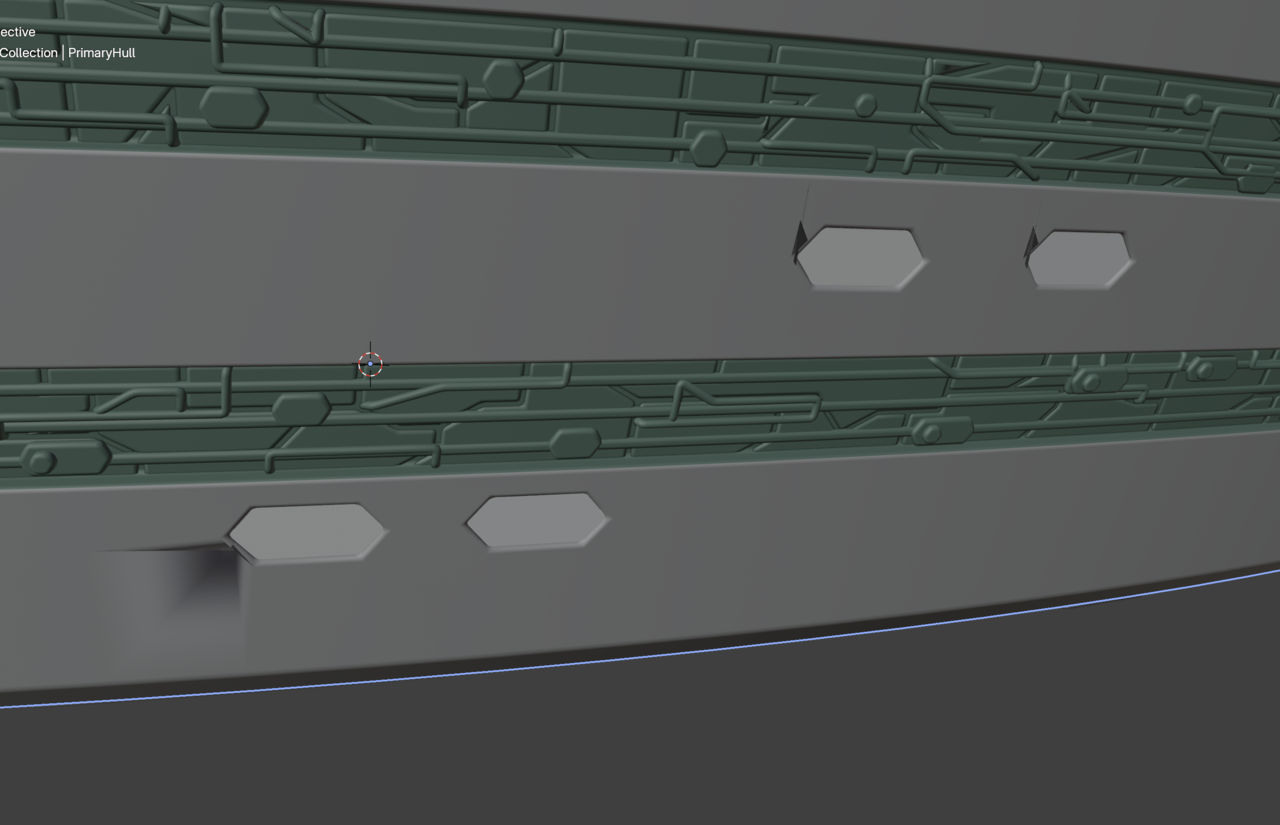
I’m using 4.5.2 LTS and this is what I get when I open the file and select the PrimaryHull object, then select Clear Custom Split Normals Data:
Open the file:
Clear the custom normals data:
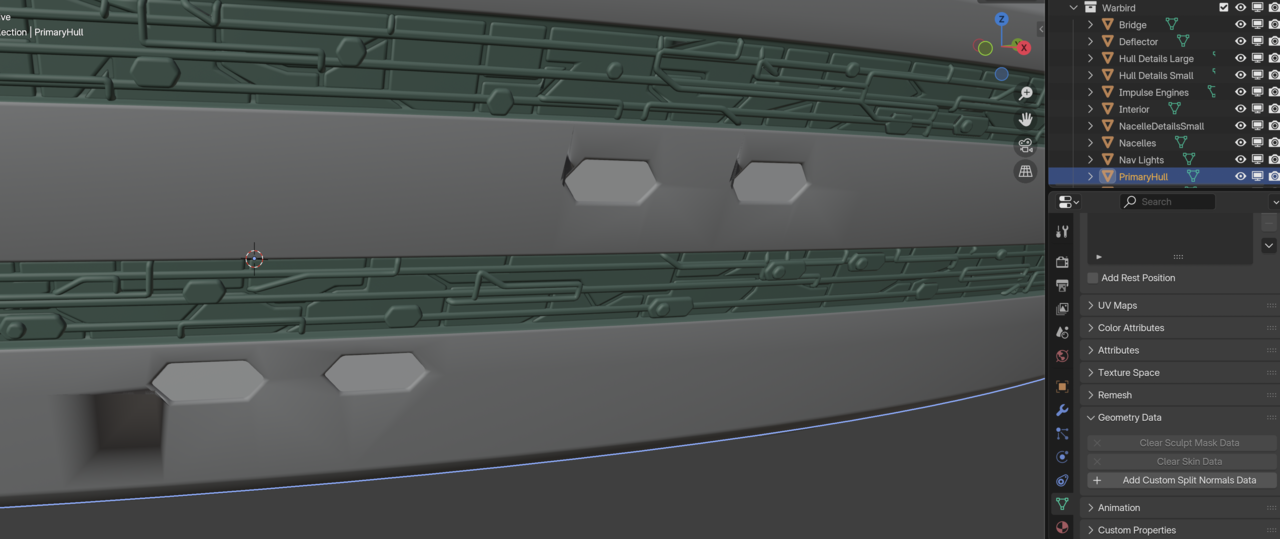
It’s not exactly the result I expected. 😀 I thought maybe an addon might be borking it, but I started Blender in factory startup mode and I got the same result.
December 19, 2025 at 9:28 am #98563Success!
Steps for the really bad window:
- Clear Custom Split Normals Data. See ugly shading square.
- In Edit Mode, delete two apparently unnecessary overlapping faces (thankfully no holes appeared) and move one vertex with GG slide. Observe ugly shading almost eliminated.
- In Object mode, shade the PrimaryHull flat. See ugly shading disappear. See undesired subtle creases in the hull.
- Shade the hull Auto Smooth. See ugly shading again at the default 30 degrees.
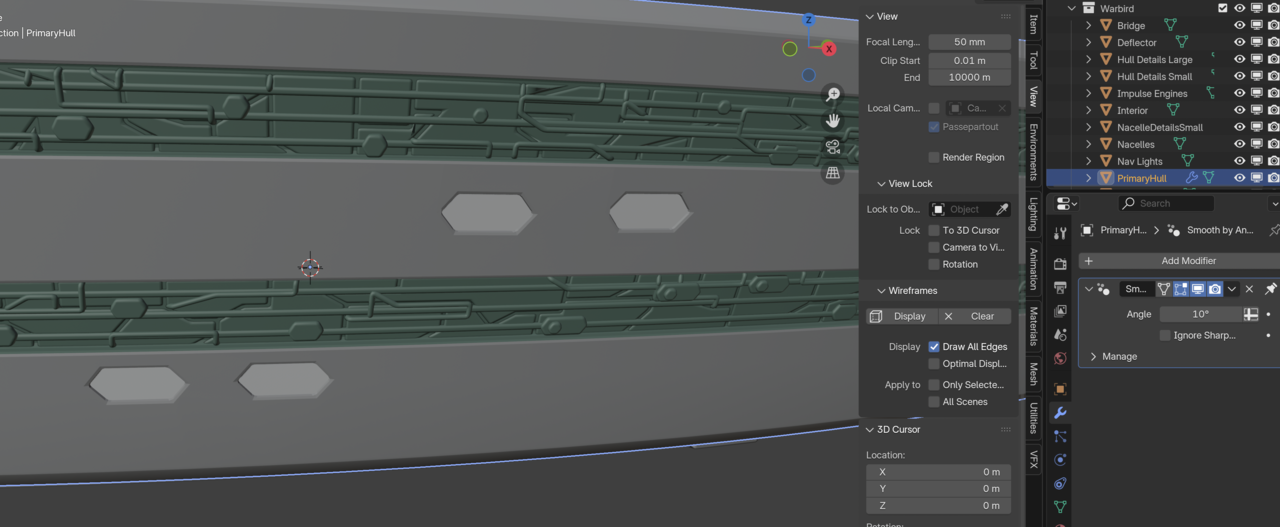
- Set the max angle to 10 degrees. See both creases and ugly shading disappear.
- Check the two not-so-bad windows in the top right. See that all ugly shading has disappeared.
- Go make yourself a nice cappuccino and bask in a job well done. So far. 😎
December 19, 2025 at 9:35 am #98564That’s a result!
 December 19, 2025 at 10:03 am #98565
Oh no!
Cycles isn’t playing nice with the geometry.
Eevee Test Render:
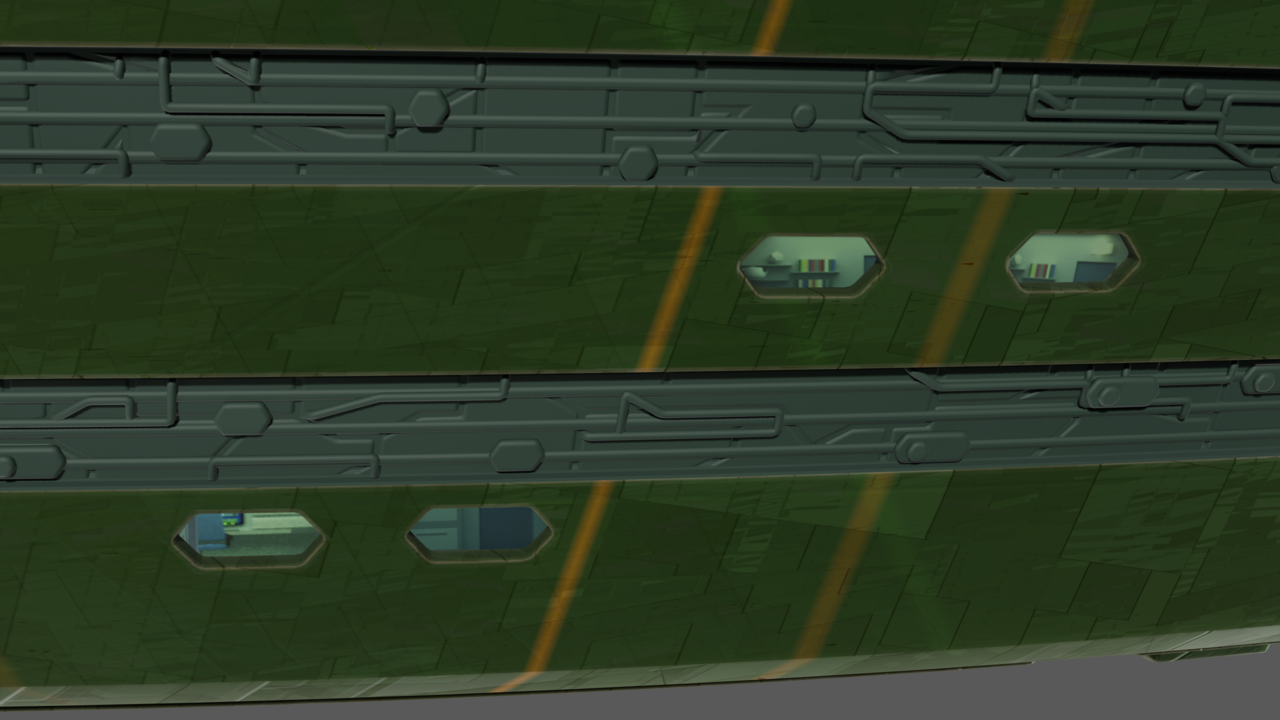
Cycles Test Render:
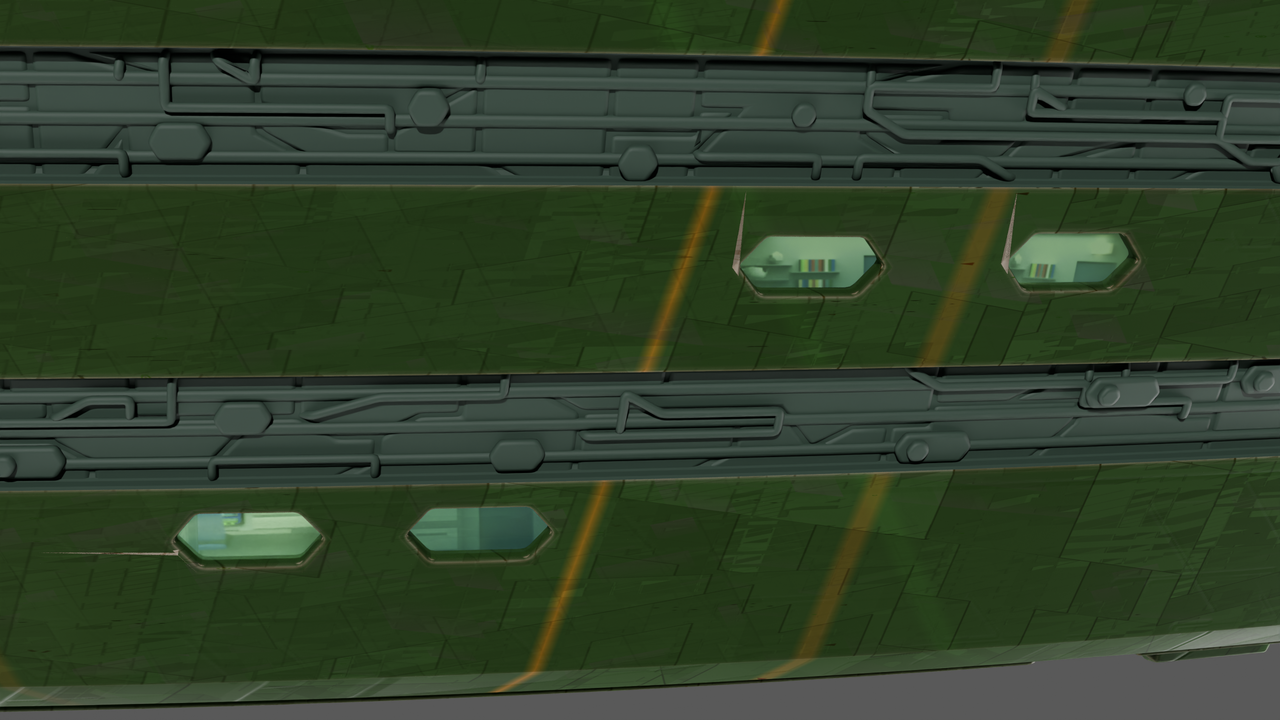
Is this happening because Cycles raytraces all of the nooks and crannies of the geometry and Eevee only raytraces what the camera can see directly? I’m going to add a light probe for the Eevee render and see if I can duplicate the Cycles result.
December 19, 2025 at 10:36 am #98566Hi Jeff,
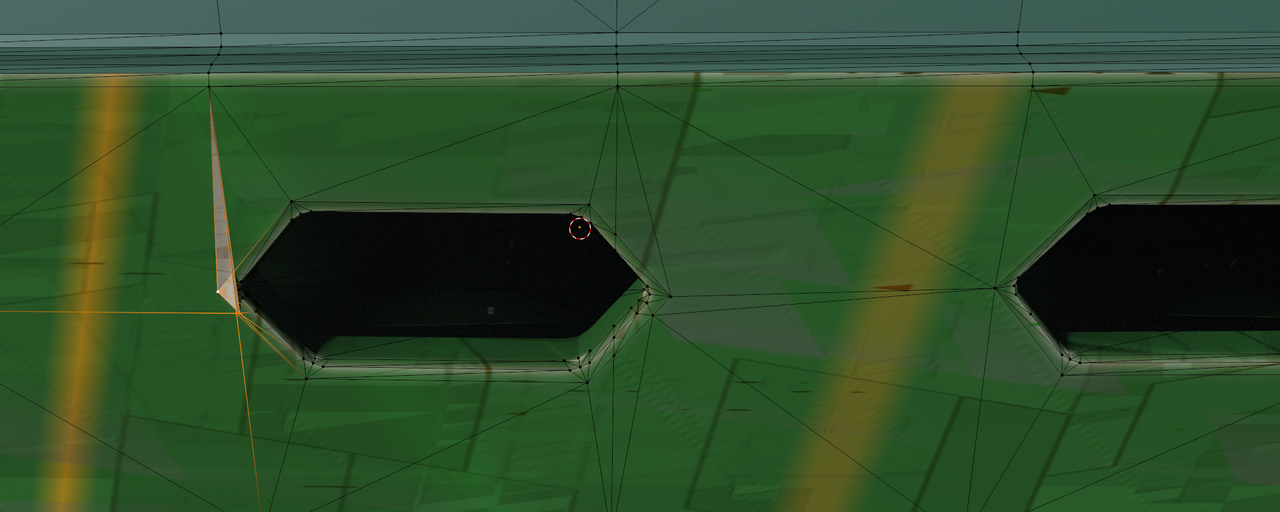
I’d use the Cycles Rendered View to fix those overlapping Faces.
For instance the 2 upper windows in your last screenshot, Select these 3 Vertices and M > Merge at Last (already done on the right one):
 December 19, 2025 at 11:20 am #98567
Thanks, Martin!
May I get an explanation for what Merge at Last does and what led you to think of that operation as opposed to deleting overlapping faces and sliding verts?
I was able to fully get rid of the last of those artifacts in Cycles by doing the delete-slide thing. But your method seems simpler and easier if I can understand why you chose it.
December 19, 2025 at 11:53 am #98568Sure Jeff,
It’s a bit hard to see, but there are 3 Vertices Selected and Merge at Last merges them at the last Selected, the Active (white) Vertex. That makes the Triangle go away in a simple way.
You can get good results with Sliding Vertices as well, but in this case, this seems easier to me. Call it ‘intuition through experience’, or somehthing like that.
Like we mentioned before, the Topology is extremely messy (a lot of ‘double Vertices’ as well, by the way) and we can try and make the most offending areas slightly less offending and there are different ways to do that. Whatever works to get a decent looking Render.
A real fix, would mean a complete Retopology, or just Model it yourself, but I understand, that that’s not really an option here.
December 19, 2025 at 1:02 pm #98569Thanks again, Martin.
I really respect the expertise that you and the other mentors bring to the rest of us to help solve problems. There’s no amount of book learning that can substitute for experience!
I had a play with the Merge options and after a few tries I figured out what it was doing. It was a challenge to pick the correct vertices in the correct order, but eventually I got it to work. It didn’t seem any easier than the delete-slide method, but it eventually gave good if not better results. I can see that if I had started with Merge in mind, it might indeed have been easier. And it’s nice to have different options for workflow.
I like the idea of making things “less offensive” and keeping the question of “Does it look good?” at the forefront. At my skill and experience level, that’s the best I can do.
December 19, 2025 at 3:33 pm #98570It’s not that one is correct and the other incorrect, it’s just two ways of achieving the same end result. There’s always lots of ways to do something, any is fine.
-
AuthorPosts


- The topic ‘How hard is it to fix this?’ is closed to new replies.