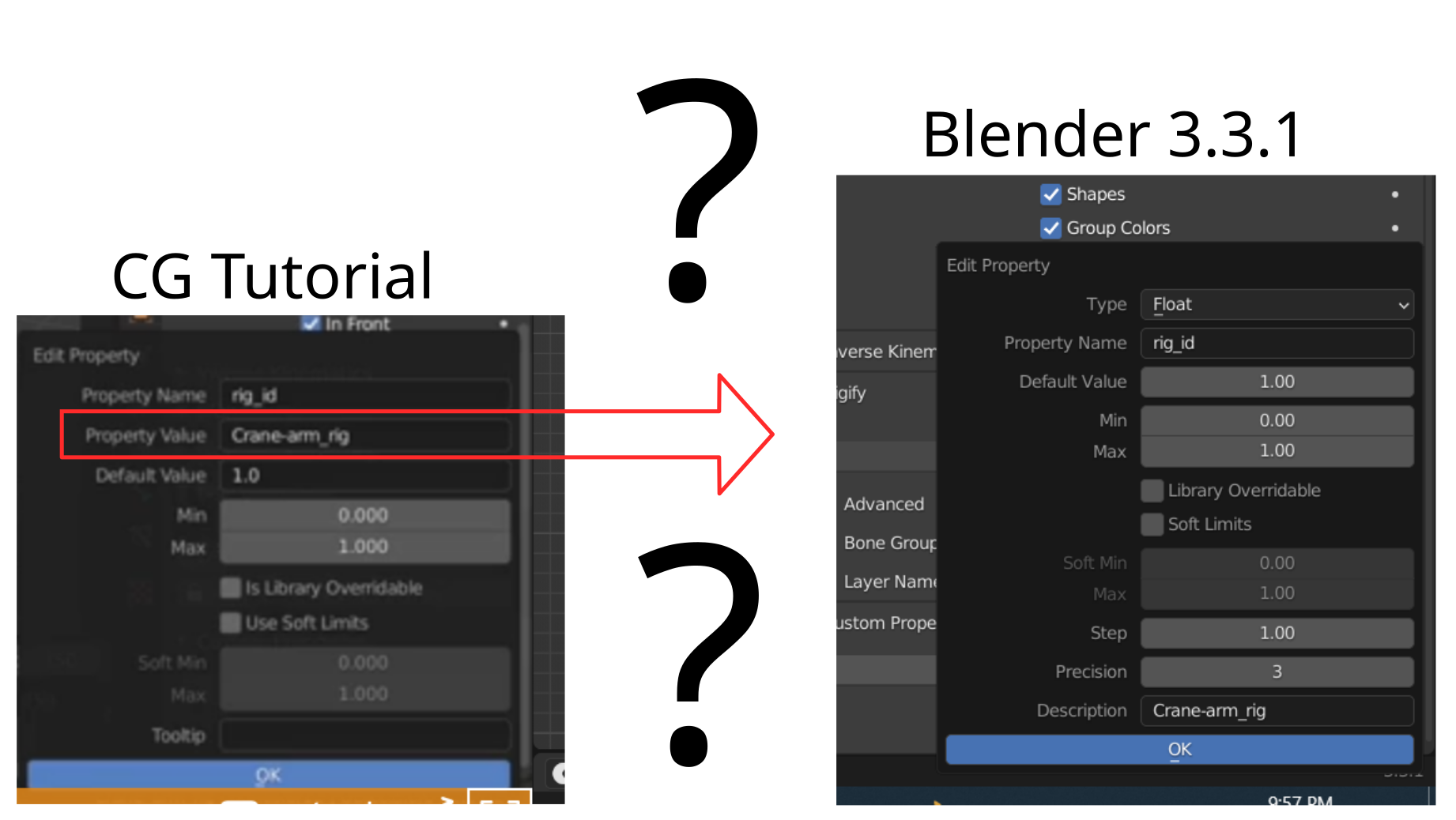
how dose the new Custom Properties work in 3.3.1?

Forum Archive how dose the new Custom Properties work in 3.3.1?

Viewing 5 posts - 1 through 5 (of 5 total)
  • Author
    Posts
  • #15702
    Craig Wieland
    Participant

      #76626
      Martin Bergwerf
      Participant

        Hi @CCWieland ,

        In modern versions of Blender (like 3.3), You must declare the Type of the property (at the top).

        The default is Float, but in your example the Value has Type String.

        #76627
        Craig Wieland
        Participant

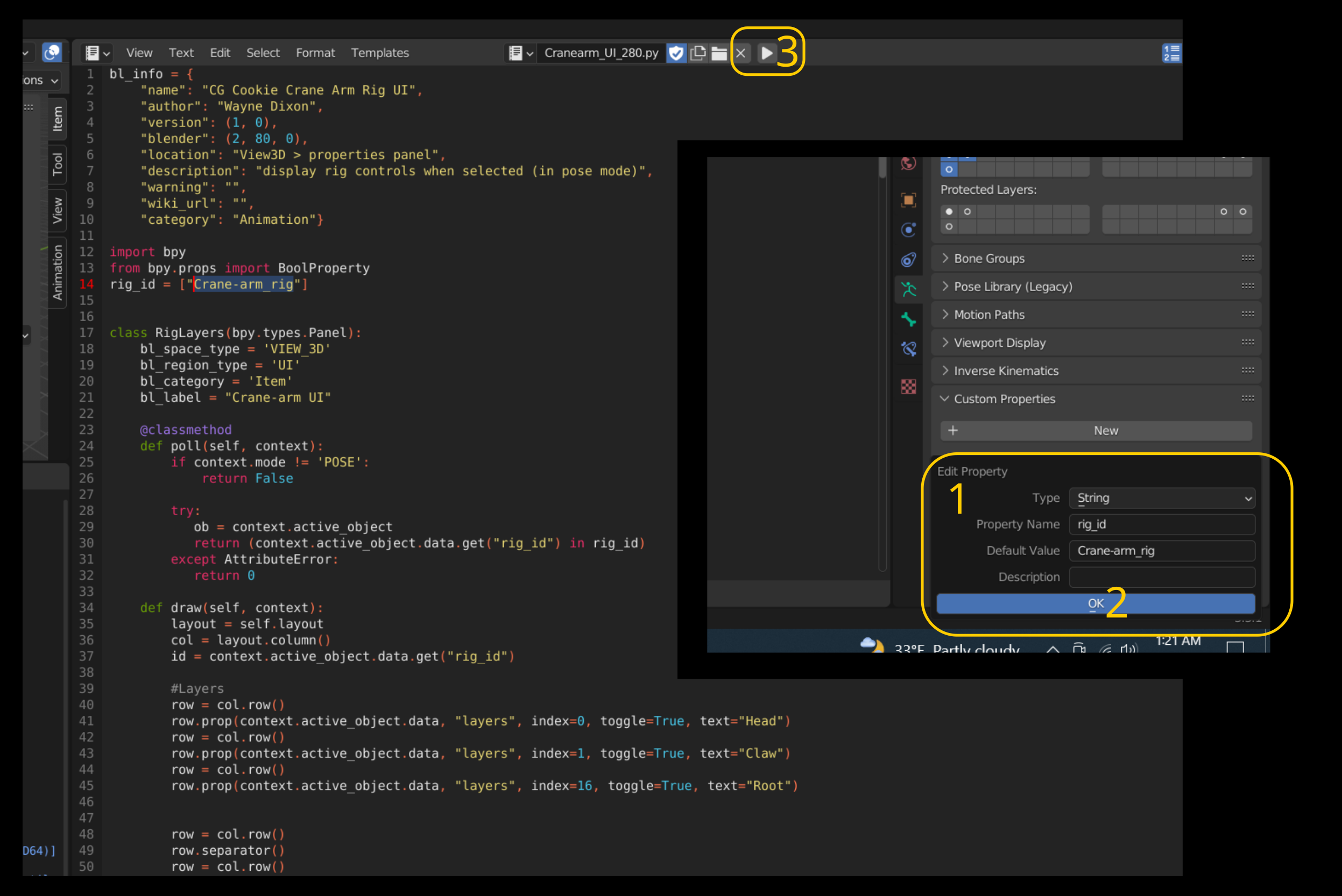
          I set up the custom properties and ran the script, but it did not work. Is it possible (me not knowing Python) that the script is out dated?

          #76628
          Wayne Dixon
          Participant

            No the script works fine, it’s really a clunky update with Blender itself.

            Thanks for your step by step images – very helpful.

            I can see that you have changed the ‘Default Value’ correctly.

            However, when you edit the property, there is no longer a way to change the ‘Current Value’ in that pop up menu.

            (This really is an oversight by the devs in my opinion).

            When you click OK, you will probably see that the actual value is still 1.0.

            You can type the value in there again…..or because you have already set the default, you can just hover your mouse and press backspace.

            That is the shortcut to return any value back to its default.

            Backspace is faster.

            #76629
            Craig Wieland
            Participant

              Thank you that make sense. I was worried that I was spending to much time on it. So thank you for Answering that twice.

            Viewing 5 posts - 1 through 5 (of 5 total)
            • The topic ‘how dose the new Custom Properties work in 3.3.1?’ is closed to new replies.