How do you do special > smooth in Blender 3.1.2?

Forum Archive How do you do special > smooth in Blender 3.1.2?

Viewing 5 posts - 1 through 5 (of 5 total)
  • Author
    Posts
  • #15176
    gailgongster
    Participant

      I believe Special has been replaced with right click? And there I see Smooth Vertices and Smooth Laplacian.  Should I use one of these in place of smooth?  I tried both and they gave a very sharp or flat result.  Maybe the smooth is unnecessary?

      #74436
      spikeyxxx
      Participant

        Hi @gailgongster,

        The Specials Menu can indeed now be opened with right click, if  you are using Left Click Select. When using RCS, it still is W.

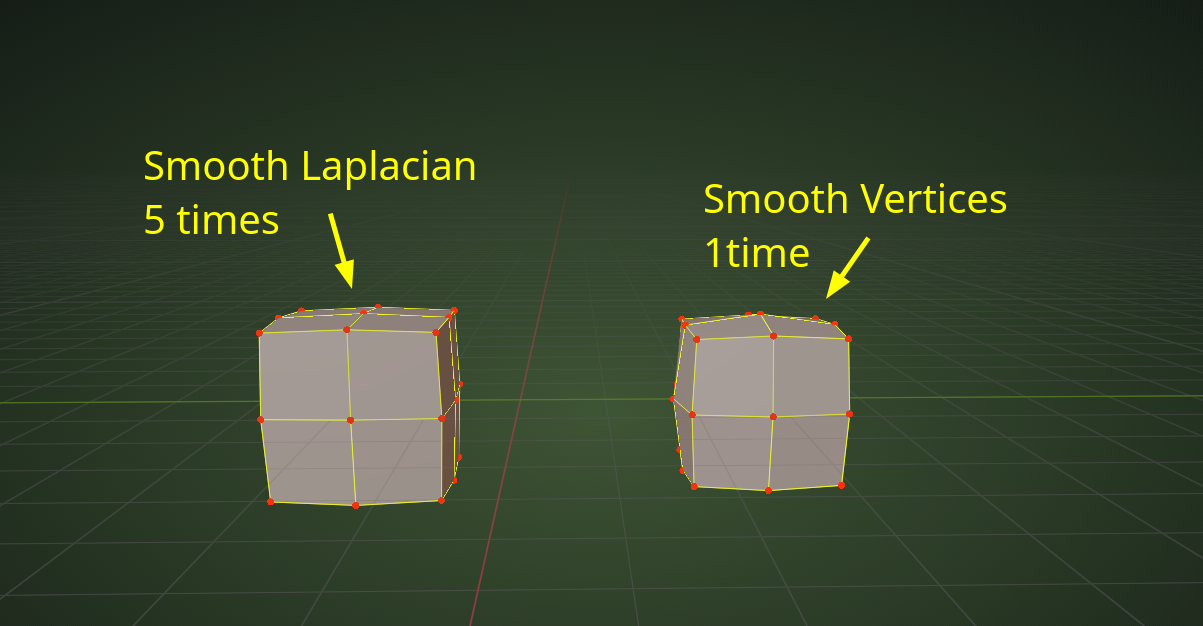
        But it has also changed a bit, in that it is now context sensitive; meaning, that you need to be in Vertex Select Mode to see the Smooth Vertices, which used to be called Smooth. Smooth Laplacian has always been there and tries to smooth the Vertices, while at the same time tries to keep the shape as much as possible;

        The difference, both operations done on a one time Sbdivided Cube:

        Specials.png

        #74437
        gailgongster
        Participant

          @spikeyxxx Thank you so much for the detailed response, for clearing some things up for me,  and for letting me know I am not alone in this cgcookie adventure.

          #74438
          spikeyxxx
          Participant

            @gailgongster I have never used Laplacian Smooth in about 10 years of modeling, so I looked into it a bit more and apparently, it is mainly meant as a sort of Mesh Denoiser. When you have some 3D scanned data, that might come in somewhat ‘noisy’  and then Laplacian Smooth (or the Modifier) can help ‘clean up’ the Mesh.

            #74439
            gailgongster
            Participant

              Thank you @spikeyxxx for thinking some more about Laplacian Smooth.  You are introducing me to more and more concepts! I will file away Laplacian Smooth for now and hope your reply gets jogged in my head when I run across noisy 3d scanned data!  

            Viewing 5 posts - 1 through 5 (of 5 total)
            • The topic ‘How do you do special > smooth in Blender 3.1.2?’ is closed to new replies.