How do you break apart voxels?

Forum Archive How do you break apart voxels?

Viewing 10 posts - 1 through 10 (of 10 total)
  • Author
    Posts
  • #16967
    Rob Ot
    Participant

      Hi! I was wondering if anybody knew how to turn an object into voxels, and then break it apart? I’ve tried the Remesh modifier, but it just changes the surface, and doesn’t actually create voxels…

      If my description isn’t clear enough, I’m looking for something like Teardown(https://store.steampowered.com/app/1167630/Teardown/).

      Thanks!

      #81652
      Martin Bergwerf
      Participant

        Hi Rob @modelmonkey ,

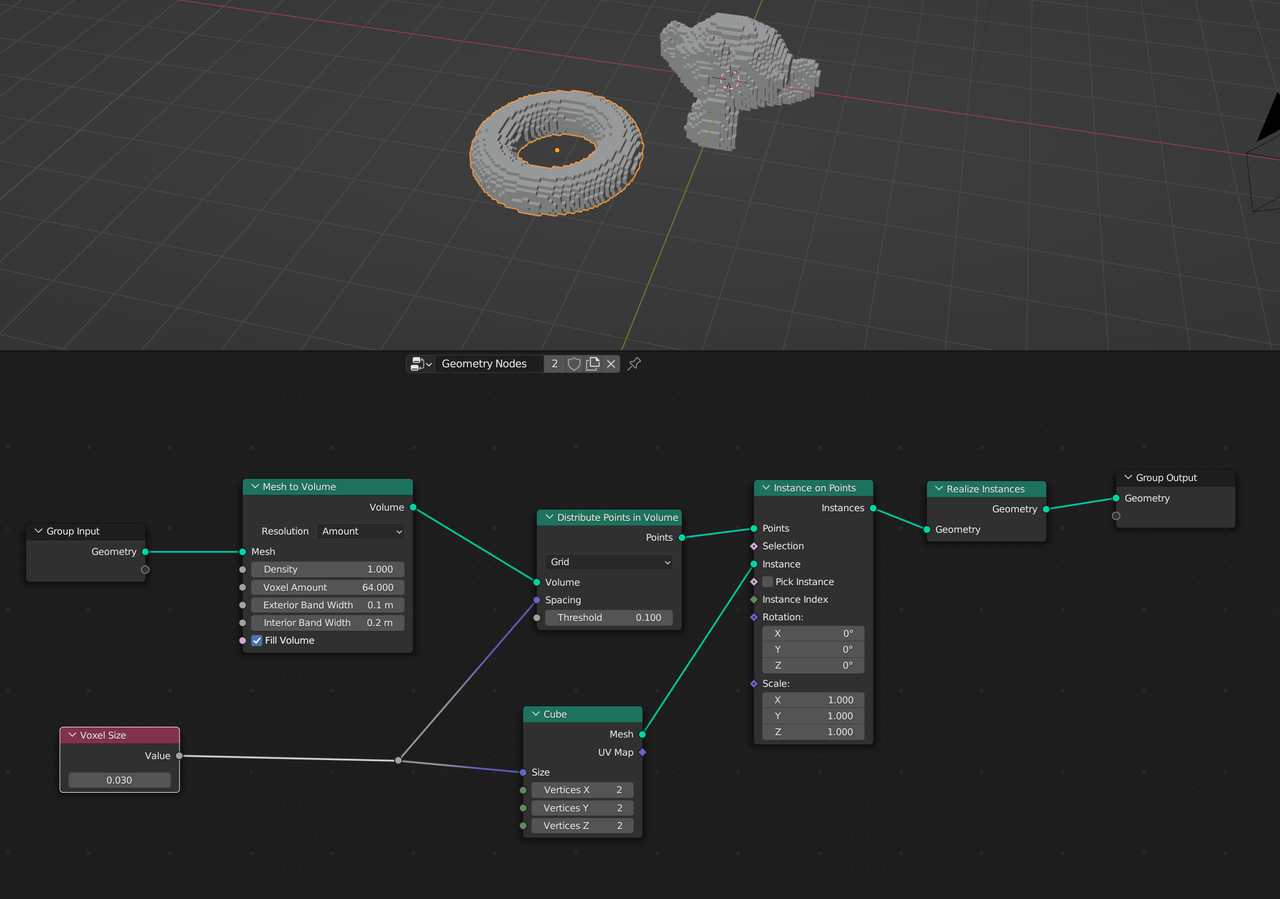
        How about using Geometry Nodes, maybe something like this:

        Voxelize.png

        If you Apply the GN Modifier, you can go into Edit Mode and see that you have all those individual cubes. (P > Separate by Loose Parts, back into Object Mode, Object > Rigid Body > Add Active, etcetera.)

        I didn’t go to your link, by the way, your description was pretty clear (I think).

        #81653
        Omar Domenech
        Participant

          Hopefully apart from Martin’s solution, this tutorial could help? It’s a long shot, I’m just guessing because of the title.

          https://cgcookie.com/courses/creating-detailed-voxel-art-in-blender-2-8

          #81654
          Rob Ot
          Participant

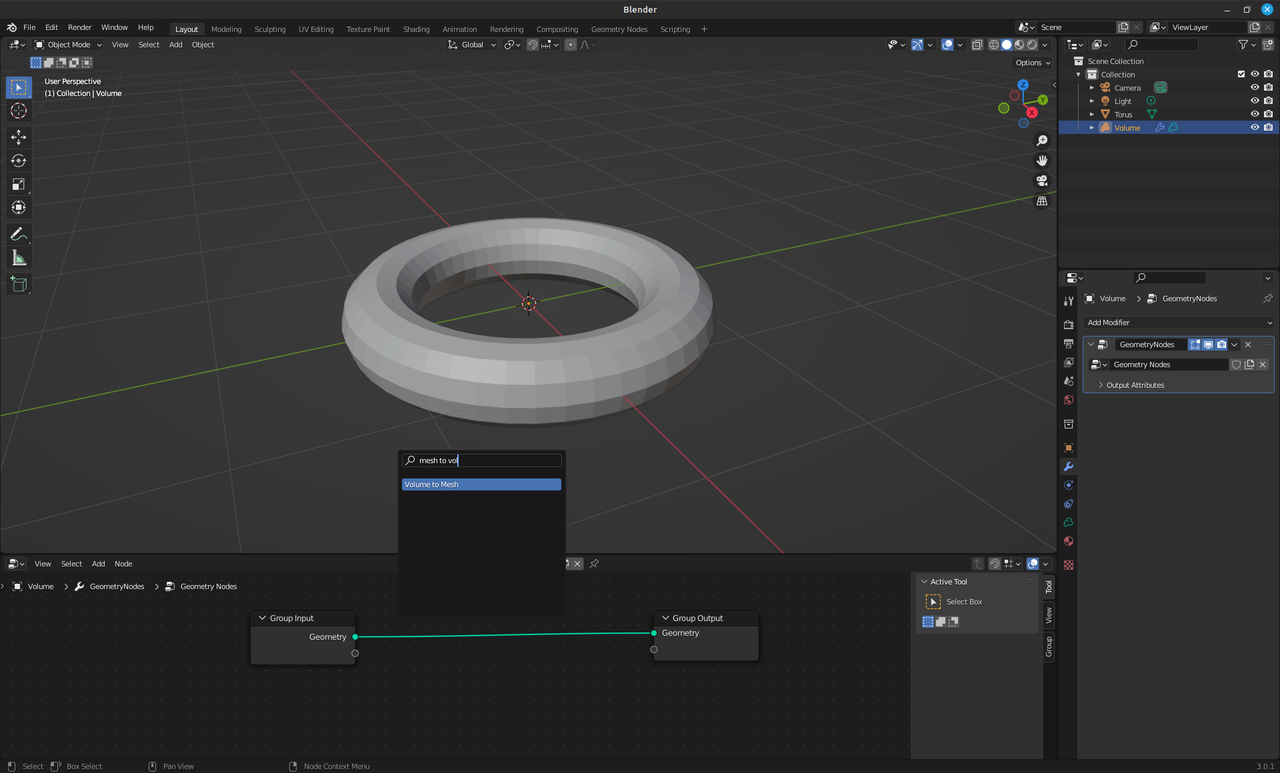
            Hi @spikeyxxx, thanks for your reply. I’m fairly new to Blender, and I can’t find mesh-to-volume, only volume to mesh. When I create a volume, I can add the mesh-to-volume modifier, but not in the node editor. Thanks.

            #81655
            Martin Bergwerf
            Participant

              Hi Rob @modelmonkey ,

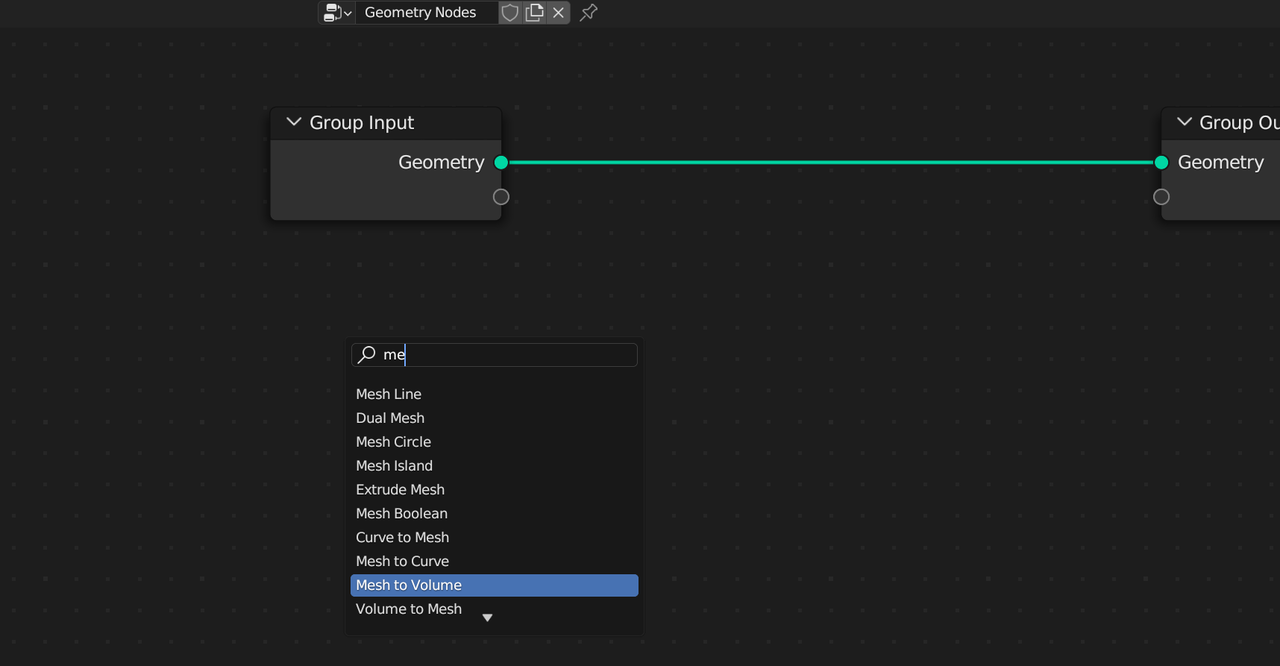
              The easiest way is to use the Search, when you use SHIFT+A to Add a Node, there is a Search on the top and if you start Typing:

              MtoV.png

              Mesh to Volume and Volume to Mesh are in different menu’s and the Search can really help you (and me) out.

              Mesh to Volume is in Mesh > Operations > Mesh to Volume.

              Or you could type: SHIFT+A, M, O, V.

              #81656
              Rob Ot
              Participant

                Hi @spikeyxxx, Mesh to Volume doesn’t show up for me…o-volume missing.png

                EDIT: I know that my node editor is on a volume, but it doesn’t work on my mesh either…

                #81657
                Martin Bergwerf
                Participant

                  Well Rob,

                  That is because you are using a rather old Blender Version: 3.0

                  In less than a month 4.0 is released. 3.6 is the latest stable release.

                  If you can’t use that (due to Hardware or so), I can find out when this Node was first added…it’s been around for quite a bit.

                  #81658
                  Martin Bergwerf
                  Participant

                    Okay, found it.

                    It was introduced in 3.3 LTS.

                    #81659
                    Rob Ot
                    Participant

                      Thanks for all your help, that’s exactly what I was looking for. To anyone else following these steps, you may notice that you cubes all bounce inwards when they hit, for example, a plane. This is because the object origin is right in the middle of your shape. To fix this, select all of you voxels, and in Object mode, head to:

                      Object>Set Origin>Origin to Center of Mass (Surface)

                      Thanks!

                      #81660
                      Martin Bergwerf
                      Participant

                        Oh right!

                        I forgot to mention that…Thanks Rob!

                      Viewing 10 posts - 1 through 10 (of 10 total)
                      • The topic ‘How do you break apart voxels?’ is closed to new replies.