How do I pin a small window to stay in camera view?

Forum Archive How do I pin a small window to stay in camera view?

Viewing 12 posts - 1 through 12 (of 12 total)
  • Author
    Posts
  • #11877
    Karen Trevino
    Participant

      I set up small window to render preview, and I’ve heard Kent say on live stream (can’t remember where) that he pinned this view. 

      I can’t figure out how this is done as I would like to open a larger veiwport in the 3D viewport to work in edit mode Texture Paint etc but both windows change when I change the one I’m working in

      #56246
      Mark Smith
      Participant

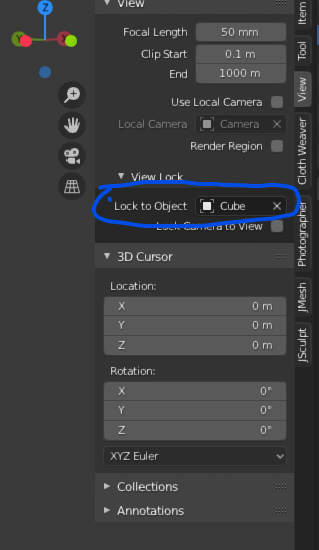
        this should get you there

        #56247
        Karen Trevino
        Participant

          That locks the camera to view, am I correct?

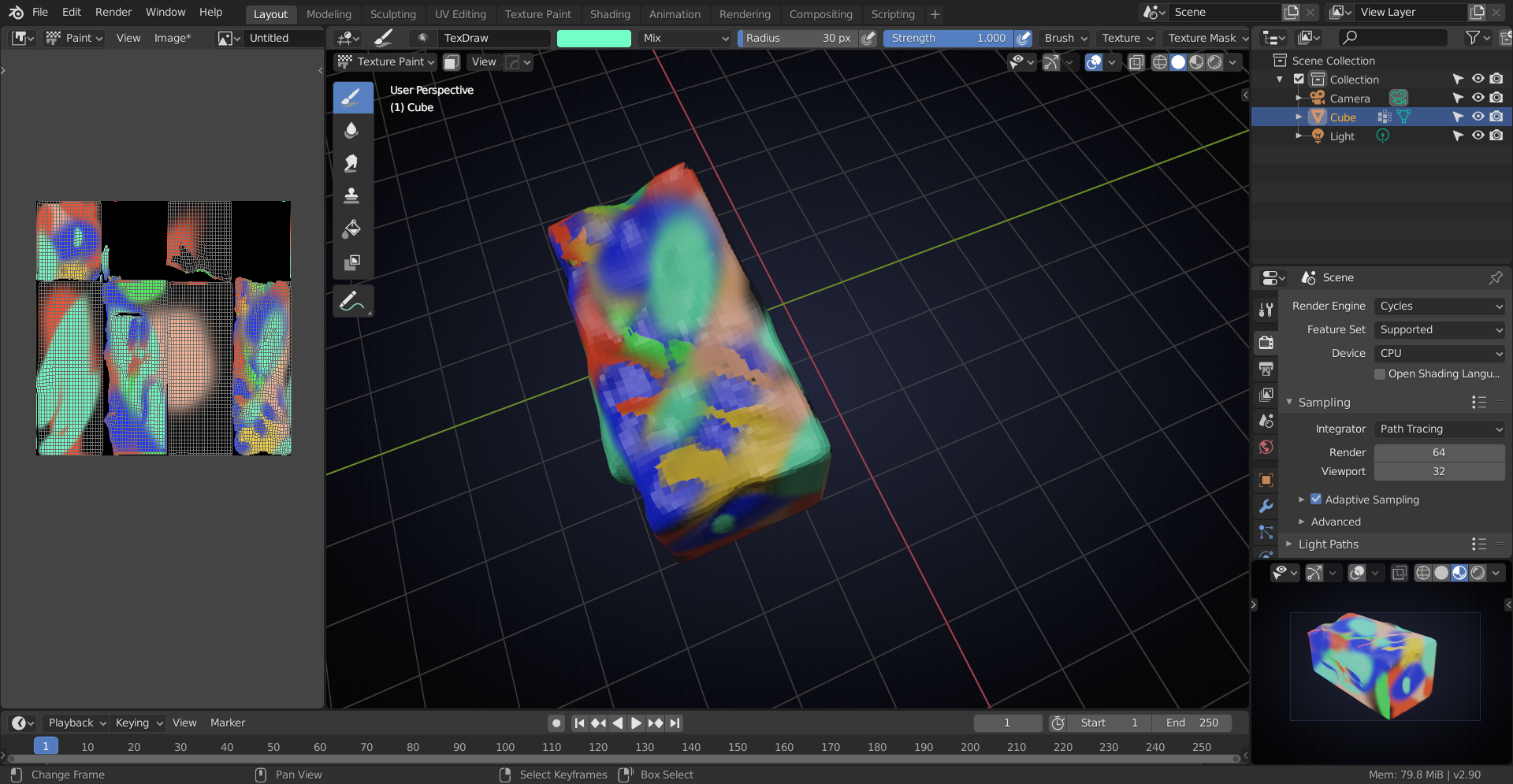
          What is happening is I select all in Edit Mode, Say I want to texture paint but I want to paint on UV’s directly. I open a window in veiw image / set it to paint after setting up UV’s etc. If I open another to texture paint to see how its going on the mesh itself it changes the render preview up that I set up to Texture paint.  So the uv’s I selected in Edit Mode disappear (when I change to Texture paint) in the image Editor even if I was going to paint on the texture itself.  I have gone back to 8.2 as I was 8.3 in hopes that I could do it there. I can see where you can pin the Edit Image and some of the other windows but not the 3D viewport.

          #56248
          Mark Smith
          Participant

            it locks the camera to the object… I may have misunderstood what you were asking…

            #56249
            Karen Trevino
            Participant

              No problem I may be off my rocker lol

              #56250
              Matthew Ullrey
              Participant

                Hi Karen,

                I just tried to recreate your set up. I have two windows open. One is the 3D View set to Edit Mode with the “Show Overlays” button turned off (this helps me see just the texture without the wireframe)  with the “View Port Shading” set to Rendered. The other window is the Image Editor set to Paint mode. I created and saved a new texture file and plugged it to the Base Color of a new material for the object. With this setup I can paint directly on the UV’s in the Image Editor and see the paint strokes show up on the object in the 3D View.

                I hope this mitigates and meliorates the morass of our memory until the materialization of the mysterious methods of our modeling mentor….. I’m not sure where that came from.

                #56251
                spikeyxxx
                Participant

                  Hi Karen, I’m not sure what the problem is, when you set your small 3D viewport window to rendered view, you can go into Edit Mode, Sculpt; Texture Paint in the main 3D Viewport, or do whatever you like and the small window will stay (‘pinned’) in rendered view. You don’t actually need to ‘pin’  that window (and even can’t, like you already observed):

                  With Texture Paint, I would use Preview Mode (formerly known as LookDev), or Eevee, because Cycles doesn’t update the texture.

                  Is this what you meant?

                  #56252
                  Karen Trevino
                  Participant

                    ok, I went back to 2.87 I can see the UV’s now, so I’m good. Thank  you guys for the info! 

                    #56253
                    spikeyxxx
                    Participant

                      lol 2.87?

                      #56254
                      Karen Trevino
                      Participant

                        2.82 lol it was the last stable release to download. And I’m not having all the problems I was having with 2.83

                        #56255
                        shan jay
                        Participant

                          2.87 When was that released? 

                          @ketre 

                          #56256
                          Karen Trevino
                          Participant

                            Its not, I made a typo lol  2.82 is what I went back to I was on 2.83 I believe but I was having alot of trouble

                          Viewing 12 posts - 1 through 12 (of 12 total)
                          • The topic ‘How do I pin a small window to stay in camera view?’ is closed to new replies.