How do I change the rotation of the cursor?

Forum Archive How do I change the rotation of the cursor?

Viewing 5 posts - 1 through 5 (of 5 total)
  • Author
    Posts
  • #17432
    Robert Bondari
    Participant

      I haven’t seen a possibility to rotate the cursor. When I choose cursor as a tool, I can’t perform “R” on it. What is the way to rotate the cursor? It certainly can’t only just depend on the angle the screen is rotated and where you then press right click on the viewport

      #83833
      Martin Bergwerf
      Participant

        Hi Robert @RCooperArt ,

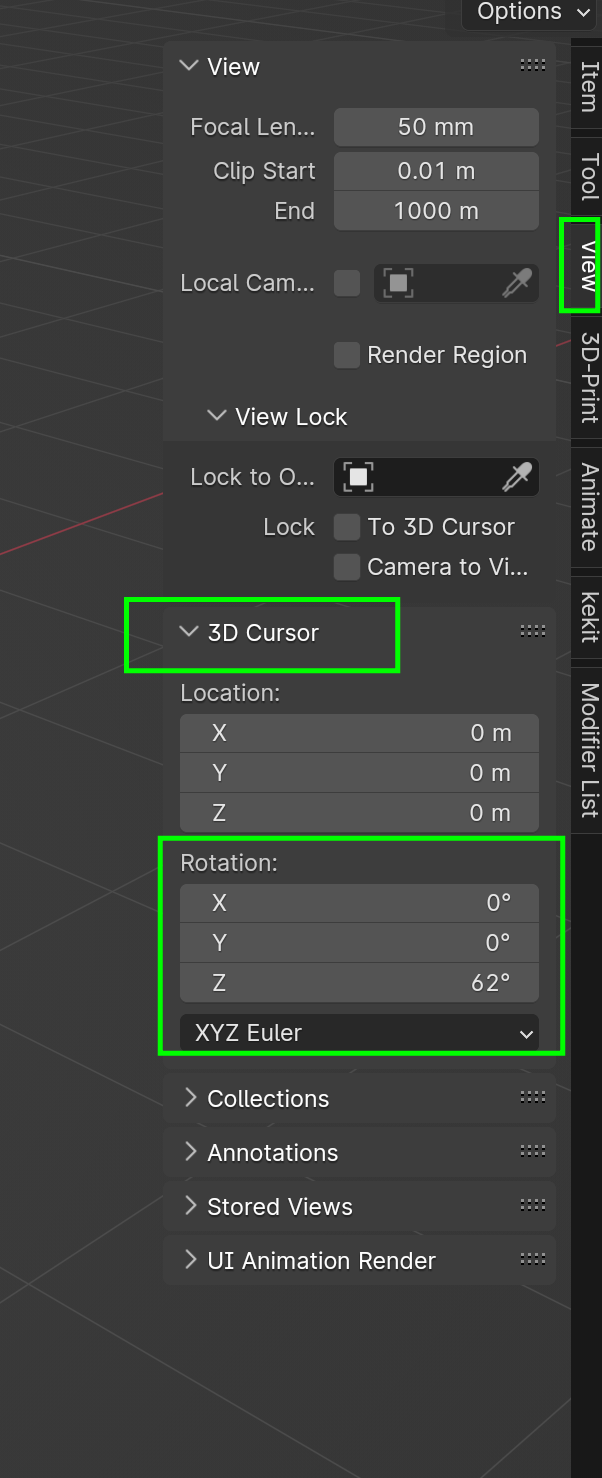
        You can do that here:

        3D Cursor.png

        (Although I have never done that yet.)

        #83834
        Omar Domenech
        Participant

          Only use I’ve seen for the cursor rotation is a functionality on the Grease Pencil tools where the strokes will be drawn depending on how the cursor is rotated.

          #83835
          Robert Bondari
          Participant

            Thank you all!

            Yeah I don’t see a reason to use it myself xd Just still was curious to know how

            #83836
            Dwayne Savage
            Participant

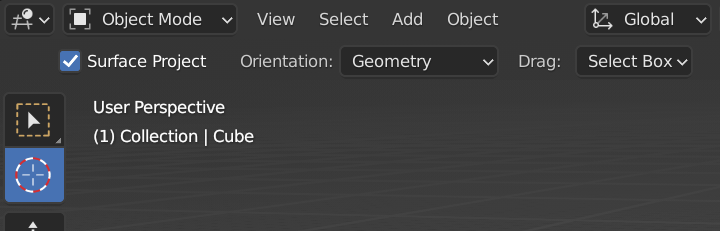
              It can be useful when trying to align objects through snapping to cursor or adding new primitives. Another way to change the rotation is to use the 3D cursor tool and change it’s orientation  to geometry instead of the default view. Then you can click on any surface and the 3D cursor will align to the angle of the surface under it. 4-01-25 17-58-24.png

            Viewing 5 posts - 1 through 5 (of 5 total)
            • The topic ‘How do I change the rotation of the cursor?’ is closed to new replies.