How do I bridge the two ends of a pipe?

Forum Archive How do I bridge the two ends of a pipe?

Viewing 6 posts - 1 through 6 (of 6 total)
  • Author
    Posts
  • #14166
    prakruti
    Participant

      I rewatched the video multiple times and followed the exact same steps as shown in the video (I have blender version 2.81) and I am unable to bridge/loft the two ends together.

      #69588
      Kent Trammell
      Participant

        You need to enable the Loop Tools addon which is included with Blender. Then with both sets of border edges selected, you right click in edit mode go to Loop Tools > Bridge.

        If that doesn’t work, what happens or what error / warning are you receiving?

        #69589
        spikeyxxx
        Participant

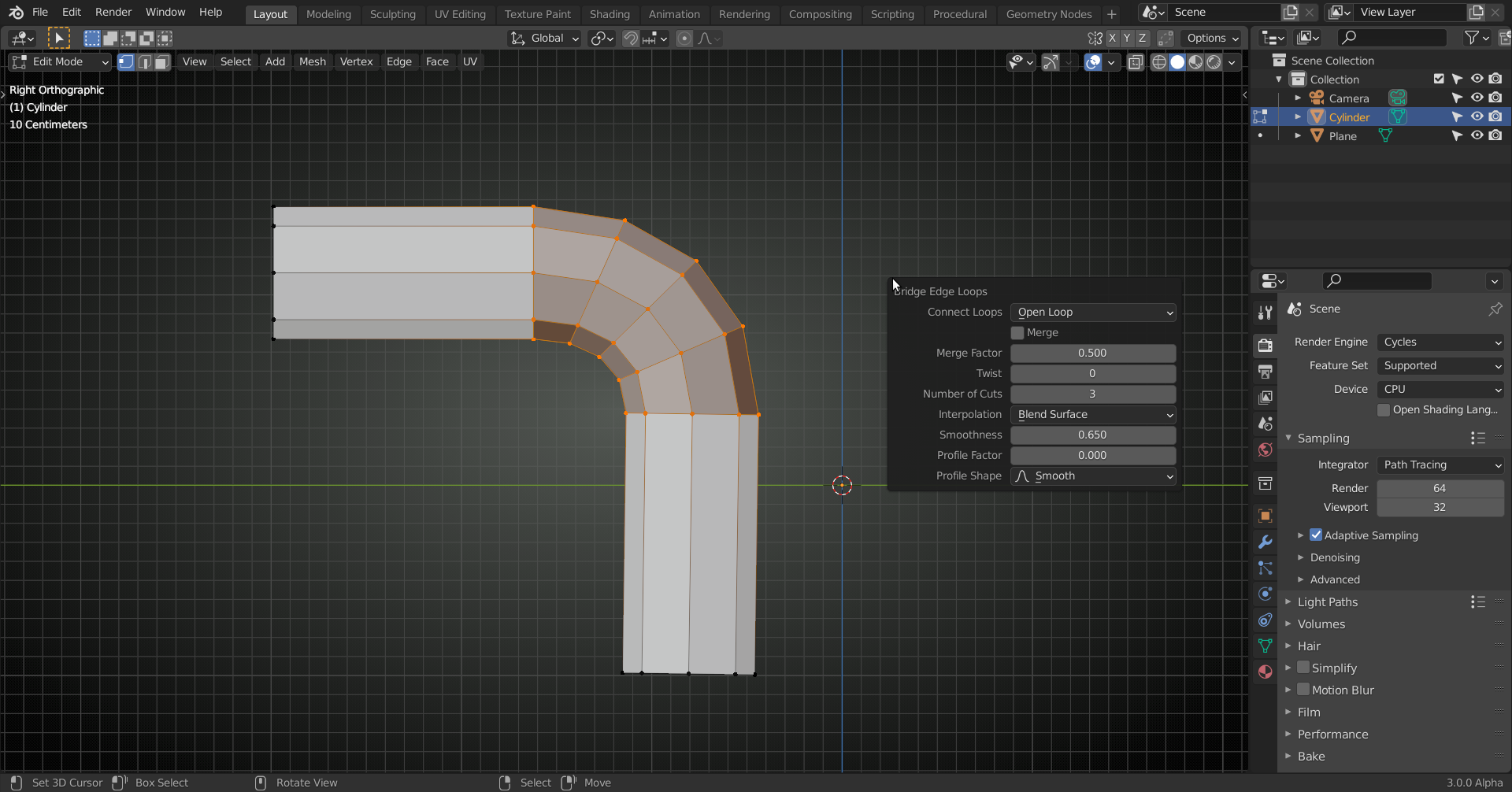
          There is another way: CTRL+E > Bridge Edge Loops, that has a few different options:

          Although I do recommend to have LoopTools always enabled!

          #69590
          prakruti
          Participant

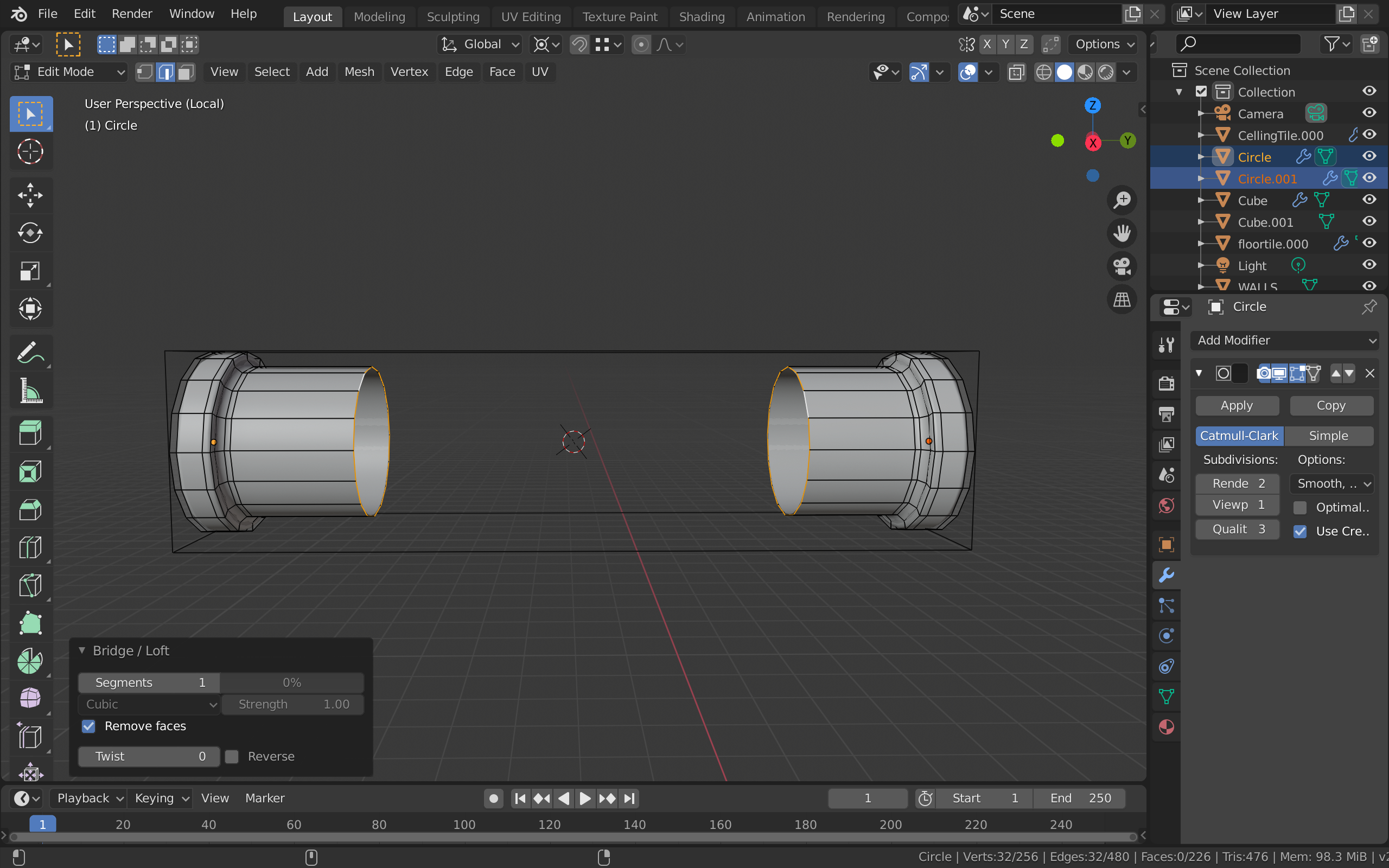
            I have enabled loop tools, and I click on bridge after selecting the ends I want to connect. When I select the two ends of the pipe to bridge together, the menu about the number of segments etc. pops up but the two ends aren’t connected.

            #69591
            spikeyxxx
            Participant

              Hi @prakruti this doesn’t work, because those two pipe ends are separate Objects. Bridging only works within one Object.

              Go into Object Mode, with those two pipe ends still selected press CTRL+J to join them into one Object ane then you can go back into Edit Mode and try again.

              #69592
              prakruti
              Participant

                thank you!!

              Viewing 6 posts - 1 through 6 (of 6 total)
              • The topic ‘How do I bridge the two ends of a pipe?’ is closed to new replies.