How do I autokeyframe say for example just X Location channel?

Forum Archive How do I autokeyframe say for example just X Location channel?

Viewing 2 posts - 1 through 2 (of 2 total)
  • Author
    Posts
  • #15536
    neishy
    Participant

      I remember Wayne explaining how to do this somewhere, but I’m not sure where he explained it.

      #75909
      Omar Domenech
      Participant

        You can for example, in the N panel, right click in the X location and “insert single keyframe” and that will keyframe only the X channel.

        Then on your keying set you can set it to available, and since the only keyframe is in the X, it will key the X location.

        1.png

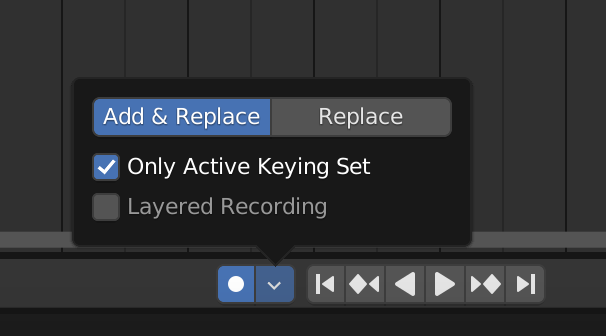
        Then turn on your auto keying and set it to “only active keying set”.

        2.png

      Viewing 2 posts - 1 through 2 (of 2 total)
      • The topic ‘How do I autokeyframe say for example just X Location channel?’ is closed to new replies.