How did you get the background to be transparent?

Forum Archive How did you get the background to be transparent?

Viewing 7 posts - 1 through 7 (of 7 total)
  • Author
    Posts
  • #12208
    William Miller
    Participant

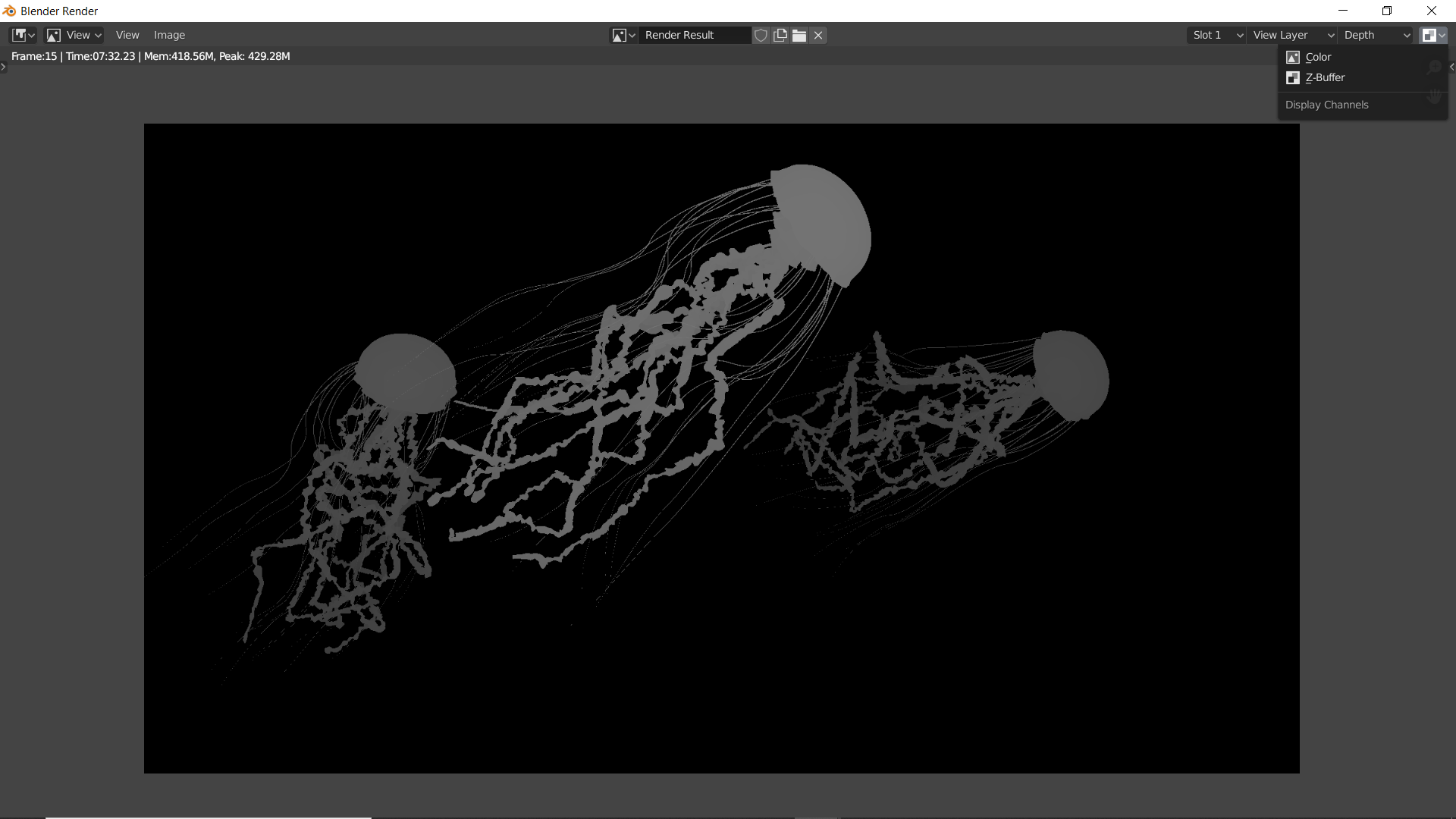
      When I rendered it, the background was completely visible.  Also, the Z layer was completely white.  How do I fix that?

      #58300
      Shawn Blanch
      Participant

        @williamatics

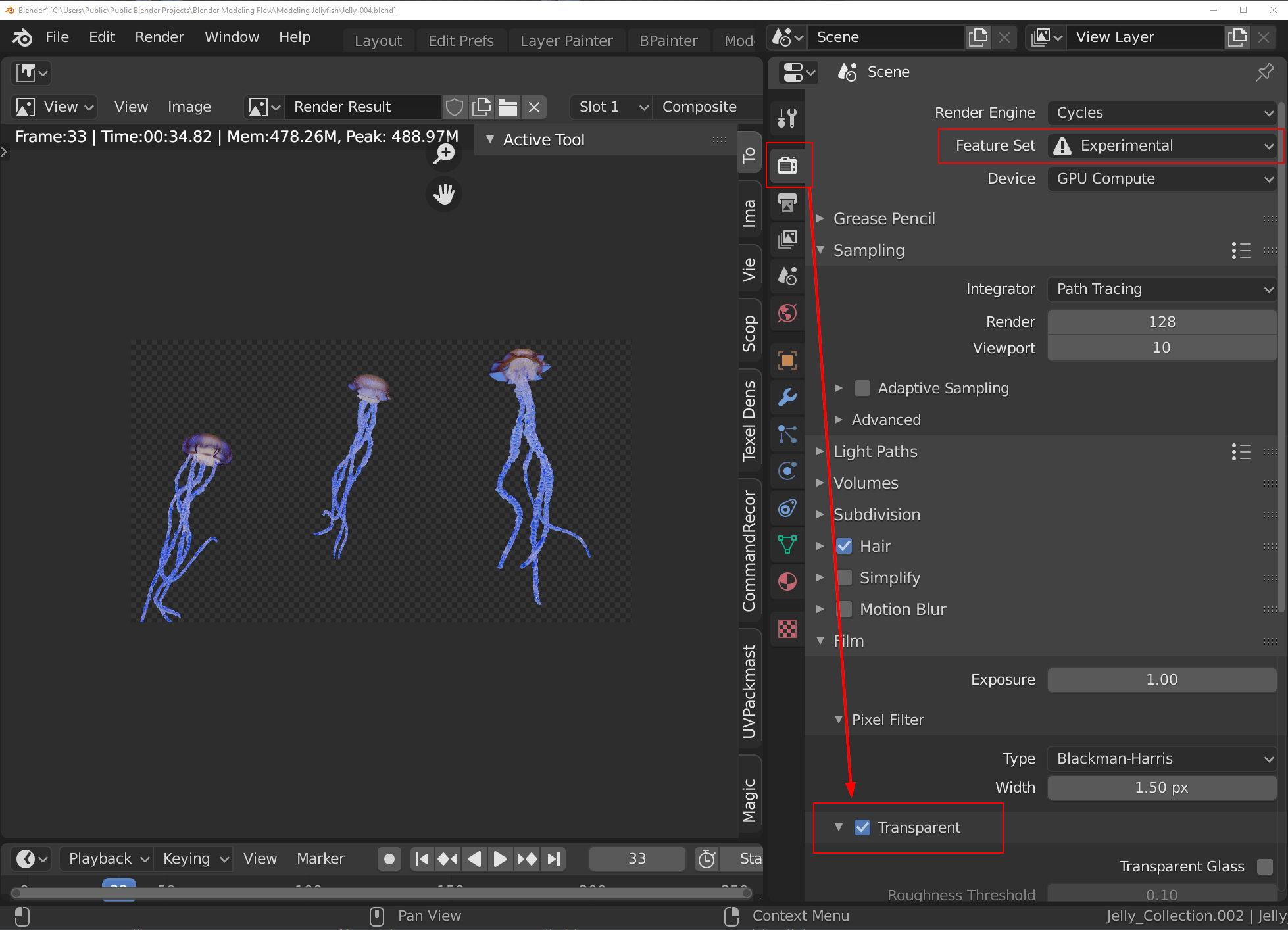
        The transparency was supposed to be checked in your Cycles render settings, and I also believe the experimental settings were turned on for something else but that second part is not related I don’t think.

        My Z layer was also very white but it is using the depth by default. It was working for me, just a little different than in 2.79 version. I was able to get decent results with it regardless on 2.83

        #58301
        William Miller
        Participant

          Thanks a lot!  By the way, I managed to fix the z layer being white by changing a setting.

          #58302
          Shawn Blanch
          Participant

            Really what setting was it to fix the Z depth?

            #58303
            William Miller
            Participant

              Look in the top right corner.

              #58304
              Shawn Blanch
              Participant

                Oh…..it is just a view on the top right, so, you didn’t actually change any settings to get better results for the Z depth?

                #58305
                William Miller
                Participant

                  Yes, that’s what I meant.

                Viewing 7 posts - 1 through 7 (of 7 total)
                • The topic ‘How did you get the background to be transparent?’ is closed to new replies.