How can you vary the bevel weight properly?

Forum Archive How can you vary the bevel weight properly?

Viewing 4 posts - 1 through 4 (of 4 total)
  • Author
    Posts
  • #19806
    Sid Edwards
    Participant

      Any time I use different bevel weights along connected lines, the results look screwed up. What’s the proper way to use different bevel weights so they layer on top of each other?

      #93563
      Martin Bergwerf
      Participant

        HI Sid,

        It depends on the exact situation and also on what you expect. “The results look screwed up” doesn’t really tell me anything.

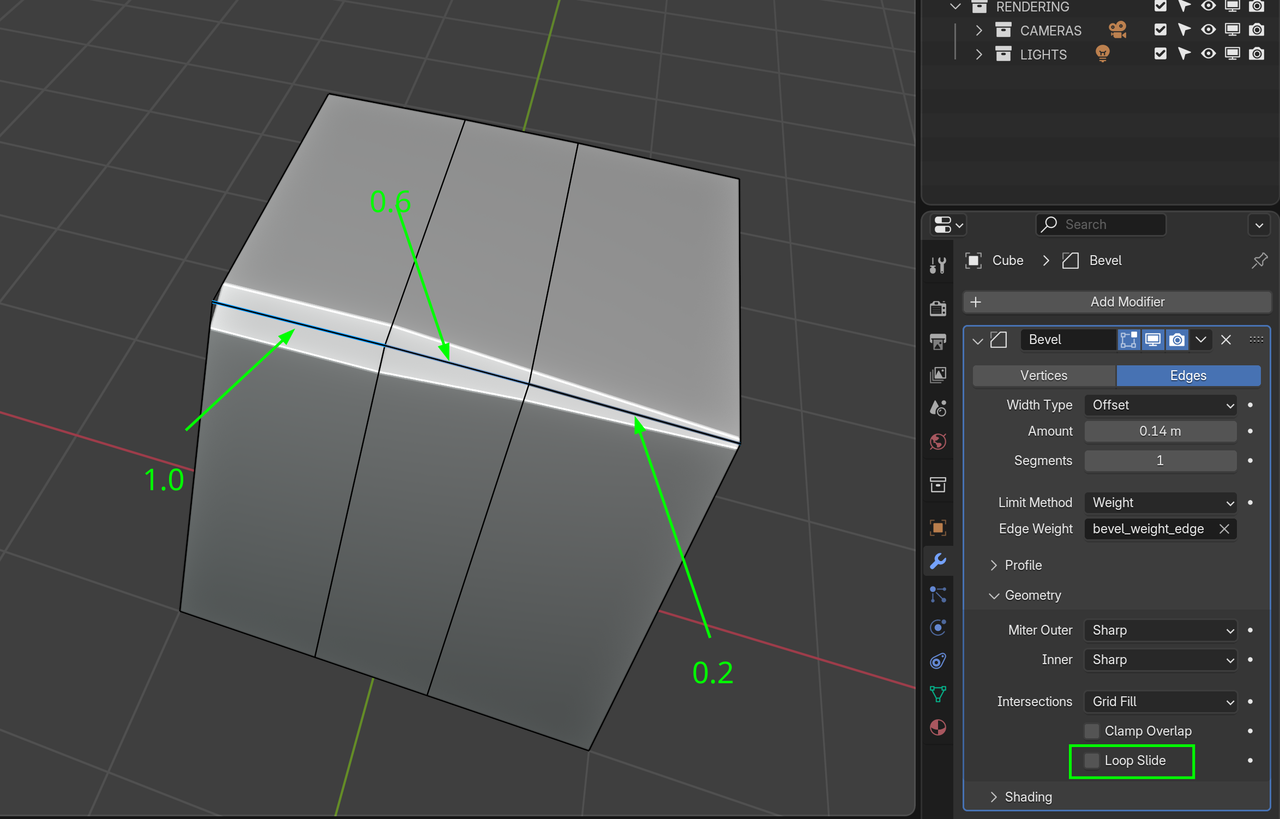
        But what you can try, is disabling Loop Slide:

        Bevel Weights.png

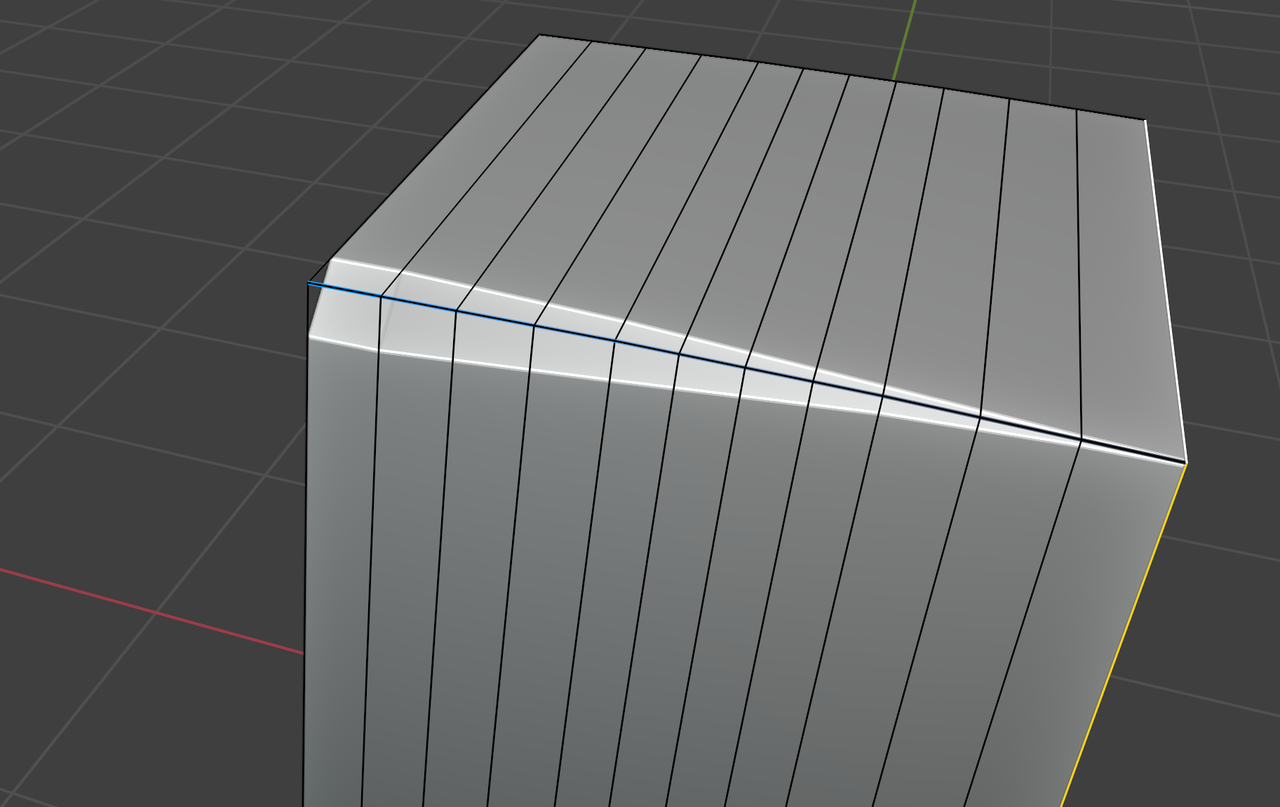
        And adding more Geometry might also improve things (again, depends on the situation):

        Bevel Weights_01.png

        There is also an older video from Gleb Aleksandrov that goes into this:

        #93564
        Martin Bergwerf
        Participant

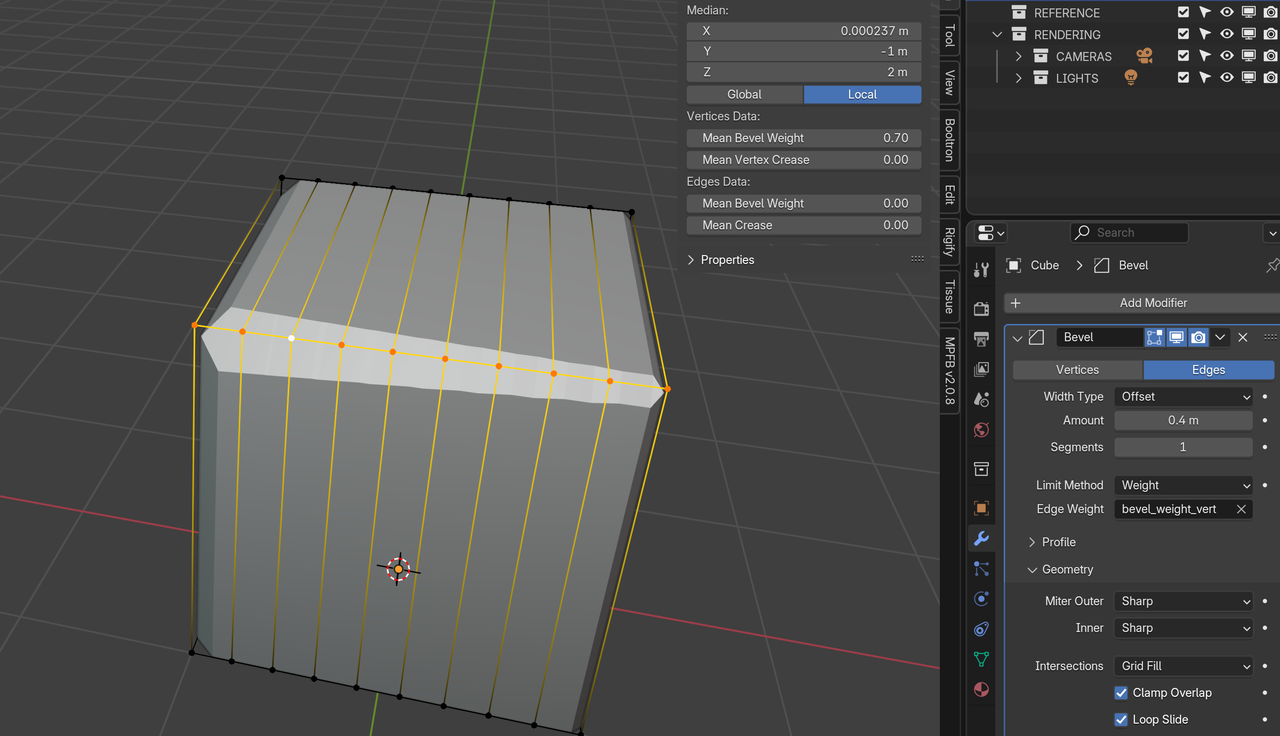
          Oh, and nowadays (since Blender 4.3), you can also set the Bevel Weight on Vertices:

          Bevel Weights_02.png

          #93565
          Omar Domenech
          Participant

            Always add a screenshot of your issue, it helps us see what might be going on. 

          Viewing 4 posts - 1 through 4 (of 4 total)
          • The topic ‘How can you vary the bevel weight properly?’ is closed to new replies.