high poly uvs

Forum Archive high poly uvs

Viewing 13 posts - 1 through 13 (of 13 total)
  • Author
    Posts
  • #17723
    muqaddas .28
    Participant

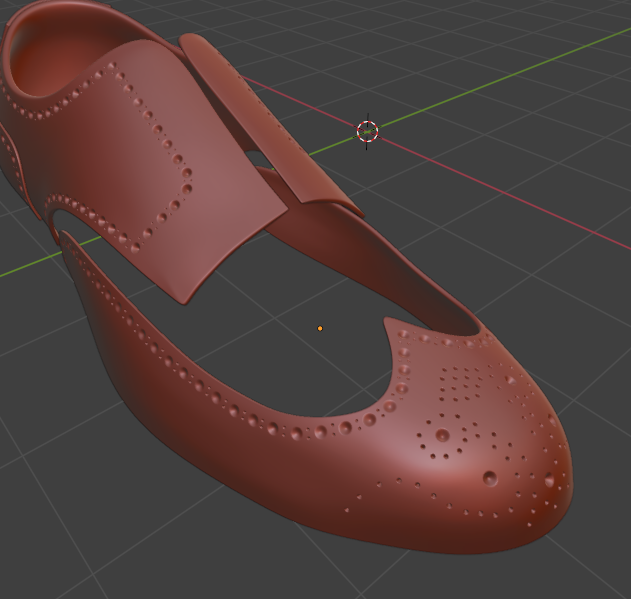
      I’m working on a project in which I have high poly and low poly shoes and I want the normal map of high poly details but I don’t know that is this possible on my high poly shoes or not. Cause just look at the mesh I’m attaching below how can I mark sharp or seam 🙂   

      #85066
      muqaddas .28
      Participant

        024-03-28 101447.png

        #85067
        muqaddas .28
        Participant

          I want that pattern on my low poly 
          024-03-28 102546.png

          #85068
          Martin Bergwerf
          Participant

            That is done by Baking the Normals from the High Poly onto an Image Texture and using that (with the UV Map of the Low Poly) to ‘fake’ those indents.

            There are many tutorials explaining the process in detail, just look up Normal Map Baking in Blender, or so.

            (This is a too complicated process, to explain here, sorry.)

            #85069
            Adrian Bellworthy
            Participant

              Hey @muqaddas ,
              There are lessons within some courses that will guide you through the baking process…
              Here is one, Baking the Normals Lesson – Animated Sci-Fi Game Environment Creation Course

              As for where to place the seams, it’s a good idea to place the seams where you see them on a real shoe. Take a look at the seams on your reference.
              You don’t need to mark seams and unwrap the high poly, only the low poly, so when doing the retopology to create the low poly shoe keep this in mind.

              The Game Asset Creation Playlist will guide you through different scenarios and projects to learn the complete process.

              #85070
              Omar Domenech
              Participant

                Also it looks like you can achieve that with texture painting as well, it’s just a bunch of duplicated circles. So if the normal map gives you too much of a headache, I think you can totally paint that detail in, it will require some patience though. 

                #85071
                muqaddas .28
                Participant

                  Thank so much everyone can you guys rate my normal as I’m learning 🙂 

                  #85072
                  Omar Domenech
                  Participant

                    Rate your normal? Probably a language barrier? 

                    #85073
                    muqaddas .28
                    Participant

                      s

                      #85074
                      muqaddas .28
                      Participant

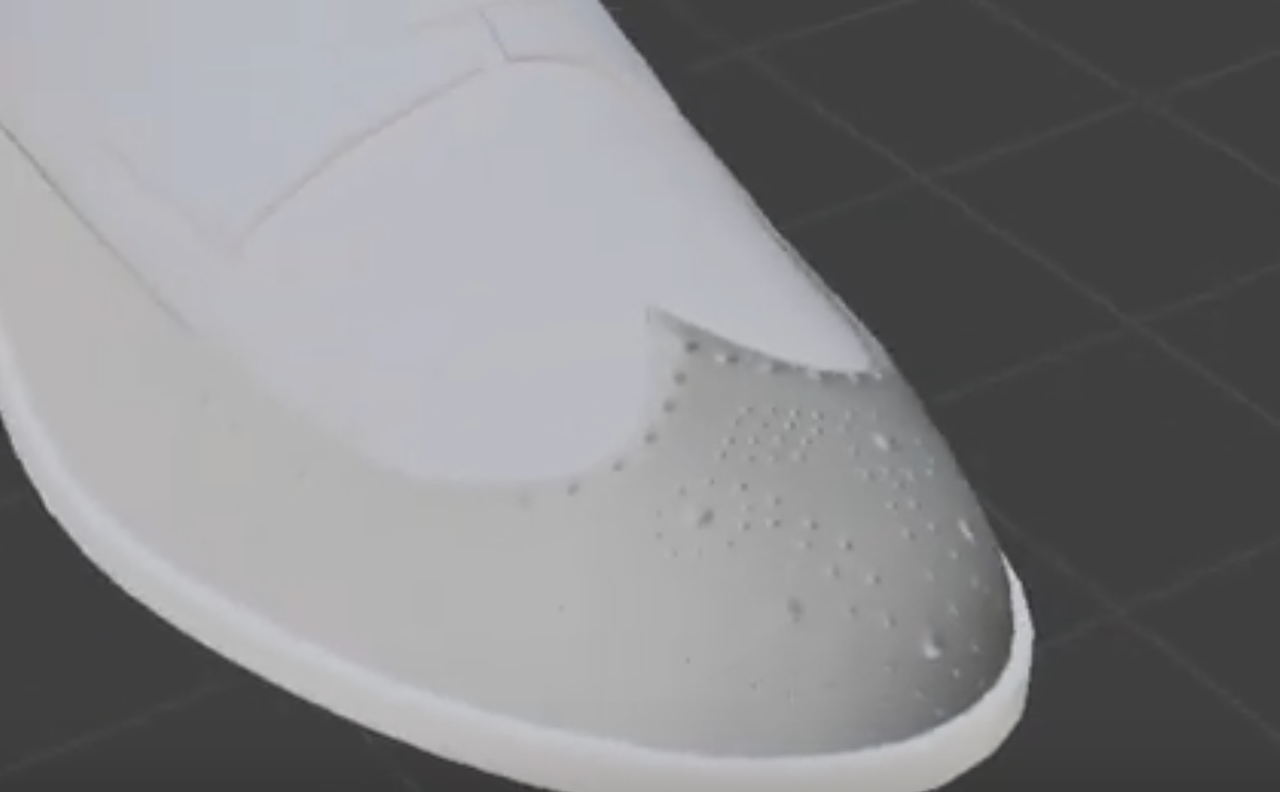
                        sorry i forgot to upload the video its a low poly shoe and i have applied a normal map in its front part for that detail so is it fine?

                        #85075
                        Martin Bergwerf
                        Participant

                          Hi @muqaddas ,

                          I’d say your Normals are wrong (‘flipped’)…the indents look like ‘bubbles’ (raised from the surface).

                          Look at where the light is coming from and where the shadows are:

                          Shoe_01.png

                          #85076
                          Omar Domenech
                          Participant

                            Yes I agree, there is a mistake in that. Also is putting the texture node to none-color data still a thing? Perhaps you also have to set that up. 

                            #85077
                            muqaddas .28
                            Participant

                              Thank so much yes you are right it looks like a bubble not a round hole i will try fix that 🙂   

                            Viewing 13 posts - 1 through 13 (of 13 total)
                            • The topic ‘high poly uvs’ is closed to new replies.