
Help, when I try to apply the boolean it breaks
Forum Archive › Help, when I try to apply the boolean it breaks
- This topic has 16 replies, 5 voices, and was last updated 3 months, 2 weeks ago by
Martin Bergwerf.
-
AuthorPosts
-
February 10, 2026 at 11:35 am #21335
This is my link of my project: You can download my project in my drive
I am In the PRESS START: Your Simple First Blender Project, in 2. Renderiing – Assigning Basic Materials.

 February 10, 2026 at 11:56 am #99504
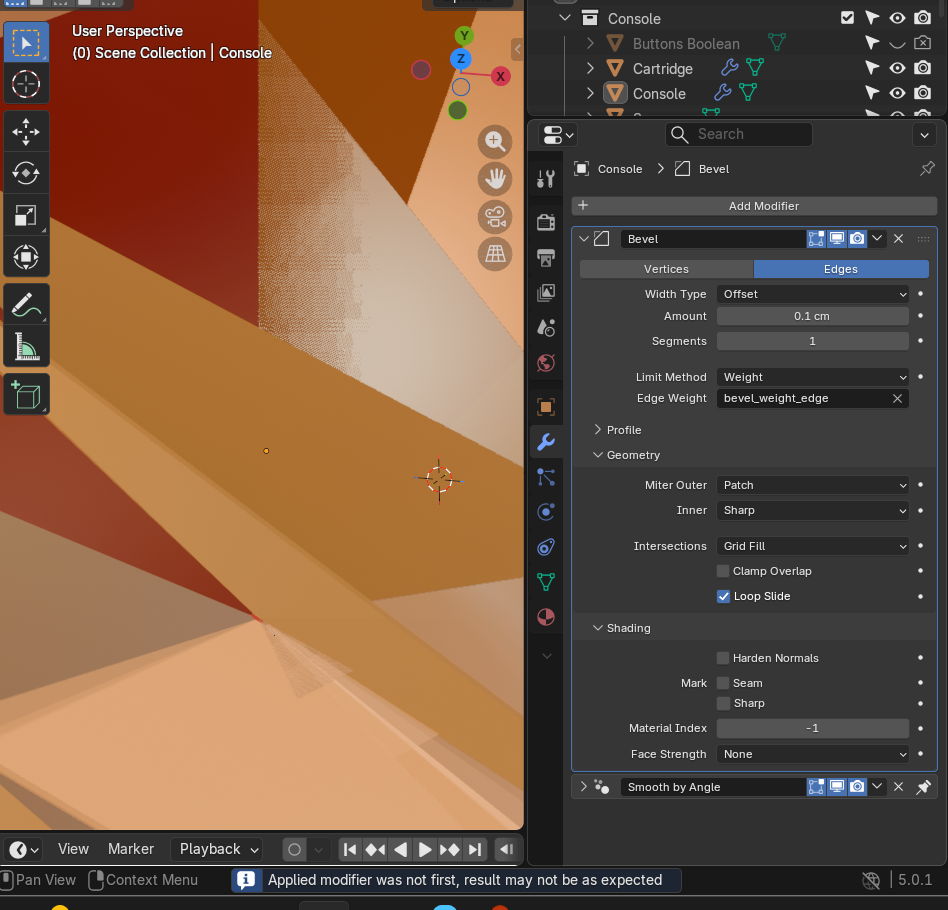
That may be caused by the boolean modifier not being first in line when you applied it. Note the little blue message on the bottom.
Try undoing the operation if you can and move the boolean modifier to the top of the stack and then apply it.
When applying modifiers you should ideally always work from top to bottom.February 10, 2026 at 12:26 pm #99505For some reason it makes a difference if you apply it in material preview and on normal viewport shading view. But yeah, move the boolean last on the stack (so on the very top) and then apply it. But you have other modeling issues all over, due to the bevel modifier. You could clean it all up, or you can redo the whole thing and start over, which is the option we all like, since you backtrack and see where you made mistakes and gain speed.
February 10, 2026 at 1:47 pm #99506Yes,
As Sascha says: “When applying modifiers you should ideally always work from top to bottom.”
The easiest solution is to not Apply the Modifiers.
The second easiest, is to first Apply the Bevel and then Apply the Boolean.
Omar is also right, that starting over is very often a good advice, but in your case, I couldn’t see any mishaps. It looks like a really clean model!
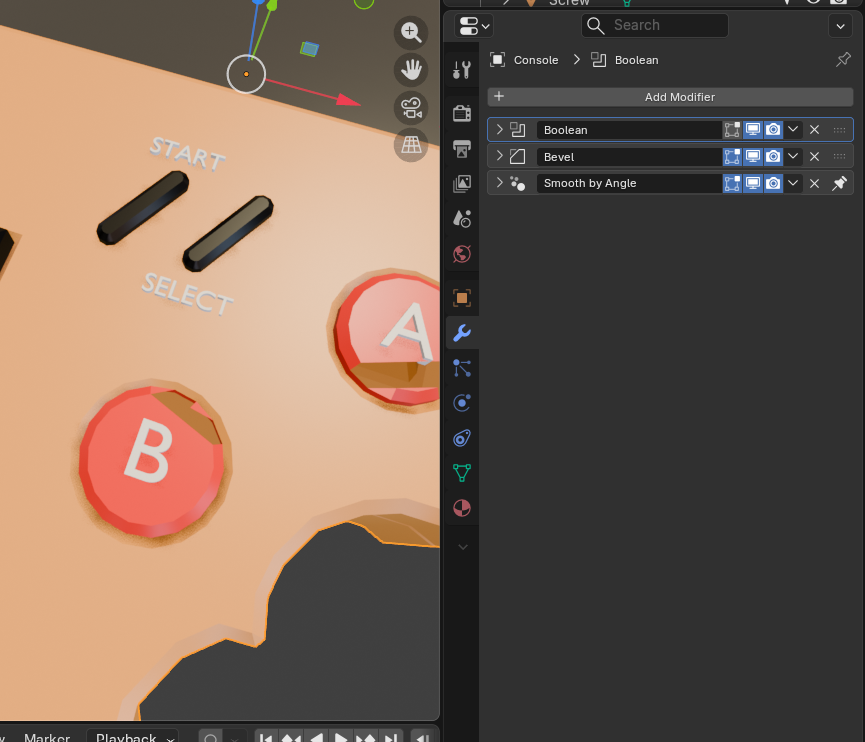
February 10, 2026 at 2:34 pm #99507Hi, I found the error, it’s in the letters—they are the ones responsible for that happening, the A and B.
I Press X and Limited Dissolve. And now it’s like this with the boolean in front. But now I don’t Know what to do.
Thanks to your advice, I realized that it’s clean, but what causes that break are the letters. Apart from that, if I apply bevel and then apply boolean, everything is fine :). But …
 February 10, 2026 at 3:28 pm #99508
Just redo them again. Fixing stuff is most of the time worst than just deleting and starting over.
February 11, 2026 at 2:41 am #99509Hey Gadiel,
Don’t switch the Bevel and Boolean, that is similar to Applying them in the wrong order.
May 20, 2026 at 6:32 pm #99510I’m having trouble understanding the why to the solution here. I generally understand the order to the modifier stack, but I don’t remember having to apply all the other modifiers so a Boolean could be applied in 3.X, nor was it necessary in this video.
What changed?trying to figure it out without being forced to apply all the modifiers. Must be something screwy..?
May 21, 2026 at 4:04 am #99511Hi Jesse @AstroHammer101 ,
The Bevel Modifier needs to be before the Boolean, because the Boolean creates more Geometry, that then (partially) may get Beveled as well (when the Boolean Modifier comes before the Bevel).
Like I said, the easiest thing is, to not Apply any Modifier. And not change the order. It’s fine as it is.
I can’t remember why you’d want to change anything; I’d have to re-watch this Lesson. If it’s because of the Material, you can just change the Material of the Letters.
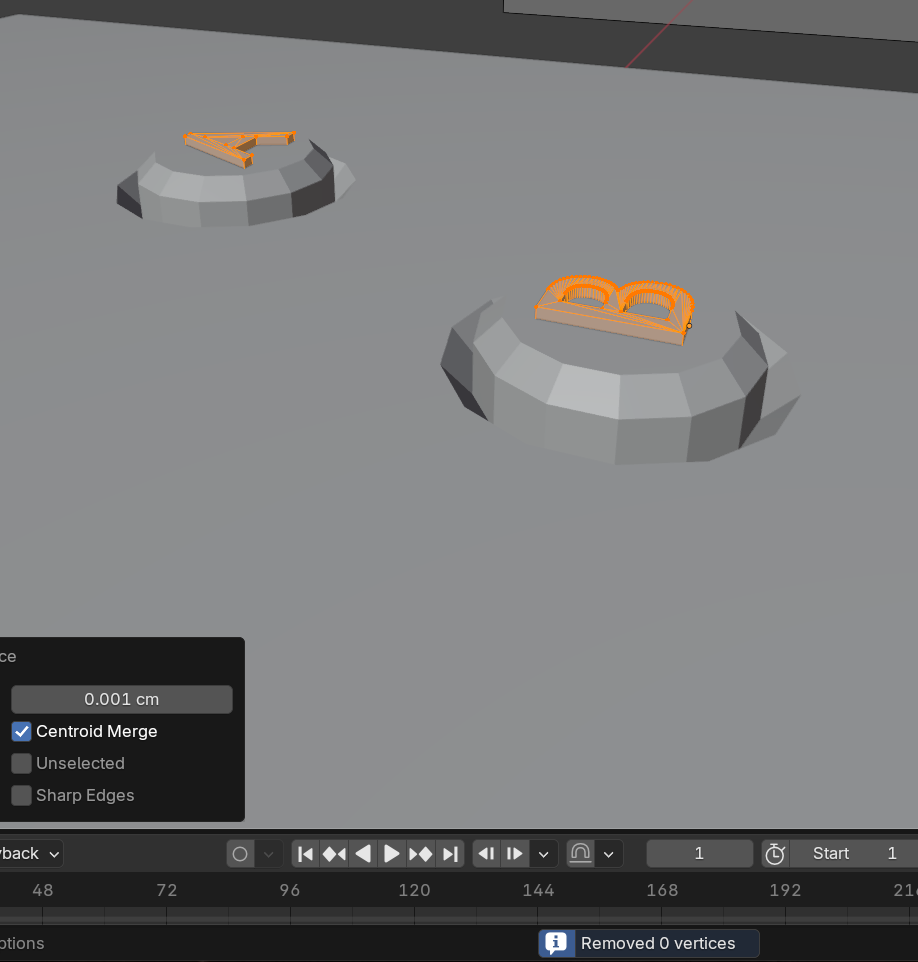
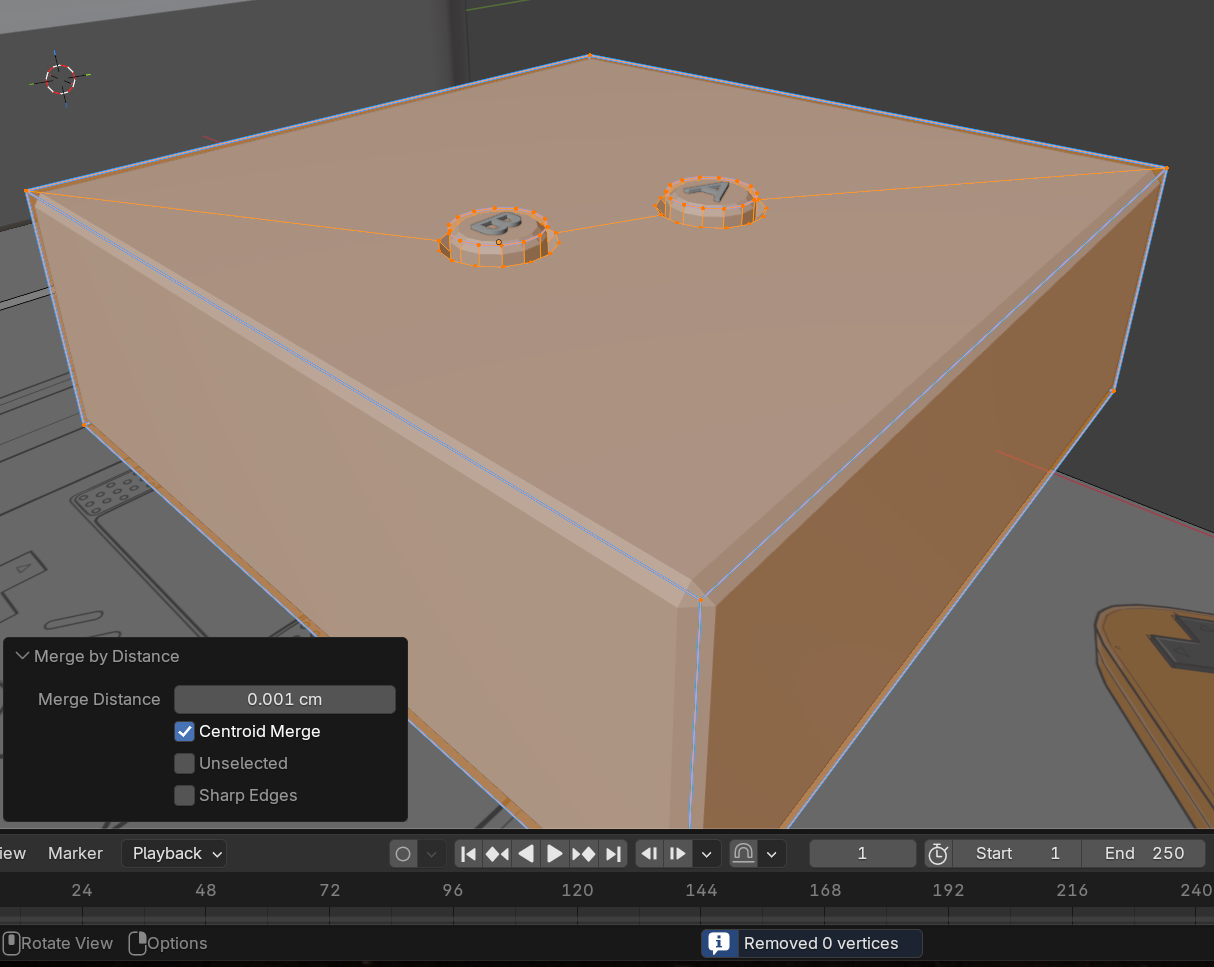
May 21, 2026 at 6:34 am #99512Okay, I looked into it and found that the OP had so-called ‘double Vertices’ in their letters.
Fixed that and then you can Apply the Boolean, even though it’s the second Modifier without a problem (apart from the warning message).
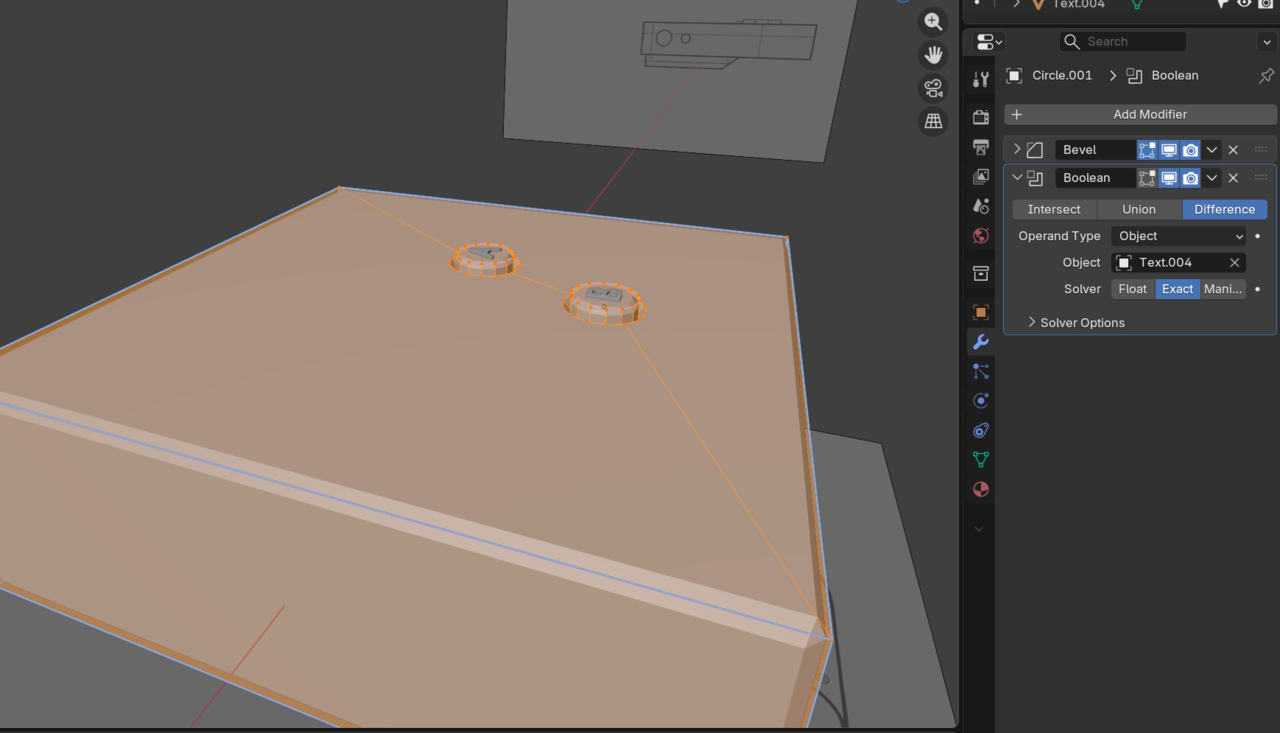
May 21, 2026 at 3:28 pm #99513I keep remaking the console and continue to have the same problem. The only thing that has fixed it for me is changing to Float or Manifold Solver in the Boolean settings. I’m being quite meticulous about applying scales, merging, and face orientations. (+merging the letter’s verts)
Made a simple square with a bevel modifier and two buttons on a surface with the A B cutouts and that broke too when applying the bool.
I just don’t see what I’m doing wrong and it’s keeping me curious. Sorry to drag this post on!
 May 21, 2026 at 5:15 pm #99514
Hi Jesse @AstroHammer101 ,
Don’t move the Boolean above the Bevel!
(When that seems to cause loss of Bevel, then that’s probably because you have Clamp Overlap enabled in the Bevel Modifier.)
If switching to Float or Manifold fixes it for you, then there is no problem, right?
Don’t think you’re doing something wrong, but Booleans are just super finnicky and for instance slightly Moving a Cutter, can make or break it.
Sometimes a Boolean only works with Exact for one person and only with Float (or Manifold) for another. Althoough both have visually the exact same models.
May 21, 2026 at 5:32 pm #99515Thank you very much for the help Martin. I really appreciate your time.
I suppose it’s more than what fixes it to me, but why it breaks in the first place. Especially when it doesn’t in the course content and I remember not having a problem with it when I made this console for the first time a year ago. I kinda get hung up on it!May 22, 2026 at 4:52 am #99516HI Jesse @AstroHammer101 ,
I also like to know why and when something works or doesn’t work, but Booleans are where I’ve given up. They just act weird. My guess is, that the calculations for Mesh Booleans are extremely complicated and are very sensitive to rounding and accuracy. Let’s just say, Meshes aren’t made for Booleans.
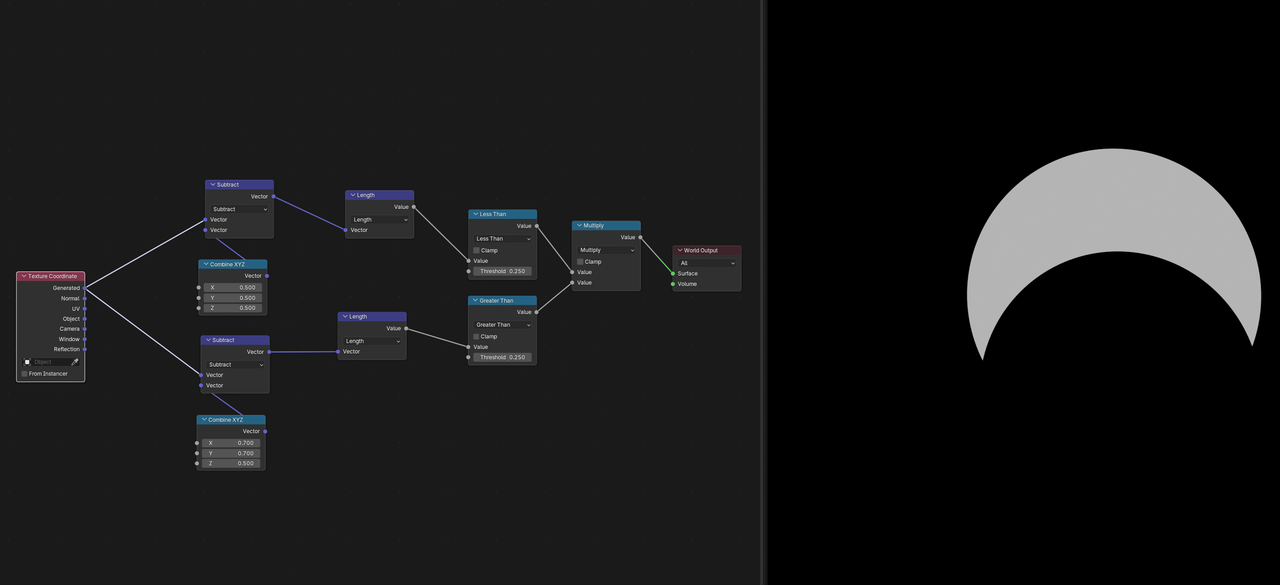
In CAD, for instance, Booleans are super easy to calculate and very powerful. Also, if you use SDF’s (Signed Distance Fields), Booleans are almost trivial:.
Example Subtracting one Sphere from another (you don’t have to understand it, but look at how simple the Math is, when you don’t have to worry about Vertices:
 May 22, 2026 at 10:37 am #99517
Or in a visually better to understand example, cutting a cylinder out of a sphere:
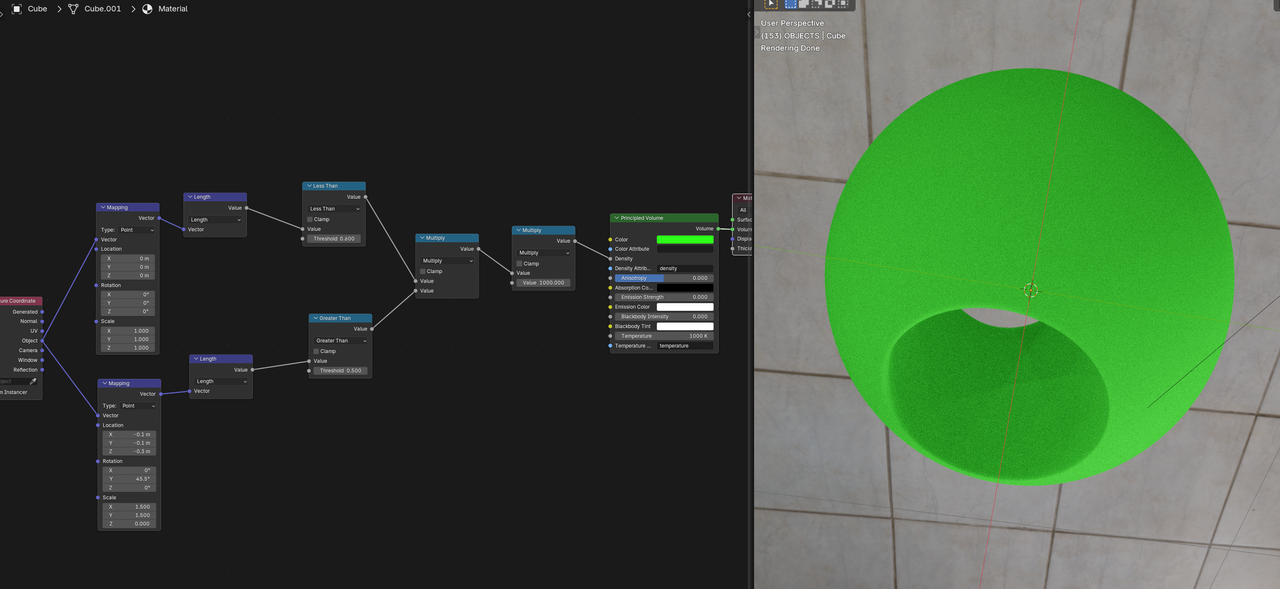
Just one Multiply Node to perform the Boolean Operation.
-
AuthorPosts


- The topic ‘Help, when I try to apply the boolean it breaks’ is closed to new replies.