HELP problem when merging a cylinder with a cube “Industrial Environments with Eevee”

Forum Archive HELP problem when merging a cylinder with a cube “Industrial Environments with Eevee”

Viewing 7 posts - 1 through 7 (of 7 total)
  • Author
    Posts
  • #14006
    sketchmore
    Participant

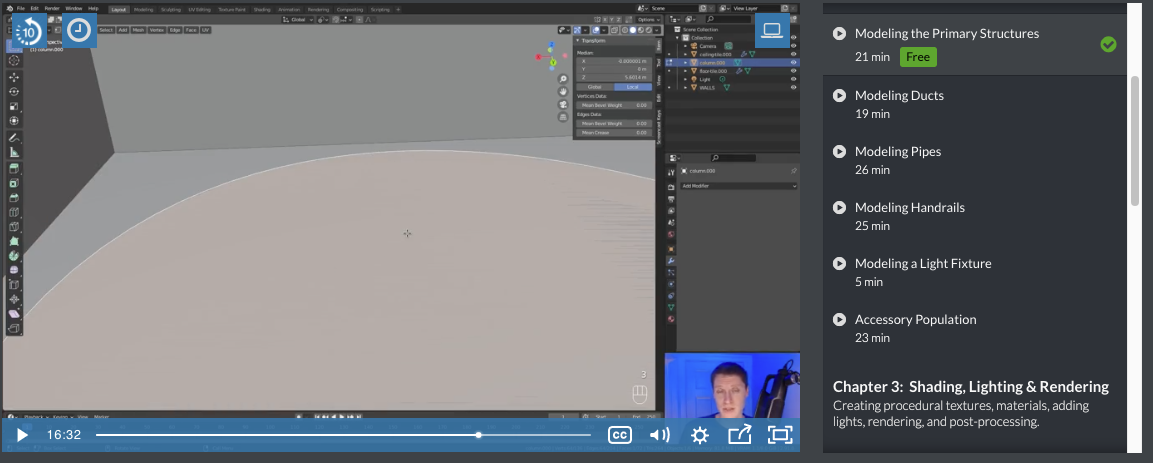
      Hi I got a problem at “Industrial Environments with Eevee – modeling the primary structure – 16:31

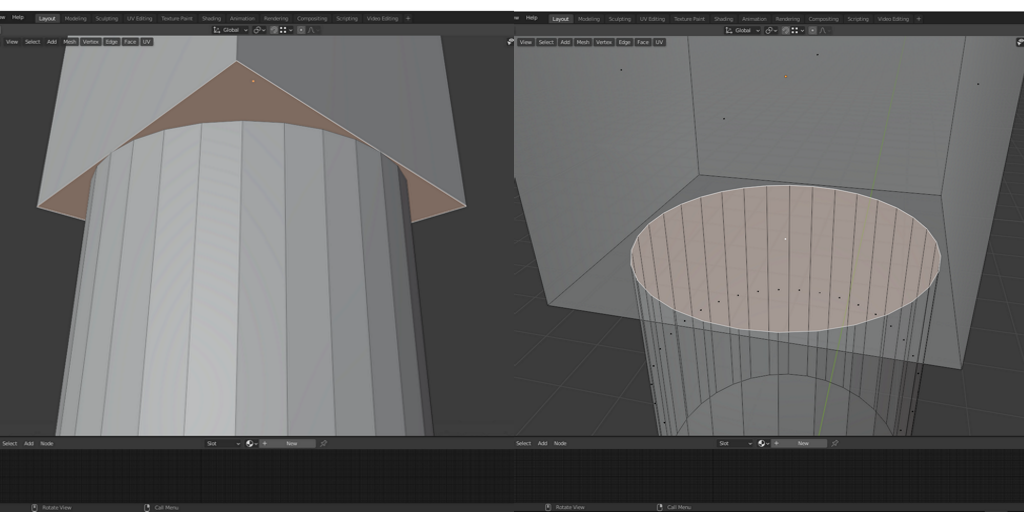
      As shown in the tutorial, after the cylinder snaps to that cube, the circle cuts that cube surface into two parts. The instructor made it just with simple steps, nothing special technique is used. It seems like an automatic recognization for blender. 

      I think I follow the same steps, but my circle is not cutting that surface. So I couldnt bevel that edge at the next step. 

      I searched for “cut hole on surface” tutorials but didnt find any solution.

      My model is attached. Hope you can help.

      Thanks.  😀

      (Sorry I uploaded this question twice because I couldnt find my first forum topic…?)

      #68818
      Adrian Bellworthy
      Participant

        Hey @sketchmore ,

        after snapping the cylinder to the cube, you need to delete the top face of the cylinder and the bottom face of the cube, 

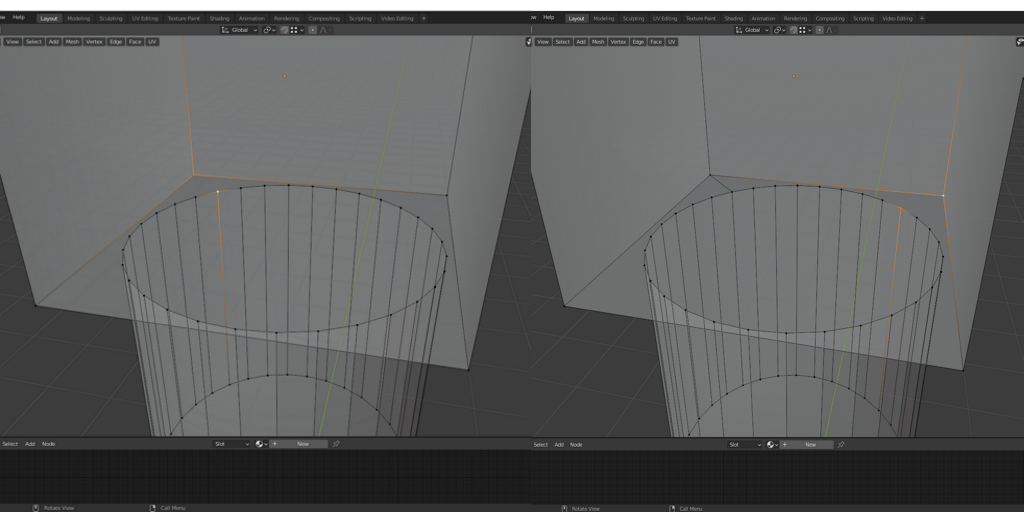
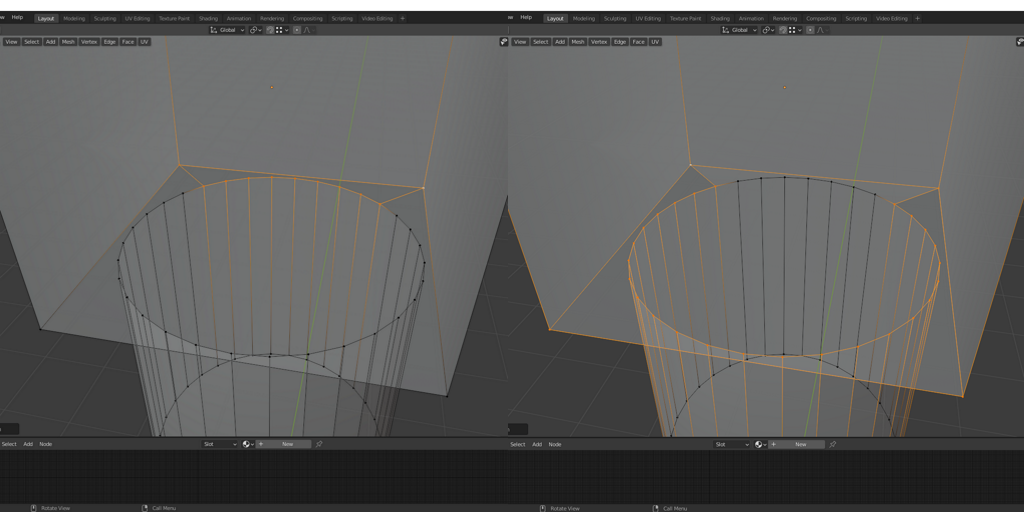
        then connect a vert on the cube to one closest on the cylinder, then again for another vert.

         then you can fill the faces.

        #68819
        spikeyxxx
        Participant

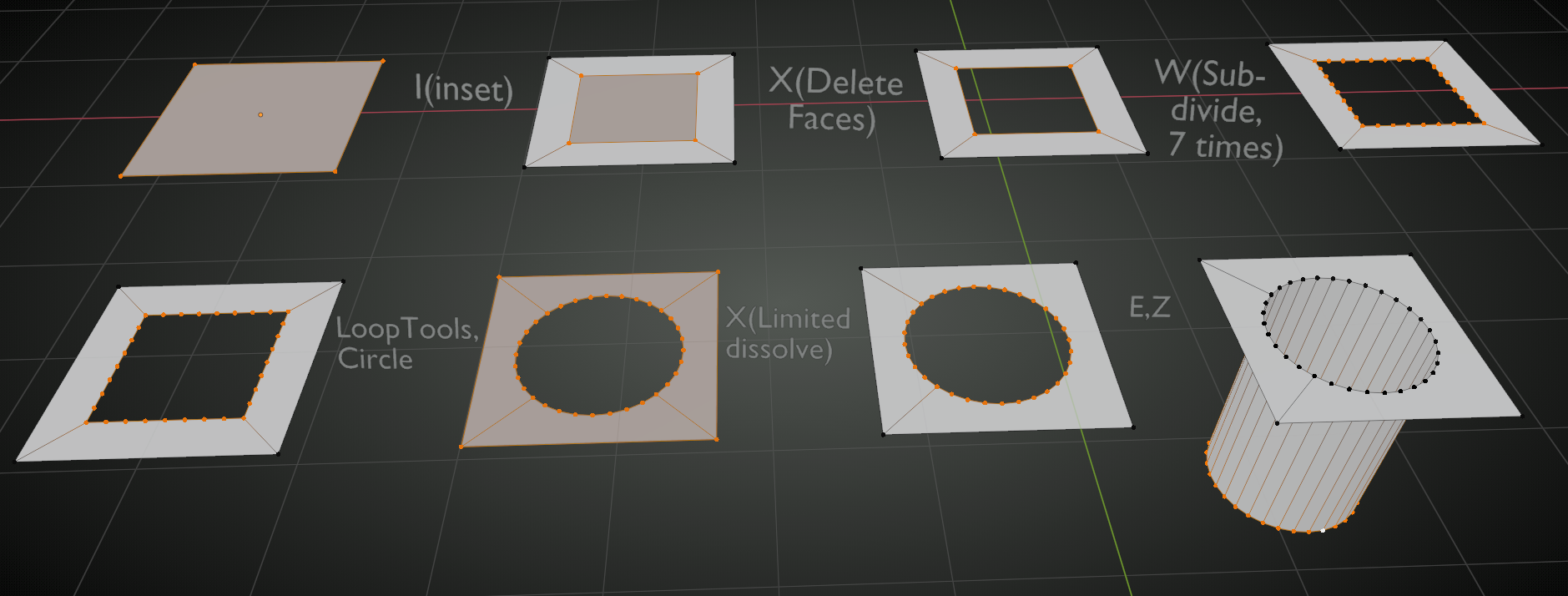
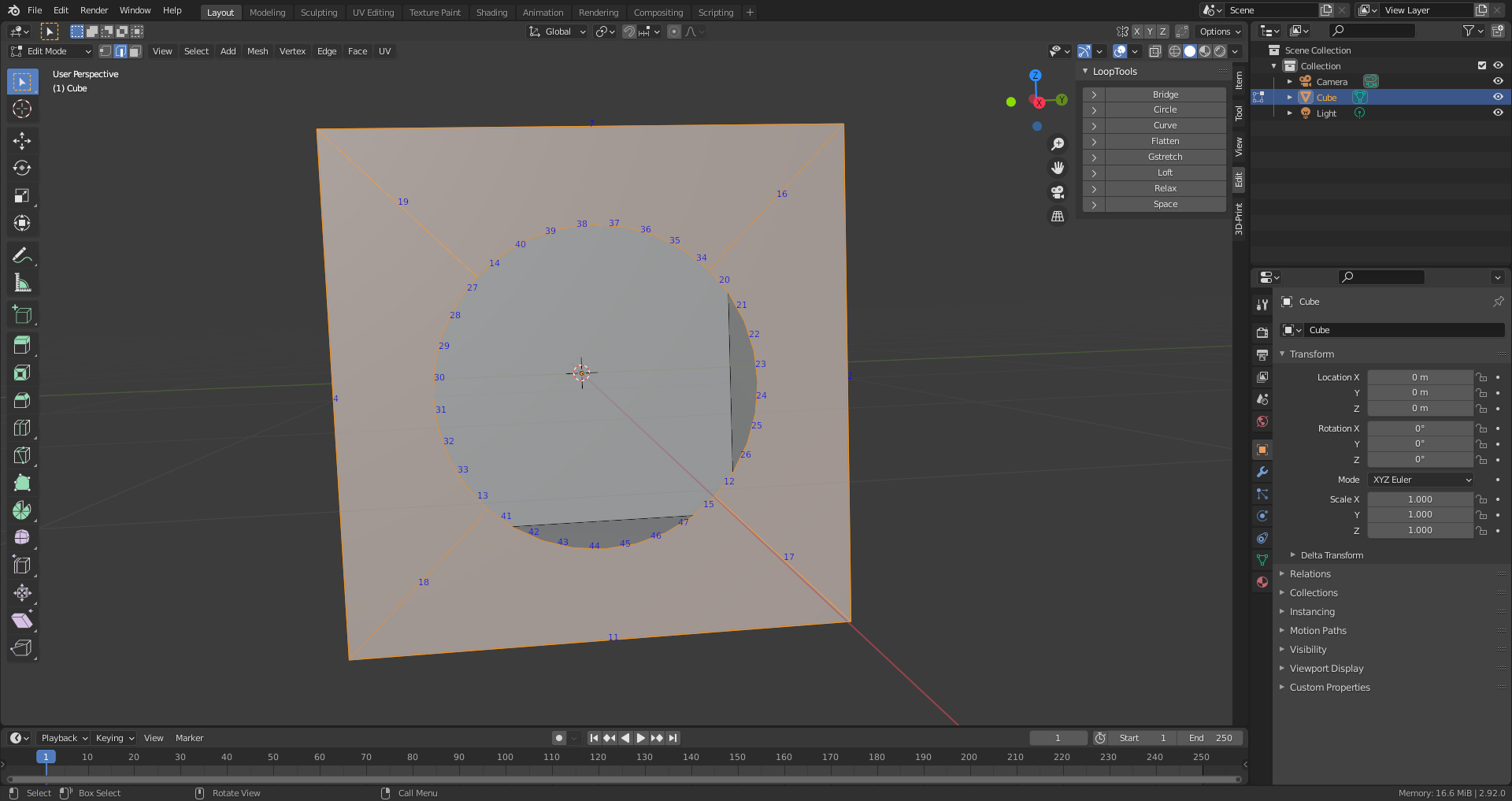
          @sketchmore here is an alternative (not necessarily better!) way of doing this (I only show the bottom Face of the Cube here):

          Where I use the W hotkey (Right Click Select), you might need to right click beside the Mesh to bring up the Specials Menu (Left Click Select) and LoopTools (you need to enable that Addon!) is also in the Specials Menu.

          Like I said, not because it is better, but it is good to have different techniques available 😉

          #68820
          Ingmar Franz
          Participant

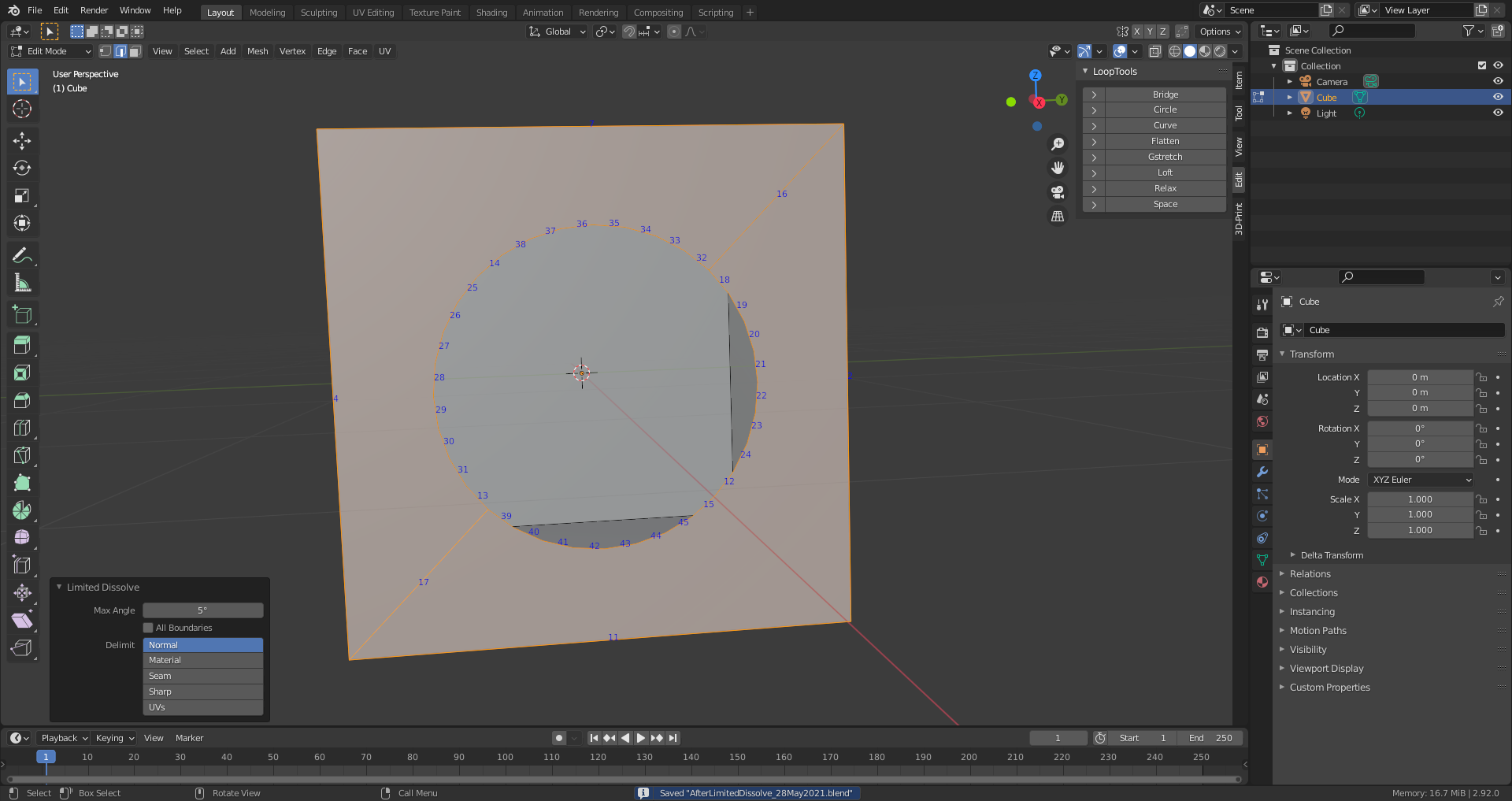
            @spikeyxxx I’m wondering why the “Limited Dissolve” operation is working like this with the default settings. It looks to me a little bit arbitrary:

            #68821
            spikeyxxx
            Participant

              @duerer I have no idea how Limited Dissolve calculates what to dissolve. F9 gives some options and it somehow uses a max. Angle, but I do not know what angles that are…

              You could also use Knife Project and then Delete the Face. That gives other connections, but none of these solutions give you control over where the Connecting Edges go (at least not that I could figure out):

              To be honest, I rarely use Limited Dissolve, because I do a lot of Subsurf Modeling.

              #68822
              sketchmore
              Participant

                Thanks for the solution! It helped me a lot! 😀

                #68823
                sketchmore
                Participant

                  I just tried loop tools circle. I’ve never heard of that before. I feel it’s more elegant because we don’t need to select every vertex and fill repeatedly. Thank you so much.

                Viewing 7 posts - 1 through 7 (of 7 total)
                • The topic ‘HELP problem when merging a cylinder with a cube “Industrial Environments with Eevee”’ is closed to new replies.