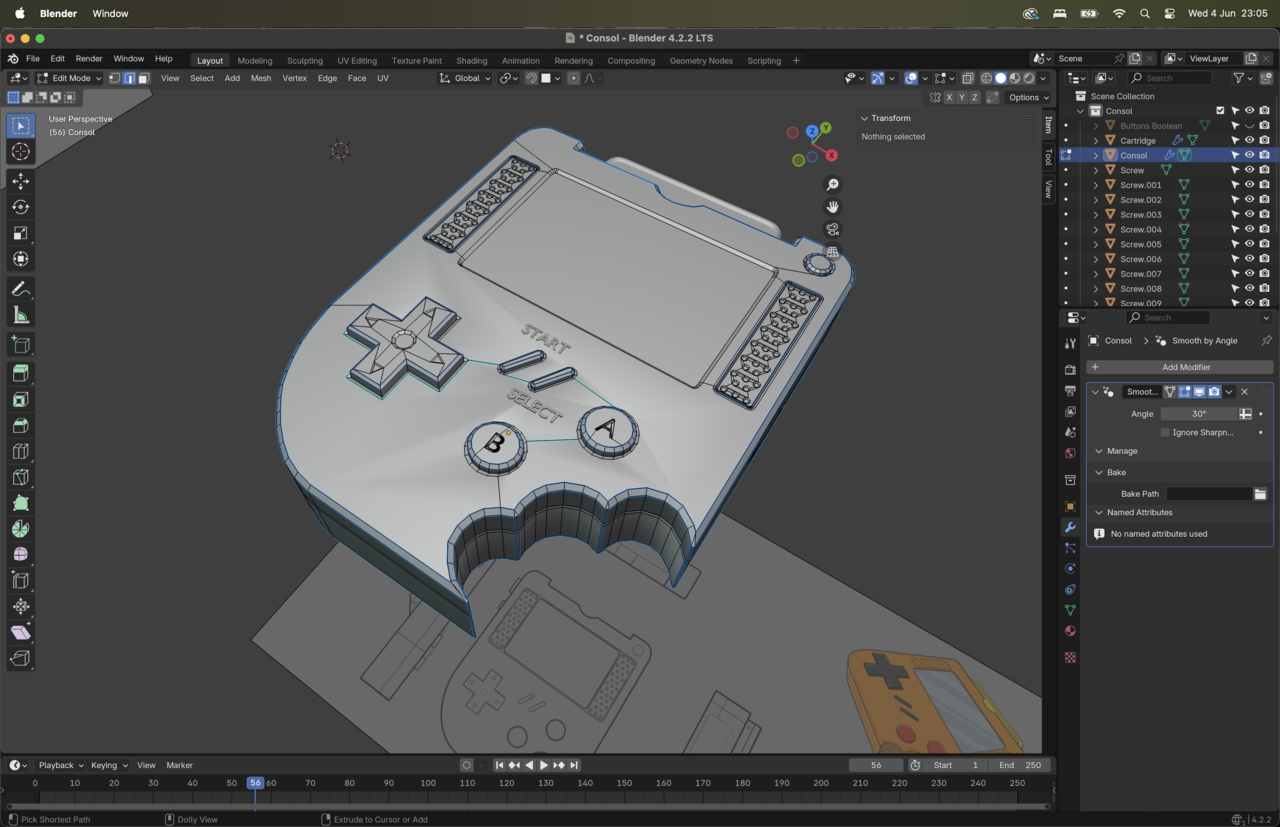
hello guy’s – smooth shade issue

Forum Archive hello guy’s – smooth shade issue

Viewing 5 posts - 1 through 5 (of 5 total)
  • Author
    Posts
  • #20268
    rachid yous
    Participant

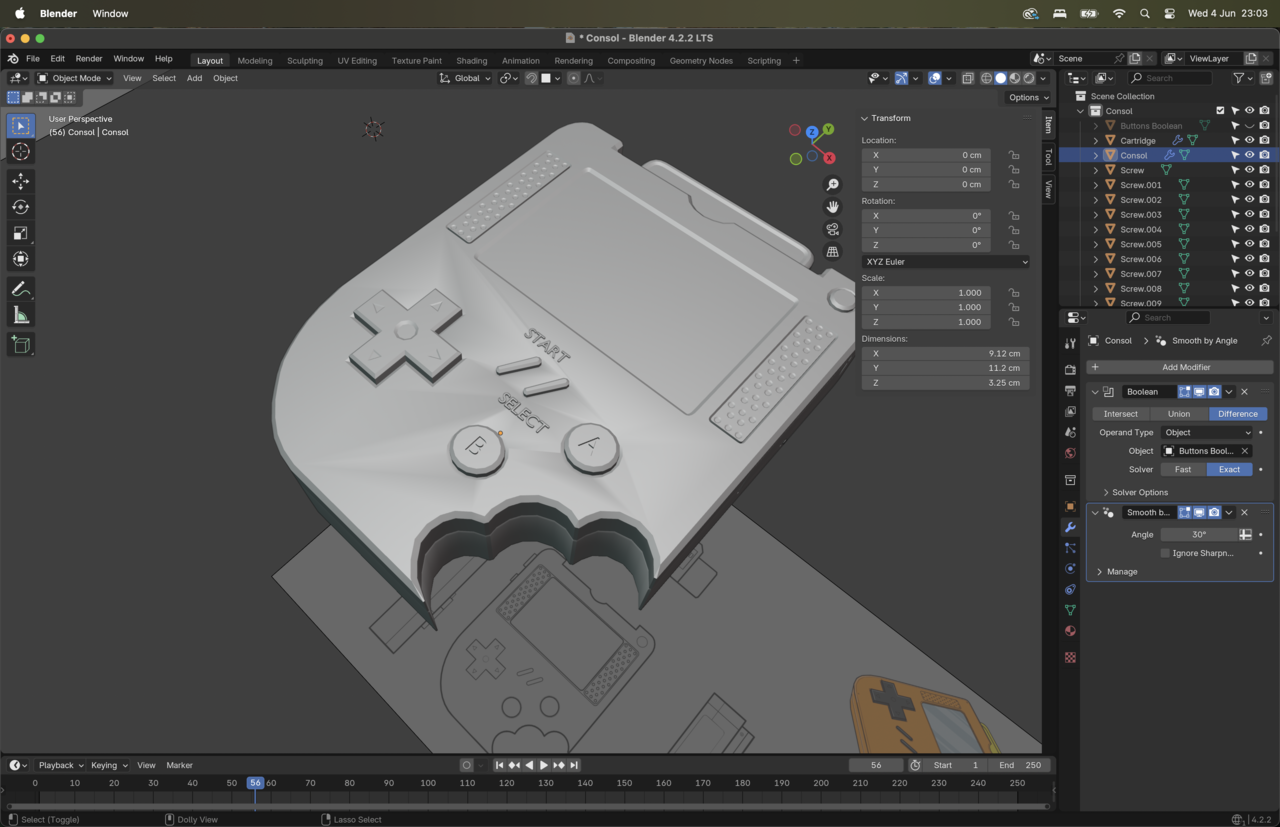
      I recalculate the outside, and I also sharpen some edges but this area remain a total mystery for me.

      if you have an idea I am all here, and first of all thank you for you time =)

      #95291
      rachid yous
      Participant

        6-04 at 23.03.16.png

        #95292
        rachid yous
        Participant

          6-04 at 23.05.23.png

          #95293
          Martin Bergwerf
          Participant

            Hi Rachid,

            You are not the first person to run into this.

            There are a few ways to fix this; lowering the Angle in the Smooth By Angle Modifier, ‘deepening the insets around the buttons, or Shade the top Faces Flat.

            Have a look at some of the other posts, like this one: https://cgcookie.com/community/20931-triangles-on-surfaces-after-auto-smooth 

            #95294
            Omar Domenech
            Participant

              One of the main ones that tend to help is cutting the Ngon smaller on that main face, so connecting from vertex to vertex with J to make a cut. Also checking your faces are totally straight on the Z axis, so selecting all the faces and S then Z then 0. 

            Viewing 5 posts - 1 through 5 (of 5 total)
            • The topic ‘hello guy’s – smooth shade issue’ is closed to new replies.