Having trouble with some of the scaling here

Forum Archive Having trouble with some of the scaling here

Viewing 6 posts - 1 through 6 (of 6 total)
  • Author
    Posts
  • #16899
    Torrey Walker
    Participant

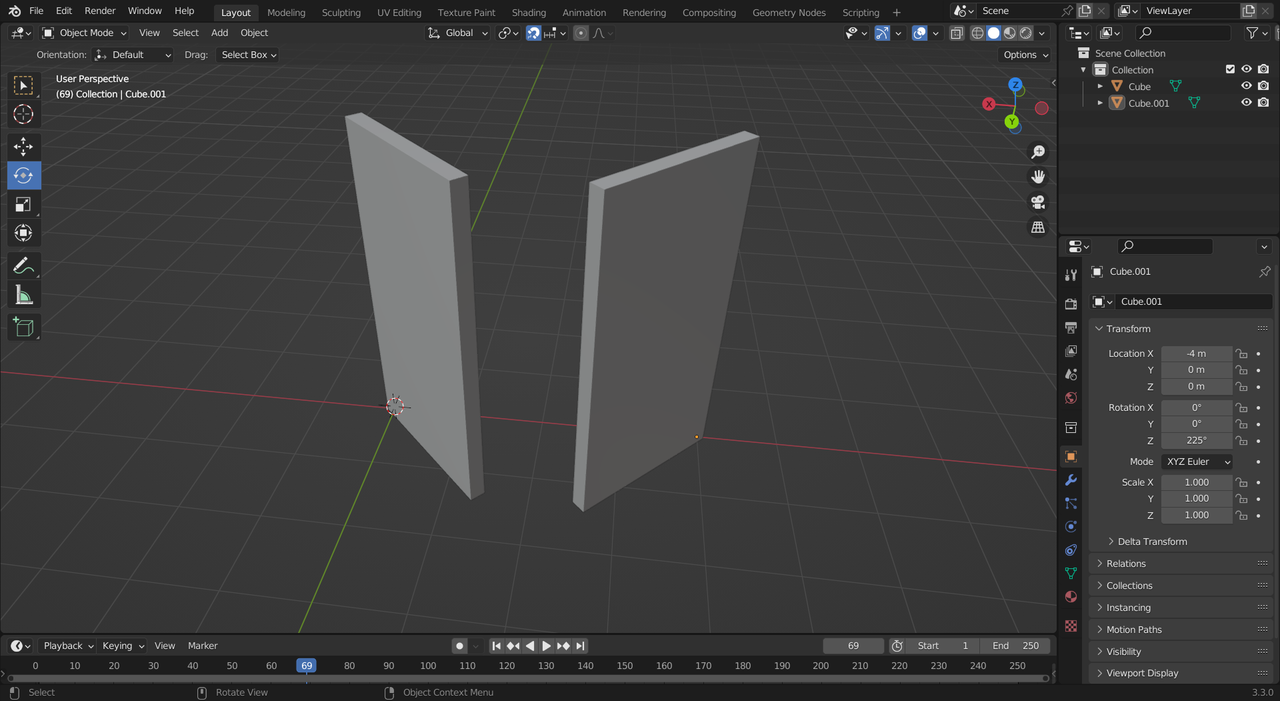
      Not sure if I have a setting messed up somewhere, I am scaling on the Y axis with 2 faces, it only pulls the faces unless i select the entire mesh, If i do select the entire mesh, the top face to pull up on the Z axes does not function. only moves X and Y 😀

      #81335
      Martin Bergwerf
      Participant

        Hi Torrey,

        For the first part, you probably pressed the Y key, which separated the two side Faces from the rest of the Cube.

        For the top Face….think about what you’re trying to do; a single Face is 2 dimensional. The top Face has a thickness (dimension in the Z-Axis) of 0. Scaling in Z multiplies that thickness of 0 with a scalar value, but multiplying 0 with any number results in 0.

        #81336
        Martin Bergwerf
        Participant

          Side note: you’re using Left Click Select (that’s the default now… it’s fine if you want to do that) and when you wanted to Scale the whole Cube in the Z, you accidentally Selected the top Face.

          (Also: try and stop using those Active Tools as soon as possible; the Shortcut for Scaling is S. The Active Tools are like those side wheels on bikes; meant for Blender ‘babies’, so they don’t fall over, but actually causing more trouble than being helpful.)

          #81337
          Torrey Walker
          Participant

            Thanks for the help man i got most of it figured it out! Noticed i had the move the mesh slight then align with Y Key for the axis to scale the whole cube, 

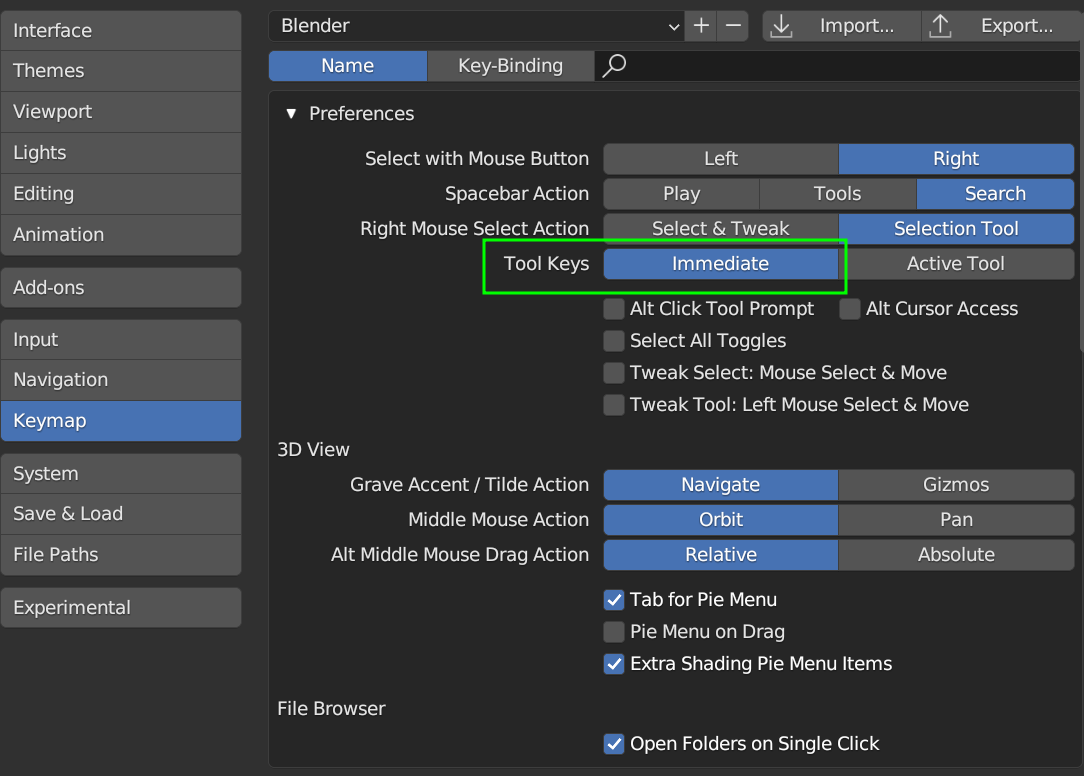
            Could you explain the “active tools” and how to take them off? I’m using all the hotkeys in the video, but it still changes in my “Toolbar” which is something i noticed that wasn’t happening in the video, His tool bar stays on the “select” function and doesn’t bring up. The extra stuff, and i like that


            #81338
            Torrey Walker
            Participant

              screen2.png

              #81339
              Martin Bergwerf
              Participant

                In your Preferences, make sure you have Immediate selected:

                Active Tools.png

              Viewing 6 posts - 1 through 6 (of 6 total)
              • The topic ‘Having trouble with some of the scaling here’ is closed to new replies.