Grease Pencil/Edit Mode/Point – can I show points before selection?

Forum Archive Grease Pencil/Edit Mode/Point – can I show points before selection?

Viewing 6 posts - 1 through 6 (of 6 total)
  • Author
    Posts
  • #21628
    Kevin Mather
    Participant

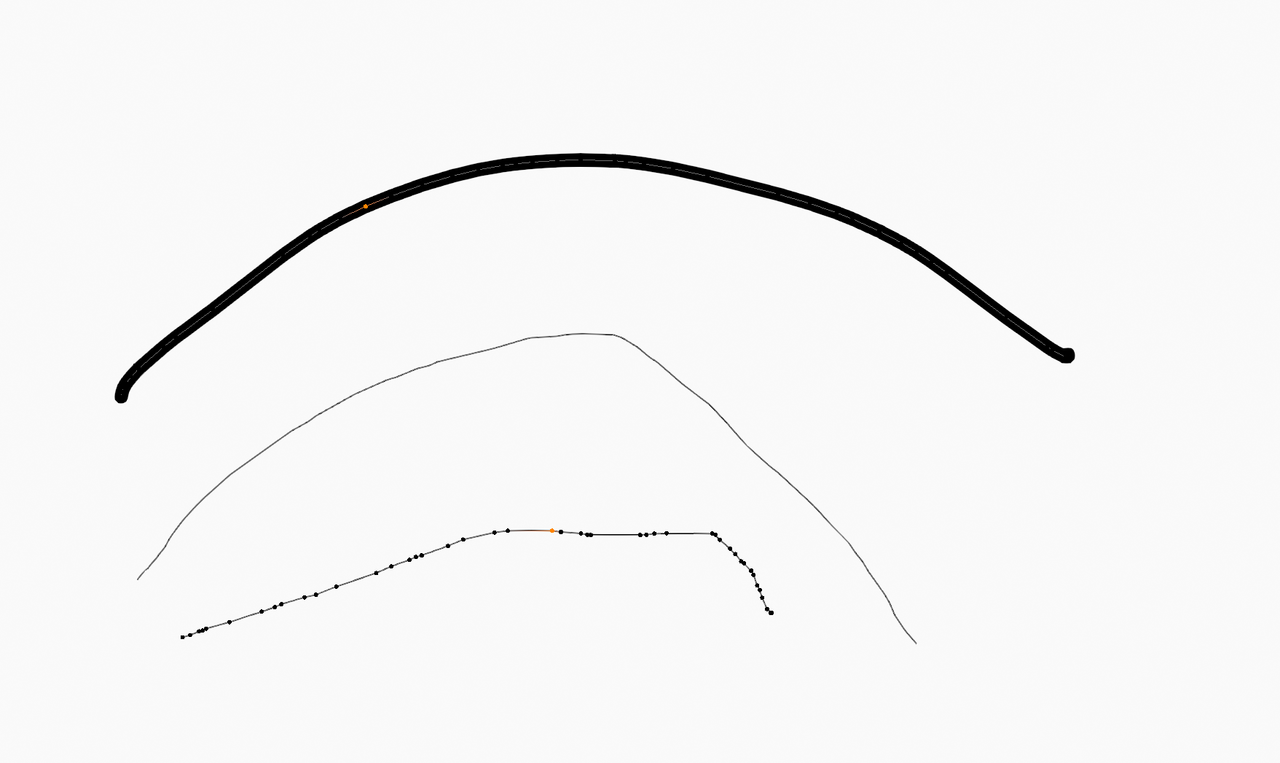
      [Using 5.1] When I select a GP stroke, tab into Edit mode, and select “Point” mode, (with nothing selected) I see only thin gray lines. No indication where the points are. If I “select all”, then I can see them, and I can attempt to select/deselect the points I want to affect.

      This seems rather awkward. Is there some way to make the point locations always visible in Edit:Point mode, similar to editing geometry? I could not find any obvious preference or option.

      Thanks.

      #100543
      Grady Pruitt
      Participant

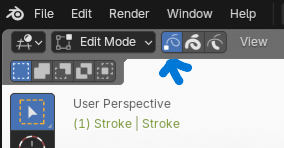
        For meshes, when you go to edit mode, the default is vertices, but you can switch to edges and faces. For grease pencil, it’s similar, but the default, I think, is strokes. So you want to switch to points. Next to where it says Edit Mode, the 3 little boxes that when you hover over them say Points, Strokes, and Segments. (just like in meshes., points hotkey is 1, strokes is 2, segments 3). Once you switch to points, you should be able to edit them.

        #100544
        Martin Bergwerf
        Participant

          HI @techworker1 ,

          Yes, that annoys me as well. If there is a way, I haven’t been able to find it. Should be an Option, like with Curves, the default is to show only the Handles of Selected Control Points, but at least you can easily change that there. Let’s put in a feature request (or upvote it, if it exists already). For now, Circle Select helps me, but it isn’t ideal.

          #100545
          Grady Pruitt
          Participant

            edit-mode-points.png

            #100546
            Martin Bergwerf
            Participant

              Hi Grady @gradyp ,

              Yes, I know, but it only shows the points that are Selected:

              Oh wait, I stand corrected; the unselected Vertices are visible, as soon as you have at least 1 Vertex Selected, just very hard to see in many cases:

              GP_Points_00.png

              #100547
              Grady Pruitt
              Participant

                Correct 😀 once you have at least 1 vert of a given stroke selected, you can see all others. If you need a different one selected, you can select that one by usual methods (and deselected unwanted ones by usual methods 😀 )

              Viewing 6 posts - 1 through 6 (of 6 total)
              • The topic ‘Grease Pencil/Edit Mode/Point – can I show points before selection?’ is closed to new replies.