Grass blade of Hell

Forum Archive Grass blade of Hell

Viewing 8 posts - 1 through 8 (of 8 total)
  • Author
    Posts
  • #21207
    giacomo picasso
    Participant

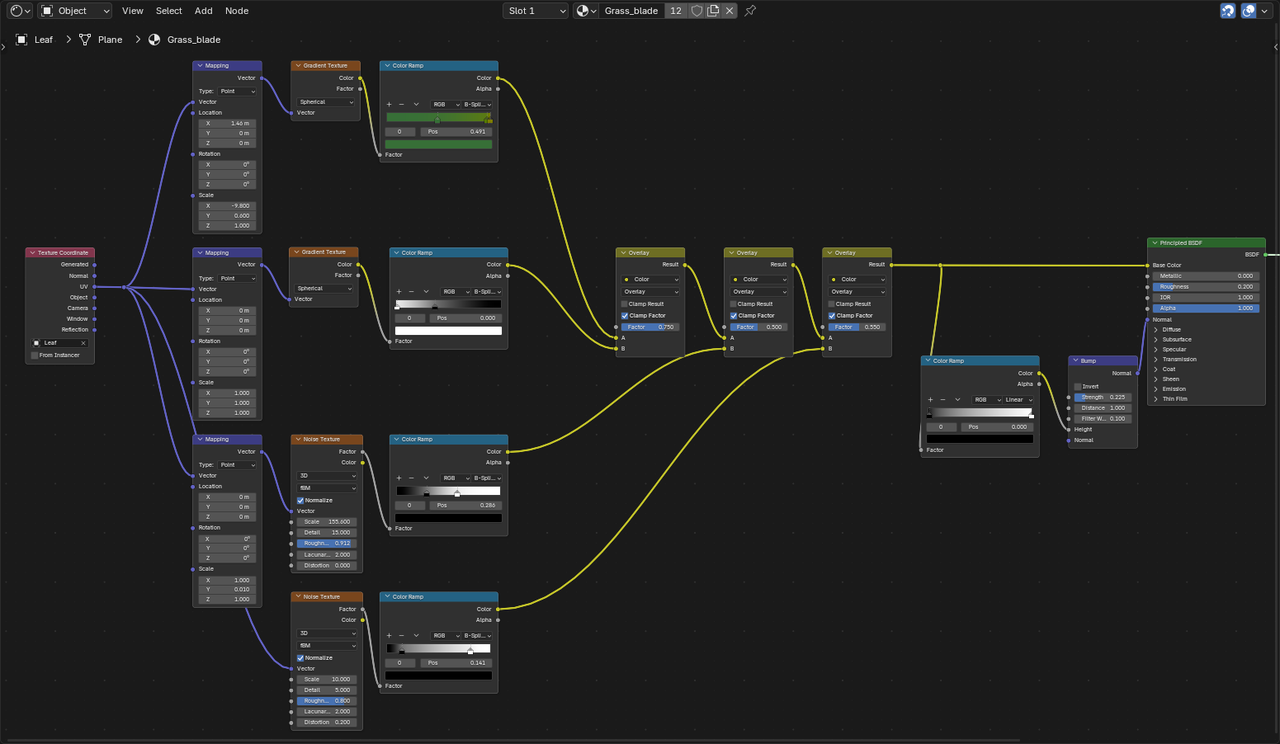
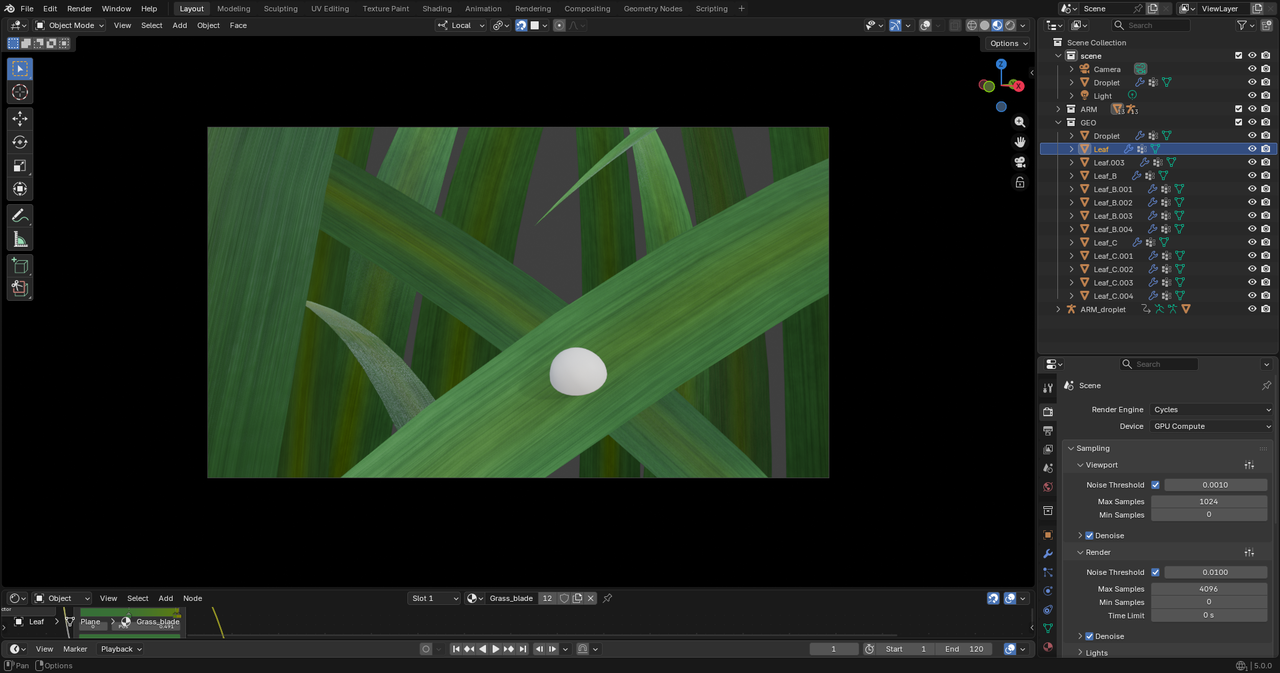
      Hello all, i’ve been doing the execellent Macro series, but while doing Chapter 3, the drew droplet, i’ve run into some problems with the shading. i replicated to the letter the instructor’s nodes, but my leaf still looks awfull and plasticky. I suspect it has to do with the bump node but i can-t seem to figure it out. Any help would be appreciated.Leaf_tree_node.pngLeaf.png

      #98936
      Martin Bergwerf
      Participant

        HI Giacomo @_Jack ,

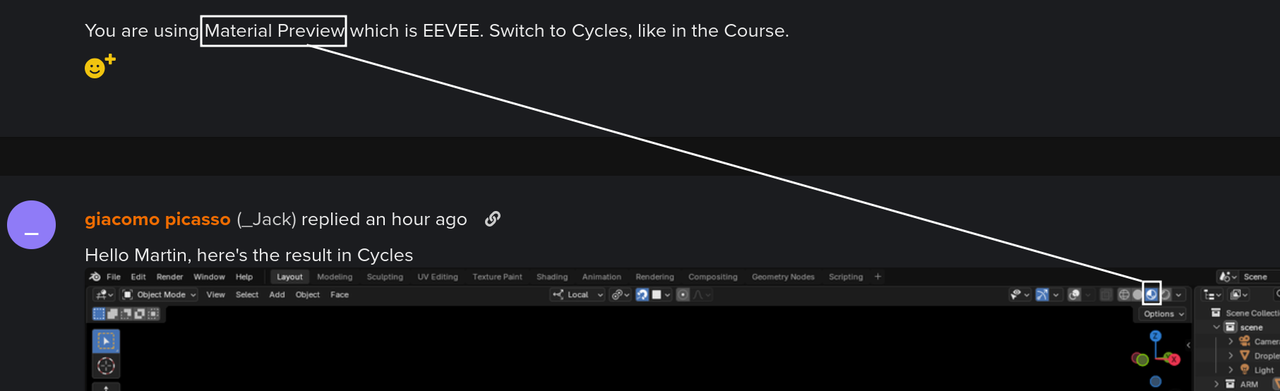
        You are using Material Preview which is EEVEE. Switch to Cycles, like in the Course.

        #98937
        giacomo picasso
        Participant

          Hello Martin, here’s the result in Cycles Leaf2.png

          #98938
          Martin Bergwerf
          Participant

            Hi Giacomo, that’s still Material Preview, therefore EEVEE:

            Grass.png

            #98939
            Omar Domenech
            Participant

              As Martin says, Material Preview always uses EEVEE, no matter if you change the engine to Cycles in the menu. You have to change the view to render view, so the little ball to the right of the one you have on. 

              #98940
              giacomo picasso
              Participant

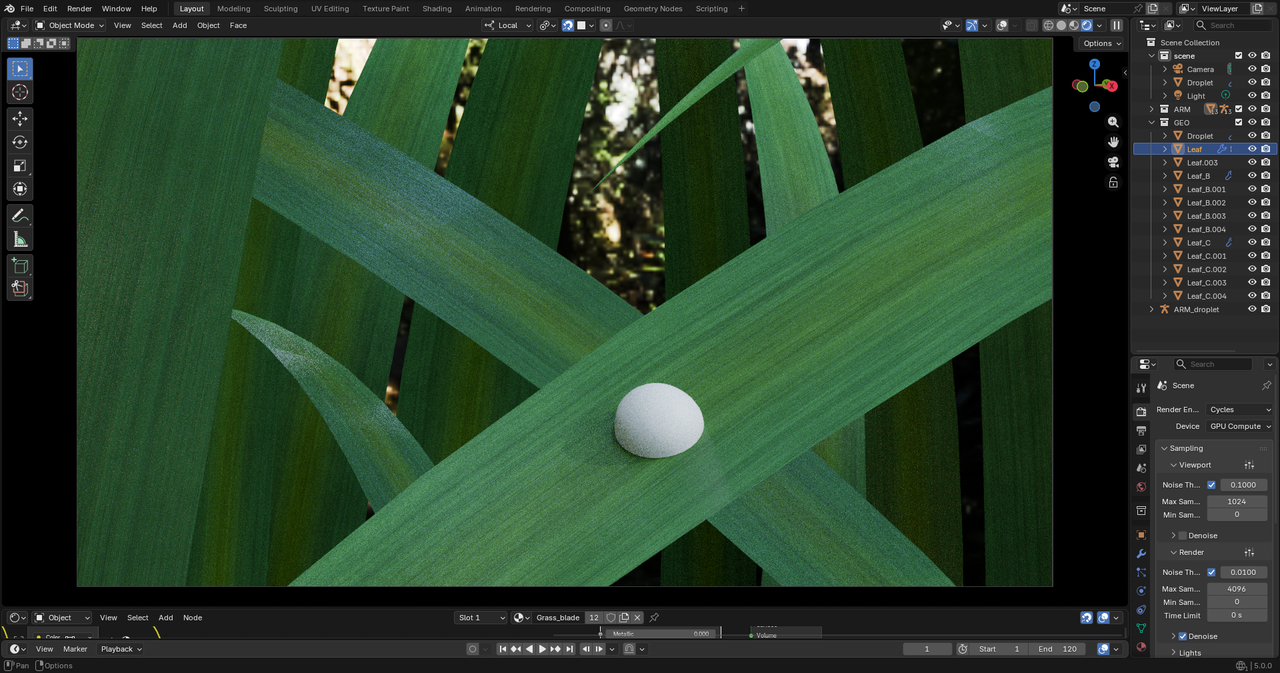
                my bad guys, but i still thinks it looks bad, i presume i messed up somewhere along the bump part as the detail don’t show up as well as in the tutorial. Could it be the method of UV unwrapping? i used a smart UV projection….

                Leaf4.png

                #98941
                Omar Domenech
                Participant

                  There might be something unplugged in the nodes. It feels like you’re using a viewer node instead of the BSDF. Can you post a picture of the whole material to check?

                  #98942
                  Martin Bergwerf
                  Participant

                    Try changing the Values (Strength and Distance) in the Bump Node. The size of your grass blades, for instance might be a bit different from the ones in the Course. Don’t just Copy the Values used, but use them as a starting point and change them untill you get what you want. (I know, this can be very frustrating at first, tweaking the Values of all those Nodes and trying not to make more of a mess, trying to remember what each Node does and how changing a Value in one Node changes the result, but that’s just the way it is….it will get easier over time, I promise).

                    Also, if I remember correctly, Kent switches out the Bump Node for a Displacement later on in this Lesson.

                  Viewing 8 posts - 1 through 8 (of 8 total)
                  • The topic ‘Grass blade of Hell’ is closed to new replies.