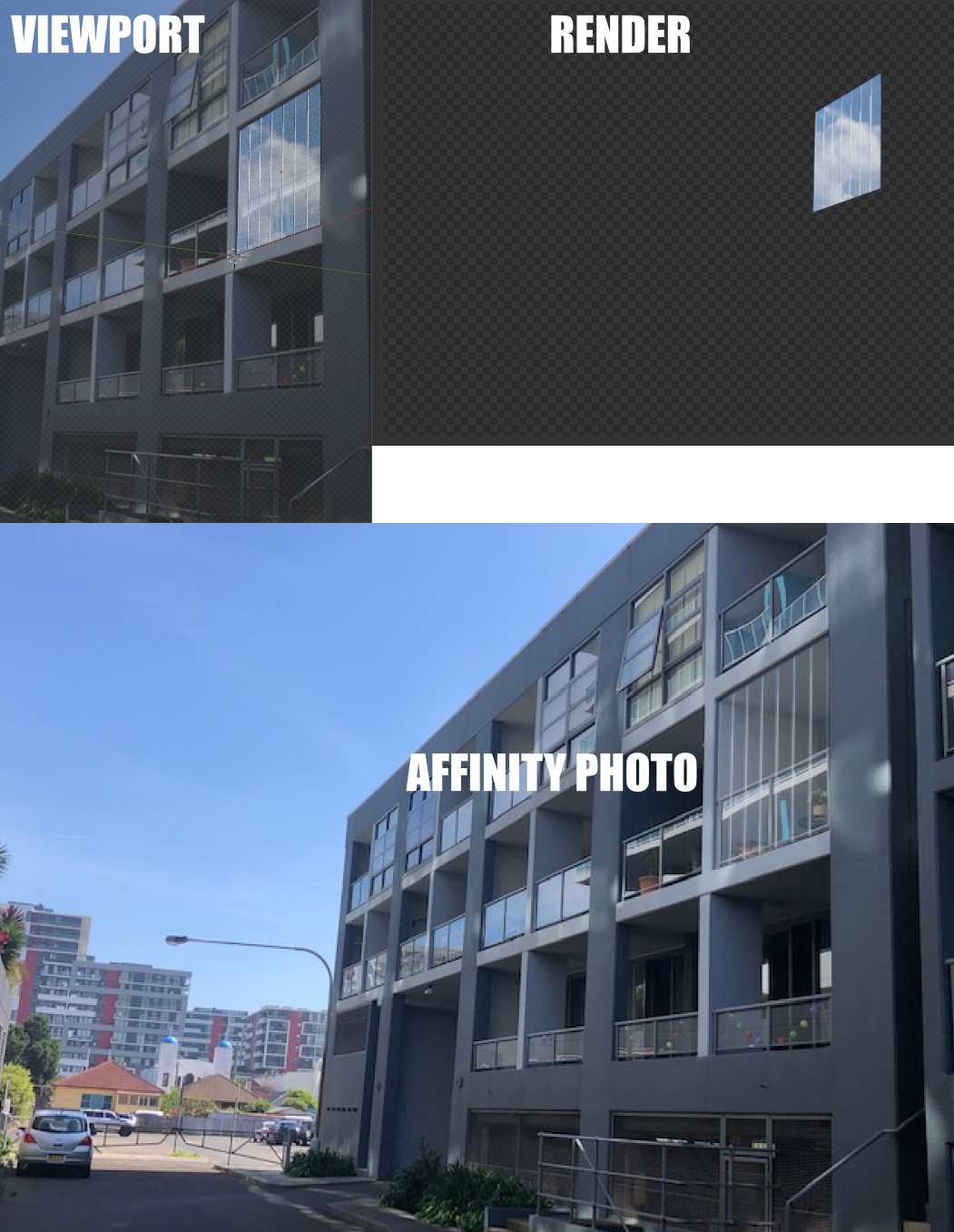
Glass missing reflections when imported into Affinity Photo

Forum Archive Glass missing reflections when imported into Affinity Photo

Viewing 3 posts - 1 through 3 (of 3 total)
  • Author
    Posts
  • #14754
    Ross Franks
    Participant

      Hey there,

      this should be the simplest job, I’m superimposing some bifold glass doors over a photo. But for some reason when I view in the viewport, and then render, then the reflections look right, but when I import into Affinity Photo it looks like it’s missing the reflection of the clouds. Can anyone explain why?

      Blender file is here…

      https://drive.google.com/file/d/1ZhnQT6fpmhaE9eA3jkO6wy_CB5NL0m4j/view?usp=sharing

      #72715
      Adrian Bellworthy
      Participant

        Hey Ross,

        I’m not an Affinity user, so I can’t help you there, 

        When you render the image in Blender, 

        I assume you are saving the render with a new name, other than the original image name,

        and import the new image into Affinity?

        #72716
        Ross Franks
        Participant

          Hey Adrian, yeah I am.

          Another Blender user is saying…

          “Keep in mind that Blender is using a linear workflow. For a correct result in Photoshop (or Affinity Photo), you need to set the composition to 32bit. Same for After Effects. In AFX you can set the composition to “Linearized Working Space” to get a proper color transformed result.

          Photoshop workflow:
          – Save render as EXR
          – Load your background
          – Set color depth to 32bit
          – Load EXR (transparency)
          – Select all
          – Move with Ctrl-Shift to the 32bit tab and place it over the background

          Note: You can load EXR into PSD but this is not using Filmic color management. So the tone mapping looks different. In your case, it’s not critical and you don’t need to use a specific plug-in to handle EXR with a filmic OCIO profile.”

          Does EXR export a alpha channel, because it’s not showing up when opening in Affinity Photo

        Viewing 3 posts - 1 through 3 (of 3 total)
        • The topic ‘Glass missing reflections when imported into Affinity Photo’ is closed to new replies.