
Getting an object to not be affected by light.

Forum Archive Getting an object to not be affected by light.

Viewing 6 posts - 1 through 6 (of 6 total)
  • Author
    Posts
  • #12322
    Matthew Fricker
    Participant

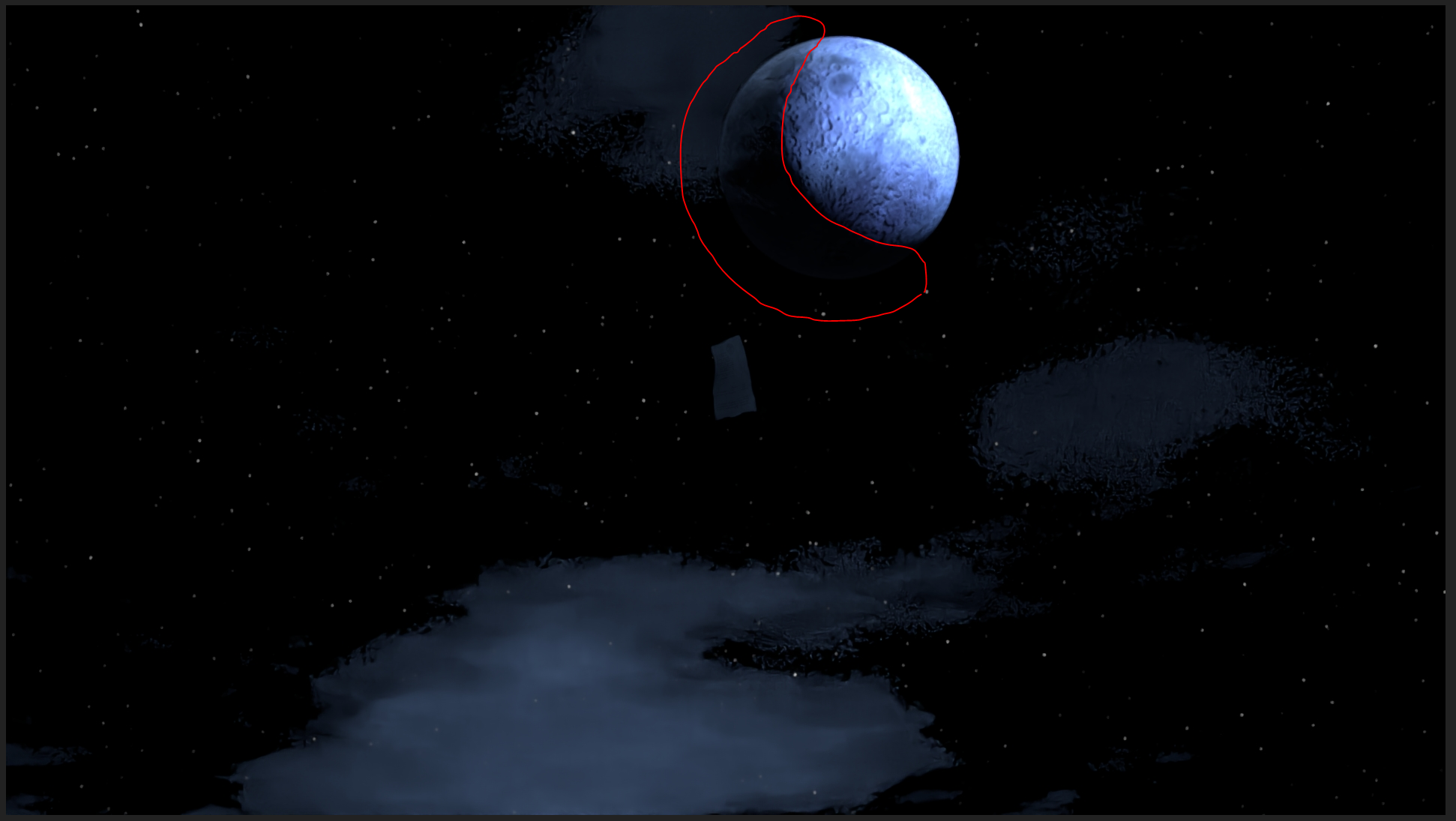
      I have a moon in an animation scene that I am working on that has a strong spotlight creating the illusion I want. However there are several other lights in the scene to fake the moonlight that I require across the landscape but they are illuminating the other side of the moon that is supposed to be black and ruining the way it looks : 

      I need that side of the moon to be completely black , so is there a way to have it only be influenced by the spotlight in the scene and ignore any other light influence? 

      Thanks for any advice. 

      #58672
      spikeyxxx
      Participant

        Hi Matthew, what you could try is rendering only the moon without the extra lights on a transparent background and then render the rest of the scene and composite the moon in the scene with an Alpha Over Node.

        #58673
        Matthew Fricker
        Participant

          Ahh ok thanks @spikeyxxx  , That’s a good idea. I just wondered whether this could be done with nodes as I know you can do some trickery like this with camera paths and things. 

          Thanks again!

          #58674
          spikeyxxx
          Participant

            @frikkr at the moment there is as far as I know no other way of doing this, apart from using a different renderer. Light linking for Cycles is on a todo list (no time frame known) and that would take care of it.

            This is a heavily requested feature and if there were another way of doing this at the moment, it would have been discovered by someone.

            #58675
            williamb
            Participant

              how about duplicating the area of the moon you want to be dark and make it a negative emission shader.

              #58676
              Matthew Fricker
              Participant

                Good idea @williamb , I will certainly give it a try. Thanks!

              Viewing 6 posts - 1 through 6 (of 6 total)
              • The topic ‘Getting an object to not be affected by light.’ is closed to new replies.