Geometry nodes – tiling instances on the faces of a mesh

Forum Archive Geometry nodes – tiling instances on the faces of a mesh

Viewing 11 posts - 1 through 11 (of 11 total)
  • Author
    Posts
  • #15417
    erikitect
    Participant

      What I want to do is make a model of a skyscraper under construction, where window panels are tiled all over the wall, in varying degrees of completeness.

      I have figured out how to tile them on a plane, and arrange four planes in a box shape, but when I try to tile them on the faces of a mesh, I don’t know how to set up the rotation right, so the panel instance is lined up with the face. The “normal” node does not work the way I expect it to. What should I do?

      #75405
      Martin Bergwerf
      Participant

        Hi @erikitect ,

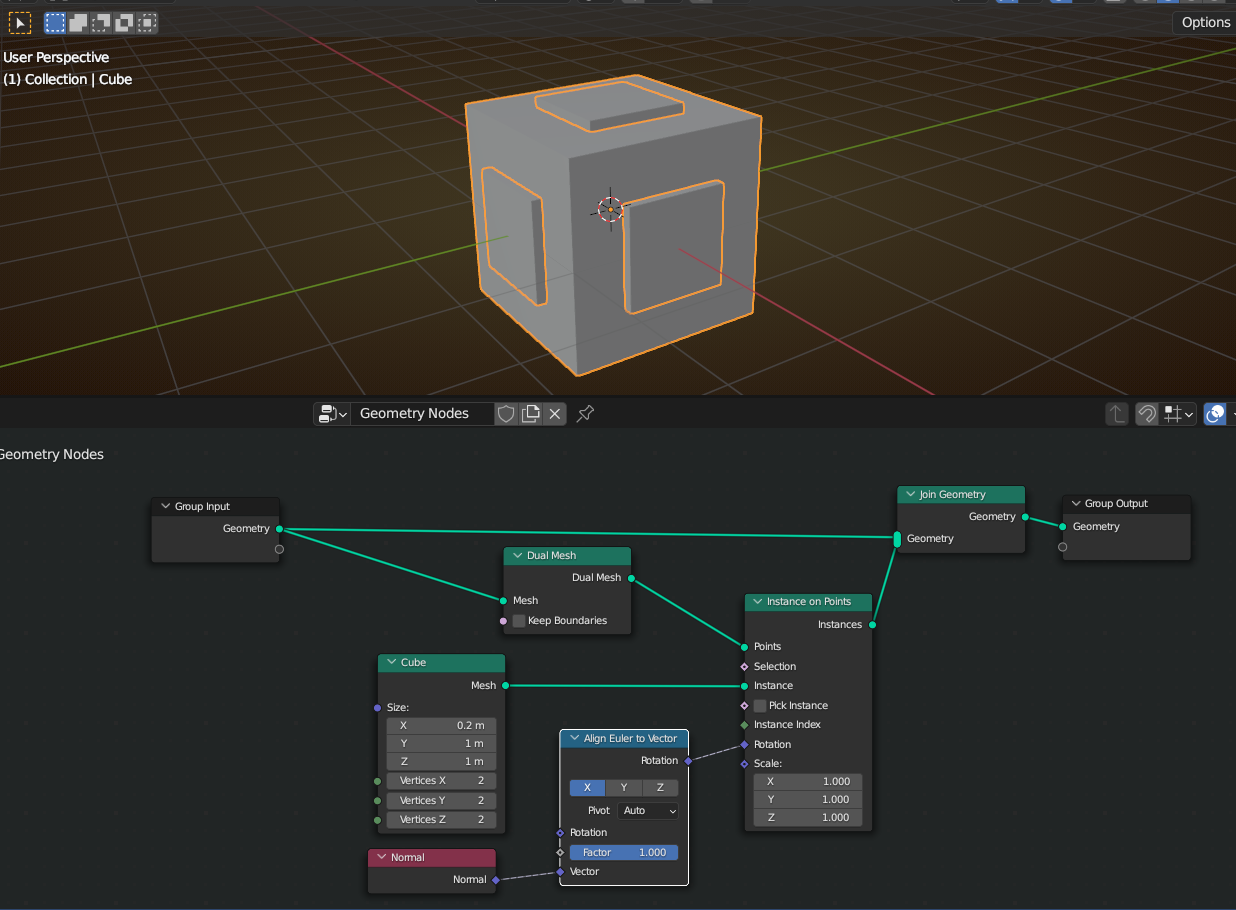
        If I understand correctly, you might be missing this highlighted Node:

        Normal.png

        #75406
        erikitect
        Participant

          Well, I knew I needed to use Euler-to-vector but possibly had its settings wrong. I will try again when I have time.

          #75407
          erikitect
          Participant

            Thank you again, Martin Bergwerf. 

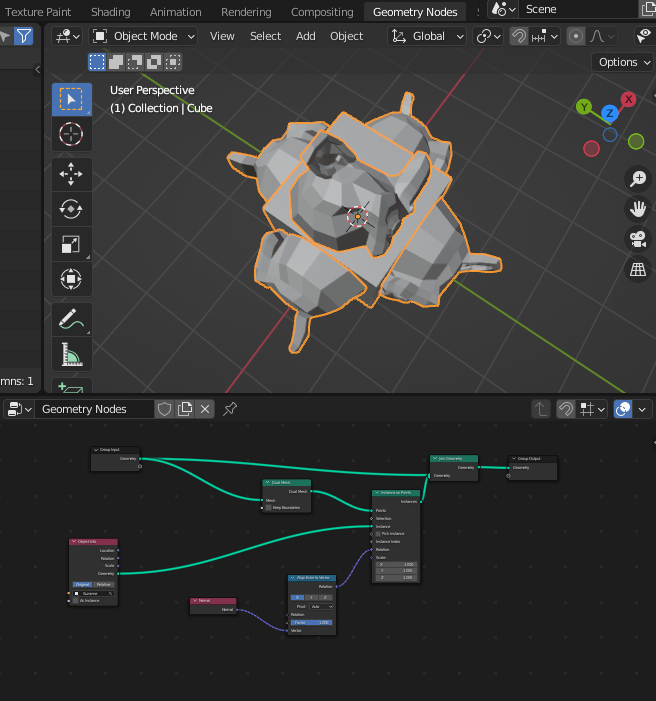
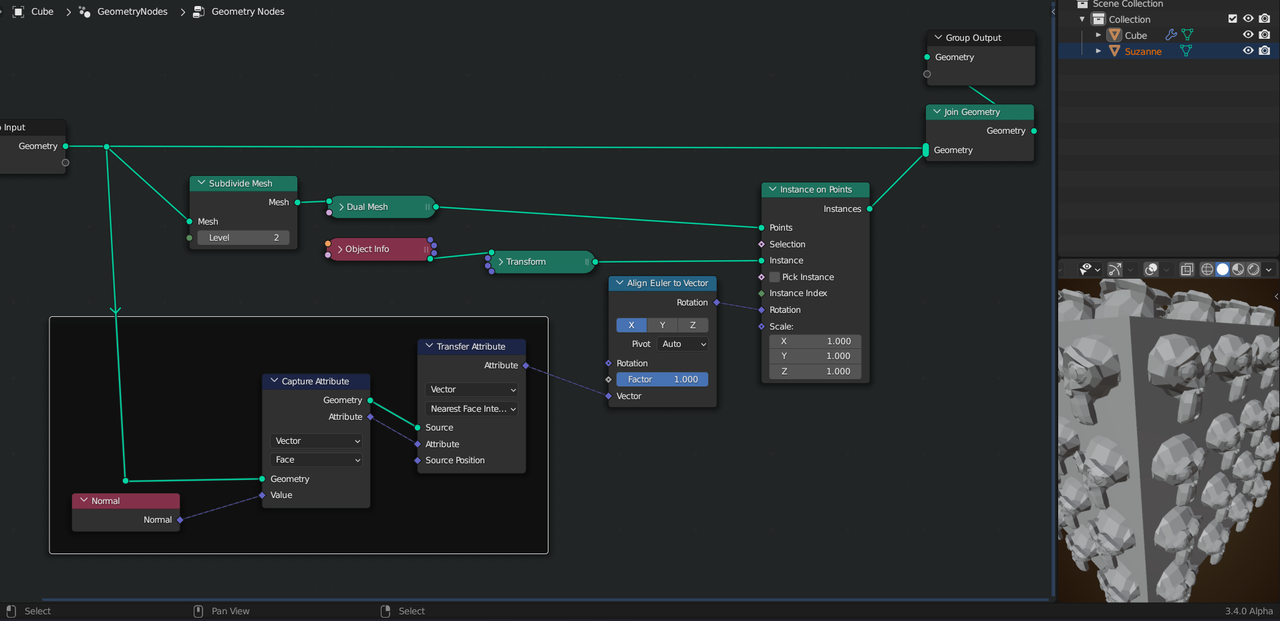
            I have re-created your node setup, but substituted a monkey-head for the instanced cube so it is possible to see the rotation. 

            But now, although it is a step in the right direction but I really am wondering what it takes to make the monkey face out rather than face to the side.

            #75408
            erikitect
            Participant

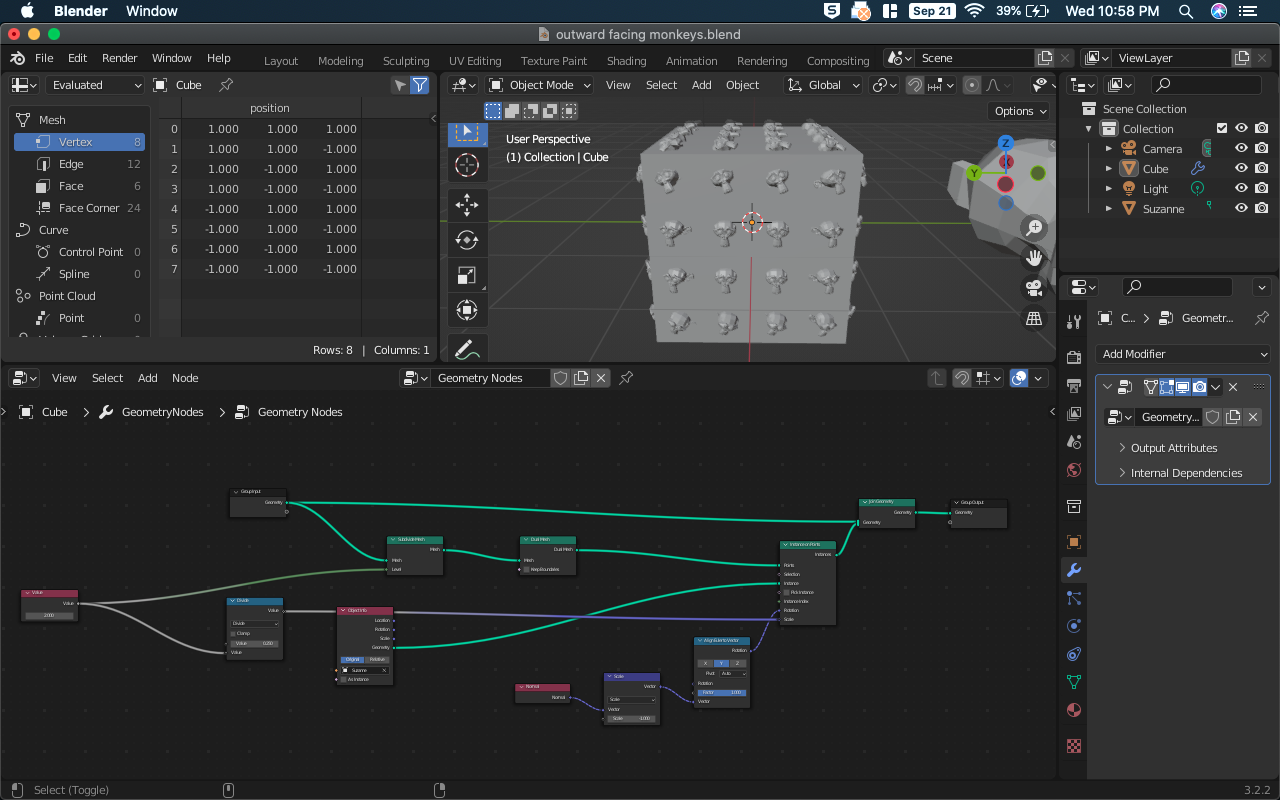
              And now I have solved that problem. Change the axis of the Euler-to-Vector to Y, then they will face in. Scalar multiply the normal by -1 and they face out.

              Thank you for your help.

              #75409
              Martin Bergwerf
              Participant

                Glad you figured that out @erikitect !

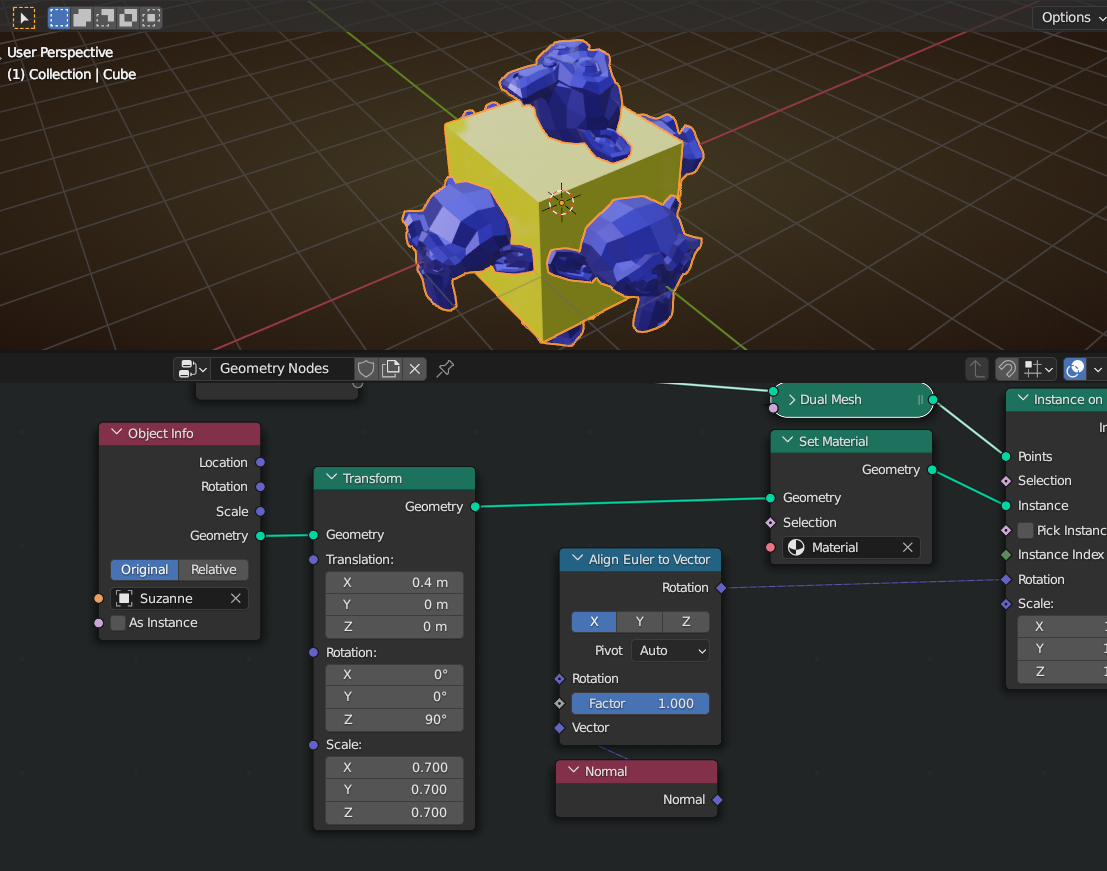
                Alternatively (with even more control), you could simply Transform Suzanne:

                Suzy.png

                And there will probably be quite a few other ways to do it.

                #75410
                erikitect
                Participant

                  This is closer to what I want but not quite. I want all instances on a face to face the same way, but only the middle ones do.

                  #75411
                  Martin Bergwerf
                  Participant

                    Hey Erik,

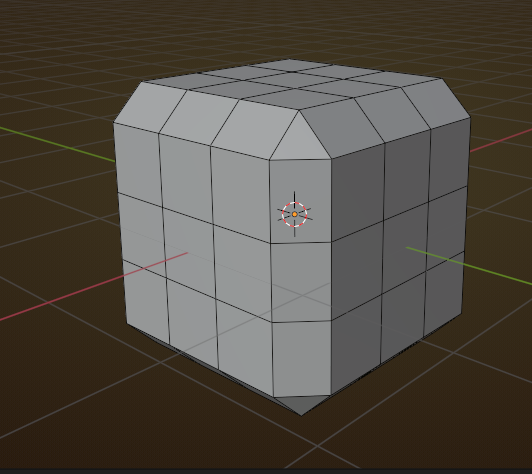
                    this is because your Dual Mesh looks something like this:

                    Suzy_1.png

                    and the Normals of the Points near the Edges are ‘wrong’ (for your purpose).

                    One way to solve this would be:

                    Suzy_2.png

                    to use the Normals of the original Cube.

                    #75412
                    Omar Domenech
                    Participant

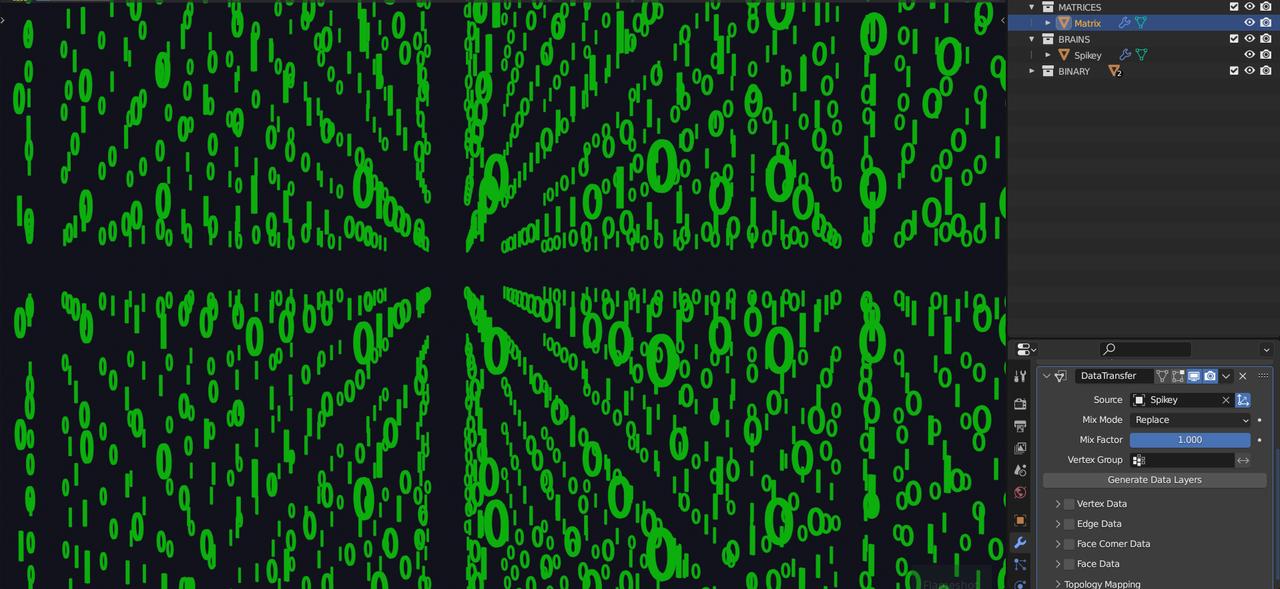
                      Spikey, remember I want your brain data when the I know Kung-Fu Matrix tech is available.

                      #75413
                      erikitect
                      Participant

                        Thank you again. I also tried it without the “Dual Mesh” node and got wrong-facing monkeys on the edges and corners, and the monkeys near the edges were not close enough as I recall. 

                        So now this is the main piece of my puzzle solved, I just need to understand “capture attribute” node better.

                        #75414
                        Martin Bergwerf
                        Participant

                          @dostovel

                          Blender has the technology:

                          Matrix.png

                        Viewing 11 posts - 1 through 11 (of 11 total)
                        • The topic ‘Geometry nodes – tiling instances on the faces of a mesh’ is closed to new replies.