Hello there !
While doing the carrousel exercise for the ASSEMBLE tutorial, i encountered an unexpected problem, a.k.a “it was supposed to be an easy thing to do, but it’s not”.
So i have this model :
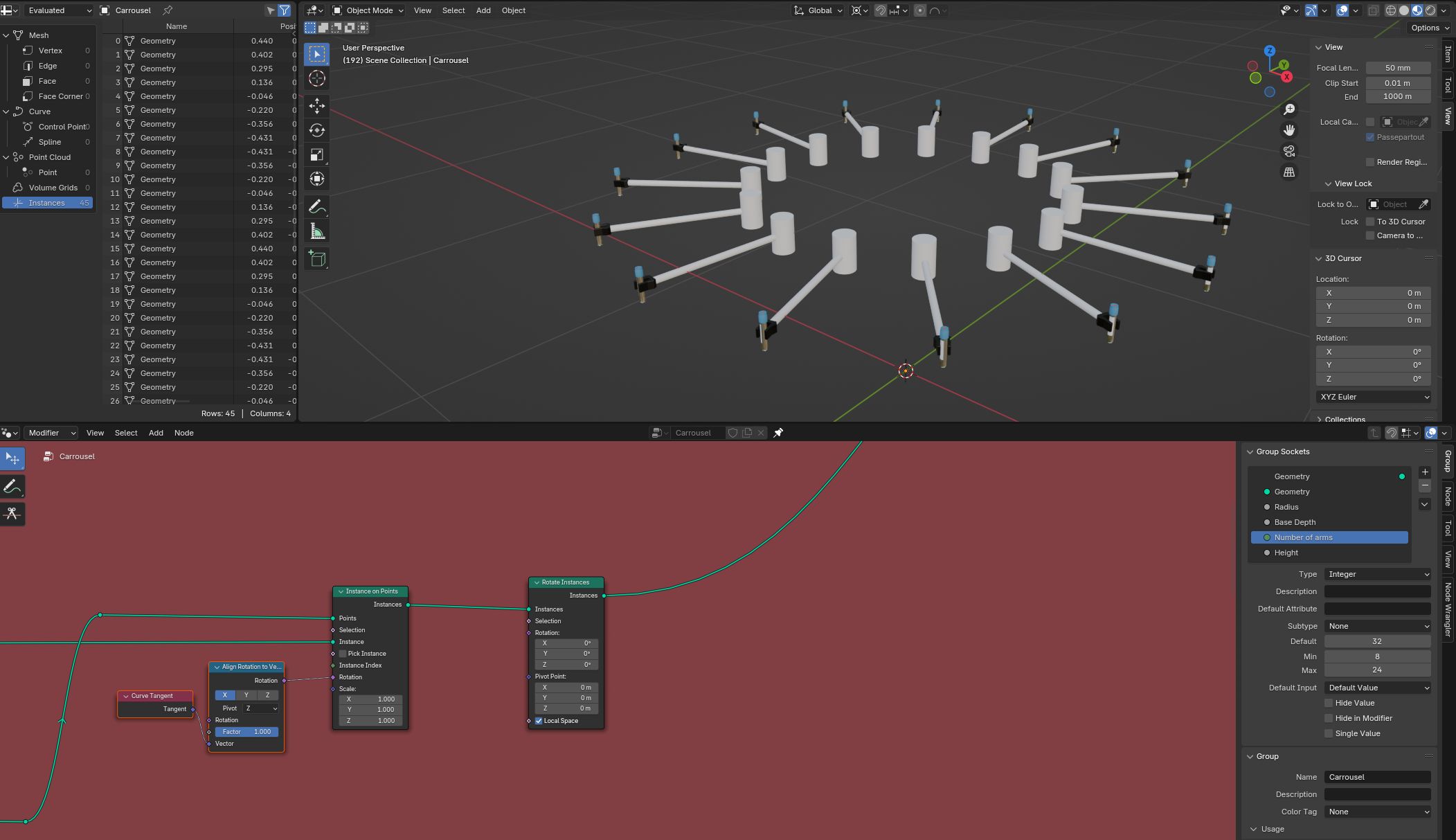
I would like each tube to be able to rotate along its own Z axis, so that the tags do not all share the same rotation.
The logical step was to “Rotate instances”, chose “local space” and rotate along the Z axis (then using a Random Value > To Radians > Combine XYZ – Z socket > Rotation)
But it doesn’t work as intended :
It works correctly with the Y axis, but behaves weirdly with the X and Z axis.
Do you have any idea why ? How can i make my tube instances rotate correctly around their Z axis ?

.


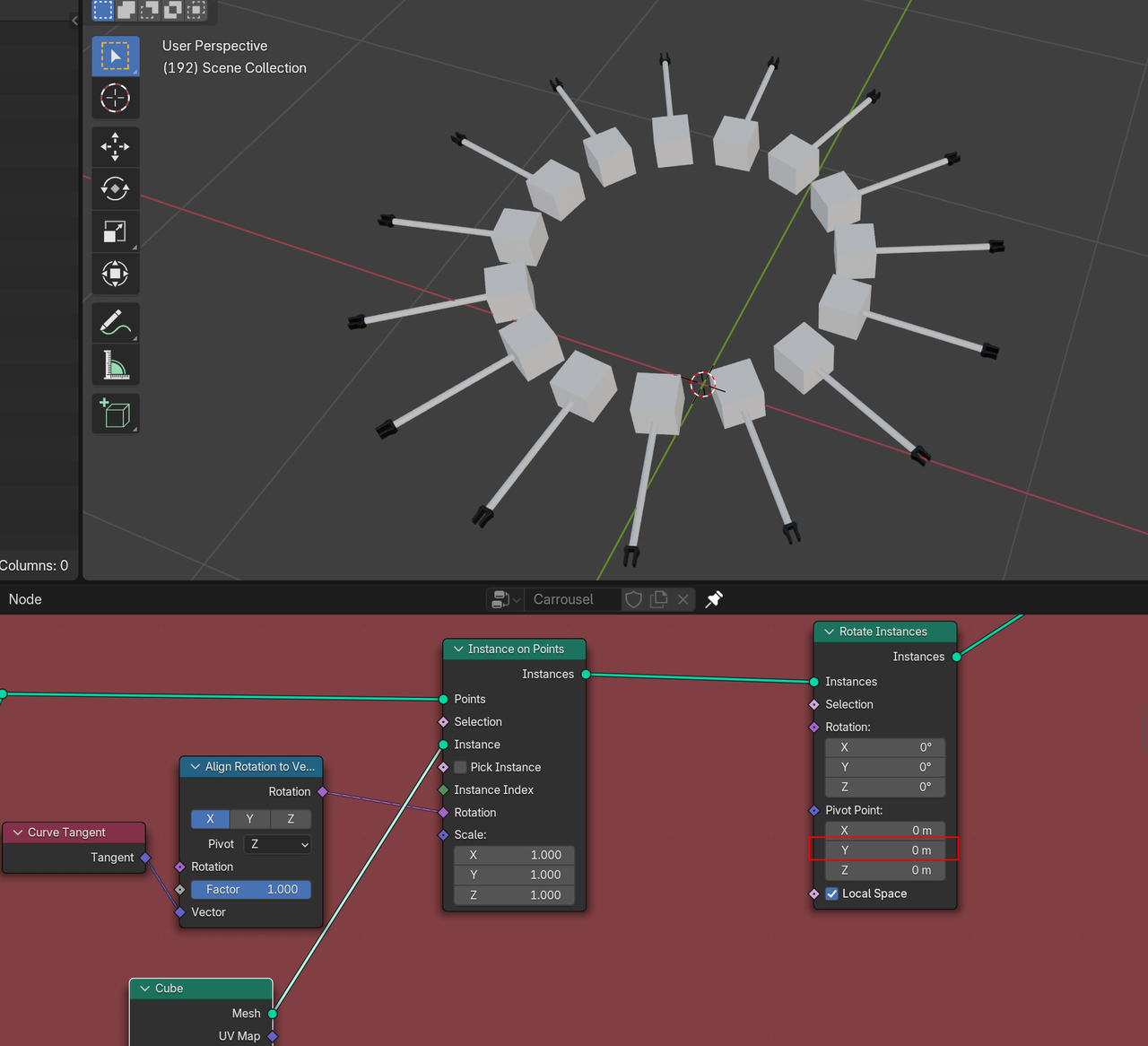 These Cubes rotate correctly, so the Tubes use those locations as Pivot Point. You could correct that by changing the Y to something near -0.4m (you’ll probably know the exact number). There are probably other places you could change something to make it work, but that is up to you now.