Just cloning this thread from one I posted in BlenderArtists:
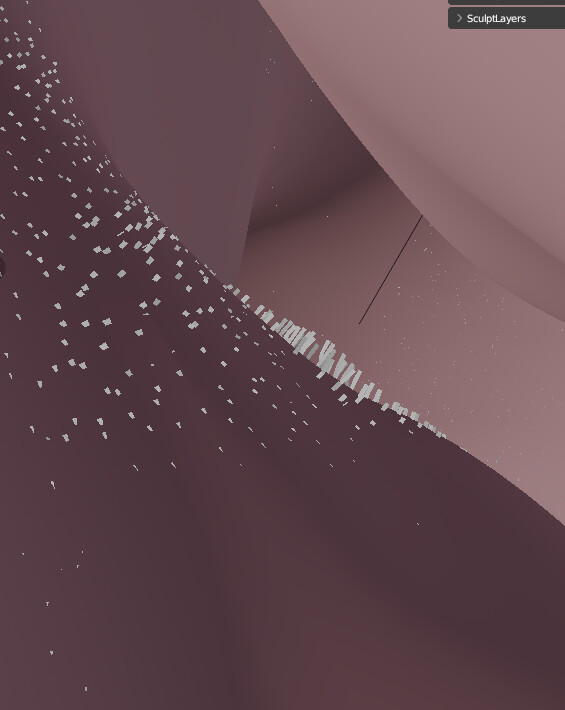
Hey everyone, I’m having issues with the new geo nodes system. The hair shown here has patches of baldness in the stubble (most visible under the chin) that is the result of the surface of the hair not matching the surface of the geometry. The geometry has a displacement modifier on it, and it does seem to be affecting the depth of the curve roots appropriately. If I turn the displacement up or down or on or off, the curves respond in kind, but they maintain their incorrect offset. I’m not expecting quick help as these are some pretty brand new features, but if we can find a lead on this issue it might illuminate future solutions for anyone who wants to do the same thing.
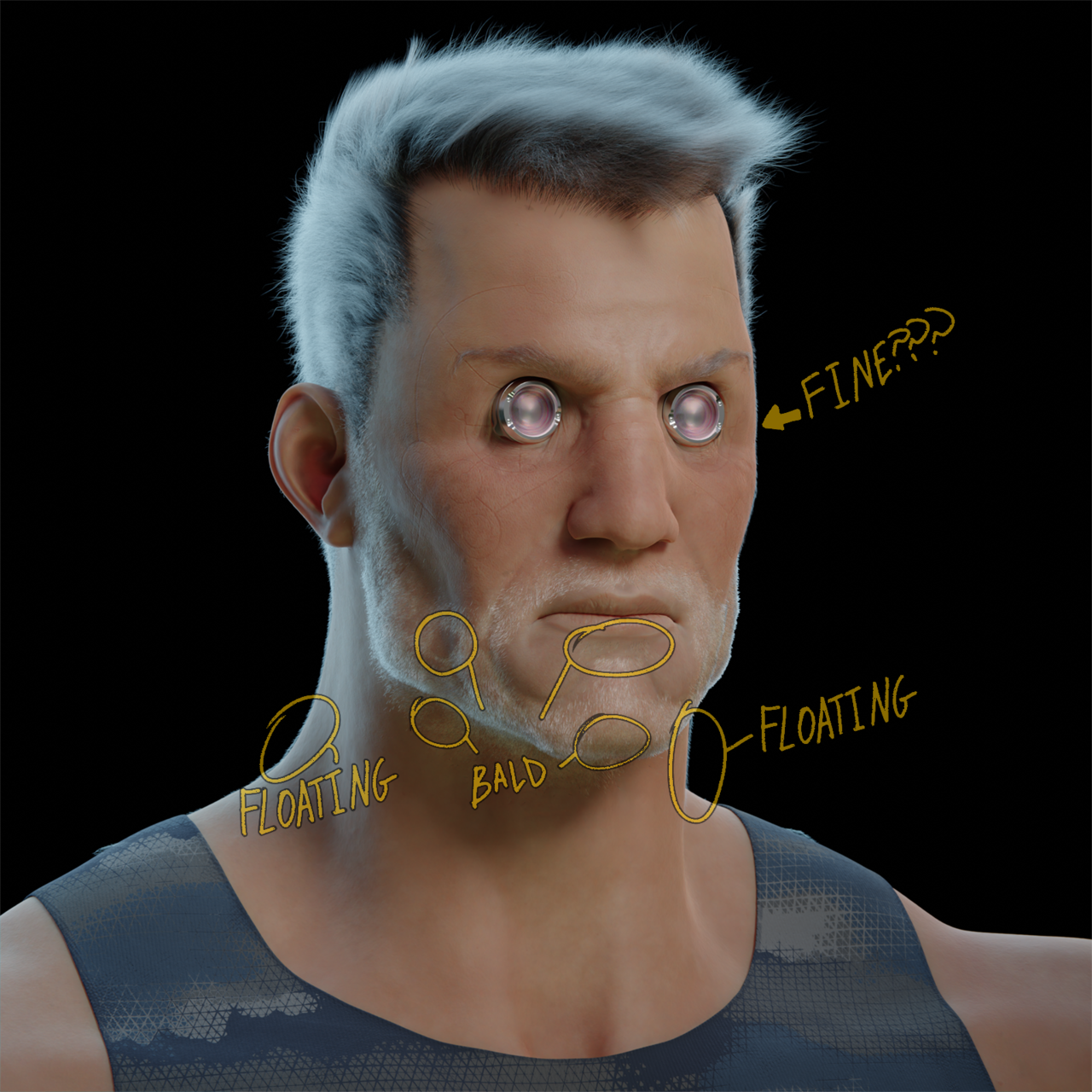
From Inside the geo
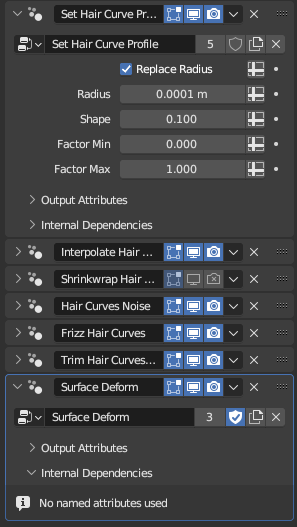
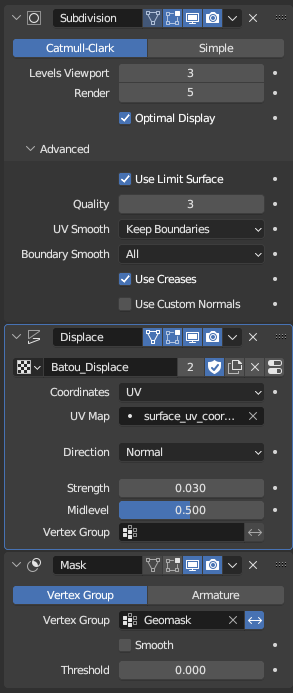
The stubble geonodes Stack And the geometry modifier stack
ok so here’s the quirk
I change anything about the head stack, the hair follows just fine. The areas that are broken stay conjsistently broken
so I’m certain the problem is specifically with the surface deform node in the stubble stack
ignore the shrinkwrap node, that was my first attempt at fixing the issue. It didn’t work
Upon further investigation, applying my base subdiv fixes the issue, which is so far below suboptimal it’s witnessing the central core slow down in real goddamn time. I would think at first that this means the geometry nodes don’t read the subdiv levels of the surface mesh, but the hair updates and changes when I change the subdiv levels! I’m truly stumped. This is a huge roadblock for me.
I’d greatly appreciate any help at all. I’ve got a copy of this thread in a few blender communities and so far I haven’t had much outreach. This has been a huge pain and it’s stopping me in my tracks.

.


