General Question visual display of Pivot Points (New Version 4.02)

Forum Archive General Question visual display of Pivot Points (New Version 4.02)

Viewing 13 posts - 1 through 13 (of 13 total)
  • Author
    Posts
  • #17278
    wrongwright
    Participant

      In the video, it’s obvious to see the pivot point move as the Transform Orientations are change, from say from Bounding Box to Median.  I don’t see this happening on my screen.  Only time it does change is when I select Individual, then I see pivot point. Is this because of New Version of Blender or is it me?  I take it back about the Individual, I just looked again and reselected everything and not even getting shown the pivot point.

      #83158
      Martin Bergwerf
      Participant

        Hi @wrongwright ,

        That’s not a version difference.

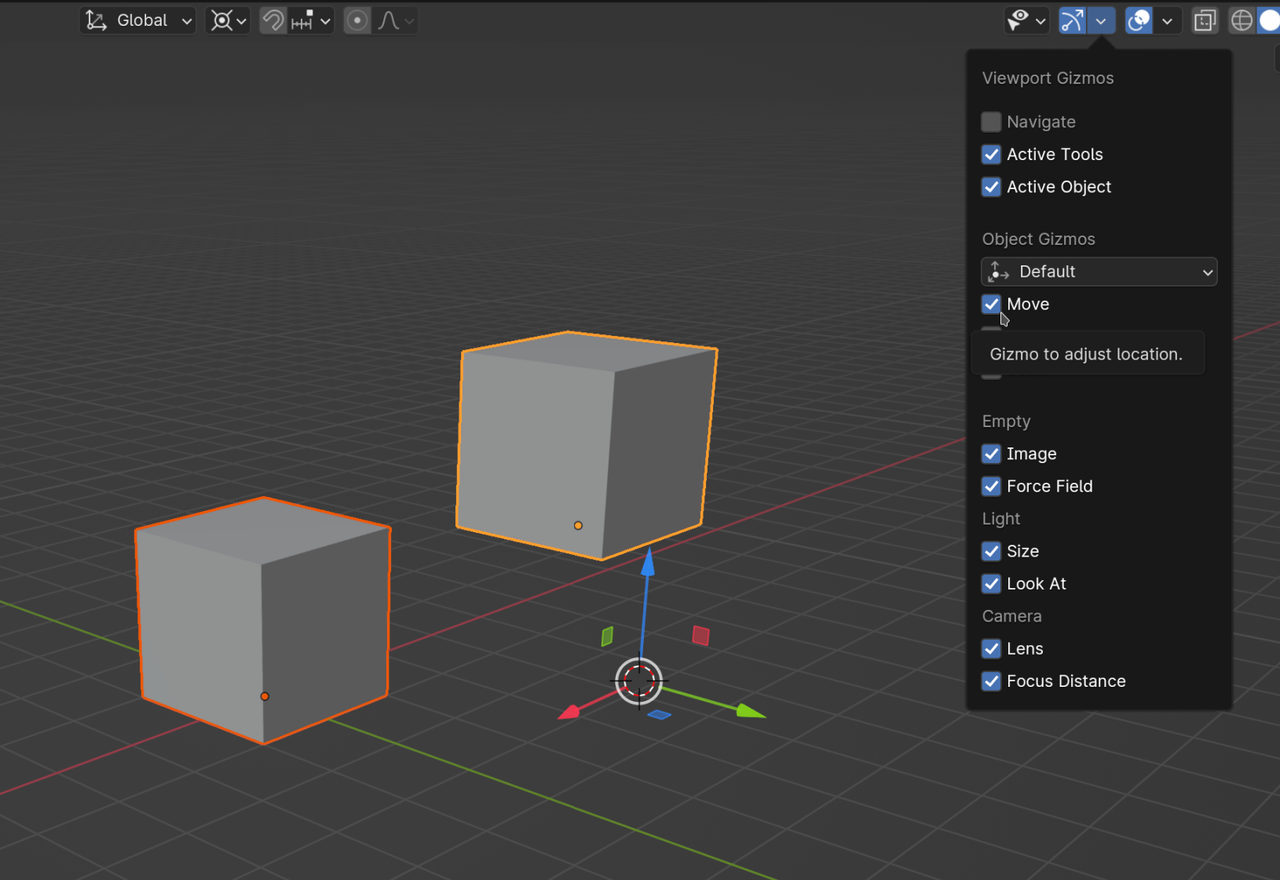
        The Pivot Point isn’t normally shown, but if you, for instance enable the Move Gizmo, you can see where it is:

        Gizmo.png

        #83159
        wrongwright
        Participant

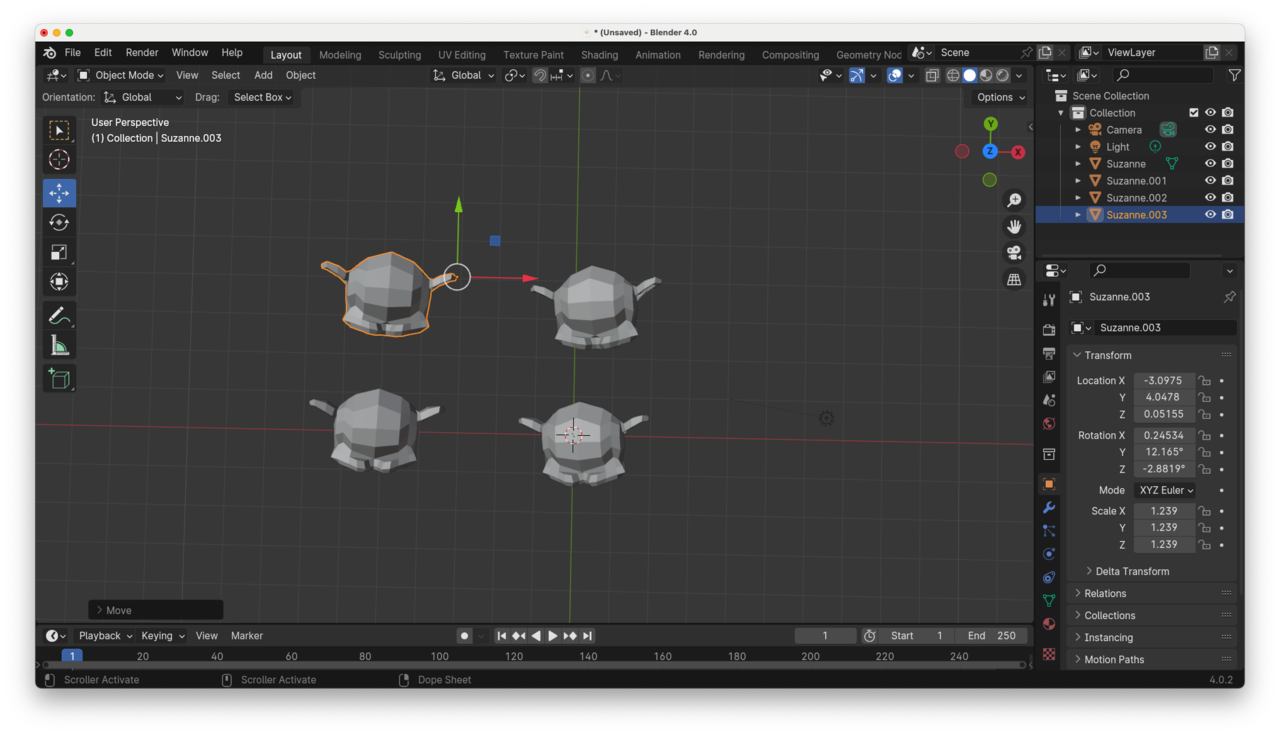
          30 at 3.25.44 PM.png

          #83160
          wrongwright
          Participant

            Sorry, I forgot to post the picture.  I do have that Move tool thing enabled.  I haven’t been able to sort out how to take a screenshot with dropdown windows.  The pivot point look individual but I’ve set the Transform Pivot Point to Median.

            #83161
            Martin Bergwerf
            Participant

              Yes, the Median Point of one Object (you only have one Monkey head selected) is it’s Origin and in your case the Origin is at the tip of Suzannes ear…

              Select more Monkeys and see the Pivot Point change position

              #83162
              wrongwright
              Participant

                Good eyes, but I had tried that.  Still doesn’t work.  

                #83163
                wrongwright
                Participant

                  And I’ve not mentions this, but the actions do behave has they should.  It’s just that little tool gizmo thinger isn’t moving around when I switch from one Pivot Point to another.

                  #83164
                  Martin Bergwerf
                  Participant

                    Really?

                    Maybe you should update your GPU driver…

                    Also remember, that Individual Origins shows the Gizmo at the average of all the Origins of the Selected Objects (or the average of the selection, when in Edit Mode).

                    #83165
                    wrongwright
                    Participant

                      I’m on MacOS, could explain a few things.  

                      Thanks for your input and suggestions.  I’ll leave it has a mystery and come back to it from time to time to see if there are any updates Blender/MacOS dev side.

                      #83166
                      Martin Bergwerf
                      Participant

                        Can you post a screenshot of the Gizmo being in the wrong place, please? I’m curious.

                        #83167
                        Dwayne Savage
                        Participant

                          Select all the monkeys. Right click->Set Origin->Origin to Geometry. Now you should see a difference. When you switch Transform Pivot Point(Period key)  Side Note: You can use ctrl+period to toggle origin to actually move the origins manually. 

                          #83168
                          Omar Domenech
                          Participant

                            I would also like to see a video screen grab of the problem occurring, it’s a mystery to be solved. 

                            #83169
                            wrongwright
                            Participant

                              In my defense, I’m new to some of this.  I’ve done a few donuts and this and that’s but never really worked with all the tools.  Maybe I’m seeing the right thing and I just don’t know it.  I was working with 4 monkey heads and I had moved the Pivot point to its ear.  Coming back from dinner, I’ve played with it some more.  I’ve turned and twisted some of the heads to change the bounding box and median, I’ve also added more heads.  Now I am seeing the pivot point move around.  Also possible I still had Origins still check off in Option in the upper right corner of the viewport.  Stick a fork in this, chalk it up to user’s eyes crossed or something.

                            Viewing 13 posts - 1 through 13 (of 13 total)
                            • The topic ‘General Question visual display of Pivot Points (New Version 4.02)’ is closed to new replies.