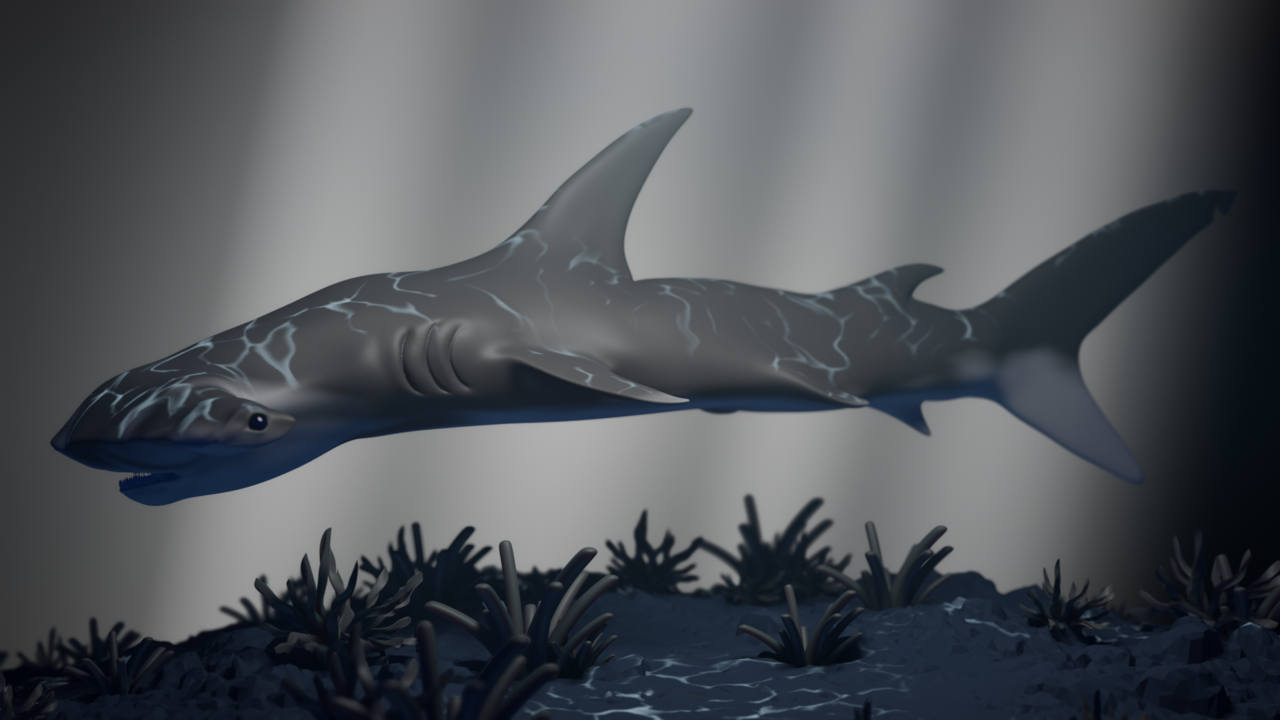
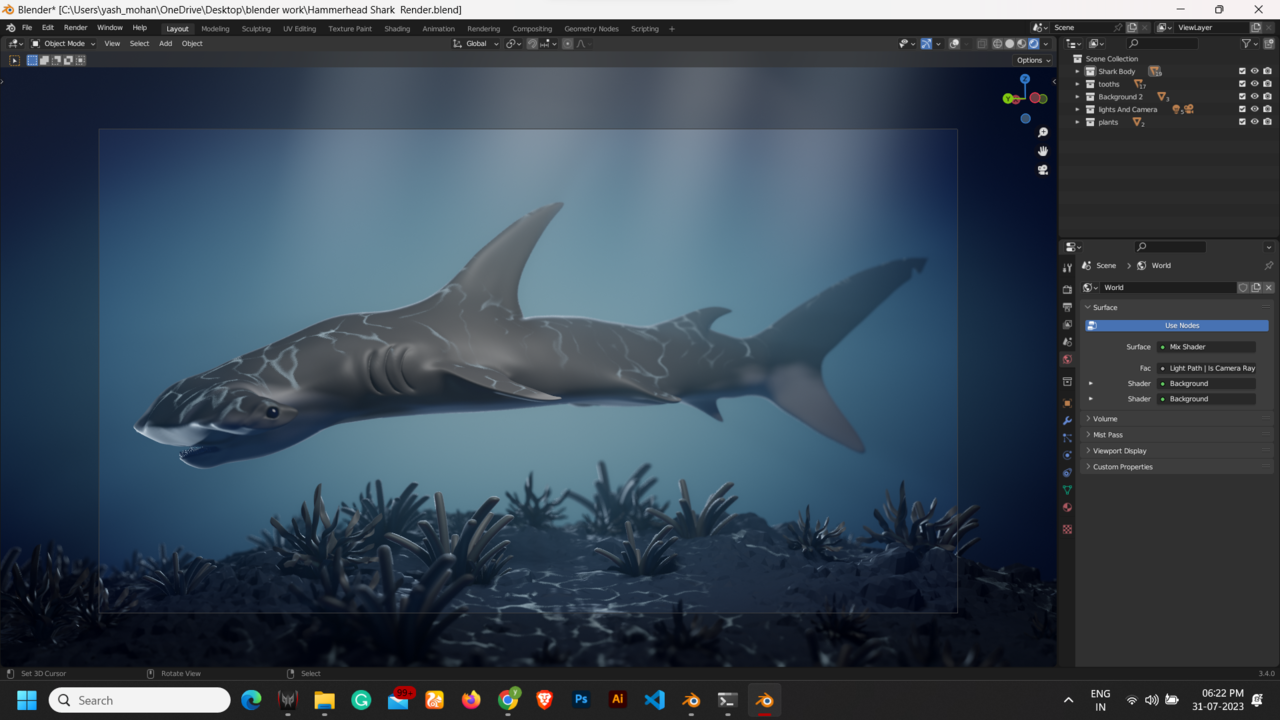
follow the shark texture tutorial step by step and all the elements are rendered except the background/world colour. Check all the elements shades nodes to see if things are not connected but everything is fine. Can’t find what is possibly wrong?
I’d have to see the World Node Setup (or, even better, add a link to your .blend file. Upload it to Googledrive, Dropbox, or something like that and post the link here.)
Can you post a screenshot of how it should look like, or how it looks on the viewport? Just to see the comparison on what’s missing. Also as Martin says maybe screenshots of the nodes or even upload the file so we can help troubleshoot.
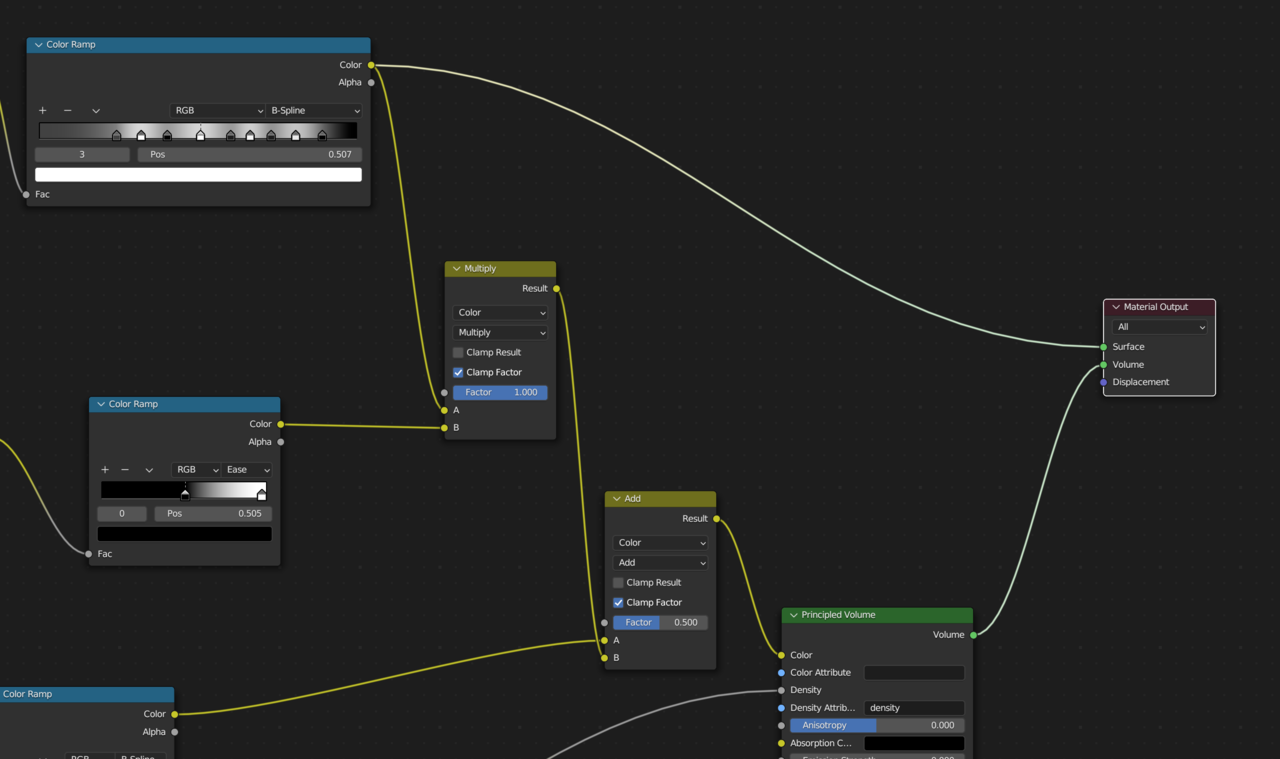
Wow this one was a doozie. Had to really put my Sherlock hat tight. If you select your volume cube object, in the material, you have a color ramp plugged into the surface, effectively canceling out the volume. Because now the material sees it as having a solid surface. So just unplug that color ramp from the surface and it’ll all be ok.
I used it as a viewer node and forgot to remove it from the material output. Speaking of which my node wrangler is on but when I use ctrl+shift+LM, I don’t get the viewer node. What might be causing that?
And thank you so much, Omar and Martin, for taking your time to my problem.
Sure no problem. The viewer node is now working under the hood now, they removed it from being seen, so it’s all good.
Author
Posts
Viewing 10 posts - 1 through 10 (of 10 total)
The topic ‘follow the shark texture tutorial step by step and all the elements are rendering except the background/world color’ is closed to new replies.