Flowy pattern (5:19)

Forum Archive Flowy pattern (5:19)

Viewing 6 posts - 1 through 6 (of 6 total)
  • Author
    Posts
  • #16108
    Feroz Quazi
    Participant

      Hey guys, I’m trying to get the flowy pattern but how do I make it more subtle? Is it the Details parameter or the Roughness or the Distortion? Really trying to make it more natural looking :/

      https://www.dropbox.com/s/w7jmmdu5s3jxfzs/Flowy%20Pattern.jpg?dl=0

      #78179
      Martin Bergwerf
      Participant

        Hi Feroz @quaziferoz ,

        I’d guess that reducing the Factor in the Overlay Node would make it more subtle, but I’m not sure, could you post a Screenshot of your (complete) Node setup.

        #78180
        Feroz Quazi
        Participant

          Hey Martin, Thankyou for the feedback. I played around with the Noise Shader, and the Mix RGB and added some extra Brightness and Contrast on the flow pattern. That kind of helped. I still need to work on this technique so I’m gonna keep trying.

          here is my final result so far: https://vimeo.com/810867880

          Here are my working files if anyone is interested: https://www.dropbox.com/s/6cthnjxu9qtw60t/Desert_Dune_fq_V1.blend?dl=0

          #78181
          Martin Bergwerf
          Participant

            Hi Feroz @quaziferoz ,

            I was afraid you might have done this; there has been a change in Blender and you need to use a Vector > Displacement Node instead of the Math Node:
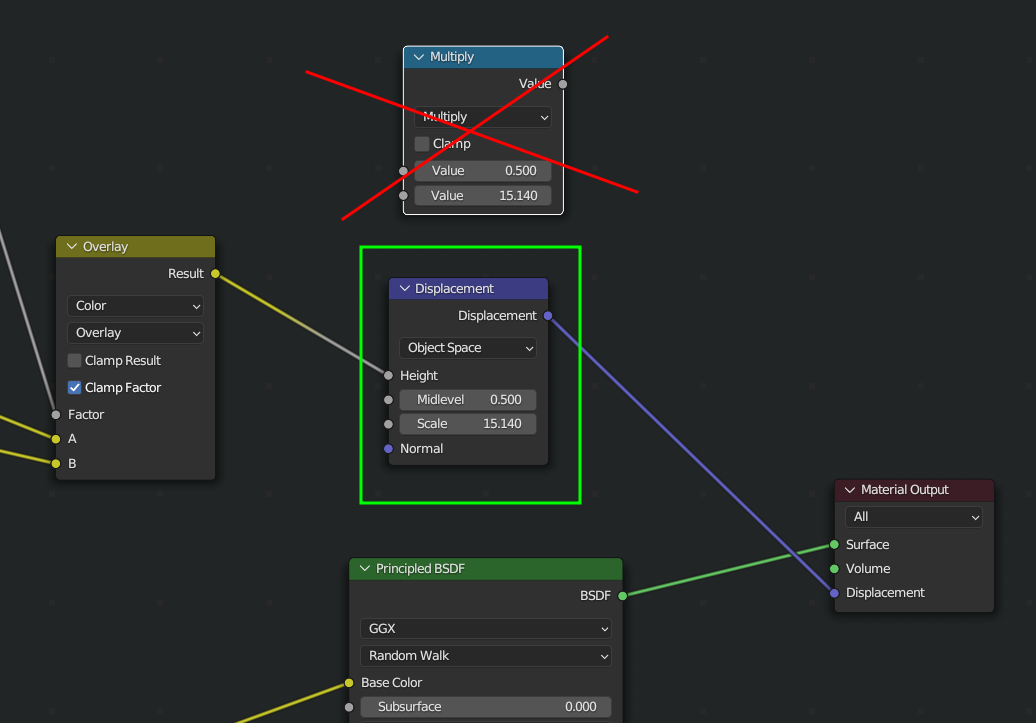
            Dune.png

            The Displacement socket in the Material Output Node used to be grey, taking in a single Value:
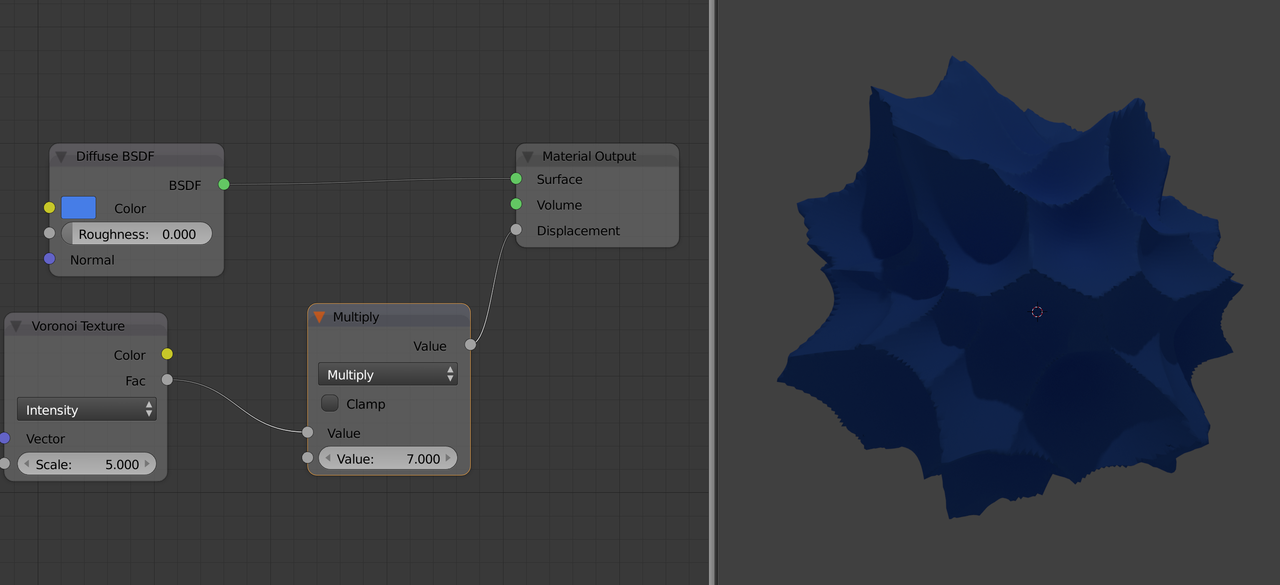
            Test-1.png

            Now it expects a Vector and if you plug in a single Value like 7.3, that will be converted to the Vector (7.3, 7.3, 7.3).
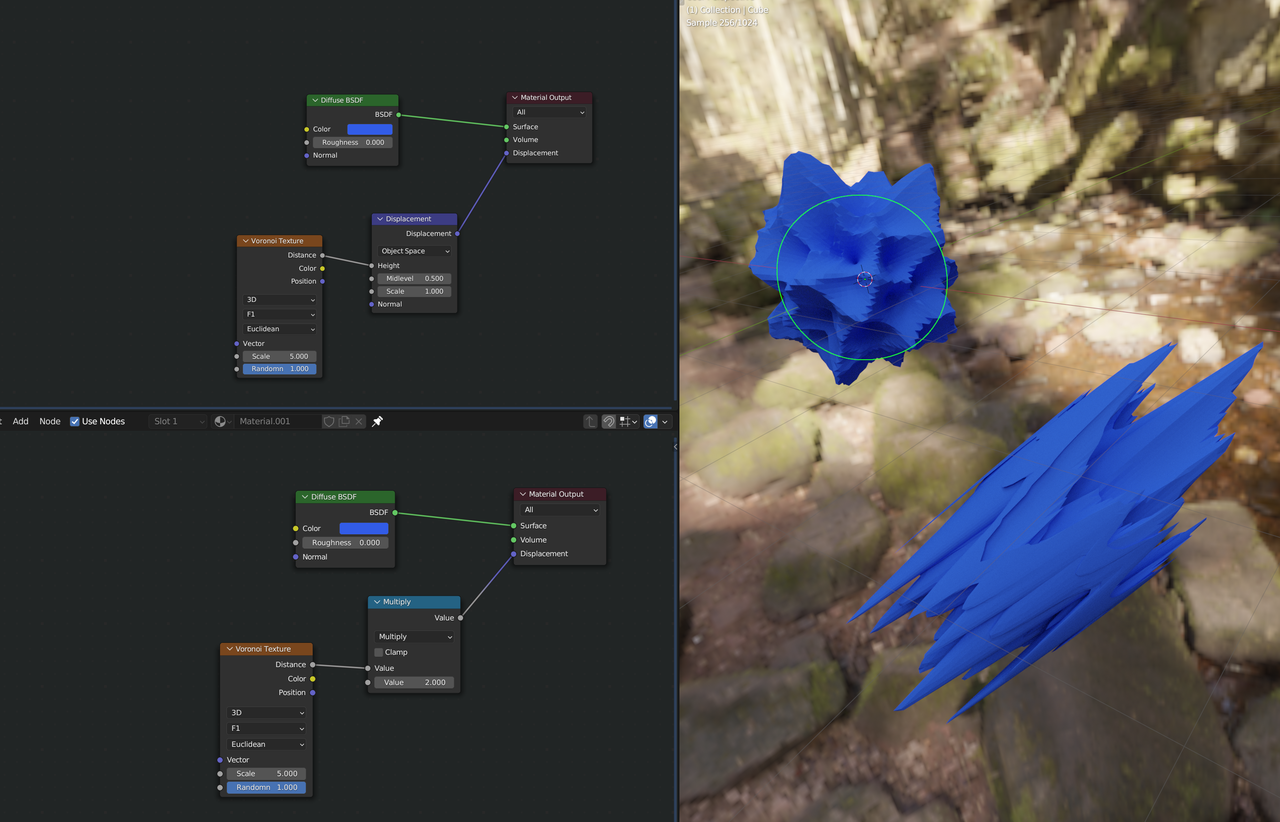
            Test-2.png

            However, as this tutorial uses the Multiply Node and it works to our advantage, maybe you should stick with that here (you can try switching it out). Remember however, that if you make your own Shaders, that unexpected results may happen if you don’t use a Displacement Node.

            #78182
            Omar Domenech
            Participant

              I always learn something new reading Martin’s comments. I had forgotten that’s how we used to do the displacement.

              #78183
              Feroz Quazi
              Participant

                Thankyou Martin. I will add these notes in my working file and come back with another iteration

              Viewing 6 posts - 1 through 6 (of 6 total)
              • The topic ‘Flowy pattern (5:19)’ is closed to new replies.