Hey @jasonwilde ,
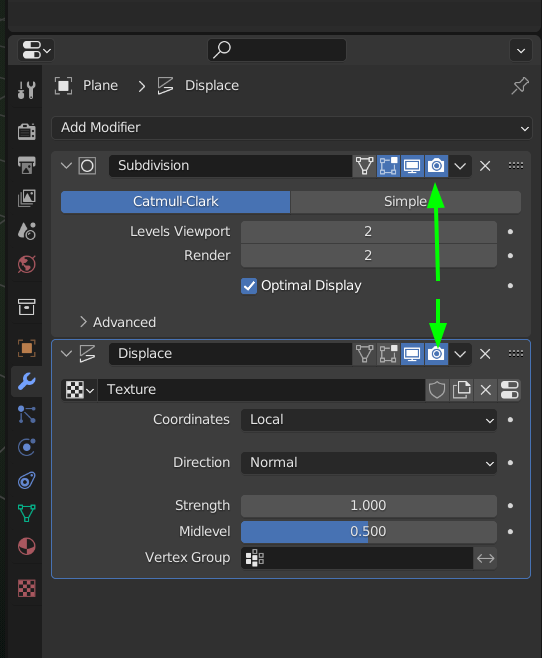
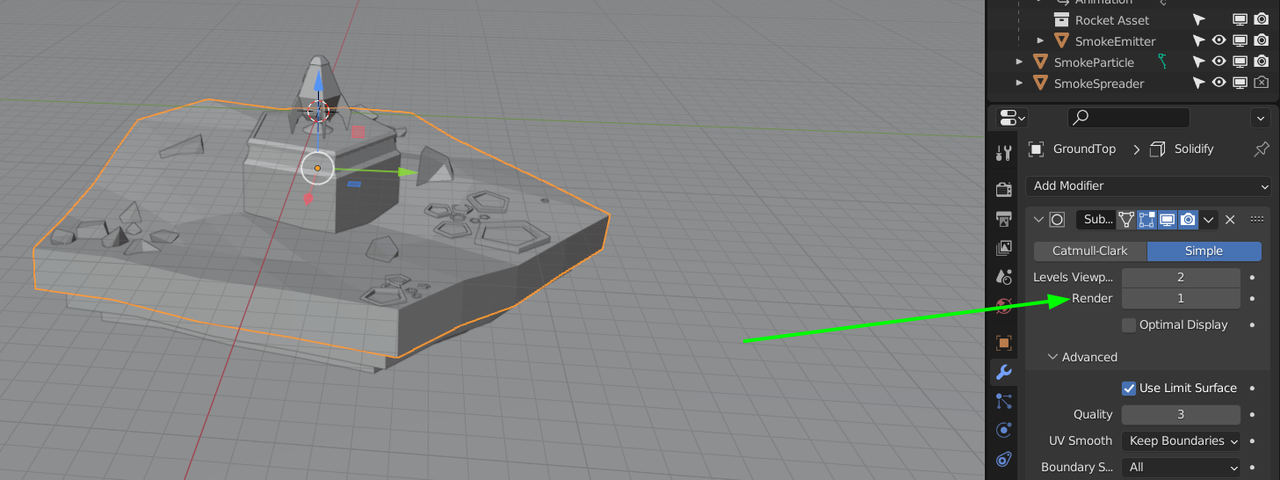
I think Spikey (Martin) is correct, If memory serves me correctly, there are 3 modifiers on the ground object,
A Subdivision , a Displace, and a Solidify. I suspect the culprit is the Displace.
Also make sure the modifiers are in the correct order. The Displace won’t work as intended if it is above the Subdivision.
Note: The Low Poly Rocket course was recorded with an earlier version of Blender. Although still relevant and a great course, there are some differences. The layout of the modifiers is one of those differences, the row of four icons Spikey is referring to, is now in reverse order.
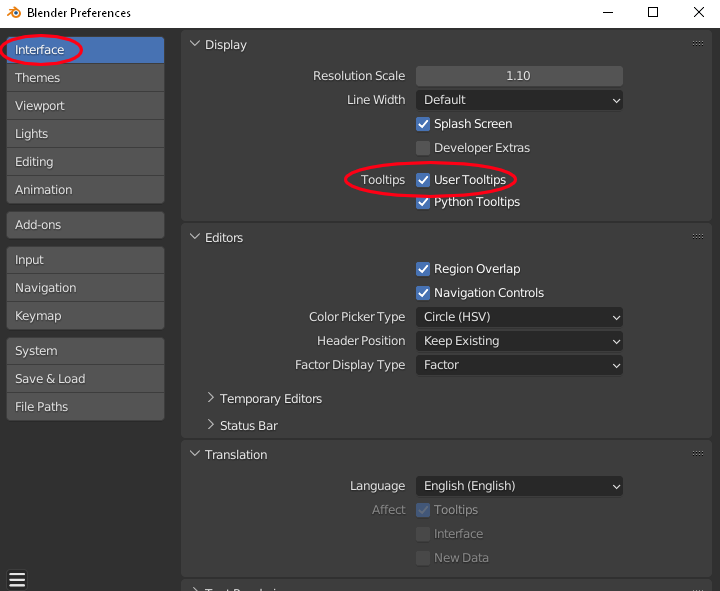
Bonus Tip: To assist you further on your journey learning Blender, if it isn’t already, enable User Tooltip on the Interface section of the Preferences, which you can access via the Edit dropdown menu .
Then hoover your mouse over a tool, button or setting for a short explanation, before clicking.
This may help understanding what is happening with each click whilst following along in a lesson.
Hope this helps!
Happy Blending!

.