Fix for pencils not touching

Forum Archive Fix for pencils not touching

Viewing 10 posts - 1 through 10 (of 10 total)
  • Author
    Posts
  • #19751
    Jack B
    Participant

      Hi, I’m just wondering if there’s an easy way to fix the pencils not touching at the centre. I tried to update the x axis value on keyframe 1, but it causes the rotation to be out of sync. My first thought was that the driver would have to be redone, but is there an easier fix than starting again?

      https://www.dropbox.com/scl/fi/alw698uv6bwpfh1b2d6md/pencils2.blend?rlkey=v9684cyla5dt0lr22p676isfg&dl=0

      Cheers

      #93360
      Martin Bergwerf
      Participant

        Hi Jack @jack___ ,

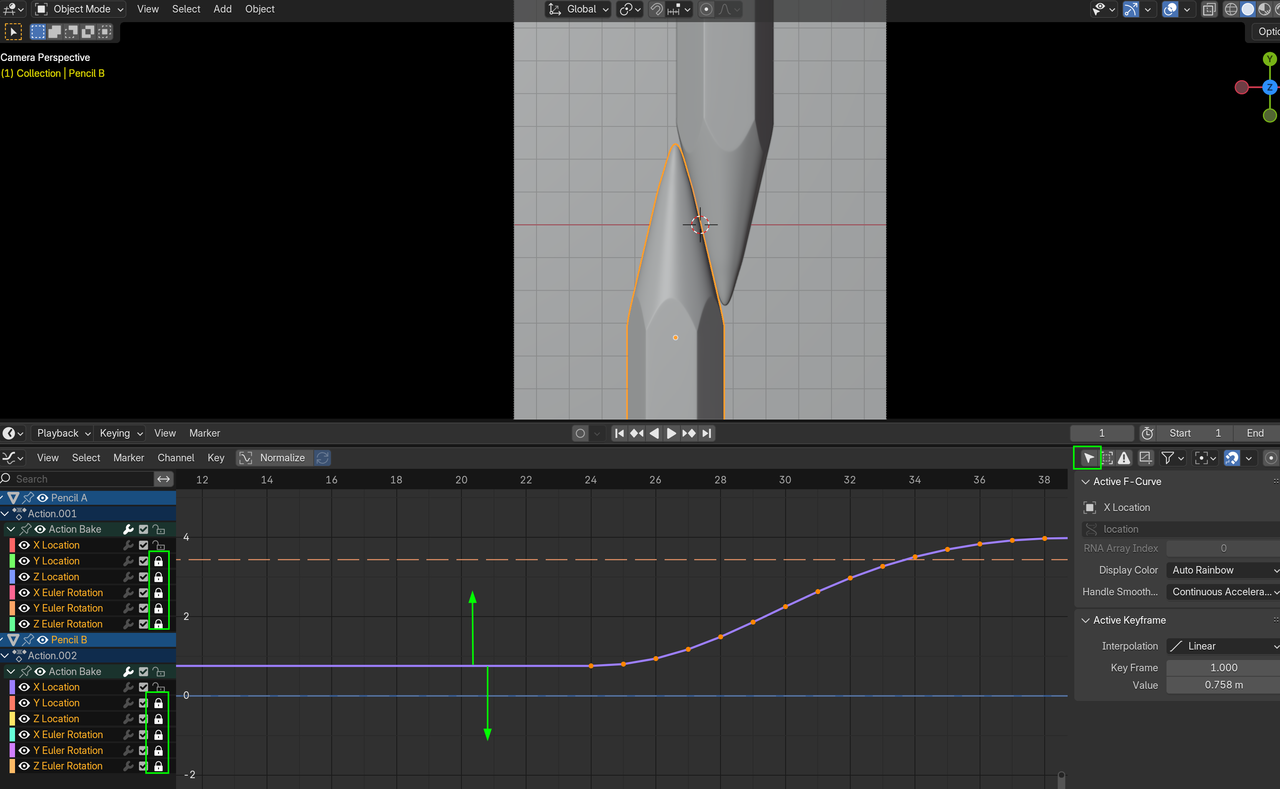
        What you can do, is Move the X- Location Curves of the Pencils down (together) in the Graph Editor, while the other Channels are locked:

        Pencils_00.png

        It’s irrelevant, if you Select All Channels (like in my Screenshot), or only the two X-Locations, because the other Channels are locked anyway.

        #93361
        Jack B
        Participant

          Thank you! Selecting them all and dragging them all up perfectly. Makes sense now, still getting my head around the animation tools. 

          This raised another question though, I just deleted all the other empty animation channels to clean things up. Accidentally deleted the z rotation, but the pencil still rolls. Is this because of the baking? 

          Cheers, 
          Jack 

          #93362
          Martin Bergwerf
          Participant

            Hi Jack, I am not sure exactly,…

            There is no Z-Rotation, but I suppose you meant the Y- Rotation. Now that is Driven by the X-Location and Diameter, so Deleting that Channel shouldn’t matter, theoretically, but it depends on how things are set up exactly (I can’t remember, it’s too long ago that I did this Course).

            If you want, I can do a deeper dive into what happens exactly and re-watch the Lessons…that is if no-one else answers it already.

            #93363
            Jack B
            Participant

              Hi Martin, 

              Thanks. It looks like somehow along the way the driver was only baked for Pencil B and not Pencil A, so I think that explains why it wasn’t appearing in the graph editor. 

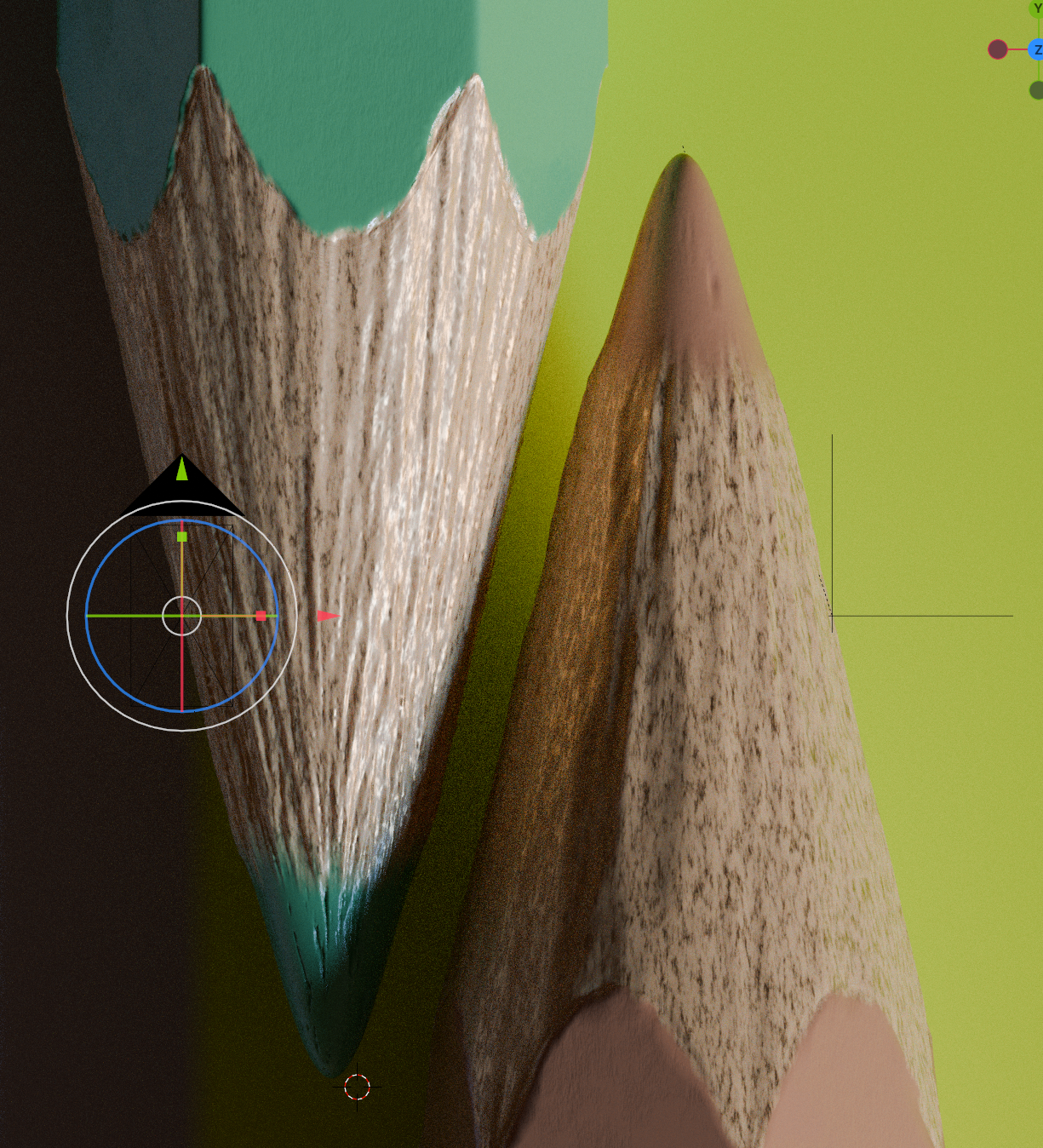
              I progressed further along in the lesson and noticed when I applied the material to Pencil B, the wood texture looks totally different, but I’m not sure why? As far as I can see they use the same identical material. 

              https://www.dropbox.com/scl/fi/alw698uv6bwpfh1b2d6md/pencils2.blend?rlkey=v9684cyla5dt0lr22p676isfg&dl=0

              #93364
              Martin Bergwerf
              Participant

                HI Jack,

                to be honest, I can’t really see an essential difference between the two pencils: they indeed use the same Material.

                The visual difference is probably just due to the lighting.

                #93365
                Jack B
                Participant

                  That’s really odd, because no matter how I move the light, the material on Pencil B looks a lot smoother and lacks that fibrous appearance of Pencil A from the noise texture?

                  #93366
                  Martin Bergwerf
                  Participant

                    Yes, I see what you mean now.

                    Ah, you need to enable Adaptive Subdivision on the Pencil B.

                    #93367
                    Jack B
                    Participant

                      Ah that’s it! Thanks so much. Looks like I missed that step 

                      #93368
                      Dale Noble
                      Participant

                        My pencils wasnt touching either. I just moved the empty which the pencil was parented to along the x-axis and it worked fine

                      Viewing 10 posts - 1 through 10 (of 10 total)
                      • The topic ‘Fix for pencils not touching’ is closed to new replies.