
Faster Way to Add Light: Can We Link Light to Mesh Object Data?
Forum Archive › Faster Way to Add Light: Can We Link Light to Mesh Object Data?
- This topic has 11 replies, 3 voices, and was last updated 2 years, 1 month ago by
Dwayne Savage.
-
AuthorPosts
-
July 28, 2024 at 9:27 am #18360
Hi again,
Is it possible to link or attach a light source to a key object, so that all other linked objects automatically have the same light?
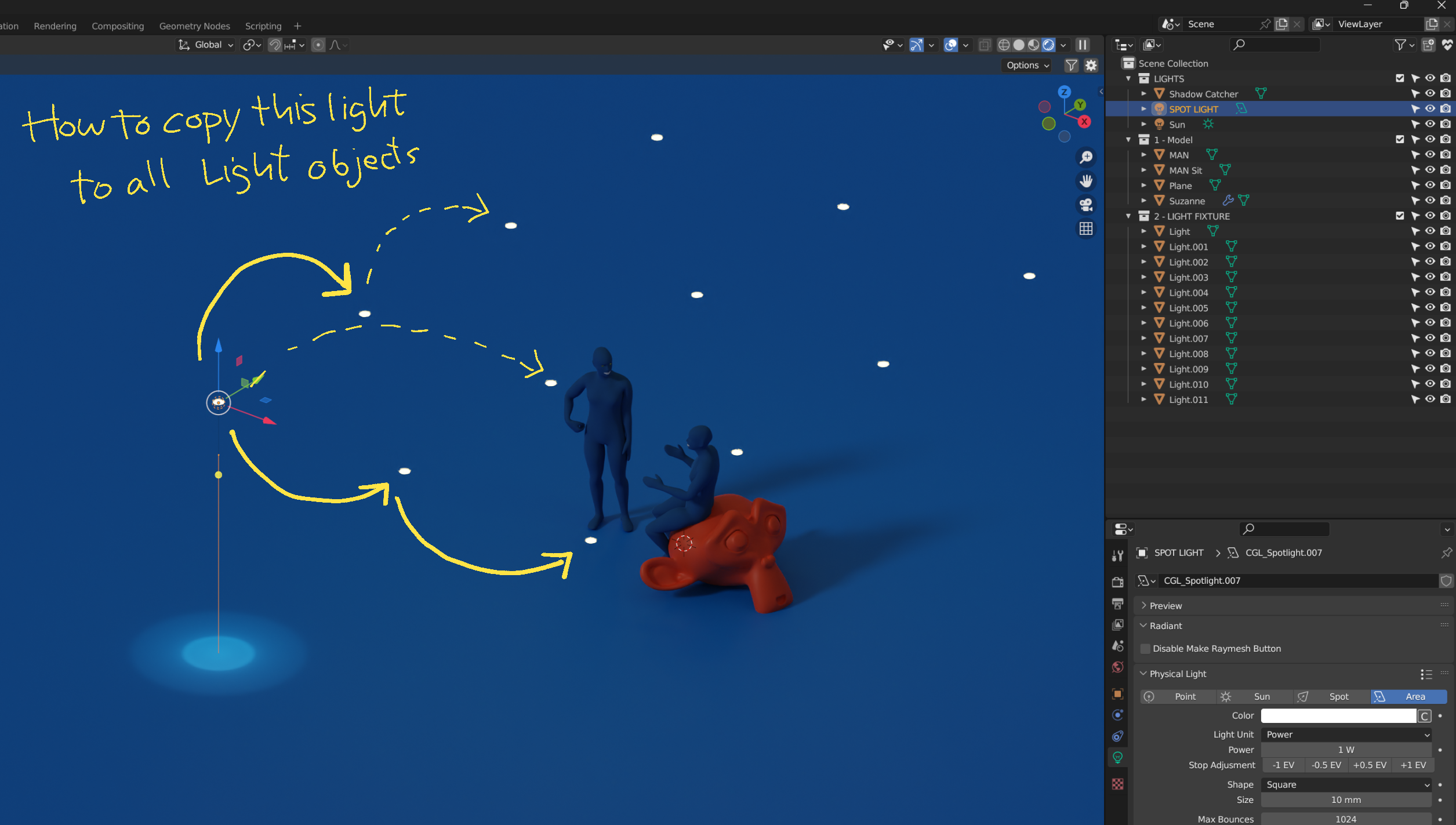
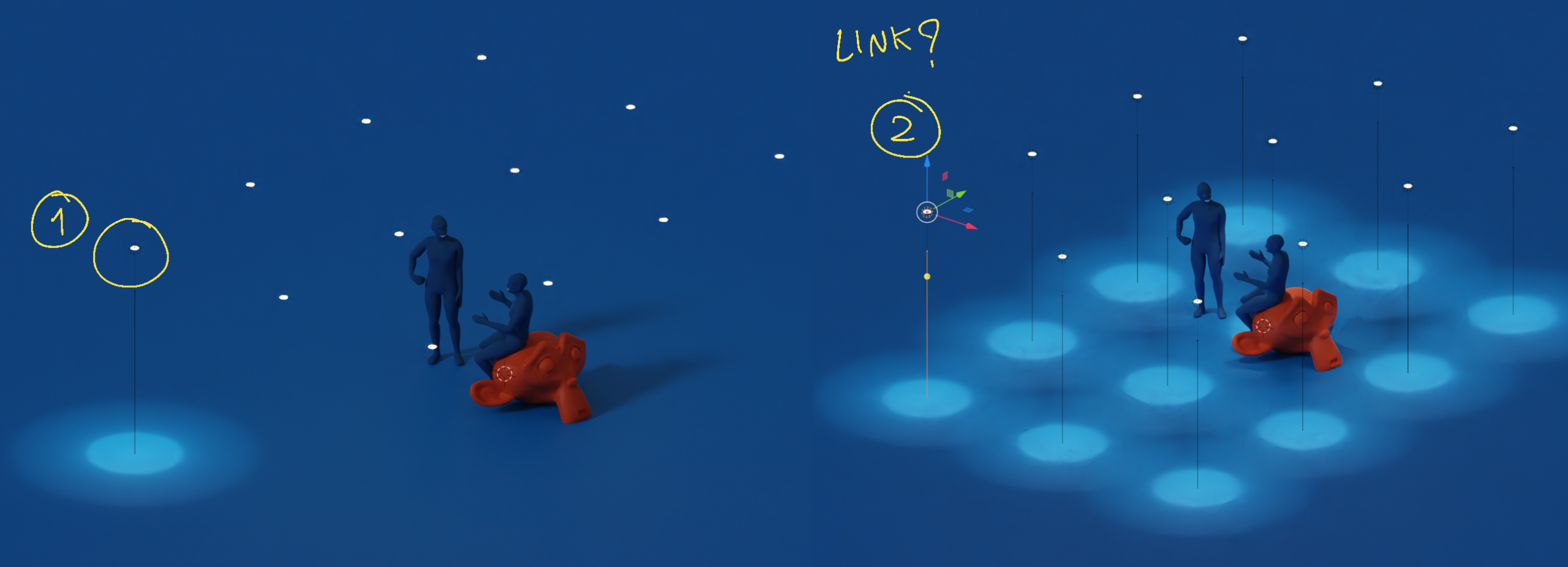
Currently, I have multiple instances of the same light fixture mesh in my scene, and I have to manually copy and paste the light source to each one.
I’m looking for a more efficient way to add light to a key object and have it update all linked objects, similar to how linked mesh data is edited.
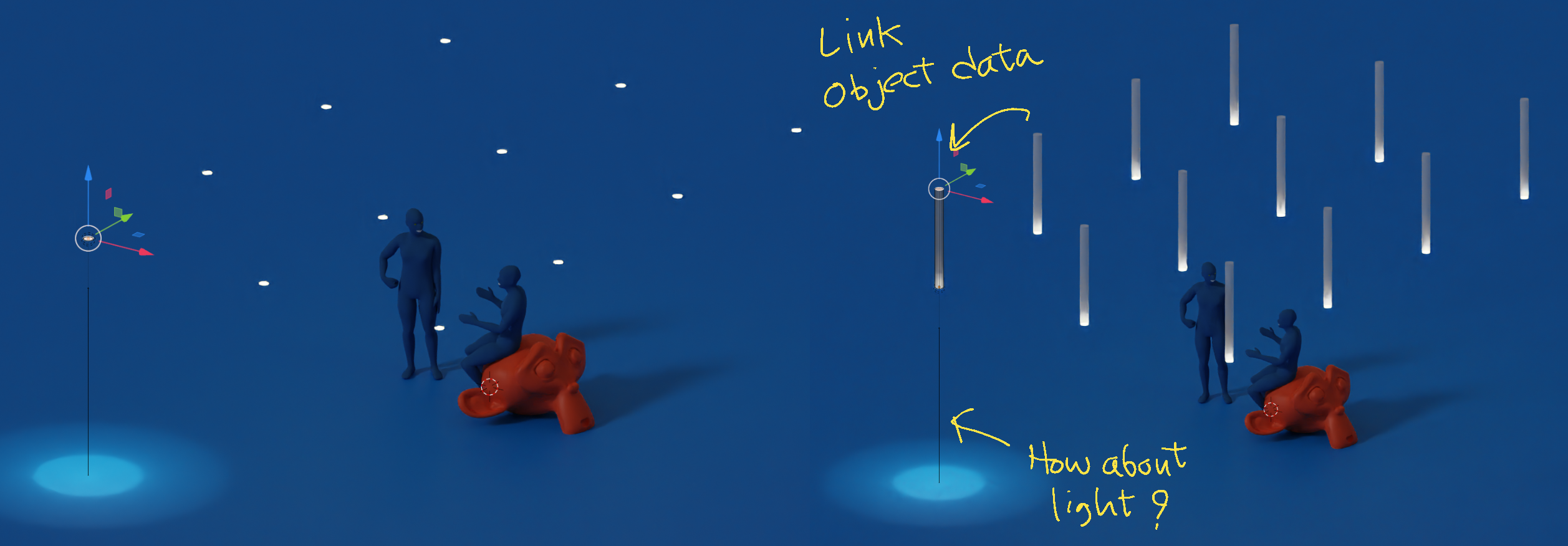
Thank you for your support.
July 28, 2024 at 9:42 am #87685Put everything in a collection and and instead of linked object use collection instances. Shift+a->collection instance->select your collection.
July 28, 2024 at 10:13 am #87686Hi Dwayne,
Thank you very much!
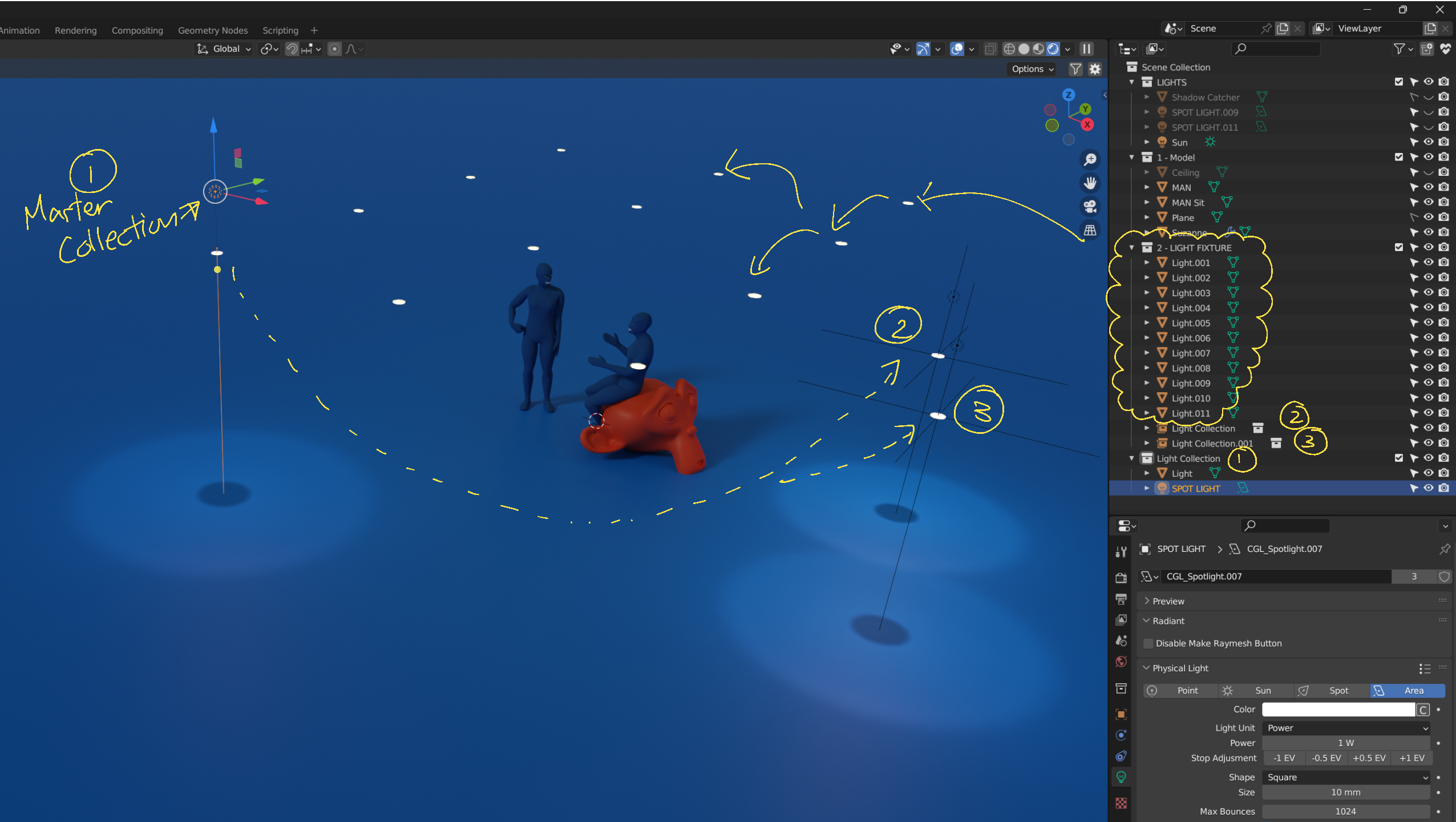
I just learned about collection instances today and ran some tests.1. If I first create a collection of the mesh and light, then copy and move it throughout the scene,
it works very well. Editing the master collection updates all linked collections accordingly.2. However, in many cases, I have the light mesh in the scene before adding the light. Most case like import architecture model to Blender, I will get only imported mesh first.
Is there a way to replace the existing light mesh with the light collection?
Similar to replacing materials with “Shift+Q,” if I could instruct Blender to replace the light mesh with the light collection, that would be perfect.By the way, thanks for telling me about collection instances; I can definitely use them in many other cases in the future.
Thank you for your help.
 July 28, 2024 at 1:29 pm #87687
Hi Kwin,
Maybe you could use Geometry Nodes for this:
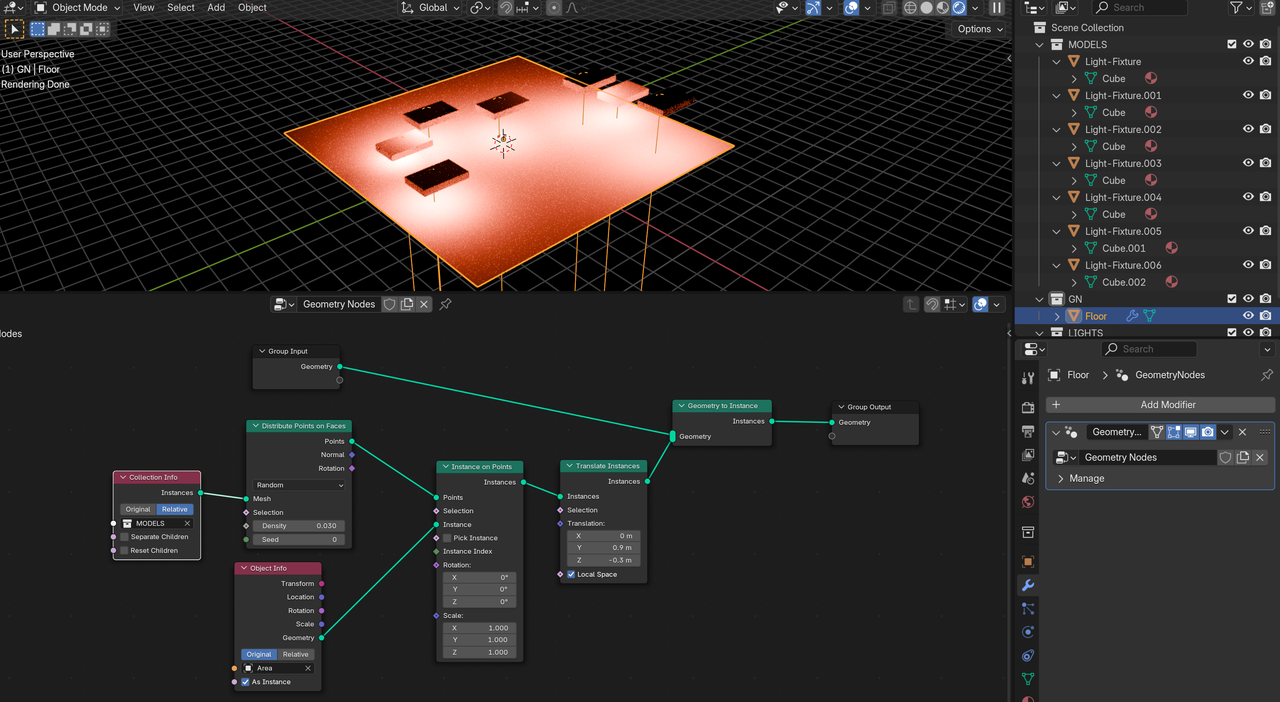
Don’t do it exactly like this, this is just a quick and dirty Proof of Concept. Works with Linked Duplicates and pure Copies of the Light Fixtures, as you can see.
To be fair, I don’t understand what you meant in your last comment.
July 28, 2024 at 6:28 pm #87688In your example:
1. Create a light and light mesh. Position them how they should be in relation to each other.
2. Add a grid. then press F9 or open adjustment box in left hand corner. set to number of lights(x) minus 1 by number of lights(Y) minus 1. Based on your picture it would be 3 by 2. Unless you choose to do by face(See step 5) then you don’t need to subtract 1. So it would be 4 by 3.
3. Select light, shift+select light mesh, and shift+Select grid last so it’s active.
4. Press ctrl+P->Object.
5. On object tab of properties editor expand the Instancing panel click vertex. now you will have an instance of each collection instance at every vertex on the grid. You could also use face. Then uncheck instancer Render so the grid isn’t rendered. you can also uncheck viewport if you don’t want to see it in the viewport either.
6. In outliner click eye and camera icon for the original Mesh and Light. Note: You will have to expand the the grid object to see the parented objects.Additional info: If you scale in object mode it will also scale the instances. If you scale in edit mode it will create more space between the instances. Also if you decide you want to make everything real(Not linked to the original) then you can select the grid and press Ctrl+A->Make instances real. Then delete the grid.
July 28, 2024 at 8:13 pm #87689Hi Martin,
Thank you for your response. I haven’t learned how to use geometry nodes yet, but I can see that your demo is very useful. I will keep learning to understand how to use them.
I hope this sketch helps explain what I’m trying to achieve. I’m looking for a way to replace all “light meshes” with a “light collection” (mesh + light).
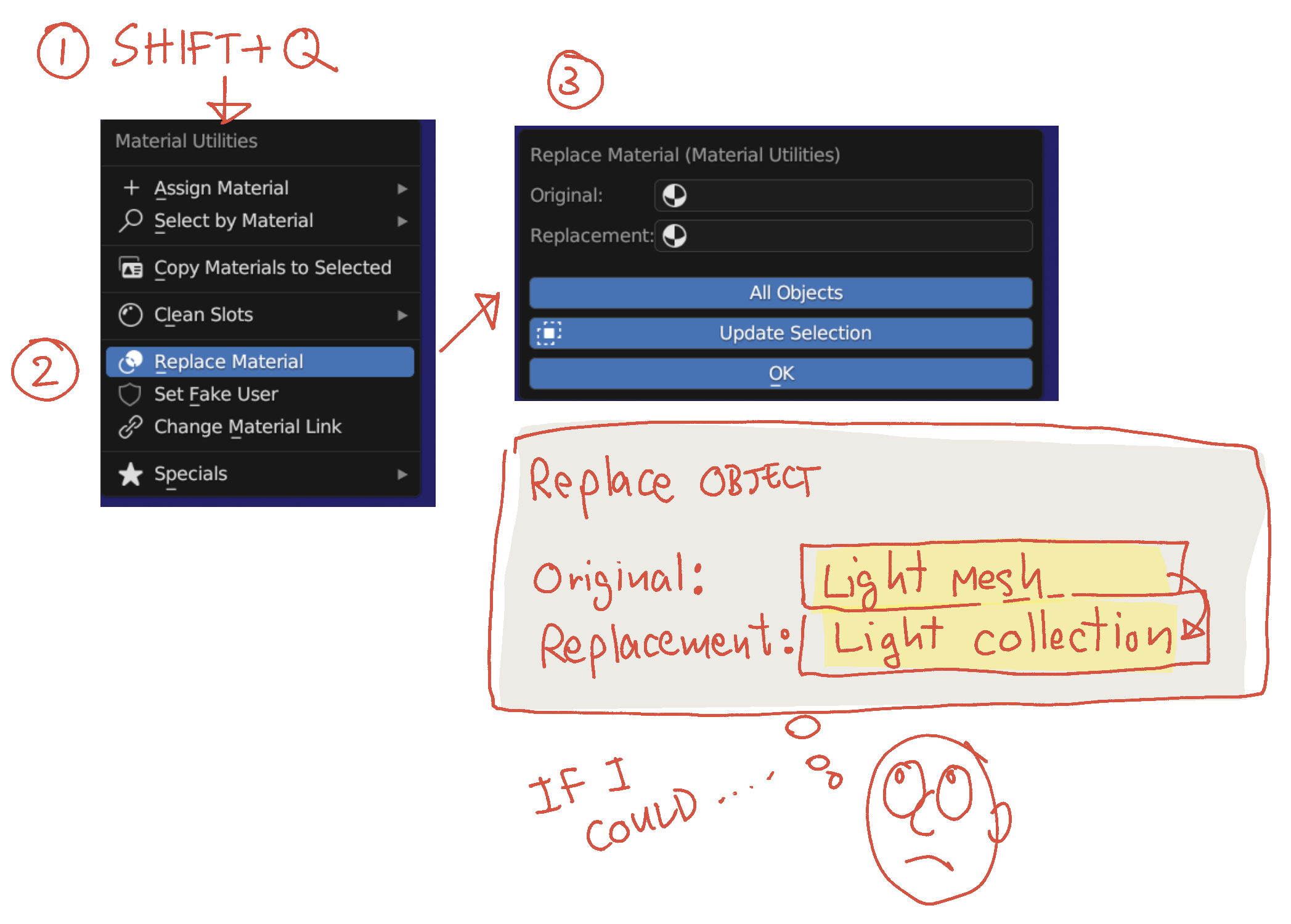
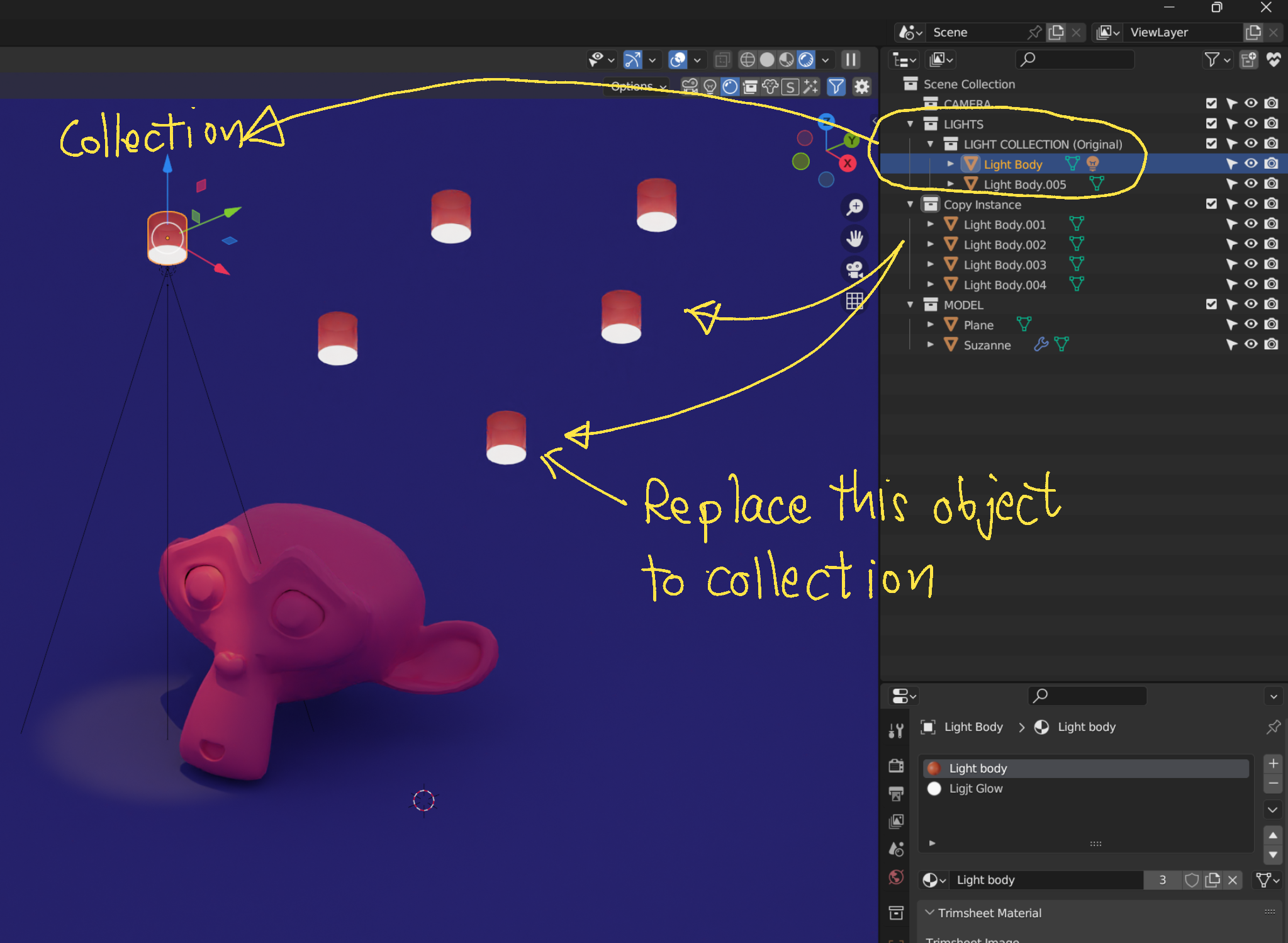
Currently, I manually copy the light to every light mesh location. If I could create an original collection (light + mesh) and have Blender replace all similar meshes in the scene, it would automatically distribute the lights without much effort.
This is similar to how I change materials in the whole scene using “Shift+Q” to replace them all at once. If I could apply the same concept to meshes, it would be perfect.
Thanks again!
July 28, 2024 at 8:16 pm #87690Hi Dwayne,
Thank you again for explaining more. I quickly tested it, but it wasn’t successful yet.
I will test it again when I have more time to learn and will provide feedback.
Thank you very much for your help! 🙂
July 29, 2024 at 1:53 am #87691Ah, I understand now, Kwin. Thank you.
Unfortunately, I do not know how to do that, or if it is even possible. (By the way, SHIFT+Q is not default Blender, but comes from the ADDON.)
If I think of another way (without GN), I will let you know.
July 29, 2024 at 2:40 am #87692Hi Martin,
Thank you very much for your continue helping. Appreciate it !
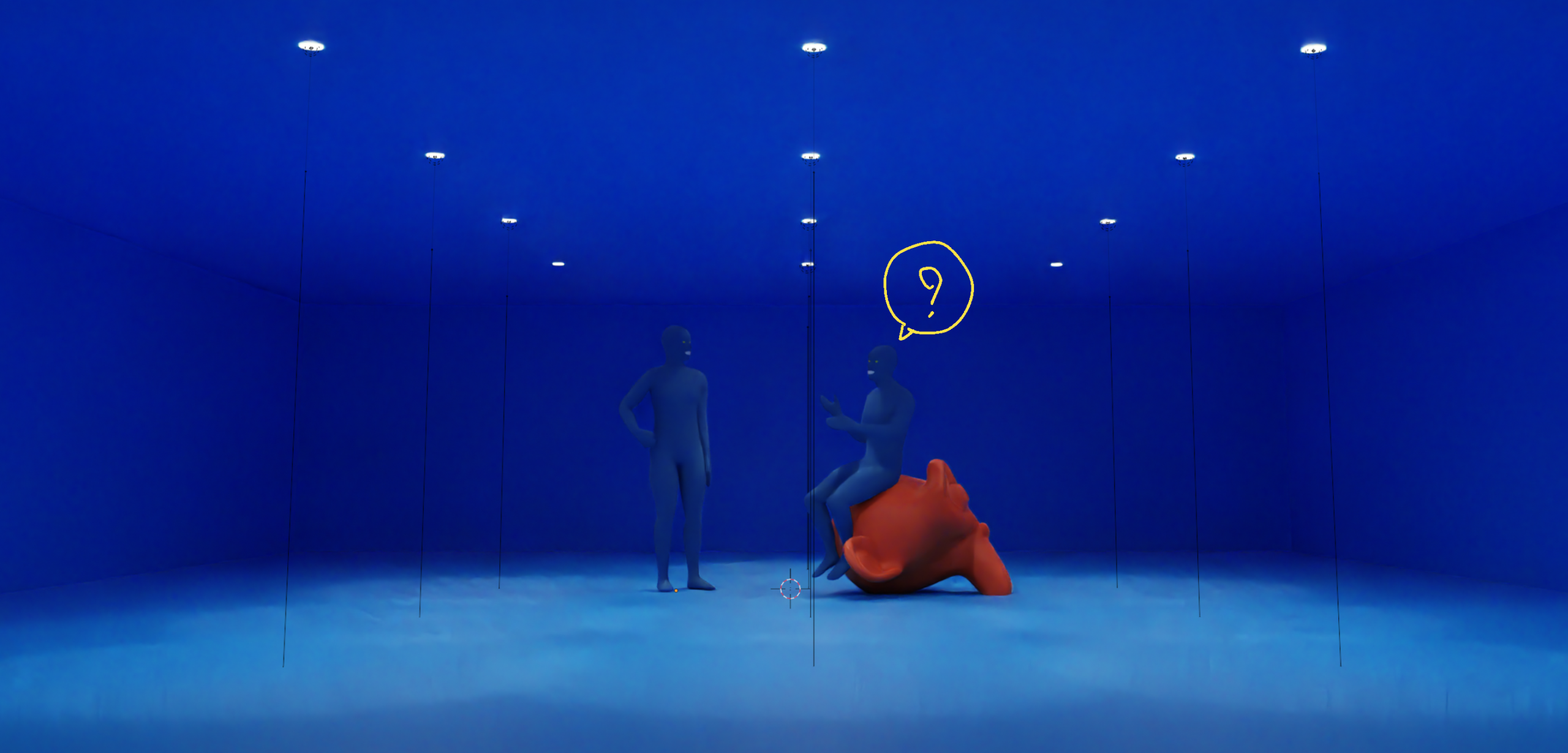
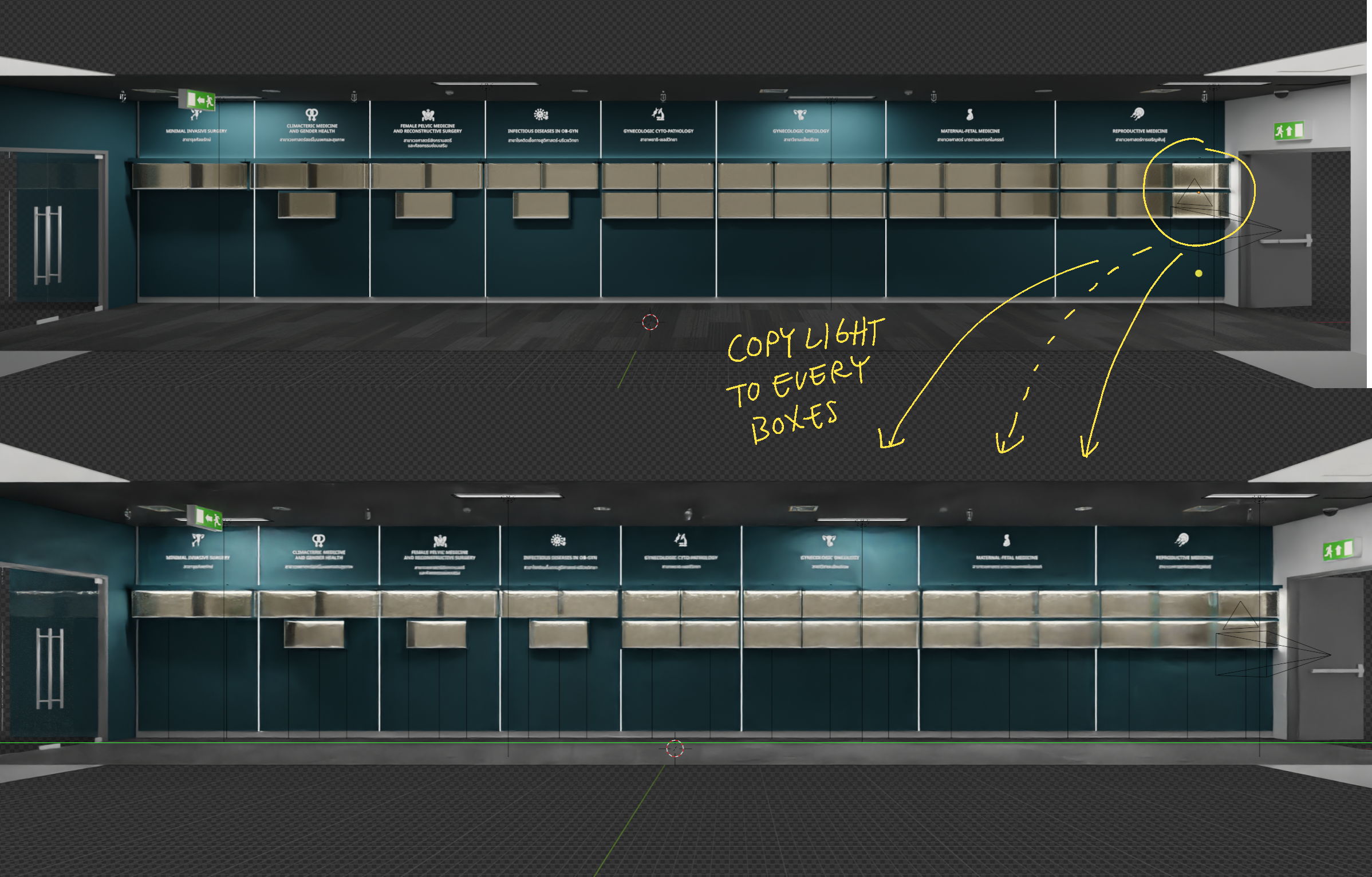
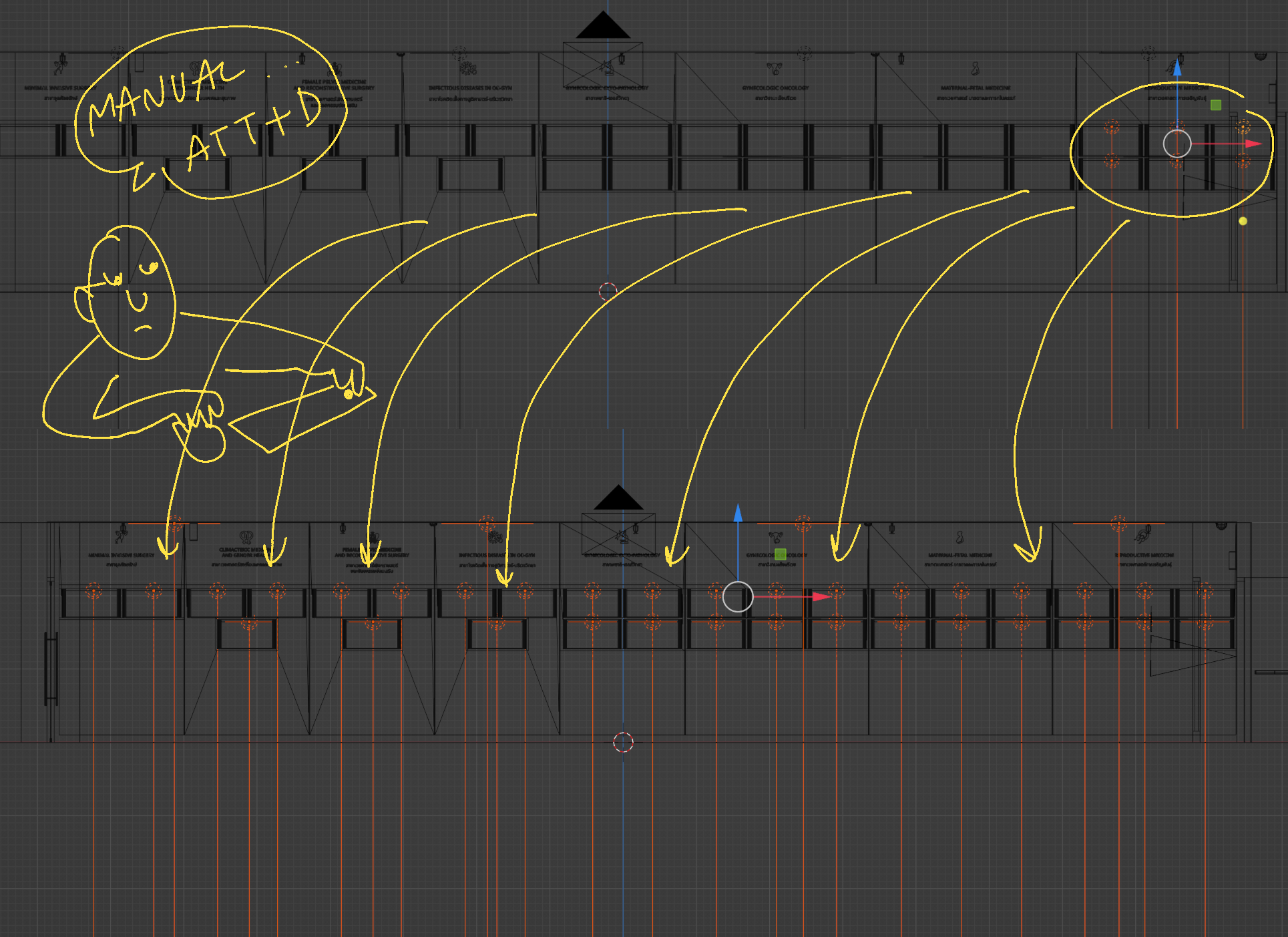
Below , here’s a real use case for a project I’m working on: I need to add lights to every display box.
My current workflow involves using ALT+D to copy the area light to each target position one by one.
While this isn’t too time-consuming for small projects, it becomes challenging and lengthy for projects with lights in faraway locations.This is why I asked my question. If I could assign a light to one original mesh and update the rest of the instances, I could light all targets in one go.
It might not be possible at the moment, but I wanted to ask anyway.Thanks again!
 July 29, 2024 at 3:58 am #87693
Yeah, with Geometry Nodes, you could get a simple workable solution for this, something like what I showed above….
The biggest problem with the ‘method’ you are proposing, is probably, that Lights aren’t Meshes.
If you are using Area Lights, you might get away with using an Emission Shader on a Plane and if that Plane is part of the Mesh, Linking Object Data will work.
But this won’t work in EEVEE.
July 29, 2024 at 4:27 am #87694Hi Martin,
Thanks for your answer; it has motivated me to learn how to use Geometry Nodes. I will check them out.
I always assign an emission shader to a light source but never thought about replacing the area light.
Your reply makes me want to experiment more with using mesh + emission shader for cases like this. Maybe it can work as well.I will keep testing, and if I find a solution, I’ll let you know.
By the way, I only use Cycles, so it is fine if this won’t work in EEVEE.
Thanks again.
July 29, 2024 at 8:58 am #87695Wait if you’re using cycles then you can use the mesh as a light source by just adding emissions shader material and assigning it to the faces that are the light source.
-
AuthorPosts


- The topic ‘Faster Way to Add Light: Can We Link Light to Mesh Object Data?’ is closed to new replies.