fake “sun glow” not visible in the render

Forum Archive fake “sun glow” not visible in the render

Viewing 8 posts - 1 through 8 (of 8 total)
  • Author
    Posts
  • #18323

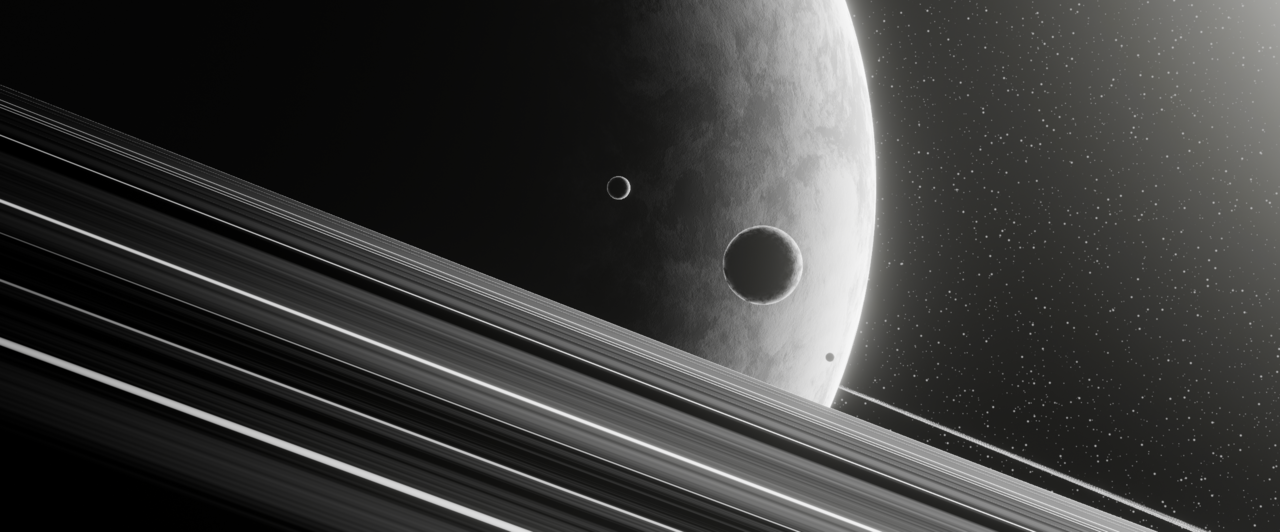
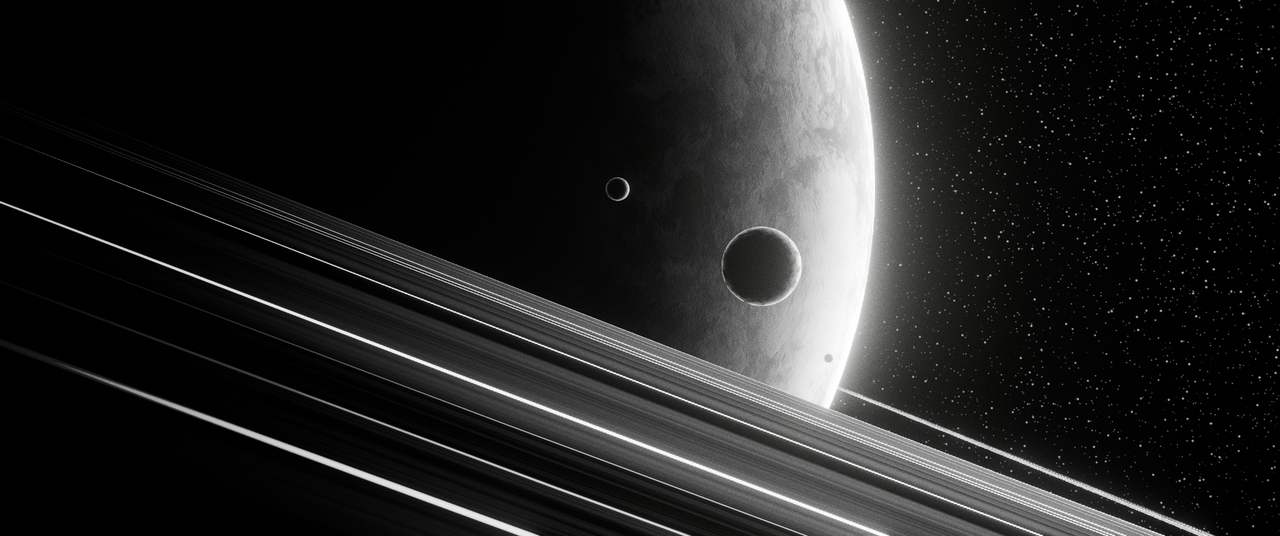
    Hi, I do not see the “fake sun glow” in my renders (even in the viewport render) although it is visible in the viewport. The Sun_Glow_Disk object with the gradient shader is enabled in the outliner. I am using blender 4.1

    What can I do to fix it?

    #87499
    Omar Domenech
    Participant

      Hello. Can you give us a screenshot or two of your render or UI to see what’s wrong. Maybe walk was through what you’re doing and your settings. So overall a little more context.

      First thing I can think of is that maybe the render icon in your object is disabled in the Outliner. You may have it enabled un-hidden, but renderability may be off. Also maybe you forgot to change the alpha blend in the settings.

      #87500

      Hi Omar,

      Below are some screenshots. The render icon is enabled and the blend mode is set to alpha blend.

      This is a screen grab of my viewport:

      7-19 at 13.37.01.png

      This is a render result ( without the fake sun glow 🤷🏽 somehow):

      Planet_2.png

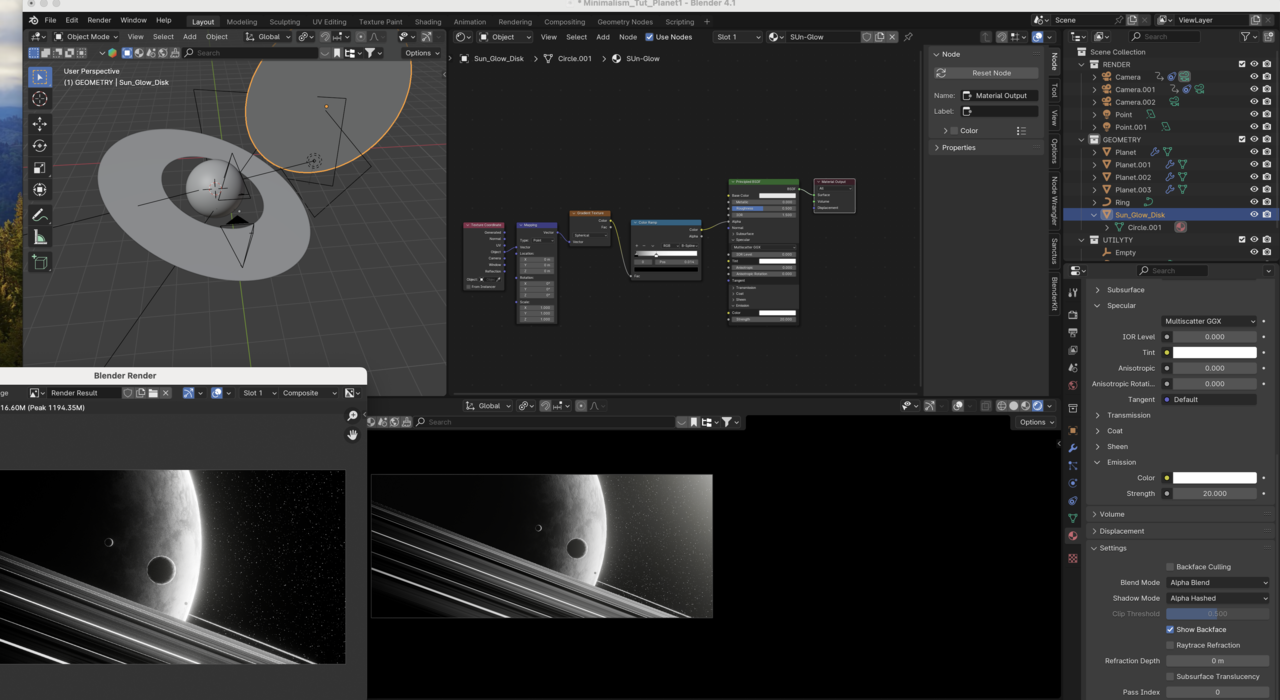
      And the is a snapshot of my UI:

      7-21 at 15.39.20.png

      #87501
      Dwayne Savage
      Participant

        Do you have Bloom checked under render tab of the properties editor? Note: If you’re using 4.2 you will need to use Glare node set to Bloom in the compositor editor.

        #87502
        Martin Bergwerf
        Participant

          Hi Bartlomiej @the_grzyb ,

          I can’t see what’s causing that, from your screenshots alone.

          Have a look at you Compositing Workspace. Also, disable all third party Addons.

          If nothing helps, you could upload your .blend file to Dropbox, Googledrive, or so and post a link here.

          #87503
          Omar Domenech
          Participant

            That is weird indeed. If you can upload your blend file for us to take a look. Remember to pack any resources in the blend file. 

            #87504
            Adrian Bellworthy
            Participant

              My favourite part of the whole sessions series at ~23:35, daddies happy smile.

              I can see several discrepancies, your color ramp controlling the alpha is mostly white (No Alpha). The emission strength is at 20, I think Kent settles on 0.2, you have 3 cameras in the outliner, which one are you rendering?
              You’re disk is in front of the lights and you have set shadow mode to alpha hashed.

              I don’t know which or if any of these are causing the issue, but there are many potential problems.

              I think you should re-adjust the settings to closer match the video then adjust to your liking from there.

              As mentioned, if this is still a problem, share the blend file and we can better track down the issue.

              #87505
              Kent Trammell
              Participant

                “My favourite part of the whole sessions series at ~23:35, daddies happy smile”

                Aww it’s one of mine too admittedly 😊

              Viewing 8 posts - 1 through 8 (of 8 total)
              • The topic ‘fake “sun glow” not visible in the render’ is closed to new replies.