Faces around battery panel not bevelling and making gaps?

Forum Archive Faces around battery panel not bevelling and making gaps?

Viewing 6 posts - 1 through 6 (of 6 total)
  • Author
    Posts
  • #15127
    Alex S
    Participant

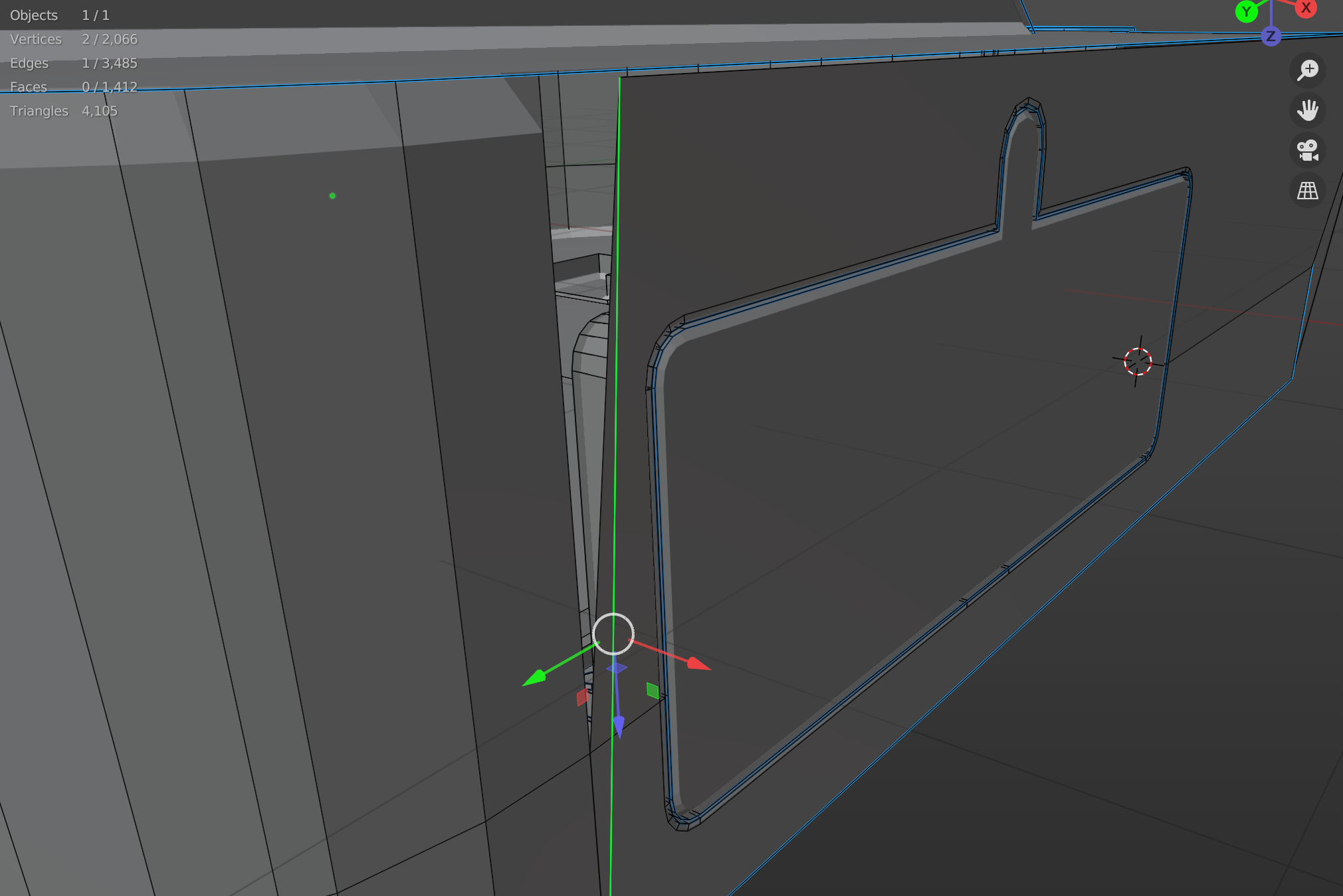
      The faces I made around my battery door have a gap at the front and back. It looks kind of like the faces aren’t beveling with the rest but adjusting the weight on the faces doesn’t do anything. I can get rid of the gaps entirely by removing the bevel entirely on those areas but that doesn’t look nice.

      Screenshots in edit mode and object mode

      Have tried, not necessarily in this order:
      – Shift+N normals thing I can’t think of a succinct way of saying
      – Merging extra vertices (there weren’t any extra but it was what fixed my problems I had before so…)
      – The aforementioned bevel removal or adjusting for the faces on that side, the faces its meant to attach to
      – Redoing the part where I made the faces in hopes I missed something and would catch it this time

      #74290
      spikeyxxx
      Participant

        Hey Alex,

        unfortunately, in this case the Screenshots are not helping me; I can see the problem, but not what is causing it.

        Could you upload your .blend file to Googledrive or Dropbox or something like that and post a link here?

        #74291
        Alex S
        Participant

          Yeah, I had no idea what in the menus would even be useful to include in the pictures so I didn’t include any and hoped it would be something super obvious I wasn’t seeing.

          Here is a Google Drive link to the .blend file.

          #74292
          Jonathan Lampel
          Participant

            If you pull that top edge out along the X axis, you’ll notice there’s an extra edge that’s causing the issue. Delete that on both sides, try merging by distance again, and you should be set!

            #74293
            spikeyxxx
            Participant

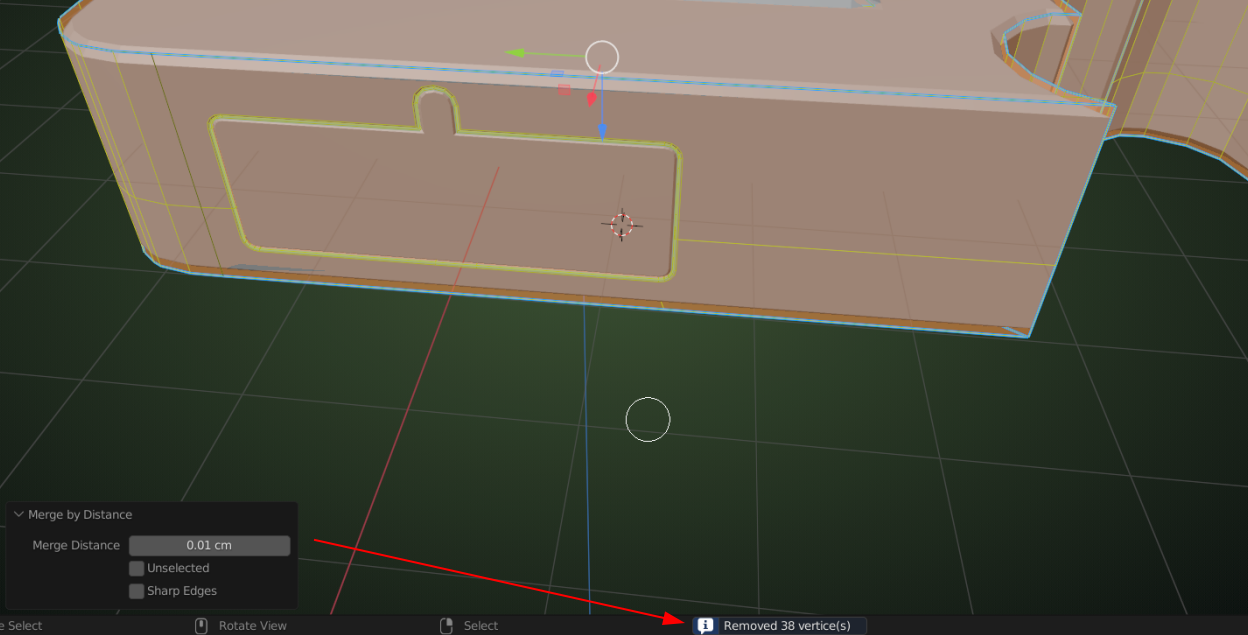
              That Bevel issue was easy, Select All and M > Merge By Distance:
              Gaps1.png

              (For the next part, I disabled the Bevel Modifier in the viewport, to avoid too much visual ‘clutter’.)

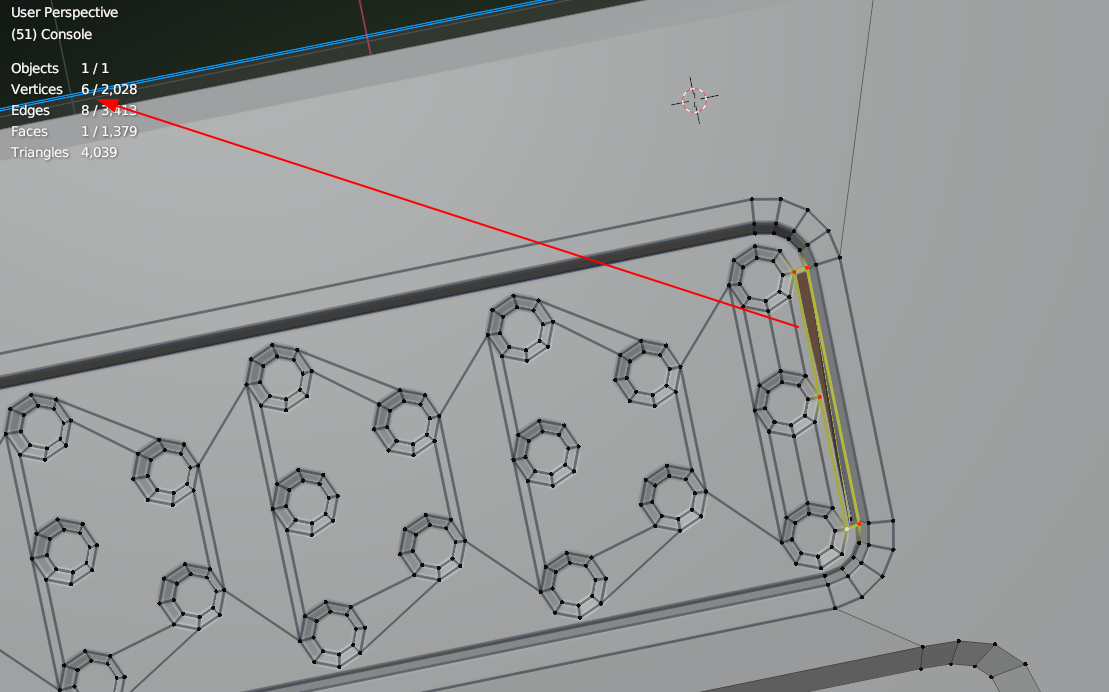
              But then there are your Speakers ; first, there is a wrongly filled Face on one side (of both Speakers):
              Gaps2.png

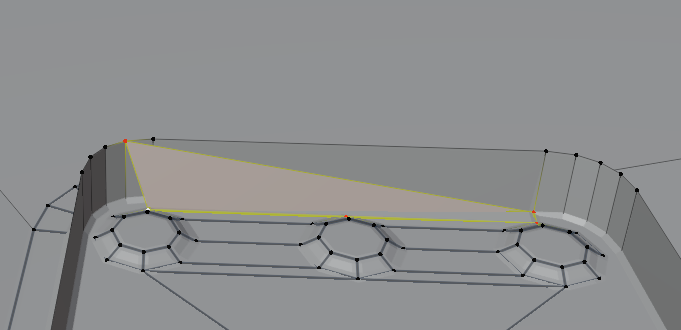
              which looks like a gap, but is actually:
              Gaps3.png

              X > Delete Faces. Select that loop again (should be 5 Vertices now) and F to fill that hole.

              On the other side the circles are too close to the edge and when you Move them a bit (I exaggerated the Move to show the next problem more clearly (I hope)):
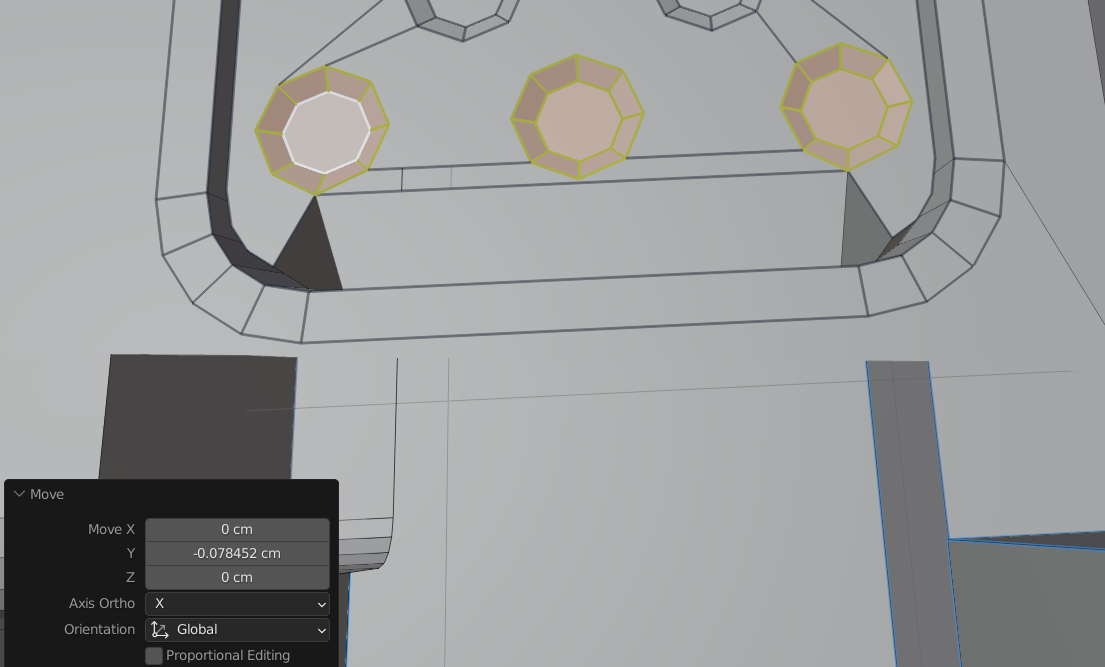
              Gaps4.png

              Delete those 3 Faces and re-fill the gap correctly.

              Then there are way too many Edges that have the 0.07 Bevel Weight (some are correct, but most just make problems):
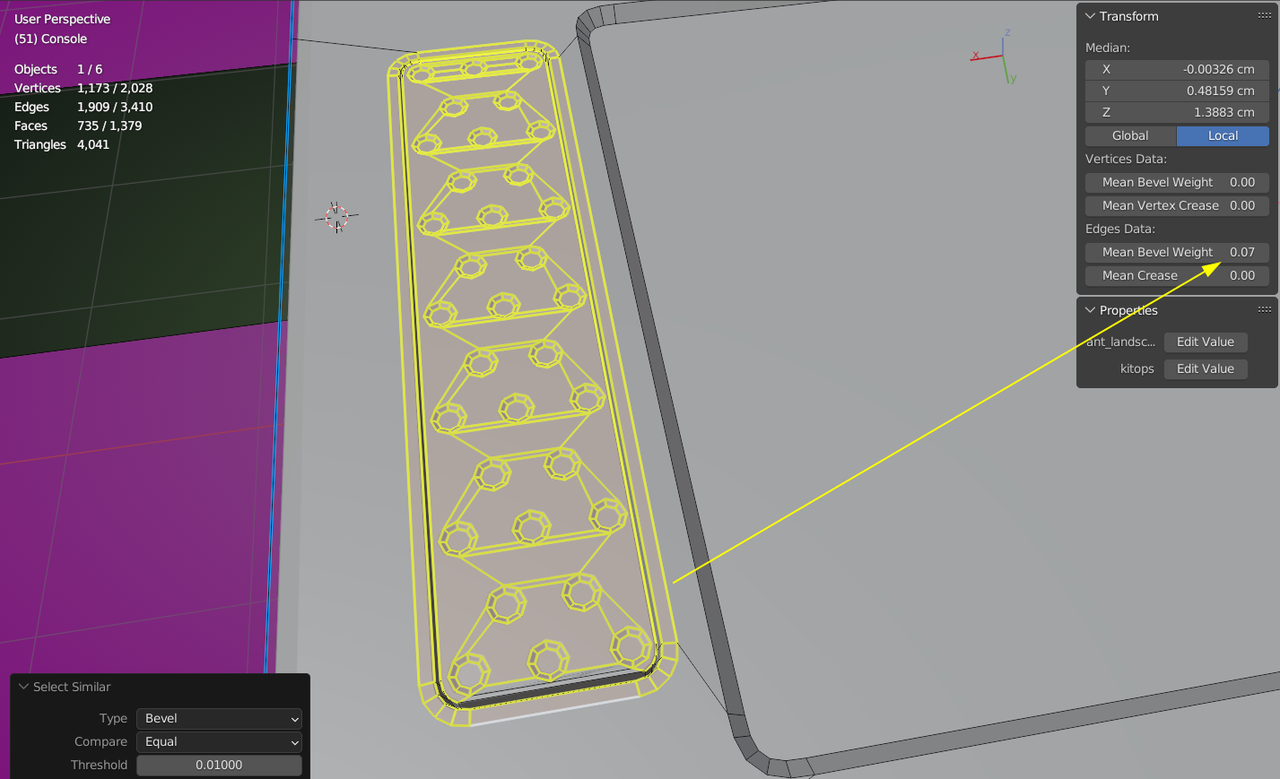
              Gaps6.png

              Probably easiest to set them all back to 0 and then carefully Select only those Edges that need the Bevel and re-set those to 0.07.

              #74294
              Alex S
              Participant

                Thank you both! Removing those extra edges on the side did make it work. Until I removed them, the merging was just doing 0 vertices.

                And I hadn’t even seen that problem with the speakers!

              Viewing 6 posts - 1 through 6 (of 6 total)
              • The topic ‘Faces around battery panel not bevelling and making gaps?’ is closed to new replies.