
Face snapping only works in perspective view?
Forum Archive › Face snapping only works in perspective view?
- This topic has 13 replies, 4 voices, and was last updated 5 years, 9 months ago by
Shawn Blanch.
-
AuthorPosts
-
December 3, 2020 at 7:34 am #13152
Hi!
I’ve been using the same file as you (chair), but in Blender 2.91.
I’ve tried face snapping, and it works flawlessly in perspective view, but once I switch in front or right ortographic view it doesn’t work anymore?
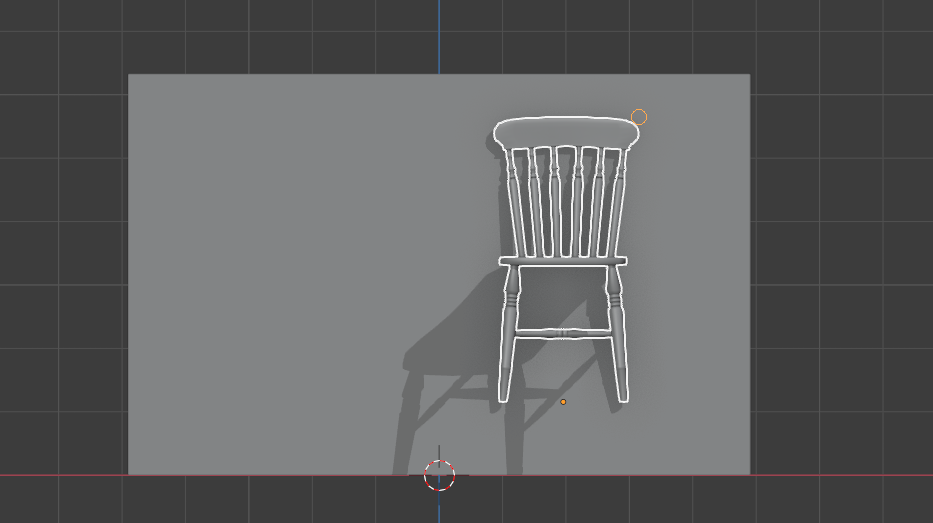
December 3, 2020 at 6:12 pm #61802Could you share a little bit more about what result you’re expecting, what steps you are taking, and what result you are getting? Face snapping in the file appears to work in orthographic view for me:
 December 4, 2020 at 12:04 pm #61803
Now I understand what is happening. It’s the cursor position.
I didn’t know that position of the cursor is also very important during the snapping. Well, I guess you’ve mentioned that in the tutorial but I’ve probably missed that part.
I was trying to snap the chair to the floor, and as I said before, that was working perfect in perspective view because from that view I could see a big part of the floor. But, once I’ve switched to side view, since the floor was very thin line, Blender wasn’t able to “understand” that I want chair legs to snap to the floor however close I’ve put them. In fact, what I have to do is not to position chair legs to the floor but the cursor.
Thanks for helping! 🙂
December 5, 2020 at 3:04 am #61804It has nothing to do with the cursor position, but for snapping to a surface to work, you must ‘see’ the surface you want to snap to! So your viewpoint is important, not whether it’s in Perspective or Orthographic view. In order to be able to snap to a floor, you’d have to be in Top View, when using Orthographic.
Placing the 3D Cursor on the floor probably only works because the floor is flat and on the 3D ‘floor’ (Z = 0). When the surface you want to snap to is uneven and/or ‘floating’ in the 3D Space, that wouldn’t be so easy (you’d have to snap the Cursor to the floor and then you might as well immediately snap the chair to the floor…)
December 5, 2020 at 12:20 pm #61805Well, actually it has everything to do with the cursor position.
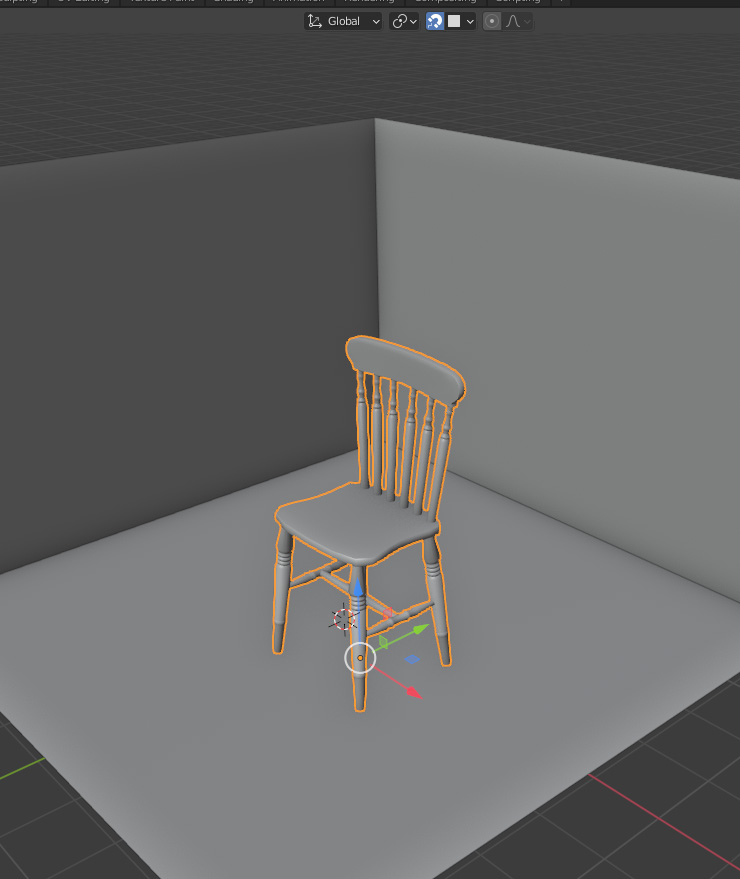
Download the files for this tutorial and open this file, and position your view something like in the photo I’ve posted here. Turn on face snapping mode and try moving the chair while carefully watching where the cursor is.
There is absolutely no chance that chair will snap to any of the walls unless the cursor is positioned on that wall.
Same thing with volume, vertex and edge mode. You always have to point with your cursor to vertex or edge to which you want your object to snap. Which, when you think about it, makes perfect sense because there is really no other way for developers to figure out where exactly you want object to snap to, unless you point there with your cursor.
Anyway, thank you for taking your time to answer! 🙂
 December 5, 2020 at 1:09 pm #61806
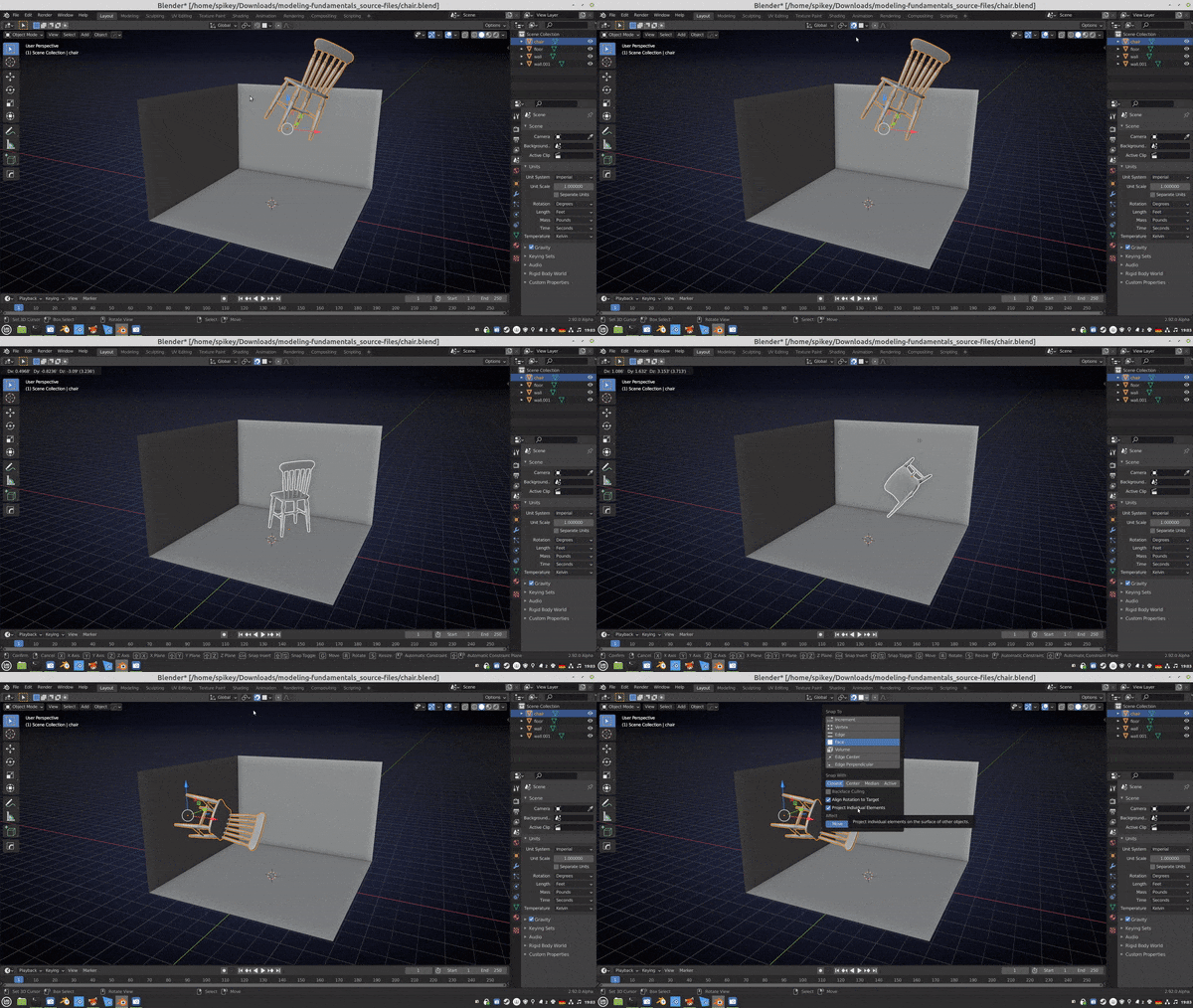
You might want to look at your snapping settings…
 December 5, 2020 at 2:20 pm #61807
Thanks, I agree, once “Project individual elements” is turned on, Blender starts taking into account collisions of active object with other objects. As far as I’ve been able to test, only in that scenario cursor position is not crucial. In every other, it is very important where the cursor is.
Thank you very much for pointing my attention to this. After all this testing, I believe using snapping will be much more intuitive and easier for me 🙂
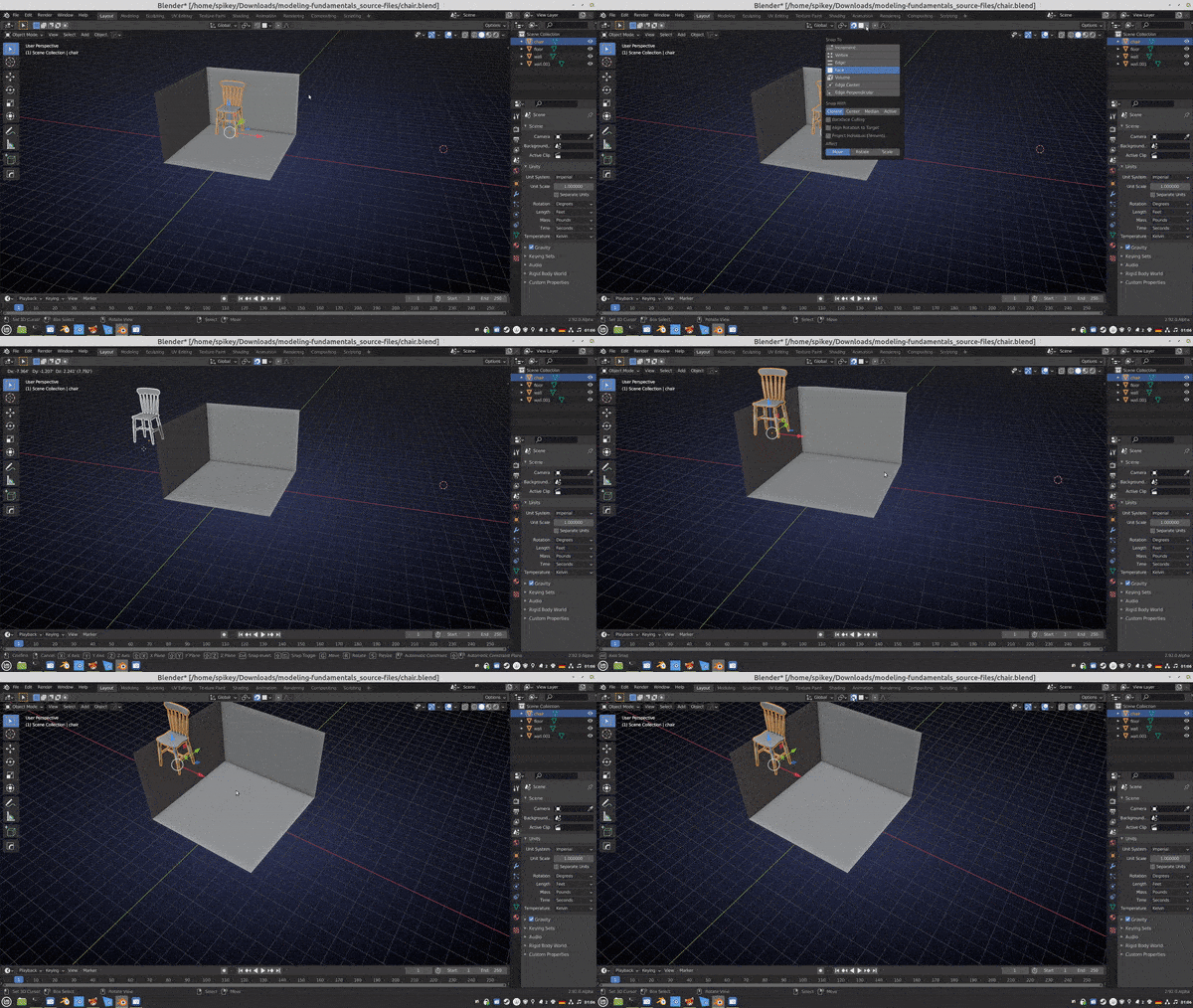
December 5, 2020 at 7:13 pm #61808I still don’t see what the Cursor position has to do with snapping:
 December 6, 2020 at 4:49 am #61809
Well, I did my best to explain how positioning cursor makes a great difference when using snapping tool. Personally, it helped me a lot when using it.
If you have other experience with using snapping tool, which works fine for you, that’s also good.
I really don’t have anything else to add.
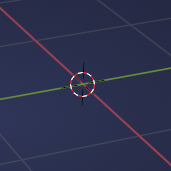
December 6, 2020 at 7:09 am #61810The Cursor position has no influence whatsoever on how snapping works!
You do know what the Cursor is I hope:
 December 6, 2020 at 3:14 pm #61811
Ok, I apologize for my earlier, quite harsh comment, if really all this misunderstanding was just about terminology.
Yes, I know what the 3D Cursor is in Blender, but I thought that it’s quite obvious from my comments that I’m not talking about 3D Cursor but about regular “cursor”. I thought that “cursor” is everywhere just “cursor” but obviously it can cause missunderstandings, so I guess it will be better for me to use the word “pointer” in the future, or whatever else is more suitable.
December 7, 2020 at 1:30 am #61812Apologies accepted.
Indeed, it was just a misunderstanding. In Blender, Cursor refers almost exclusively to the 3D Cursor. In Sculpting and painting the word Cursor usually refers to the Brush Cursor and what you were talking about is usually called Mouse Cursor, or Mouse Pointer or sometimes even just Mouse. I realise now that in other software this might be different.
I am so used to snapping that it didn’t occur to me that someone wouldn’t know that your mouse pointer should point at whereever you want to snap to, so no,it was absolutely not obvious to me that you didn’t mean the 3D Cursor, sorry.
Anyway,I’m glad that it’s solved now.
December 7, 2020 at 1:13 pm #61813Oh wow yeah that looks like a misunderstanding, “cursor” can certainly refer to both. Usually I specify 3D if I’m talking about the 3D one, but either way. Glad it worked out!
December 8, 2020 at 12:15 am #61814@spikeyxxx never seems to amaze me with his advice. Though he does get a little passionate about terminology. I henceforth shall declare that using the word cusor in blender implies that we are talking about the 3D cursor lol.
Spikey really is just here to help and I am sure you are most appreciative of the help like the rest of us. All cursorings aside.
-
AuthorPosts


- The topic ‘Face snapping only works in perspective view?’ is closed to new replies.