F2 face not working well (20:05)

Forum Archive F2 face not working well (20:05)

Viewing 5 posts - 1 through 5 (of 5 total)
  • Author
    Posts
  • #17773
    Ricardo Canales
    Participant

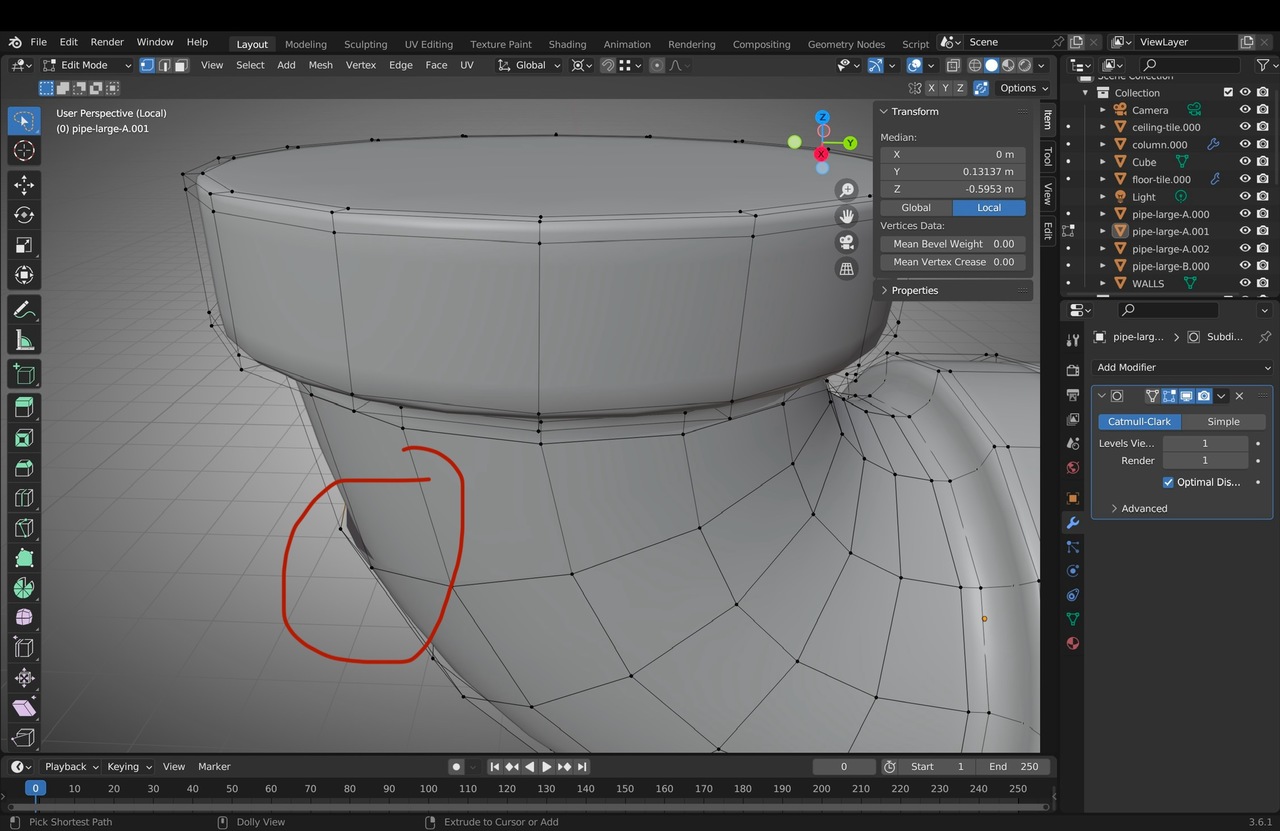
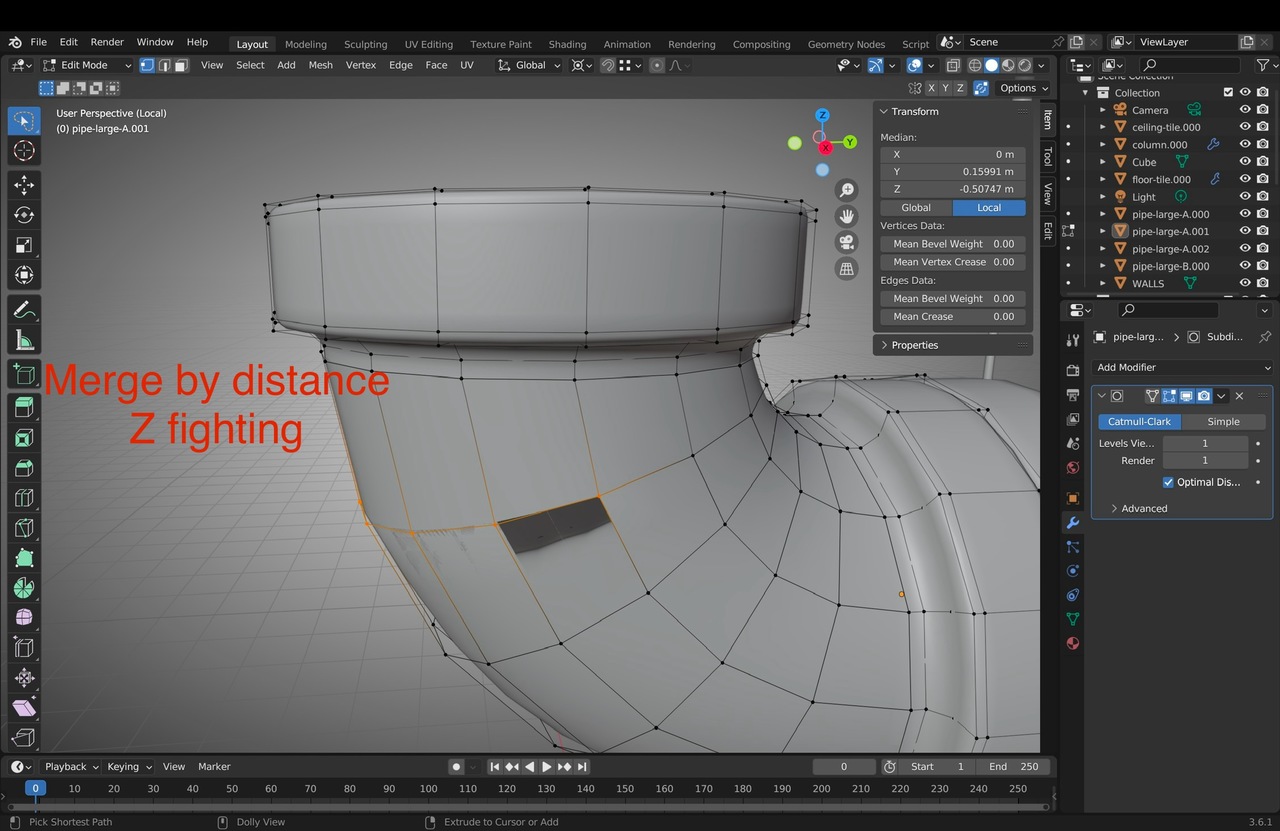
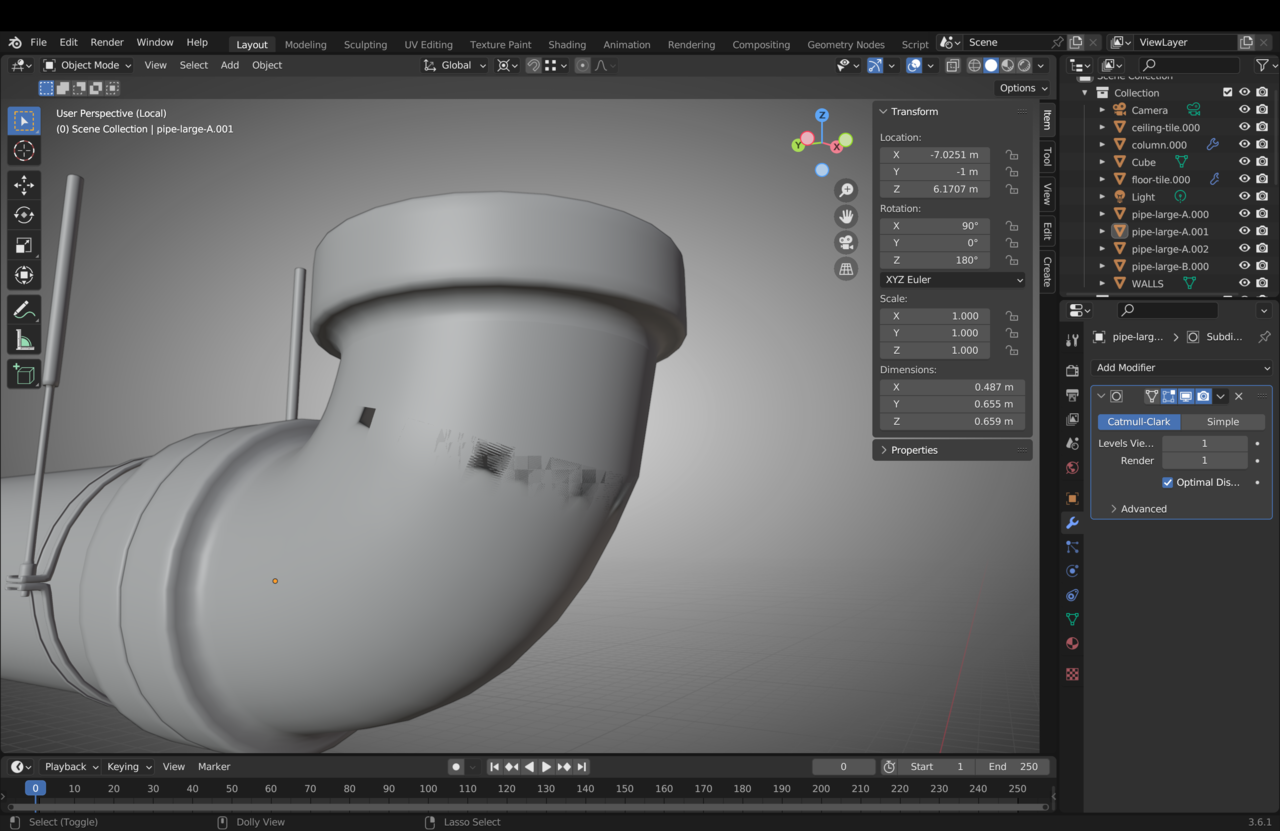
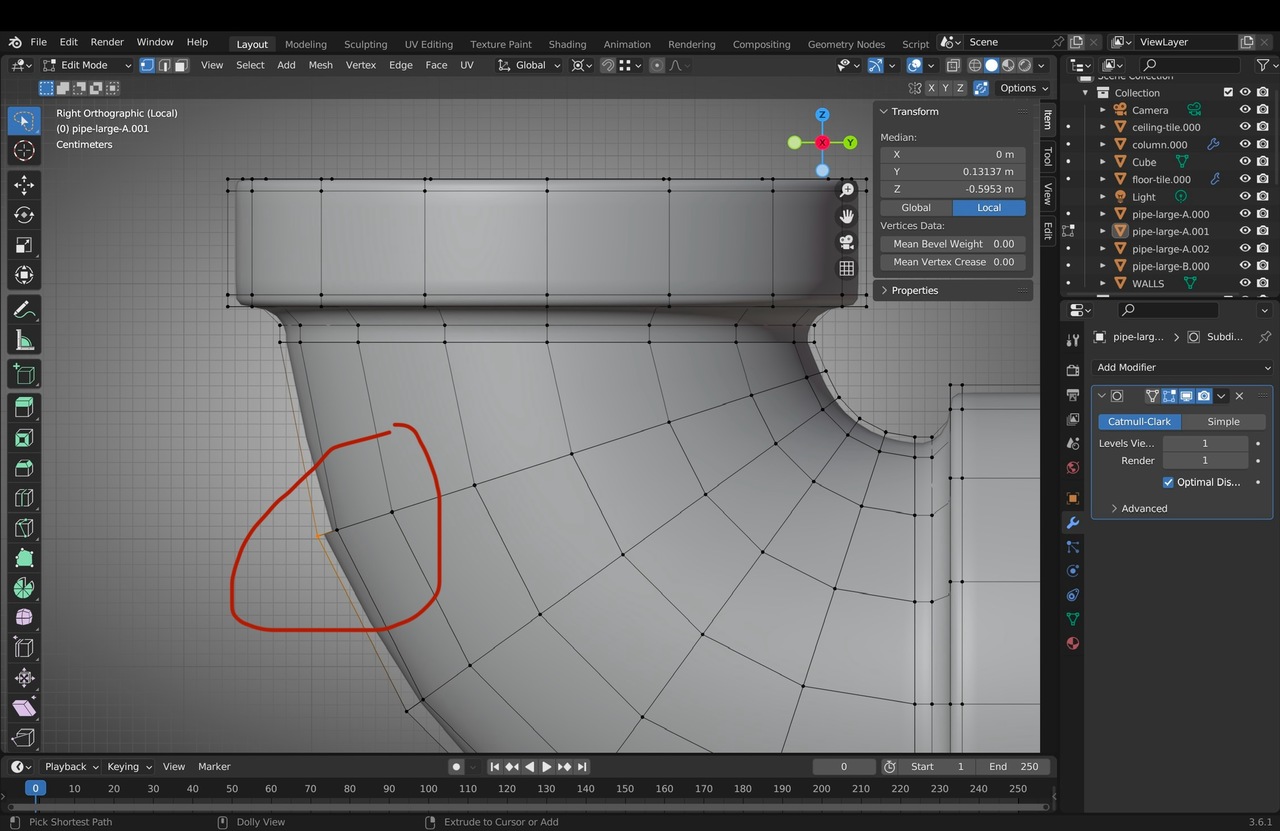
      I’m having issues with the faces. Some are not connecting well. I tried to merge by distance and then it gave me z fighting. If I disable the subdivision it still shows a bit weird z fighting.

      #85296
      Ricardo Canales
      Participant

        -24 at 11.53 AM.jpeg-24 at 11.54 AM.jpeg-24 at 11.55 AM.jpeg7 at 11.55.51 AM.png

        #85297
        Martin Bergwerf
        Participant

          Hi Ricardo,

          When there is Z-fighting, there are overlapping Faces. Merge By Distance fixes overlapping Vertices, but not overlapping Faces.

          You are not going to like this, but the best advice I can give you, is to start over (with this part). You messed up at some point (Probably had an incorrect Selection, when you filled with F) and it is going to be a lot more difficult to find where and solve it, than to start over. You will also find, that the second time, things go a lot faster!

          #85298
          Omar Domenech
          Participant

            I agree with Martin, if it’s too much of a mess at this point, it’s better to start over. You can try and see where you have doubles or interior faces, flipped normals, etc, but if you feel it’s too much of a hassle and you’re spending too much time trying to fix something only to have something else breaks, that’s a sign it’s better to start that part over.

            #85299
            sheila5
            Participant

              I usually delete the faces that are wrong and at one point you just find were it all went wrong and then I go forward from there

            Viewing 5 posts - 1 through 5 (of 5 total)
            • The topic ‘F2 face not working well (20:05)’ is closed to new replies.