Eyeball Texture in Sculpt Mode

Forum Archive Eyeball Texture in Sculpt Mode

Viewing 4 posts - 1 through 4 (of 4 total)
  • Author
    Posts
  • #19079
    Stacey H
    Participant

      I have the materials setup, but I cannot see the eyeball texture while sculpting. How do I enable that? It looks like somehow the lighting is matcap and the eyeball texture is showing.

      #90811
      Dwayne Savage
      Participant

        Did you change the viewport display to a darker color? and assign the pupil faces to that material? He’s not showing texture, but using the viewport color to show the pupil.

        #90812
        Martin Bergwerf
        Participant

          Hi Stacey @yecats131 ,

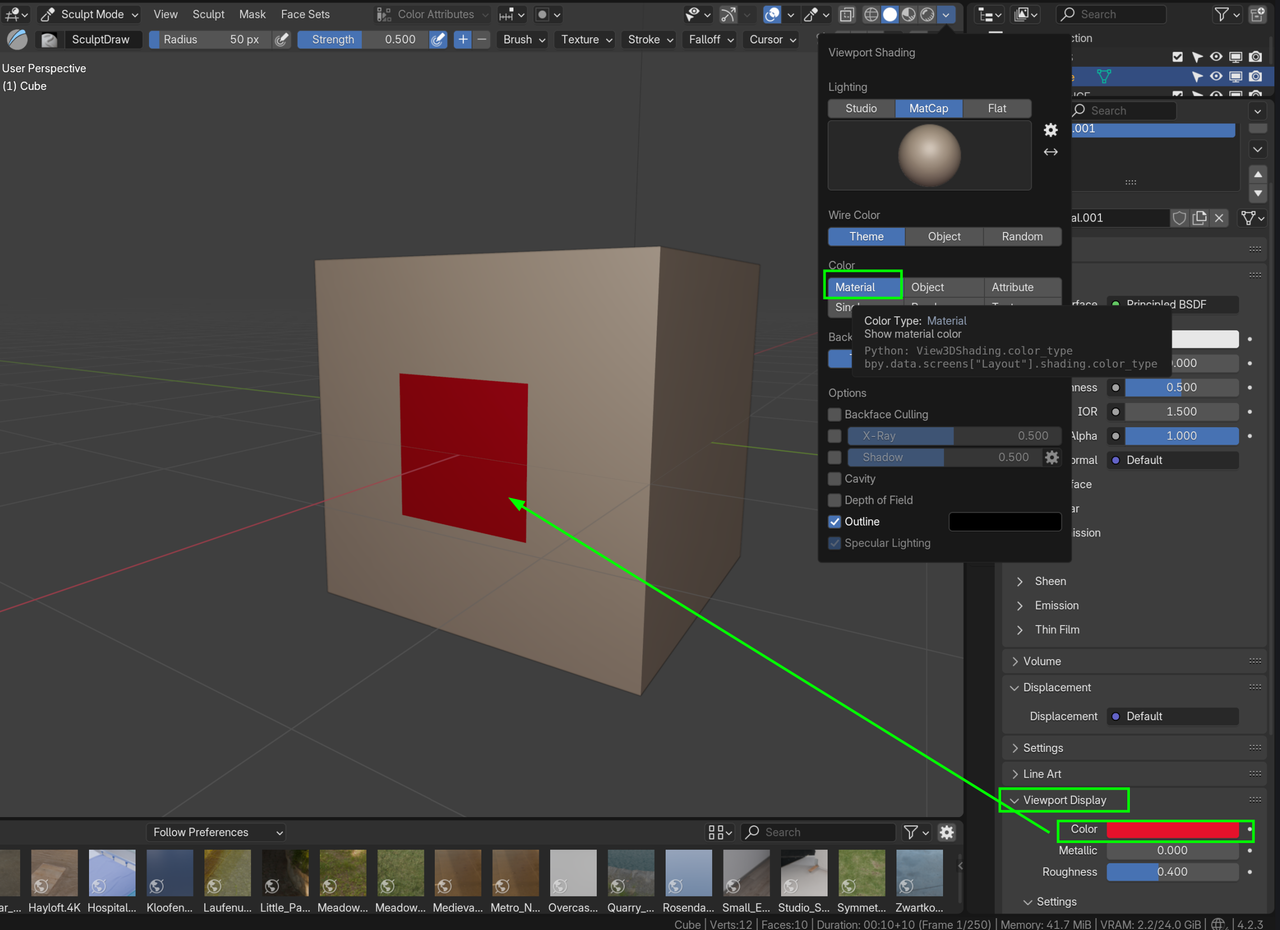
          It is not really a Texture, but the important thing is, to set the Viewport Display Color in the Material for the Iris to what you like (dark grey, like in the video, for instance). Also use the (default) Material in the Viewport Shading Color:

          Eye.png

          (also, don’t forget to Assign the Iris Material to the Iris).

          #90813
          Omar Domenech
          Participant

            It is as Martin and Dwayne say. You have to change the “viewport display” in order for the color to show in the viewport. Keep in mind that is for the viewport, so what you set there wont show in the render. If you want those colors to match when its time to make a render, you can just copy paste the color to the base color render slot. 

          Viewing 4 posts - 1 through 4 (of 4 total)
          • The topic ‘Eyeball Texture in Sculpt Mode’ is closed to new replies.