Extrusion

Forum Archive Extrusion

Viewing 4 posts - 1 through 4 (of 4 total)
  • Author
    Posts
  • #16123
    Roxana Moise-Dan
    Participant

      Hello!

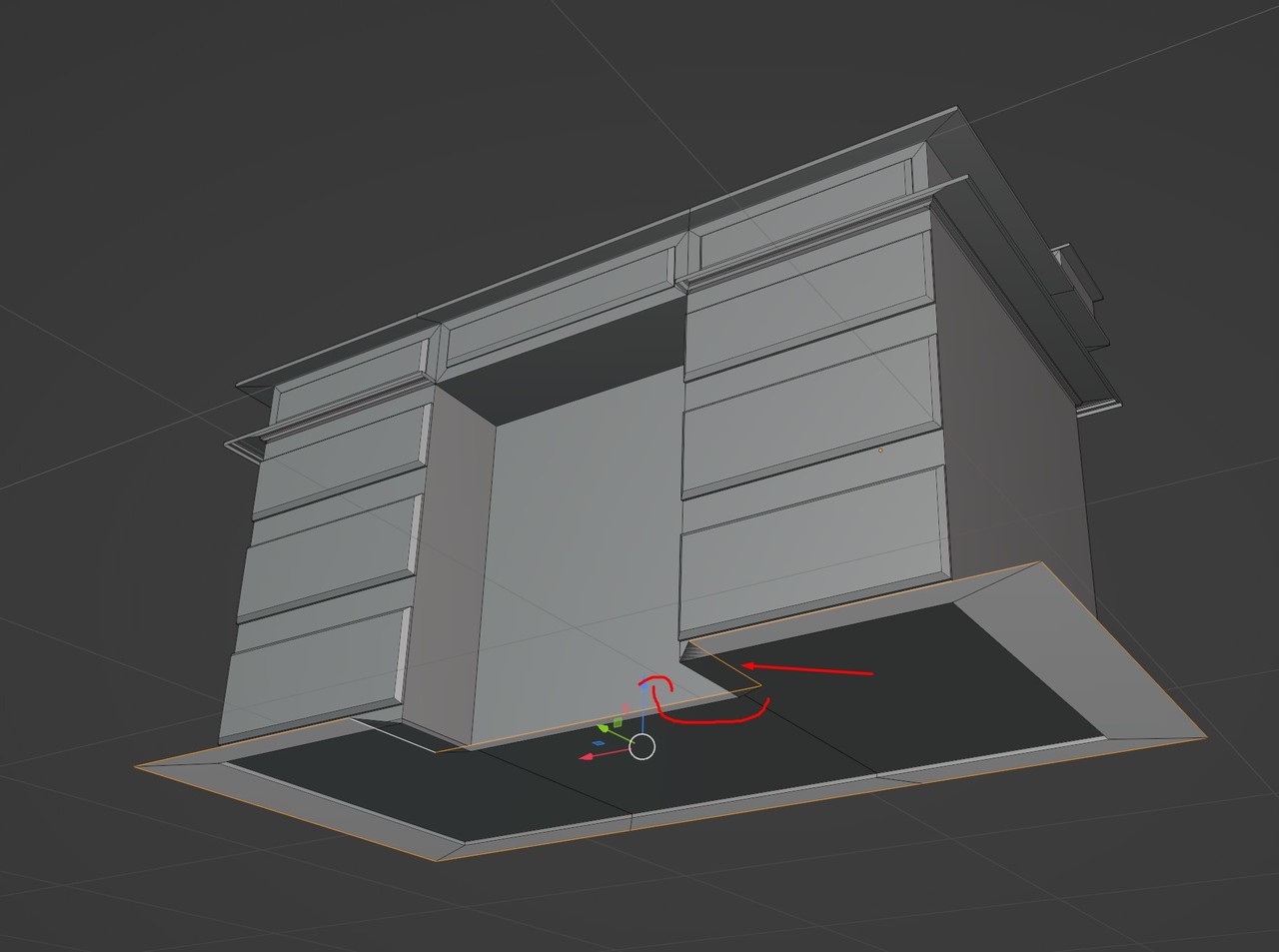
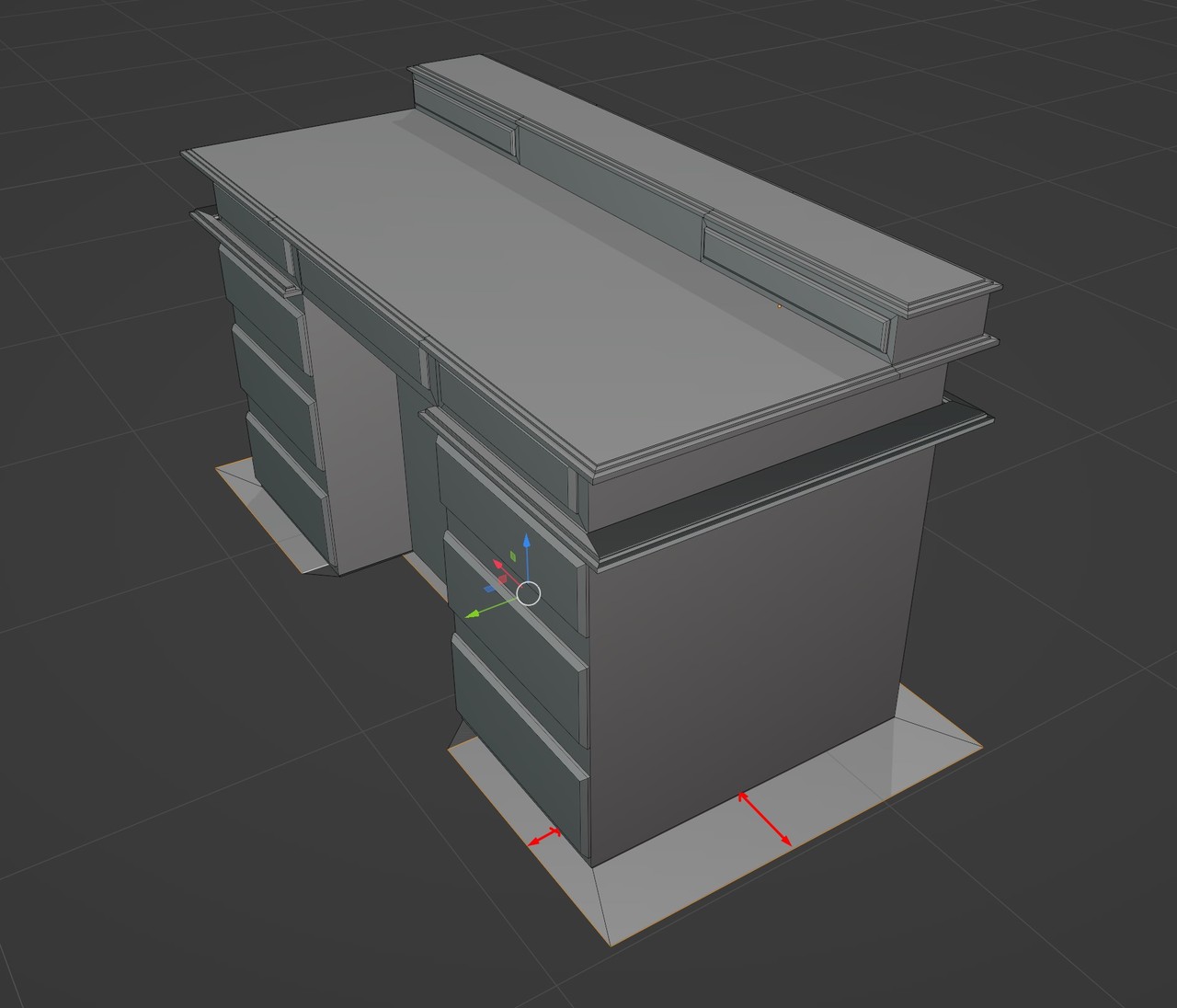
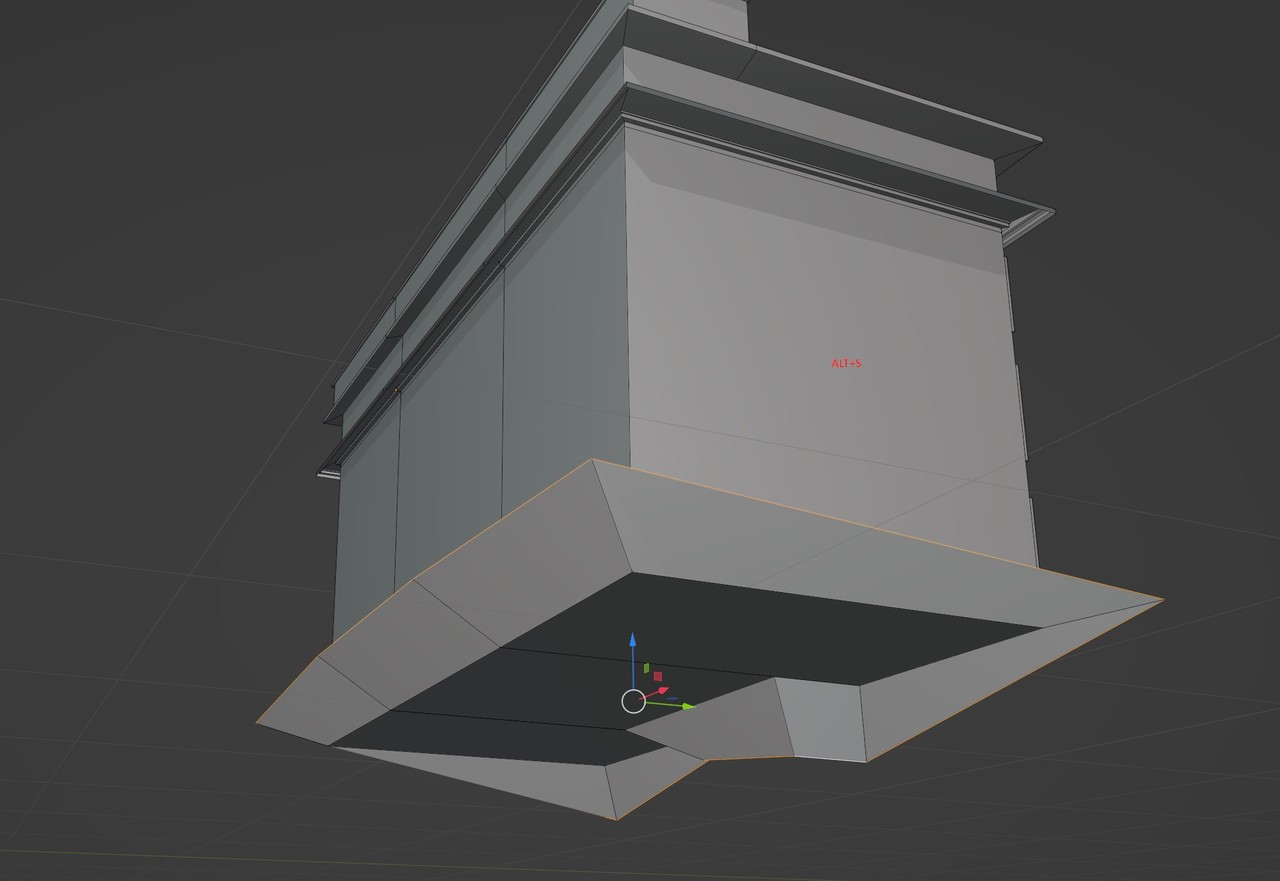
      I am trying to extrude the bottom faces of this desk and I do that by pressing E and then S to scale it. And I get this weird result. I also used ALT+S, but I got an even awkward result. My goal is to have the same extrusions as the top of the desk and also keep the same thickness. As you can see in my example (screenshot 2), the thickness differs in size.Screenshot_9.jpg

      Screenshot_10.jpg

      ALT+S version

      Screenshot_11.jpg

      #78228
      Omar Domenech
      Participant

        Yeah with awkward shapes sometimes scaling (S) and scaling along the normals (Alt + S) wont do the best of jobs. First of all check if your scale is applied, because if it isn’t all those operations wont work well. Then try recalculating your normals, if you have flipped normals that might also disrupt your scaling operations. 

        If nothing works, you can always do that manually. So you can select the edges you want, extrude them, then you can G to grab those extrudes edges and lock an axis, for example X and then enter the value you want to move those edges by and you can just repeat that all around.

        Another thing you can do is duplicate the top part if you want it identical to the bottom and then just merge the vertices or adjust them if needed. 

        #78229
        Martin Bergwerf
        Participant

          Hi Roxana,

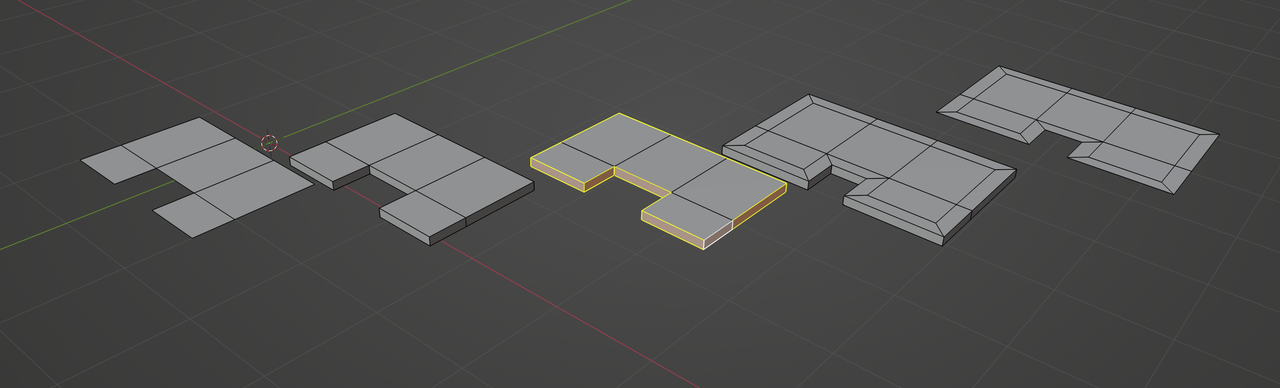
          ALT+S doesn’t work, because you don’t have usable Normals. The trick is, to first give the floor some thickness, then use Extrude, ENTER, ALT+S (Offset Even) and then remove the lower part again:

          ScaleTrick.png

          #78230
          Roxana Moise-Dan
          Participant

            Two great solutions! Thanks, guys!

          Viewing 4 posts - 1 through 4 (of 4 total)
          • The topic ‘Extrusion’ is closed to new replies.