extrusion will only scale from the center of last edge I’ve selected

Forum Archive extrusion will only scale from the center of last edge I’ve selected

Viewing 6 posts - 1 through 6 (of 6 total)
  • Author
    Posts
  • #15278
    c0Vₑ
    Participant

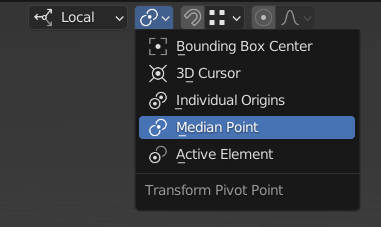
      I am currently trying to make the D pad. I can’t exactly get a symmetric “+” shape as shown in the video because the edges i extrude will only scale from the last edge I selected. is there something I could enable/disable that would likely be causing this?Desktop 2022.07.05 - 13.38.16.02.DVR_Moment (2).jpg

      #74786
      Jonathan Lampel
      Participant

        My guess is that your pivot point is set to Active Element. Switching to Median Point should do the trick. 

        More on that here: https://cgcookie.com/lessons/pivot-points-and-snapping 

        #74787
        c0Vₑ
        Participant

          that really helped. I’m sorry you had to figure that out on your own since the dropdown disappears when I scale it. I’m also having issues with beveling the vertices 

          when I try to bevel the screen. it doesn’t look even like yours does in the video:
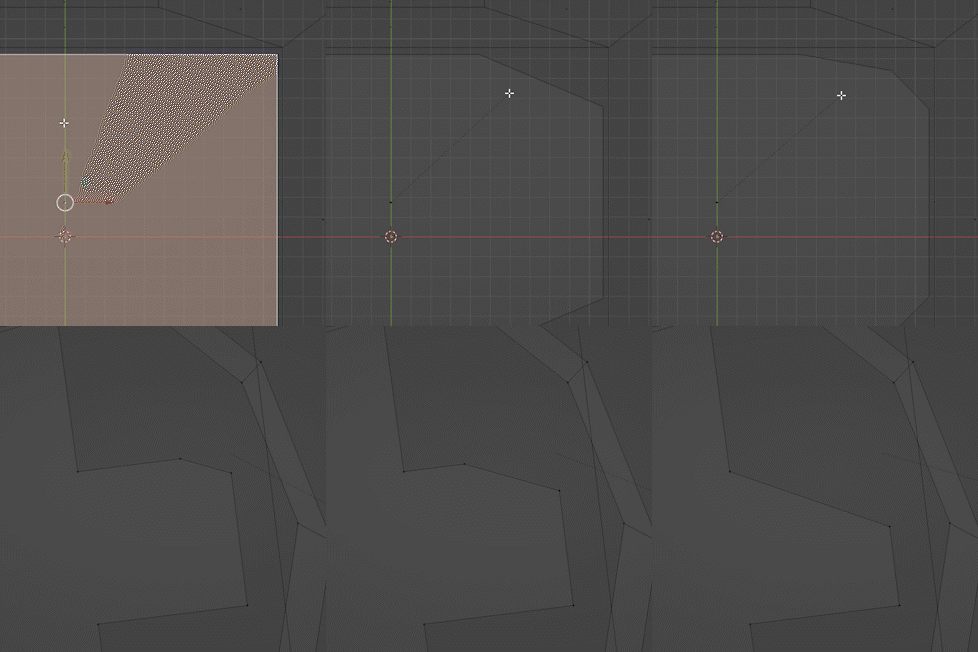
          bevel iss.gif

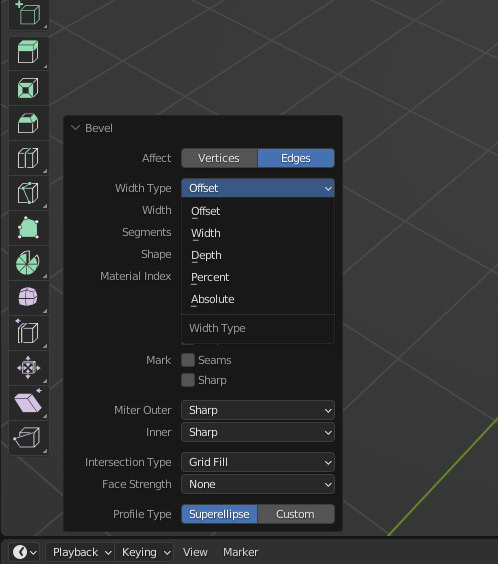
          and the control bar looks like this, so if you happen to see anything that looks out of the ordinary then maybe you could spot it:

          Desktop 2022.07.05 - 20.56.10.03.DVR_Moment (2).jpg

          I’ve tried copying this video on YouTube as well and it didn’t quite solve the problem:

          https://youtu.be/TPnPrXPS1-k

          sorry that I’m coming up with so many issues, and if you think you need any more photos of what’s happening on the project then I will gladly send you more screenshots. I am willing to restart the entire project if necessary, but otherwise thank you for your time.

          #74788
          Martin Bergwerf
          Participant

            Hi @jacs10 ,

            The beveling issue is probably because your Object has an uneven Scale. In Object Mode press CTRL+A > Apply > Scale….But that is exactly what that YT video showed, so…hm maybe you can post a link to your .blend file here? (Via Dropbox, Googledrive, or similar)

            Otherwise at least add a screenshot of your whole UI…But that will not guarantee that we can see what is causing this…

            And don’t worry about asking many questions! We’re happy to help!

            #74789
            Omar Domenech
            Participant

              The only thing that comes to my mind is, as Spikey said, scale is not 1, 1, 1, that or in one part of the GIF the bevel is being applied on two vertices and it works well, but the one that the bevel is funky, just one vert is selected. So maybe that drives a weirder behavior. 

              Also remember you have other options you can tweak in the bevel functionality, changing some parameters usually changes the behavior to what one desires. Try playing around with those.  

              Untitled-1.jpg

              #74790
              c0Vₑ
              Participant

                yeah I went back and I realized that my object needed to be selected before I could use the Apply > scale method. I ended up starting from the beginning anyways because the shape was crooked and I couldn’t get the origin to move to the center of the shape correctly.

              Viewing 6 posts - 1 through 6 (of 6 total)
              • The topic ‘extrusion will only scale from the center of last edge I’ve selected’ is closed to new replies.