Evenly spaced grid around 3 bevelled edges

Forum Archive Evenly spaced grid around 3 bevelled edges

Viewing 4 posts - 1 through 4 (of 4 total)
  • Author
    Posts
  • #16966
    Ross Franks
    Participant

      Hey there all,

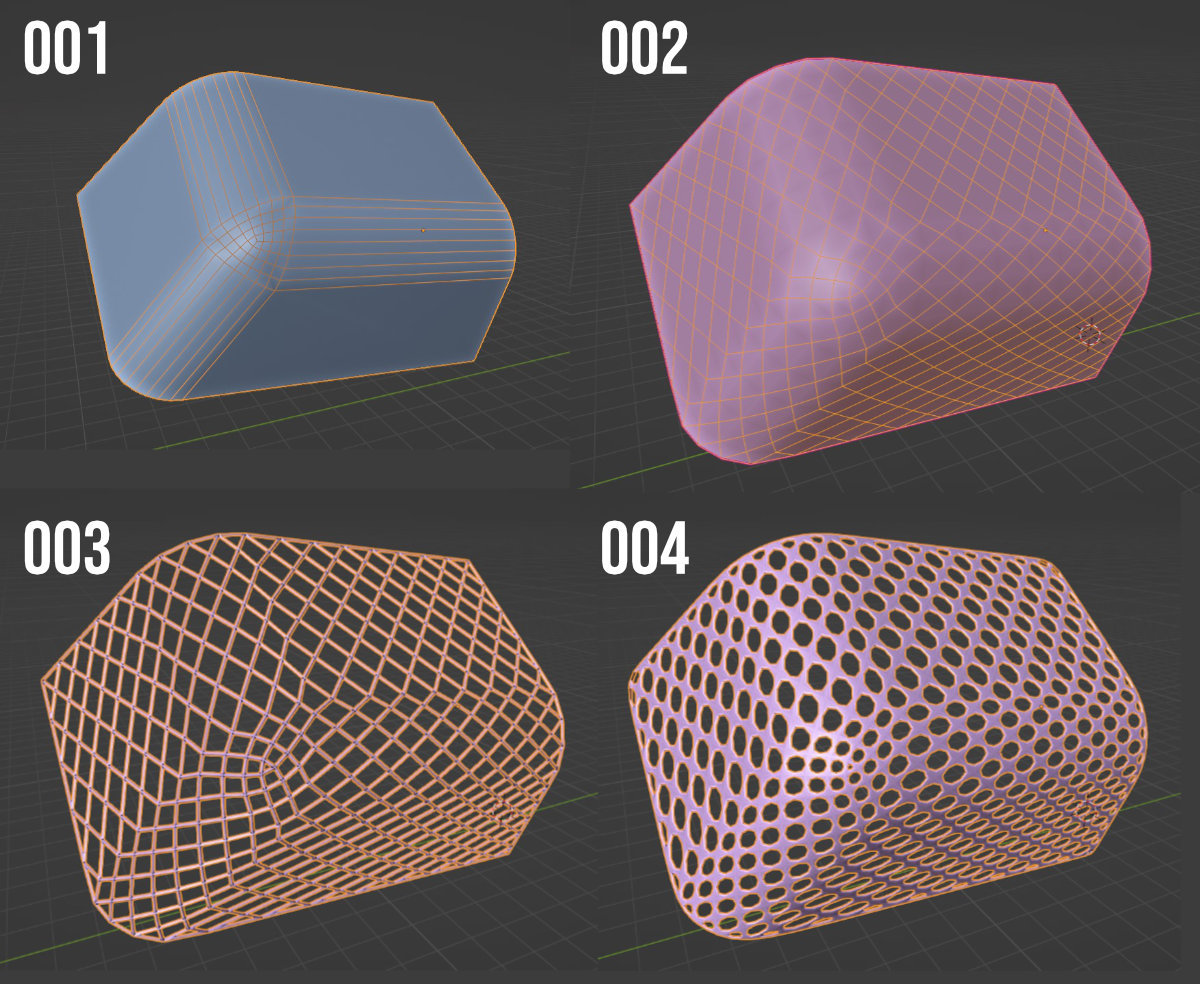
      any way I can have an evenly spaced grid around a shape I made from 3 bevelled edges as I’ve done in 001?

      curved.jpg

      I’ve then used Unsubdivide (002) then the Wireframe modifier (003) and then Subdivision Surface (004). But it’s all distorted.

      Any help is appreciated.

      #81649
      Martin Bergwerf
      Participant

        Hi Ross @rfranks ,

        I would say (without having proven it), that that is mathematically impossible.

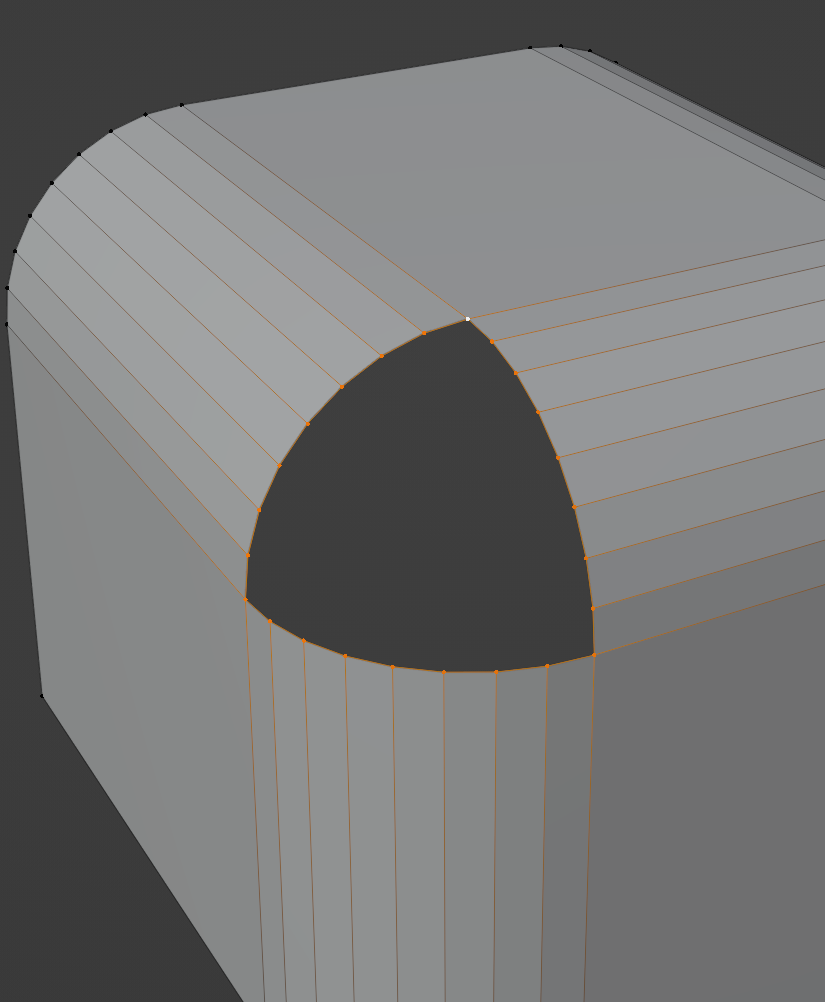
        What you want to do, is to fill this with a regular grid:

        FillCorner.png

        Can you see, or get a feeling for how that can’t be done?

        The problem arises, because the corner of a cube is a 3-sided Pole.

        #81650
        Omar Domenech
        Participant

          I don’t understand what you are trying to achieve. Evenly spaced grid in which part of the mesh? On the corner or on the flat surfaces? Perhaps on the edges? If it’s where the beveled was made from, then you want the other shapes to have that? What’s the end goal? What are you trying to do exactly? Perhaps there is a better way around it.

          #81651
          Dwayne Savage
          Participant

            Guessing at what you’re looking for: Change the beveling Width Type from offset to percentage. That should give you a more even face on the corner. It won’t be 100%. May also try using a remesh modifier. 

          Viewing 4 posts - 1 through 4 (of 4 total)
          • The topic ‘Evenly spaced grid around 3 bevelled edges’ is closed to new replies.