evenly solidify faces with solidify modifier

Forum Archive evenly solidify faces with solidify modifier

Viewing 7 posts - 1 through 7 (of 7 total)
  • Author
    Posts
  • #18916
    Pedro Lara
    Participant

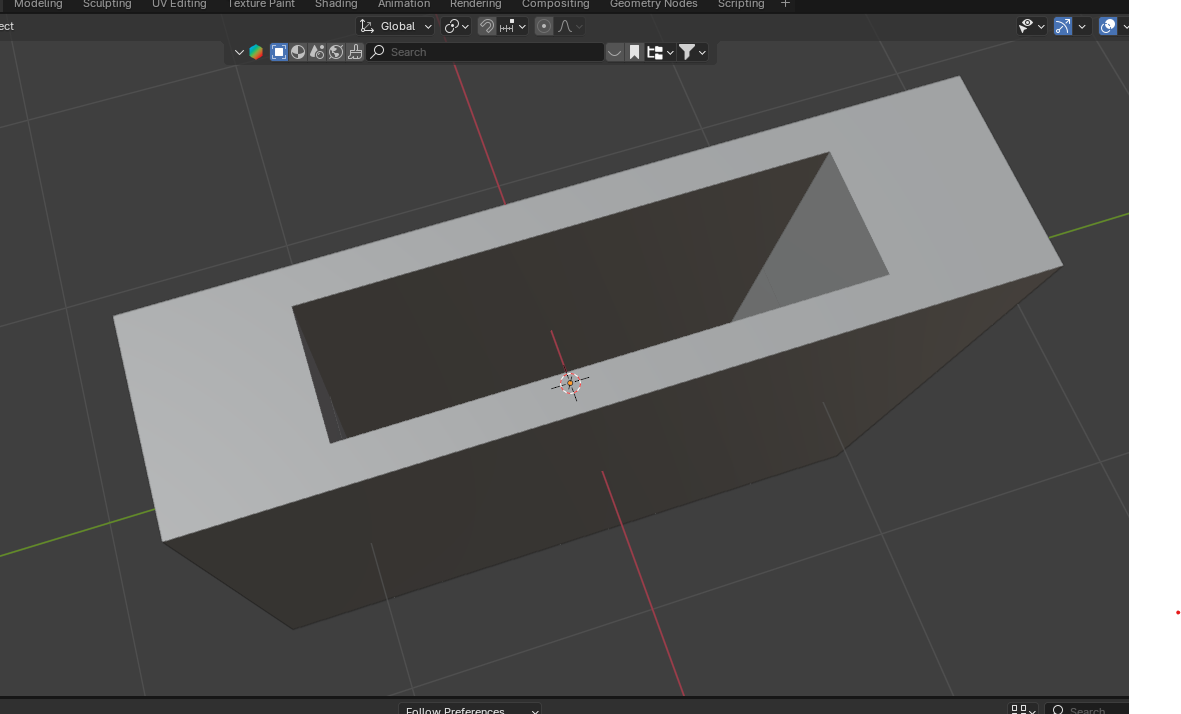
      Whenever I use bevels and solidify modifier, in every tutorial people always have even bevels and extrudes, mine look like this, any tips on how to fix this issue? I’m doing the physics core course and can’t find a way to solidify this object correctly024-10-07 210450.png

      #90145
      Dwayne Savage
      Participant

        Did you apply scale?

        #90146
        Sascha Feider
        Participant

          I would second Dwayne. Select your object and in the n-panel under item or in the object properties under transform check if the scale is 1;1;1, if not ctrl+A and apply scale. That should fix it.
          Also note that on non-rectangular objects you gonna want to toggle “even thickness” in the modifier.

          #90147
          Omar Domenech
          Participant

            I third all of that. Apply scale and enable even thickness. It should work like a charm.

            #90148
            Pedro Lara
            Participant

              Applying the scale worked like a charm! thank you all! 

              However, when it comes to bevels, I can’t find a way to bevel at 45 degrees. Do you have any tips on how to fix this part?

              #90149
              Martin Bergwerf
              Participant

                Hi Pedro,

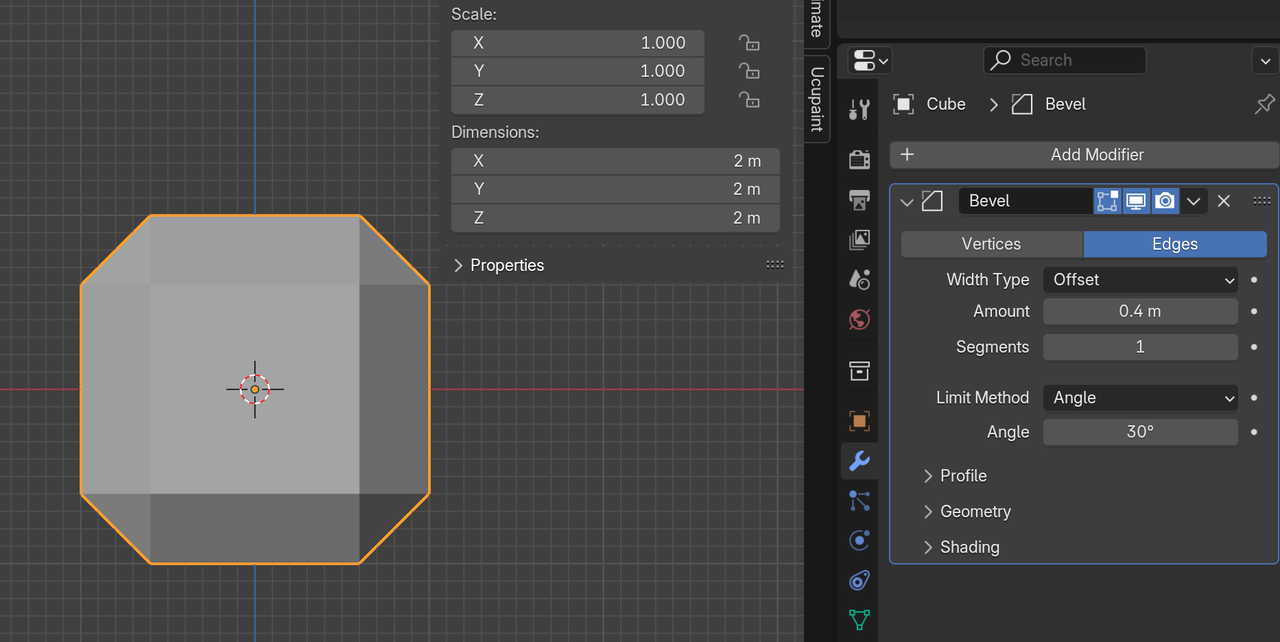
                Probably the same answer: Apply the Scale:

                Bevel.png

                #90150
                Omar Domenech
                Participant

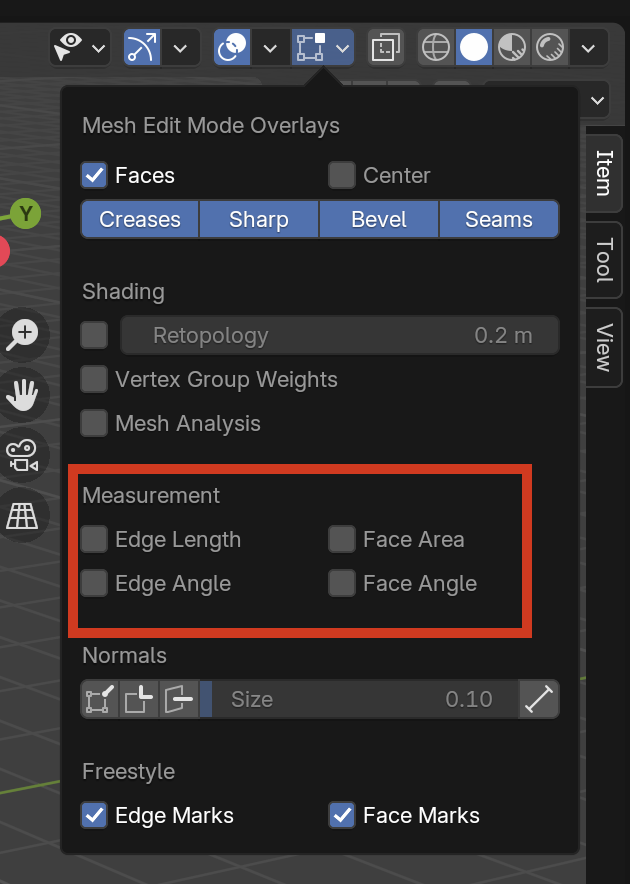
                  You can also check your measurements in the overlays, in case you want to make sure you have a specific value:

                  Edge.png

                Viewing 7 posts - 1 through 7 (of 7 total)
                • The topic ‘evenly solidify faces with solidify modifier’ is closed to new replies.