Even / relax the surface to make it smooth

Forum Archive Even / relax the surface to make it smooth

Viewing 11 posts - 1 through 11 (of 11 total)
  • Author
    Posts
  • #20209
    Gerard van den Brul
    Participant

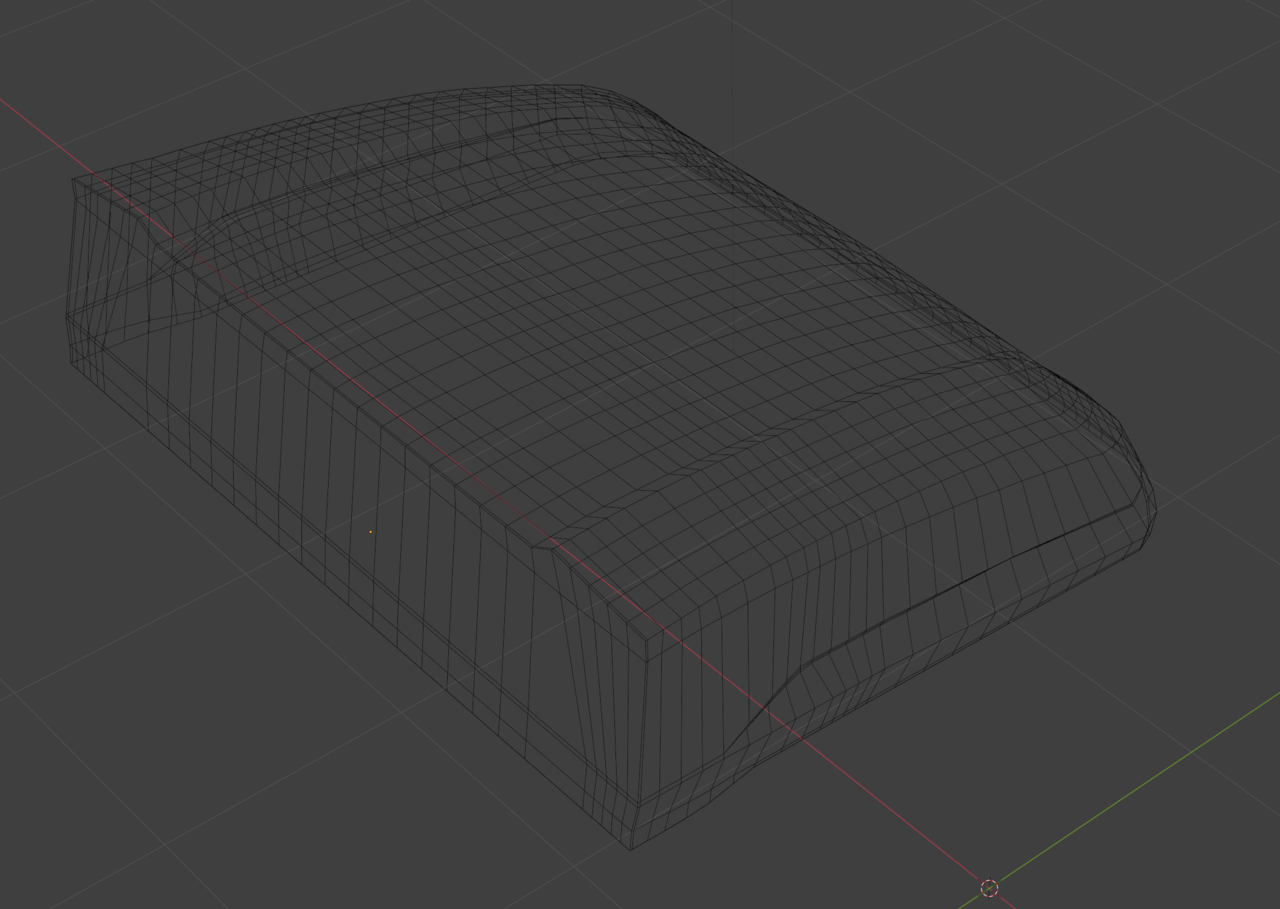
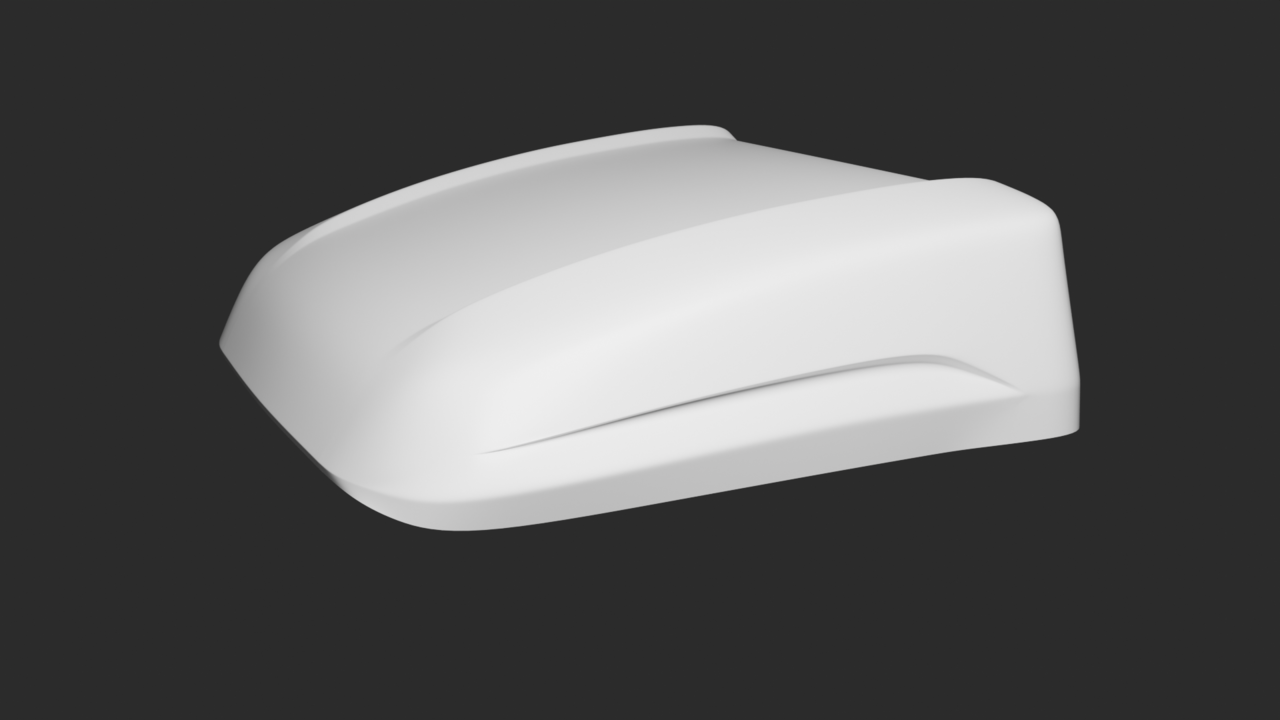
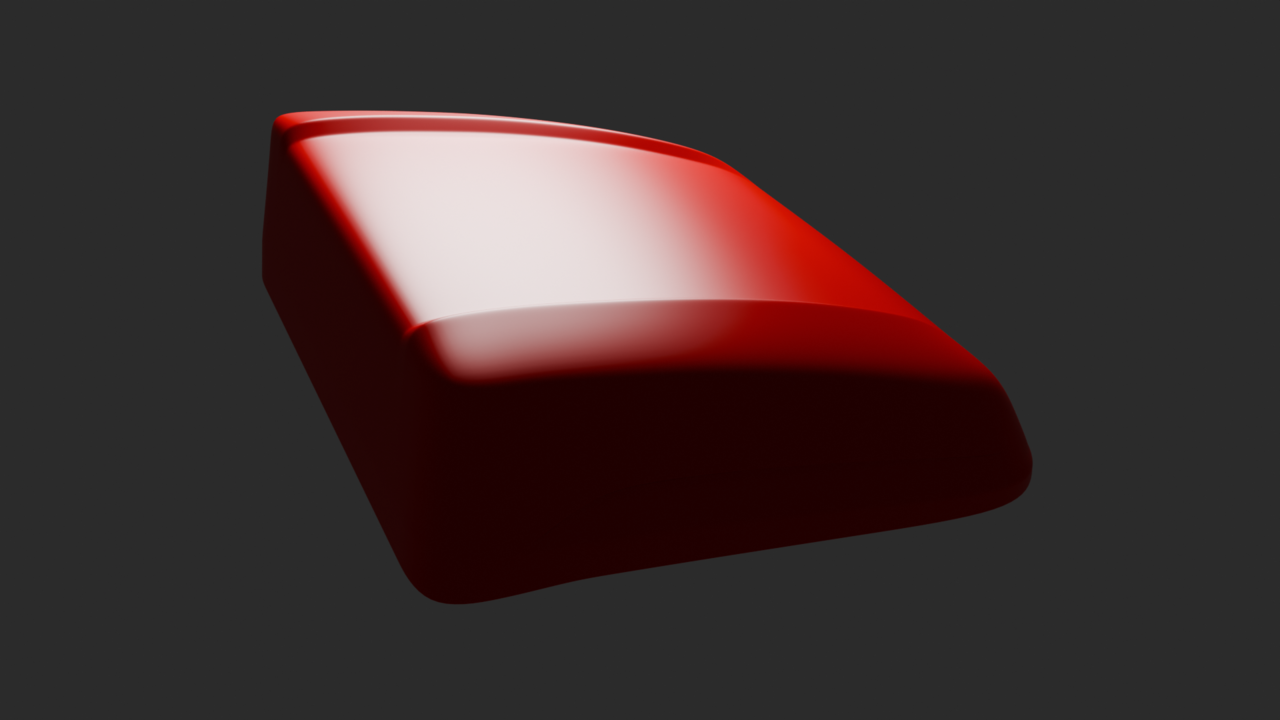
      I am trying to model a truck cabin and already outlined the basic shapes. However I noticed that the surface is not completely smooth.

      Things I tried so far:

      Aligning the vertices to the reference curvature by hand.
      Looptools – relax
      Vertices – Smooth

      It’s a mesh with sub-d and smooth modifier applied.

      Any suggestions how to smoothen the slightly curved surface?

      Shading.png

      Screenshot.png

      Mesh.png

      Cab.png

      #95108
      Martin Bergwerf
      Participant

        Hoi Gerard,

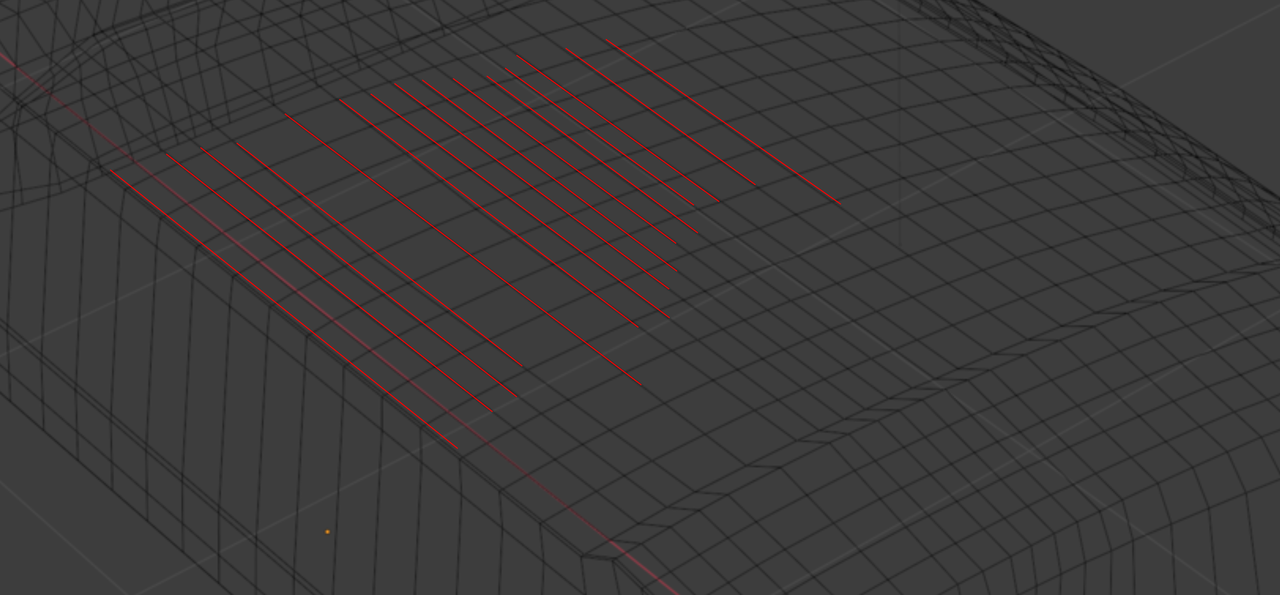
        The main problem is the uneven spacing of the Edge Loops (paralel to the X-Axis):

        Car_00.png

        You also have way too many of them, start with as few as possible and le the Subdivision Surface Modifier take care of the rest.

        #95109
        Gerard van den Brul
        Participant

          Hi Martin,

          Thanks for clearing out the problem. I will redo the piece.

          #95110
          Martin Bergwerf
          Participant

            Hey Gerard,

            If you have time, you can go to the Livestreams section on CGCookie and look for the ‘first Collab’s’  Backhoe videos:

            Livestreams.png

            #95111
            Gerard van den Brul
            Participant

              Thanks, I will take a look and watch them.

              I restored a copy of the part and with much less geometry the surface is looking fine.

              #95112
              Omar Domenech
              Participant

                I was going to say that, it’s all about having too much geometry that things start to bunch up and create those ridges. You have to shoot for a balance, the right amount of loops so that it’s easy to control, too much and it becomes a nightmare and loops so close together create the problem you have, too little geometry and there’s no definition in the shapes. So there’s always a sweet spot.

                #95113
                Gerard van den Brul
                Participant

                  Hi Omar. Thanks for the explanation. I did focus too much on the side outlines (and quad topology) which made it too dense at the end.
                  After Martins comment I immediately restored the copy I made earlier and I see that with less geometry I even get a better result.

                  So less is more, and I understand your comment about finding the sweet spot. 

                  I have added the (quick) result, but still need to fine tune it.

                  Sleeper 01.png

                  Sleeper 02.png

                  #95114
                  Gerard van den Brul
                  Participant

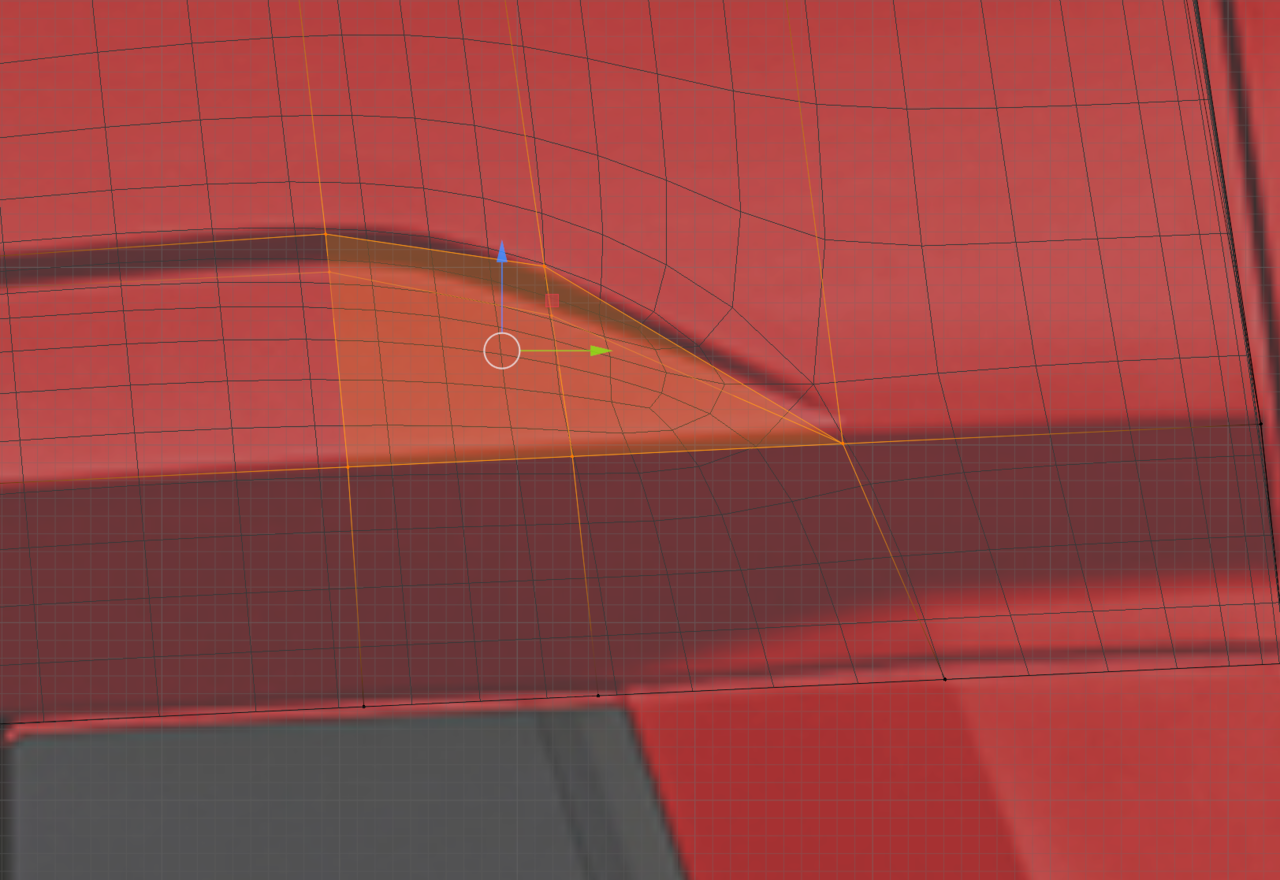
                    I want to share my initial problem which lead me to adding extra geometry. I know that if it looks good its ok, but it still bothers me that I end up with 2 triangles where some edges / lines come together. (The right angles on the white render which I posted earlier). I tried a diamond pattern making it quad, but than again the edges are running very closely together.  Any suggestions on how to approach this?

                    2 triangles.png

                    #95115
                    Martin Bergwerf
                    Participant

                      Hi Gerard,

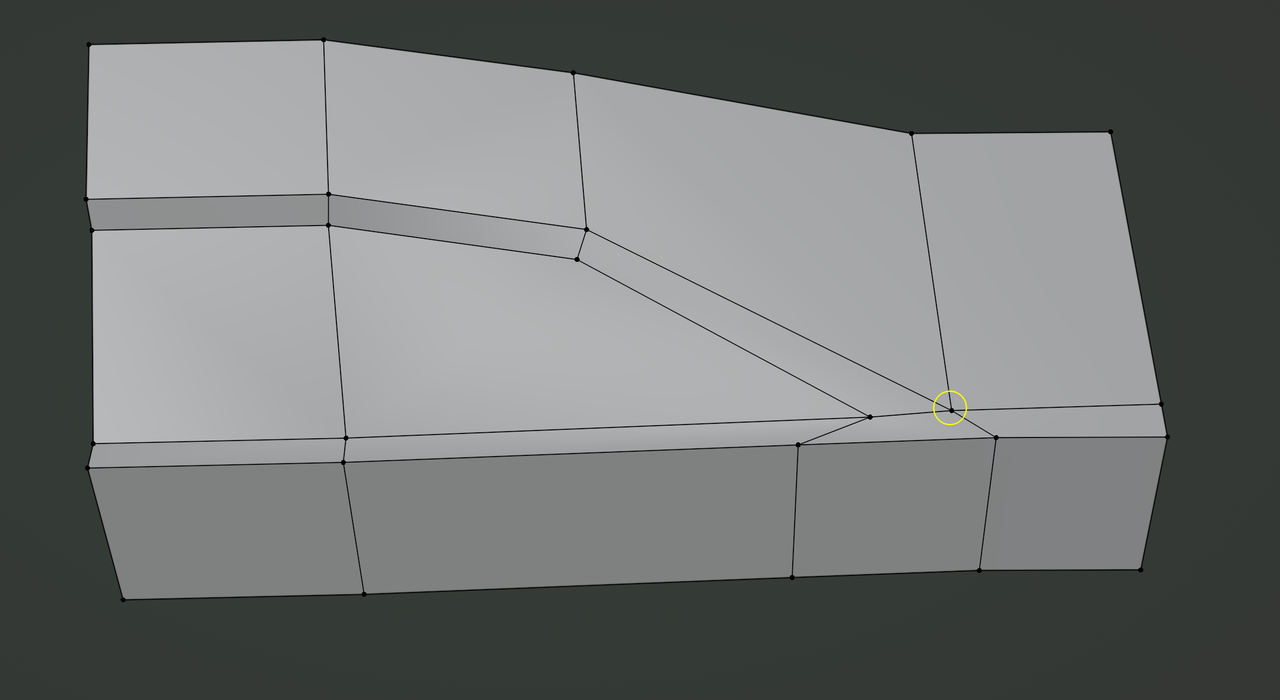
                      It really depends on the exact look, but something like this might work as a starting idea:

                      Car.png

                      You can easily add extra holding Edges where needed. Just keep your eye on that Pole, to see if it causes problems. You might need to move it to a flat(ter) part of the Surface (which will be do-able with the extra holding Edges).

                      Car modeling is really hard, for one, because there are many ‘details’ like this, that are non-trivial to model.

                      #95116
                      Omar Domenech
                      Participant

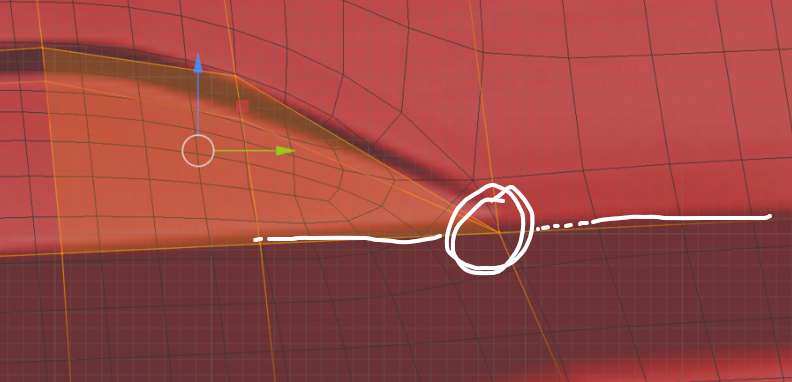
                        You really want to avoid this:

                        Screen.png

                        Not only is it six sided, but it is resting on the defining part of the contour, at the edge of where the surface changes. When you have a pole there, it always causes problems, even worst when is the ugly and evil six sided pole that you have there. So as Martin showcased, it’s better to move the pole to a flat surface and not the edge of an angle. 

                        #95117
                        Gerard van den Brul
                        Participant

                          Hi Omar & Martin, thanks for the shown suggestions! Really appreciated.

                        Viewing 11 posts - 1 through 11 (of 11 total)
                        • The topic ‘Even / relax the surface to make it smooth’ is closed to new replies.