eevee render is too slow in viewport shading mode

Forum Archive eevee render is too slow in viewport shading mode

Viewing 12 posts - 1 through 12 (of 12 total)
  • Author
    Posts
  • #16155
    kim juhee
    Participant

      hi i was a made the material node by looking at your stream, but my eevee render too slow , i was wonder which part is the problem finally i knew what was wrong, the reason is we used the 3d noise texture. but your stream was same thing used 3d noise texture , but your not too slow in eevee render, how do you render setting in blender?

      *my blender ver 3.4 

      #78329
      Martin Bergwerf
      Participant

        Hi Kim @wacky ,

        You can try switching to 3.5, but very likely, it is mostly due to your GPU, not being as ‘good’ as Kent’s.

        #78330
        kim juhee
        Participant

          MY GPU is Quadro RTX 4000, It does not good at graphic work?

          im going to update 3.5 , this is better than 3.4 ver , but still slow 🙁

          #78331
          Martin Bergwerf
          Participant

            Oh, that GPU should be good enough!.

            The Detail in your Noise Texture shouldn’t be too high…I don’t know, could be so many things…if you can provide a link to your .blend file (through Dropbox, GoogleDrive, or so), I can have a look at what might be causing the slow Viewport render.

            #78332
            kim juhee
            Participant
              #78333
              Adrian Bellworthy
              Participant

                Hey Kim!

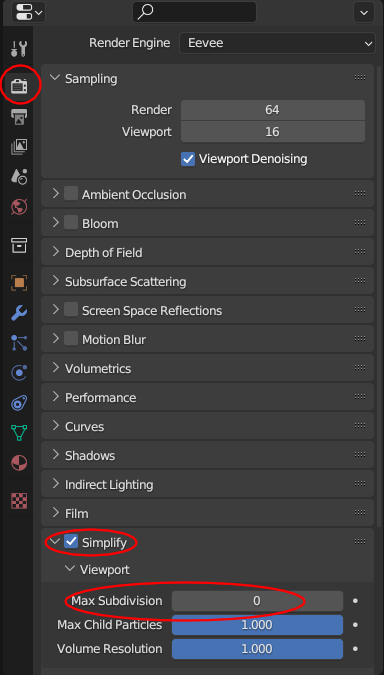
                You could try enabling simplify and set the viewport max subdivisions to 0 while you are working on the materials and shading.

                Simplify.png

                #78334
                Adrian Bellworthy
                Participant

                  I see you already have simplify enabled!

                  Your file doesn’t seem that slow to me!
                  It does take a little time to compile when you first switch to viewport shading, this is normal.

                  As Spikey said, reduce the detail in your noise textures on all your materials
                  Anything above about 5 will not do much or will not even be noticeable.

                  You could also hide some objects you are not working on.

                  It may seem faster in the video, but remember the video maybe edited to remove the wait time of viewport shading

                  #78335
                  Martin Bergwerf
                  Participant

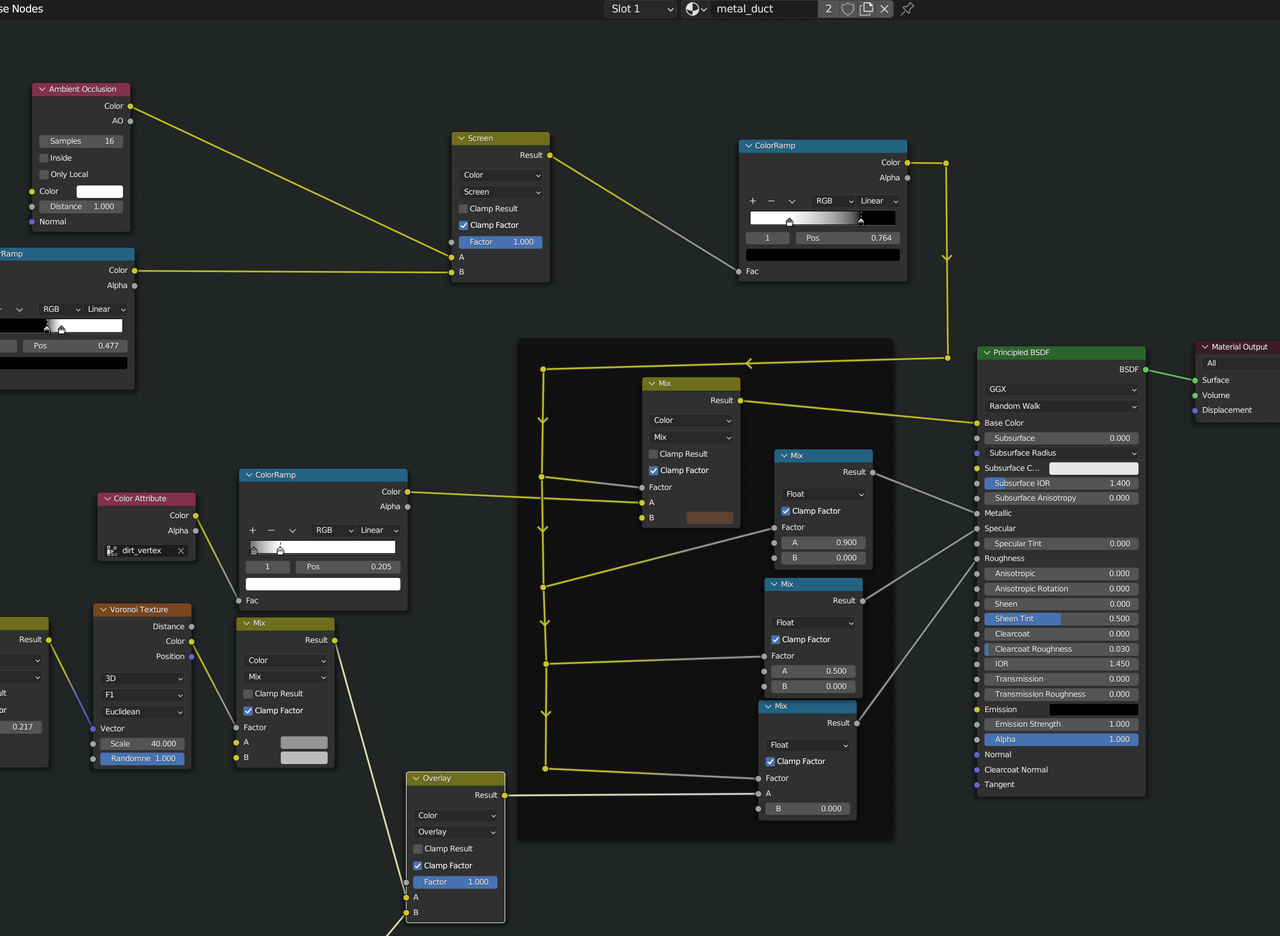
                    If you want more speed up, try mixing before the Principled Shader, instead of using a Mix Shader:

                    Speedup.png

                    Makes quite a huge difference in Viewport render/responsiveness. You can do that for all Shaders.

                    #78336
                    kim juhee
                    Participant

                      Thanks for answer to me guys! I’ll try to modify the principle shader before the other mix nodes, I’ll try it later and let you know how it goes!

                      #78337
                      Omar Domenech
                      Participant

                        Always happens the same to me with this industrial environment scene, my computer can’t handle it smoothly, it chugs a lot. I think it’s the AO nodes and the details in the noise texture bumped all the way up. You guys try downloading it from the course page an try it in your computers, see if it also chugs for you.

                        #78338
                        kim juhee
                        Participant

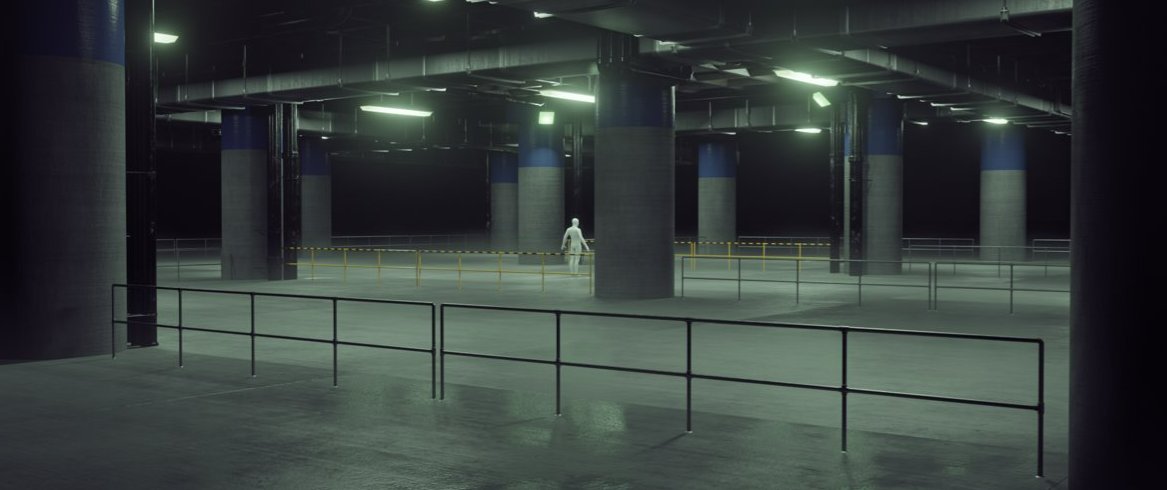
                          Hello, I’m here to let you know the results. as a result of downloading and running my file on another computer, there was no delay in my project. Maybe the c-drive capacity of the computer I was working on was also affected. (Auto Save, etc… The capacity was very low for a number of reasons.) And that’s my result! (I don’t like the glitch effect so, i skiped the process) I’m very exciting about all of this, and I got a lot of things. It’s the best learing program ever!w.png

                          #78339
                          Martin Bergwerf
                          Participant

                            Nice one, Kim 👍🏻

                          Viewing 12 posts - 1 through 12 (of 12 total)
                          • The topic ‘eevee render is too slow in viewport shading mode’ is closed to new replies.