Easy way to create wavy effect on flexible bag seals

Forum Archive Easy way to create wavy effect on flexible bag seals

Viewing 5 posts - 1 through 5 (of 5 total)
  • Author
    Posts
  • #20620
    Boris Boiev
    Participant

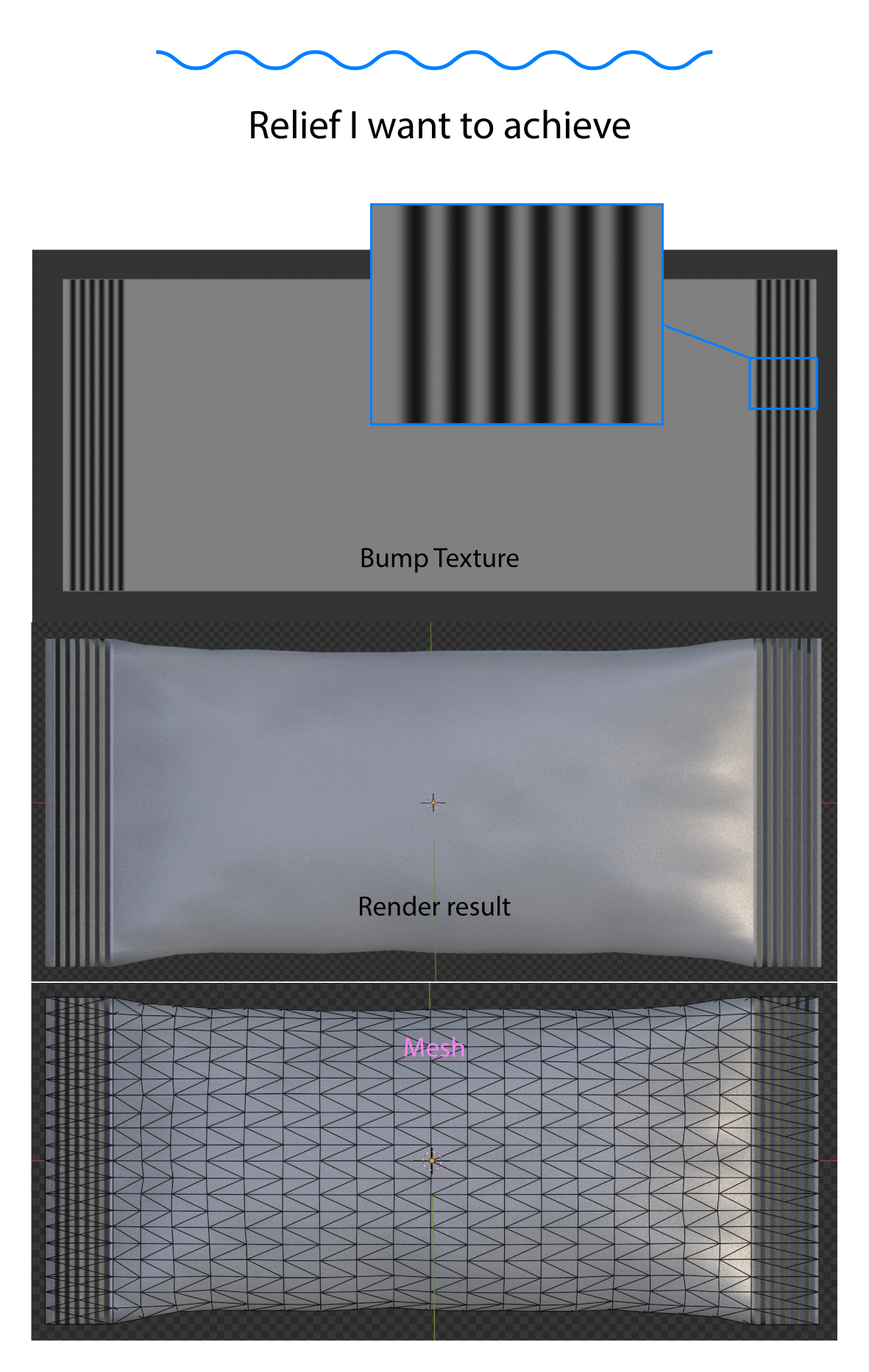
      Hi, I need to create wave effect on flexible packaging seals. What is the easiest way to do this? 
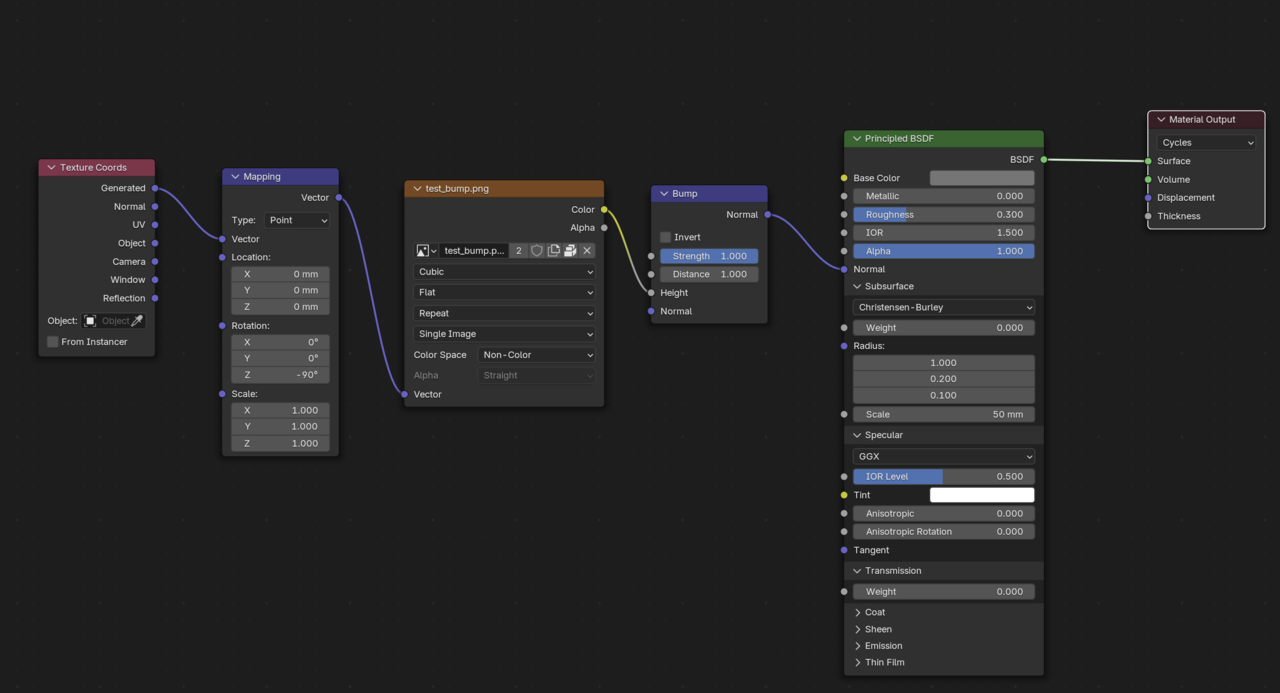
      I have tried bump map, but I’m getting sharp edges instead of smooth. And I cannot understand what values for Strength and Distance to choose. I think there is a problem with the mesh itself, but i can’t find it.

      Link to Blender File

      Preview.png8-17 at 18.44.46.png

      #96559
      Dwayne Savage
      Participant

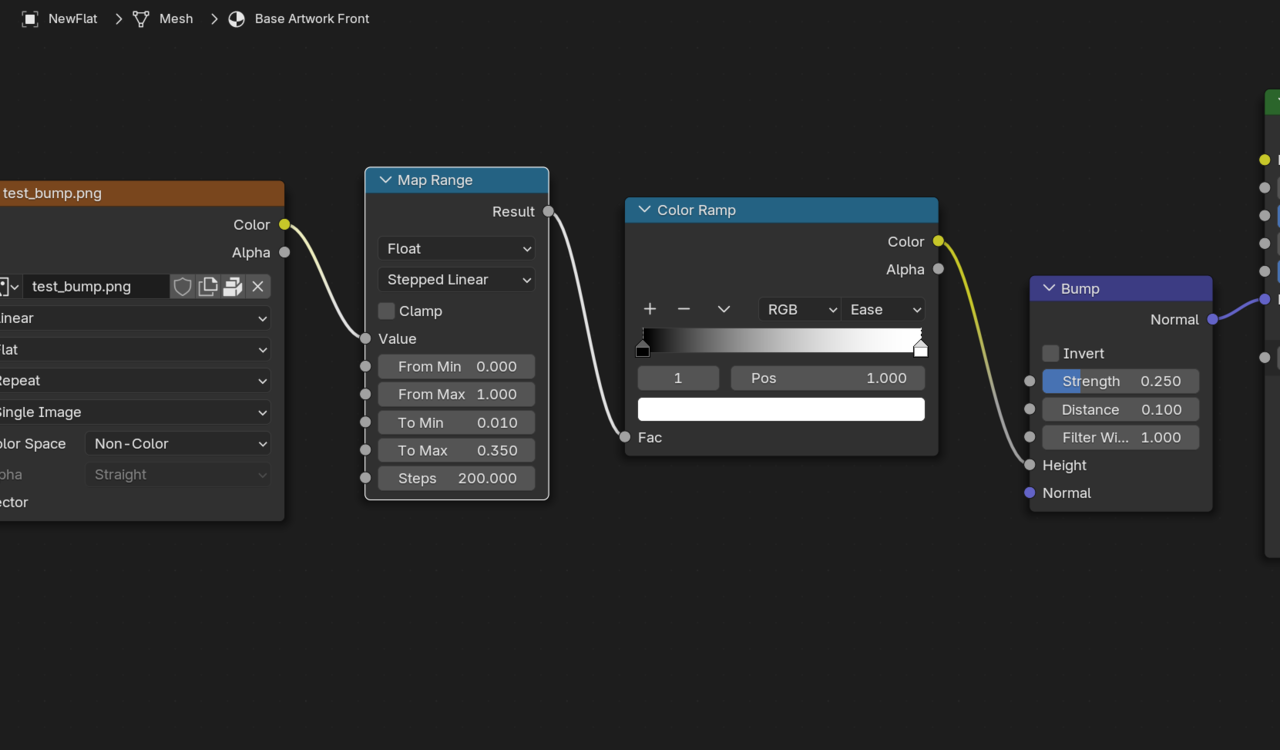
        The problem is there isn’t much of a gradient in the bump map image. Also it’s not the same on both sides. It would probably be better to UV Map it. You can fake it with a few nodes. Then Adjust the strength of the bump node. Since both sides are so different I had to raise the To max on the map range node and then lower the distance on the bump node. Note: You can use a step of 50 or 25 if the camera doesn’t get to close. If it does then use 100 or 200. 
        025-08-17 135810.png

        #96560
        Martin Bergwerf
        Participant

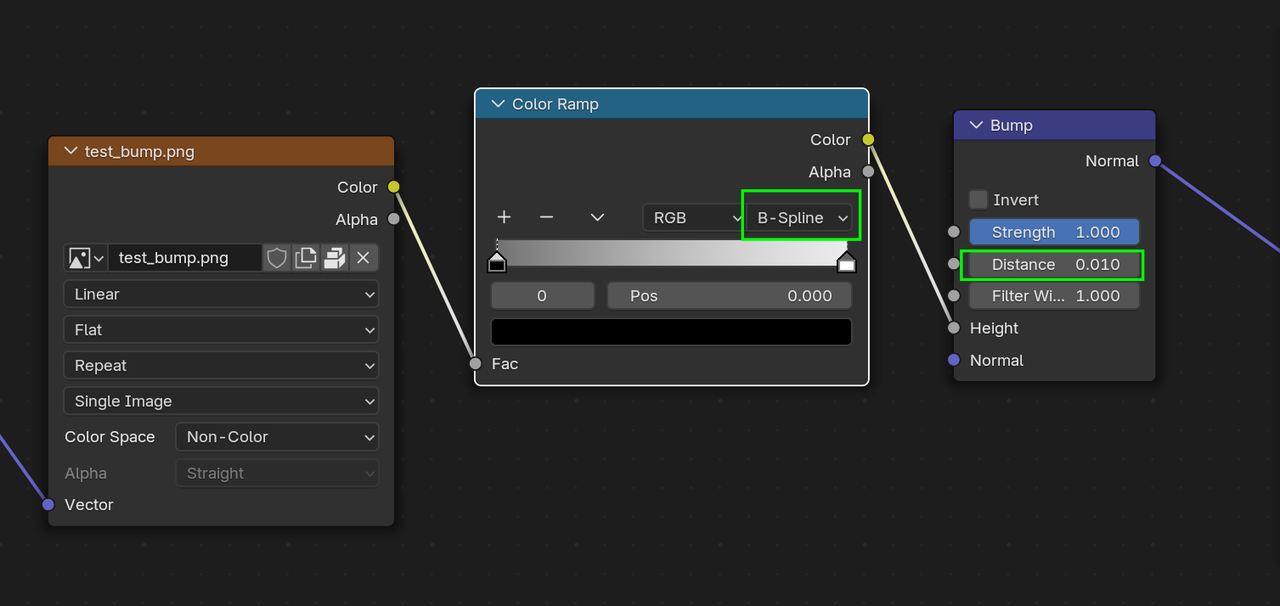
          Or something like this:

          Bag.png

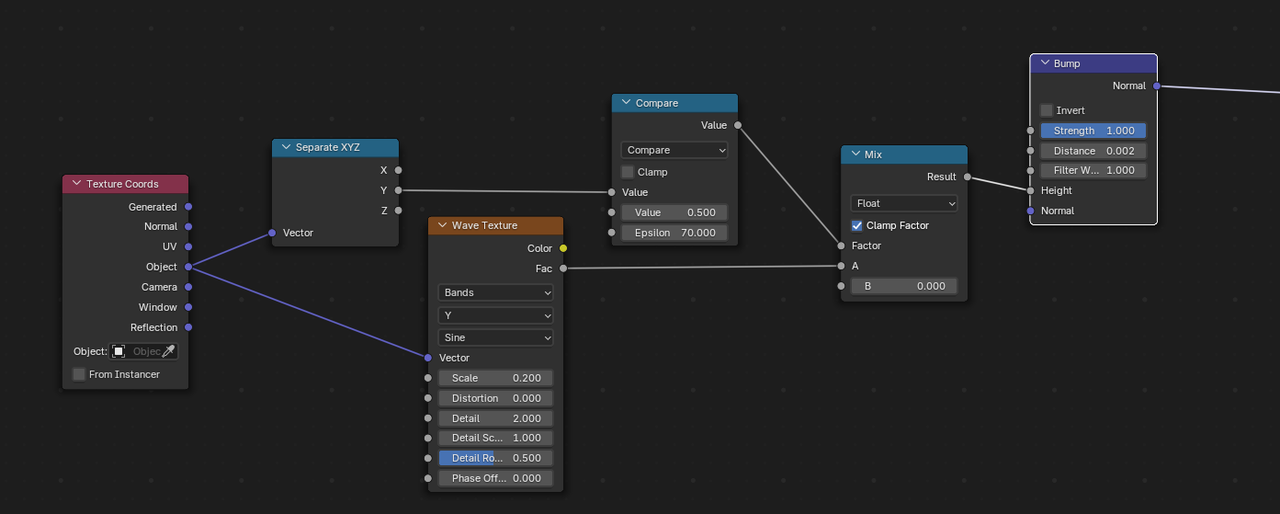
          Or:

          Bag_01.png

          The bags are quite small, so I’d keep the Distance in the Bump Node small.

          #96561
          Boris Boiev
          Participant

            Thank you very much Dwayne! Thank you very much Martin!

            So it’s a problem of the texture, not the mesh. I wll try to learn more how these Map Range, Color Ramp, Strength and Distance are working.

            #96562
            Dwayne Savage
            Participant

              As always, Martin is a node master. Totally forgot about the B-Spline on the color ramp. 

            Viewing 5 posts - 1 through 5 (of 5 total)
            • The topic ‘Easy way to create wavy effect on flexible bag seals’ is closed to new replies.