
DVC showing flat color to treasure chest

Forum Archive DVC showing flat color to treasure chest

Viewing 3 posts - 1 through 3 (of 3 total)
  • Author
    Posts
  • #11105
    ishegeek
    Participant

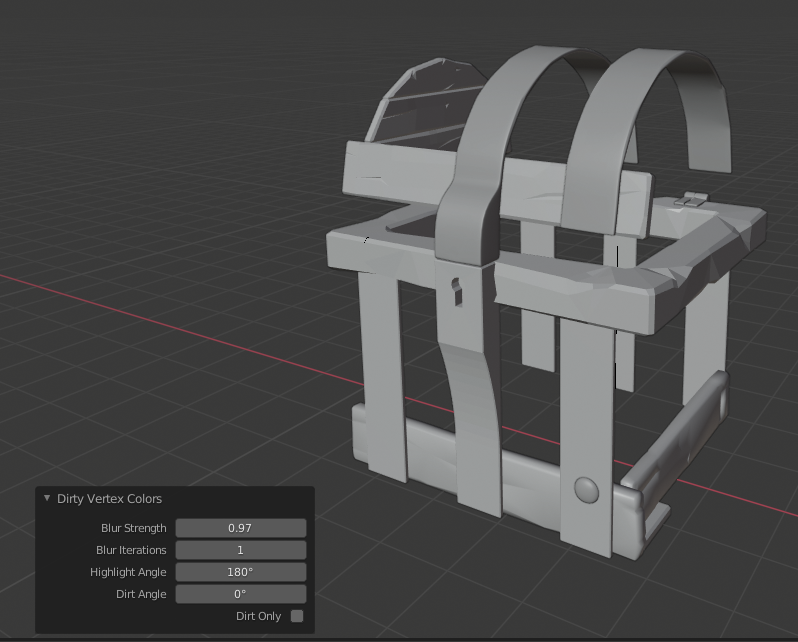
      For some reason, when I apply the dirty vertex colors to the curved bars on the treasure chest lid, it shows as a flat color instead of how it should look from the tutorial. This is at step 8:33 in this tutorial:

      https://cgcookie.com/lesson/edge-cavity-detection 

      I have tried this two times (using a previously saved file) and re-listened to it about a thousand times to make sure I’m not missing a step or in the wrong view. 

      This is what it looks like after I apply the Dirty Virtex Colors:

      Any ideas what I’m doing wrong?

      #52322
      Cookie Dough
      Participant

        I would try doing it on one of the wood pieces first then change the highlight and dirt angles and play around with it, until you get a result you want.
        Also make sure you subdivided it. 

        #52323
        ishegeek
        Participant

          Thanks. I tried fiddling with all the settings that I could see and ended up just not using it. I did do the subdivision with the 3x setting that was used in the tutorial. Almost done, now I have camera issues. lol 

        Viewing 3 posts - 1 through 3 (of 3 total)
        • The topic ‘DVC showing flat color to treasure chest’ is closed to new replies.