Download new Blender 3.4 continue…

Forum Archive Download new Blender 3.4 continue…

Viewing 3 posts - 1 through 3 (of 3 total)
  • Author
    Posts
  • #16095
    Patty Hatfield
    Participant

      I need step by step help on how to download Blender 3.4.

      Does Blender 3.1 need to be deleted first?

      Do I just add the 3.4 on my desktop so I have two Blender programs? 

      When I begin, do i choose Change, Repair, Remove?

      Do I close down 3.1 before I add 3.4? Then delete 3.1? 

      #78130
      Omar Domenech
      Participant

        You don’t have to delete the versions, you can have them all at the same time. So you can have 3.1 and 3.2 and 3.3 and 3.4 all installed and it doesn’t matter. You can even run them at the same time, have them open one alongside the other. 

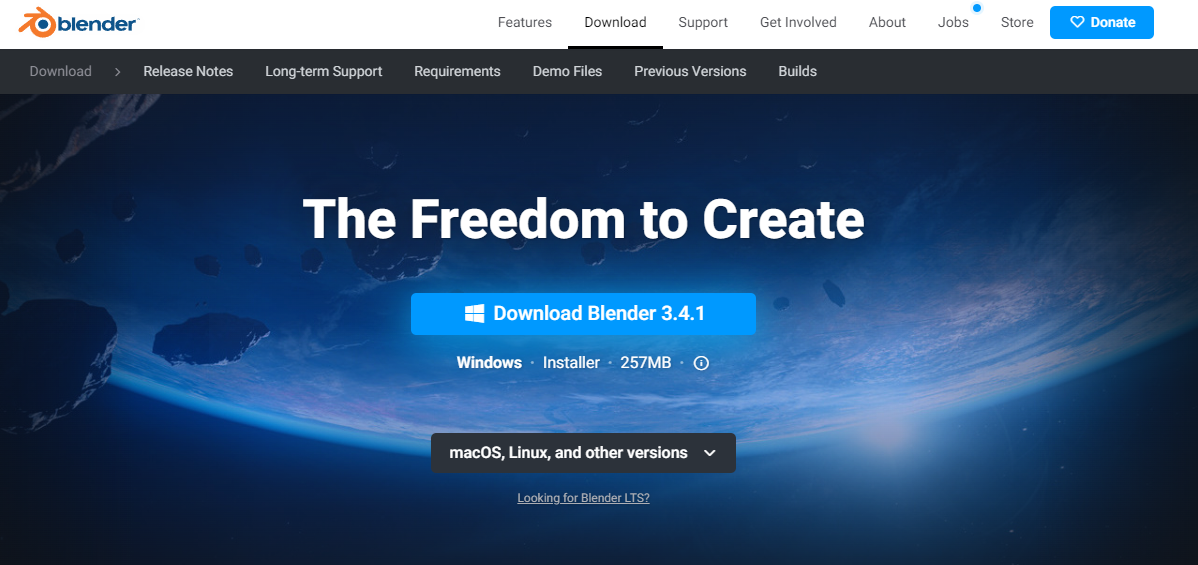
        To download Blender, just head over to blender.org and head for download. There you can download the latest blender version which is in the blue square and if you want older versions you can see in the gray square that it says other versions. 

        Download Blender.png

        #78131
        Shawn Blanch
        Participant

          Blender is a little different than how other programs work. Omar is correct. You don’t have to uninstall the previous version when you install the new version. They can both exist on your computer. So, it just comes down to personal preference.

          More advance blender users tend to keep multiple versions. When taking a course on CGCookie they may recommend what version they are using in their video. That’s a hint that you might want to use that version if you are a beginner so you can more easily follow along. BUT! If you are comfortable navigating the UI changes that Blender makes then there isn’t really a need to go back.

          Install/Uninstall/Update/Don’t it’s all up to you!

        Viewing 3 posts - 1 through 3 (of 3 total)
        • The topic ‘Download new Blender 3.4 continue…’ is closed to new replies.