Displacement in Substance Designer

Forum Archive Displacement in Substance Designer

Viewing 7 posts - 1 through 7 (of 7 total)
  • Author
    Posts
  • #9923
    William Miller
    Participant

      I just downloaded the free trial of Substance Designer and am now playing around with it.  There is something that I find frustrating about it, however.  If I put a grayscale image into the height map output node, it ignores it, even when I right click and choose “View outputs in 3D View”.  It works if I convert it to a normal map and plug it into the normal output node, but I want a displacement map, not a normal map.  How do I fix this?

      #39721
      Julian B
      Participant

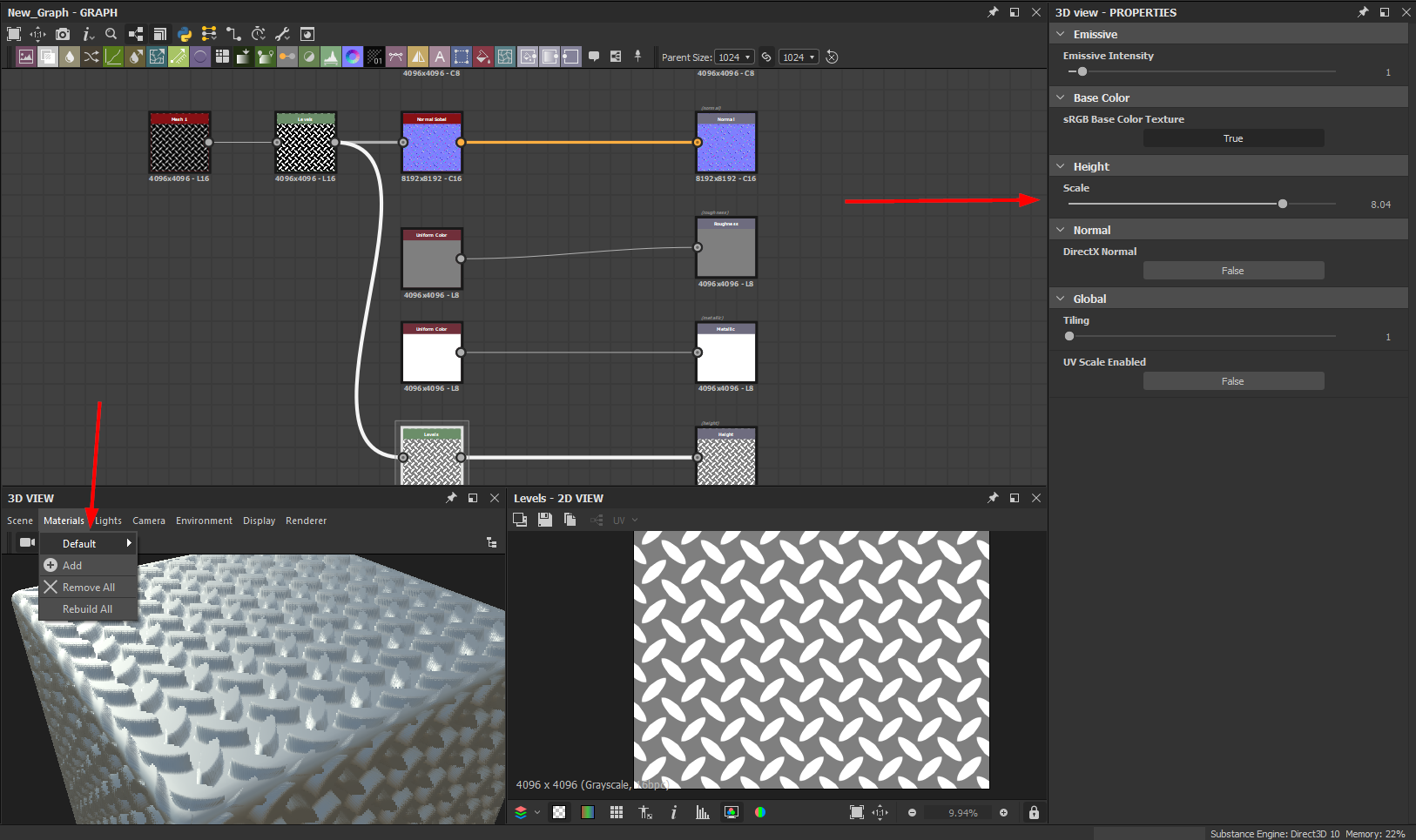
        I don’t know if you already figured this out but the effect of the height map shuould be visible if you go to Meterials-Default-Edit in your 3D View and turn up the slider of the scale for the height map.  If you run into another problem with Substance softwares I think you get a quicker answer if you use the the Allegorithmic Forum on their website. Don’t know it a lot of people on here actually use Designer. 

        #39722
        William Miller
        Participant

          @bsdwerbeagentur It still doesn’t work.

          #39723
          Julian B
          Participant

            @williamatics What does not work? How does your node-setup and height map look?

            #39724
            William Miller
            Participant

              @bsdwerbeagentur The diffuse, specular, and glossiness nodes are solid black, the normal node has a plain normal color, and the height node has a grayscale noise.  What doesn’t work is that it acts as if there is no displacement.

              #39725
              Julian B
              Participant

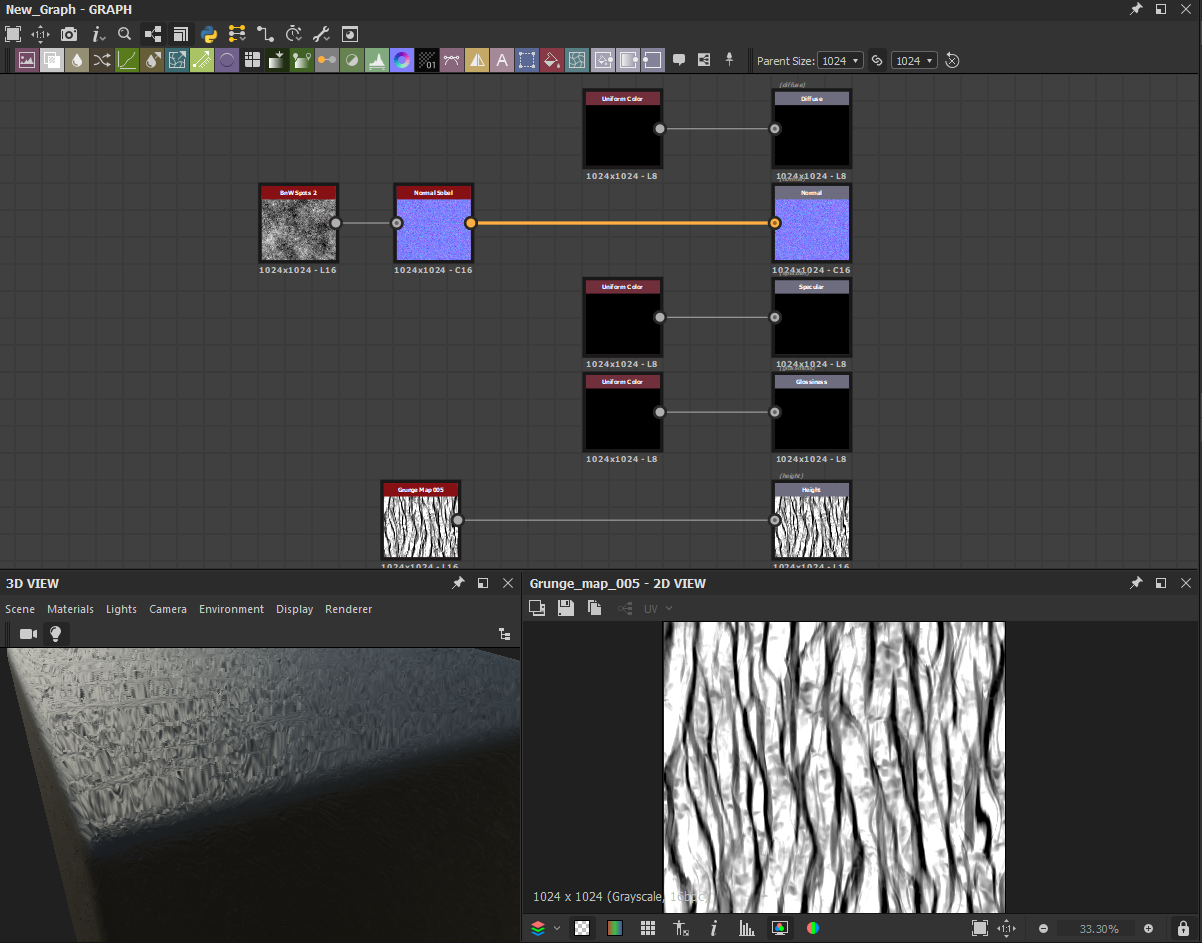
                @williamatics Try to use any Noises texture like BnW Spots or Grunge Map and plug it in the Normal output node with a Normal or Normal Sobel node in between. Now you should see a difference when you increase the value of the Height scale. It seems that a Normal Color node isn’t enough and that you need any greyscale texture in combination with a Normal Node. Try something like this in the picture. Does it work for you now?

                #39726
                William Miller
                Participant

                  That works, but I want a displacement map, not a normal map.  Normal maps aren’t good for larger details, only smaller ones.  I want displacement.

                Viewing 7 posts - 1 through 7 (of 7 total)
                • The topic ‘Displacement in Substance Designer’ is closed to new replies.