Dirty Virtex Paint Problem

Forum Archive Dirty Virtex Paint Problem

Viewing 8 posts - 16 through 23 (of 23 total)
  • Author
    Posts
  • #50838
    Philip Rampa
    Participant

      Hi John S (emericanized)

      I checked my file again and what I did is the following:

      – I first select the sculpted rock

      – Hold Shift and select the retopo-rock so that it is the active one

      – in the shader editor add a image texture node and create a new image “cavity”

      – In the render-Tab choose cycles

      – In the render-Tab under Bake choose Bake Type: Emit

      – set a mark at “Selected to Active” Option

      – Clear Image is only selected by the first bake, after that you need to turn it off 

      – Hit bake and it should bake it for you onto the new image you called “cavity”

      For one bake, I had the problem that I got black spots on my image texture. There I needed to turn off the Render-Option in the Outliner for all the other rocks and it worked out well, but I think it was not for the cavity map . I hope it works this way for you. 🙂

      #50839
      Philip Rampa
      Participant

        In case you meant how to see the Dirty Virtex Paint on your Sculpt I did the following:

        – select all verticies of the rock in edit mode

        – go into vertex paint mode

        – select Paint > Dirty Vertex Colors

        – In the properties Tab go to Object Data: Here you should see by Vertex Colors an “Active Vertex Color Index” called Col. If not, add one with the plus sign and select once again Paint > Dirty Vertex Colors

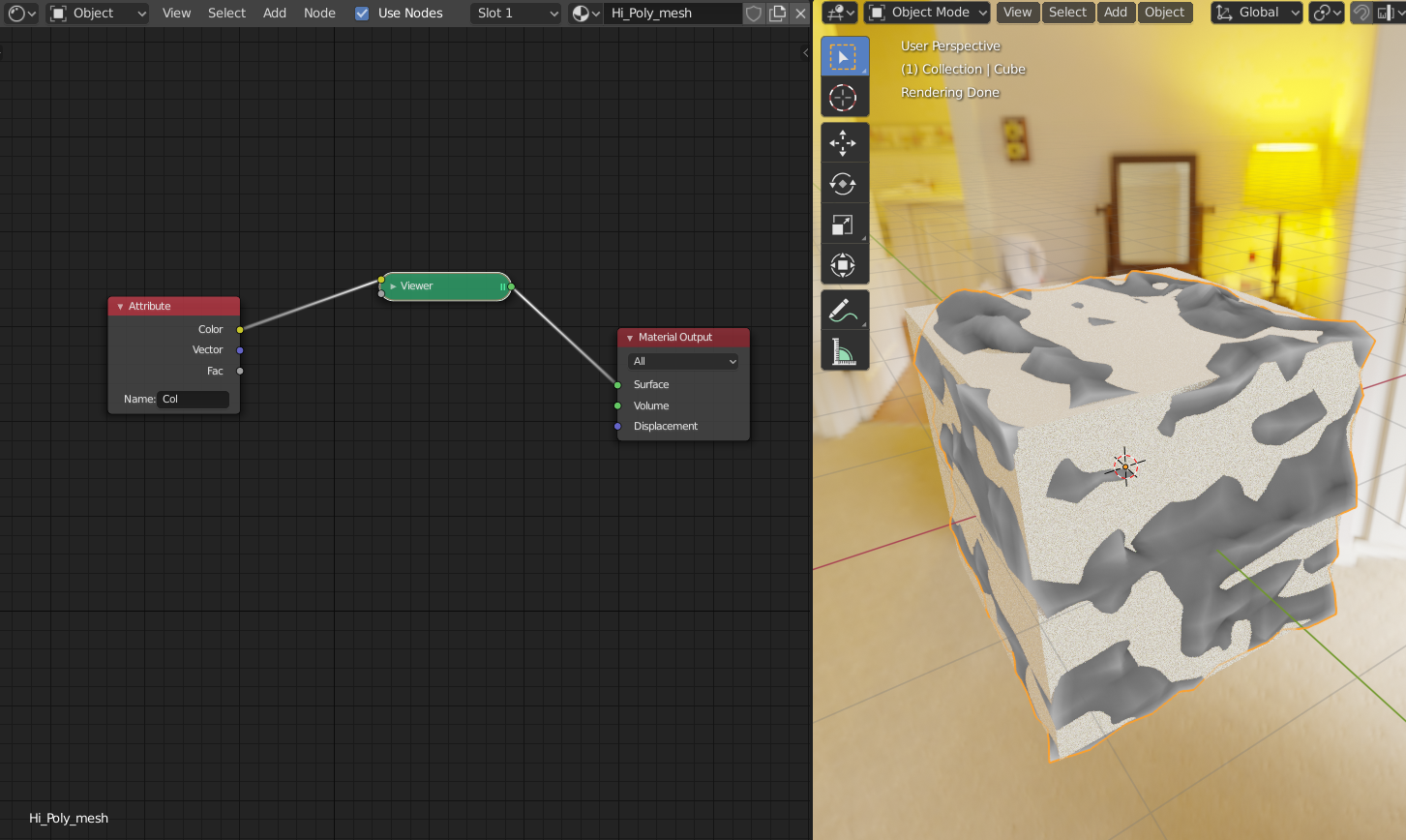
        – Now go to the Shader, add new material and add An Input-Node: Attribute and write the Name “Col” or whatever you have called the Active Vertex Color Index into the bottom field.

        – with Node Wrangler on in your Properties you simply Shift & Ctrl Click on the node to see it and your Rock should show the Dirty Virtex Colors. 

        – to adjust the dirty vertex colors you can add a Color Ramp to the Attribute-Node

        #50840
        John
        Participant

          Hey Philip,  

          I managed to get the vertex colors on the sculpt mesh, but baking to the image was always turning out black.  

          I’ve followed your steps in your first reply, and it worked great!  I’m not sure where I was tripping up last night, but I have a feeling I was messing up the order of operations.

          Thanks for your time!

          #50841
          Philip Rampa
          Participant

            I am glad it worked 🙂

            #50842

            I concur with Kent, great job @spikeyxxx !

            #50843
            John
            Participant

              Oof, the issue has popped up again, and I’m starting to think it’s a software/scene problem.  I recorded my process to be sure I’m not leaving something out.  If nothing seems off in the above video, I will leave it be and move on without the dirty vertex!

              • the “_lod1” mesh is the retopo’d rock 
              • tried with cpu & gpu render, as well as with the image node hooked up to the BSDF node 
              • tried clearing the map & creating a new texture node 
              • the pre-baked section of the map was the mesh that worked yesterday  (multiple models)

              #50844
              spikeyxxx
              Participant

                @emericanized hi!

                I am not sure, but I think the issue is in your hi-res material. You are baking the Emit, meaning that you need to connect the dirty vertex color to an emission shader. Something like this:

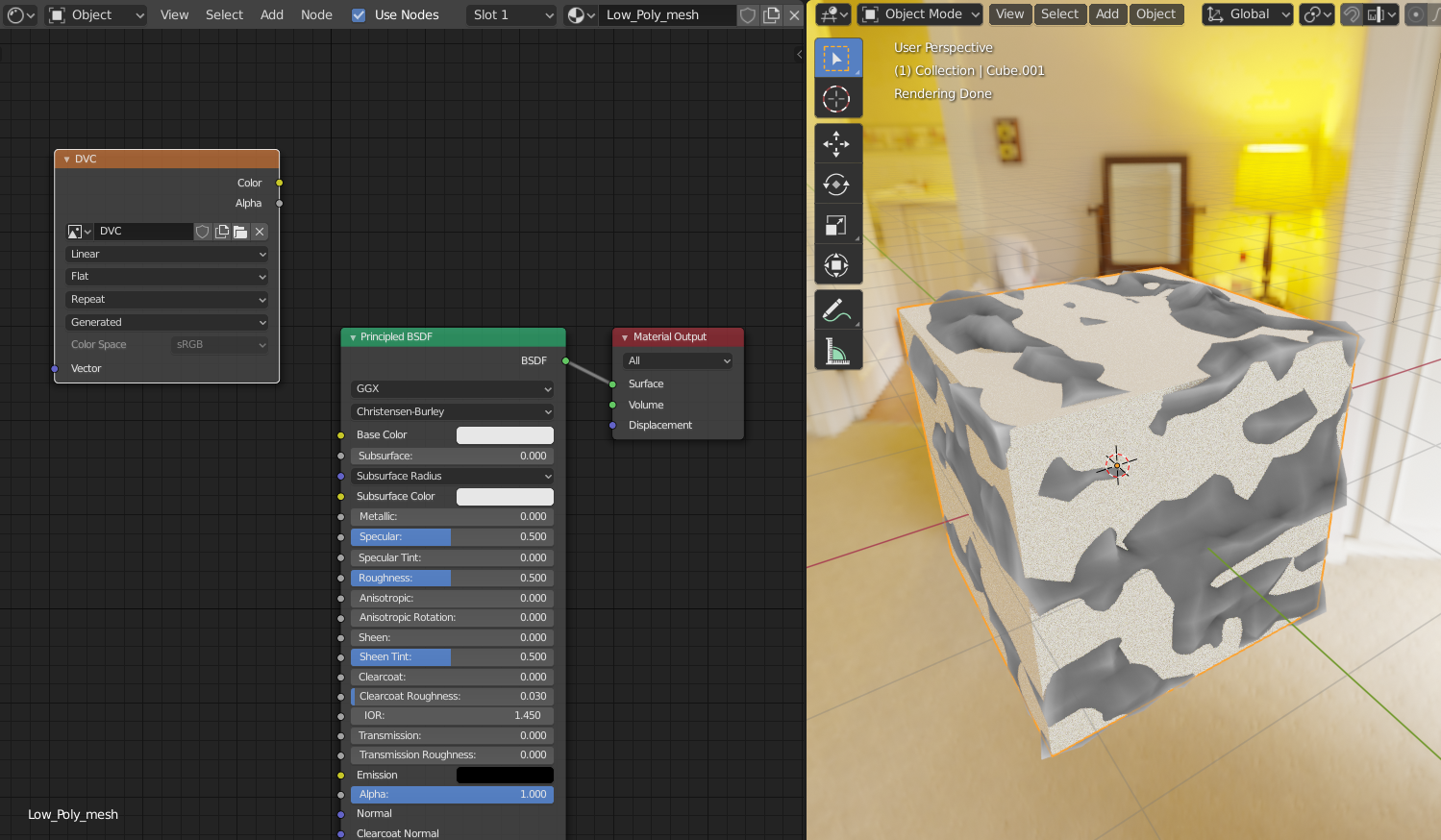
                And the texture you made for the low-res version should be selected in the material for the low-res:

                If this doesn’t help, please provide a link to your .blend.

                #50845
                John
                Participant

                  @spikeyxxx This was it! My sculpt and retopo had the same material assigned, originally.  That material has the attribute node (which I must have had “node wrangled” when the first rock baked).  

                  I started shuffling node connections to fix a “circular dependency” warning, and ended up creating a separate sculpt material.  When I did so, I forgot to port the attribute node, which made my problem worse!

                  Thanks, both of you, for the guidance! I (finally) get it. 😛

                Viewing 8 posts - 16 through 23 (of 23 total)
                • The topic ‘Dirty Virtex Paint Problem’ is closed to new replies.