Dices: how can I separate dots from the cube

Forum Archive Dices: how can I separate dots from the cube

Viewing 12 posts - 1 through 12 (of 12 total)
  • Author
    Posts
  • #19646
    Marie Delagrave
    Participant

      I am doing the shading exercise in the CORE Fundamentals and Shading and I have a problem with the dices. For one dice, I can’t select just the dots or just the box in order to give each a color. I succeeded for the others but… I don’t know why! Also, I would like to know how to duplicate a material in order to apply it to another object in the same Blender file. Thanks!

      #92996
      Marie Delagrave
      Participant

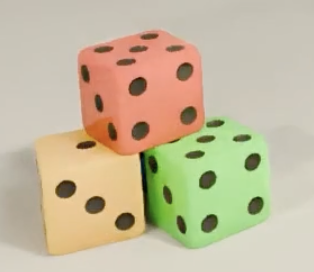
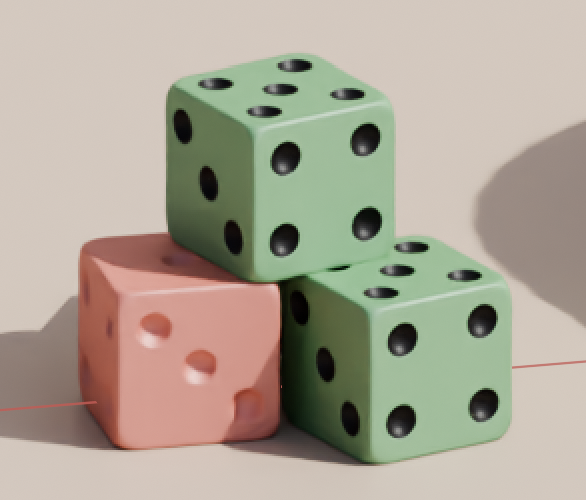
        The first picture is where I am now and the other what I try to obtain.

        .2-04 à 13.55.48.png2-04 à 11.47.43.png

        #92997
        Omar Domenech
        Participant

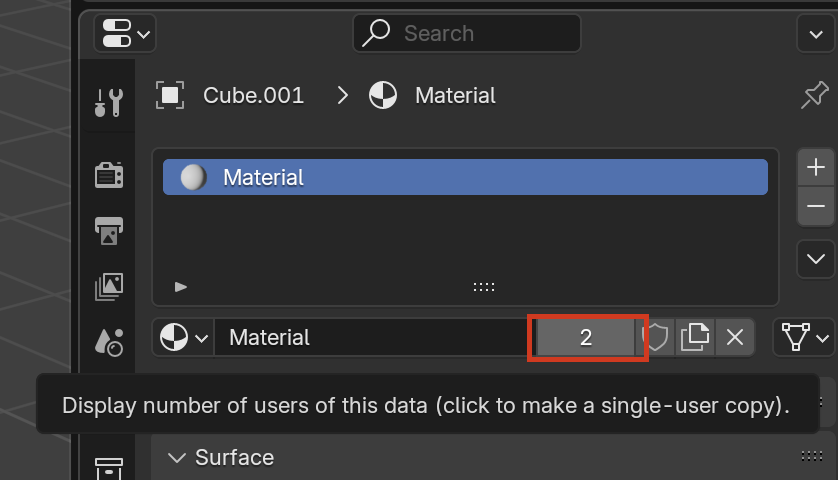
          To duplicate the material you just have to click the number of users here:

          plicate-Material.png

          When you click there it’ll create a duplicate material of that same one, which you can then rename and apply it to another object. 

          I’m not sure why you can’t select the circles in the geometry. Can you post screenshots and further describe what you are doing to see if we can identify what’s going on?

          #92998
          Marie Delagrave
          Participant

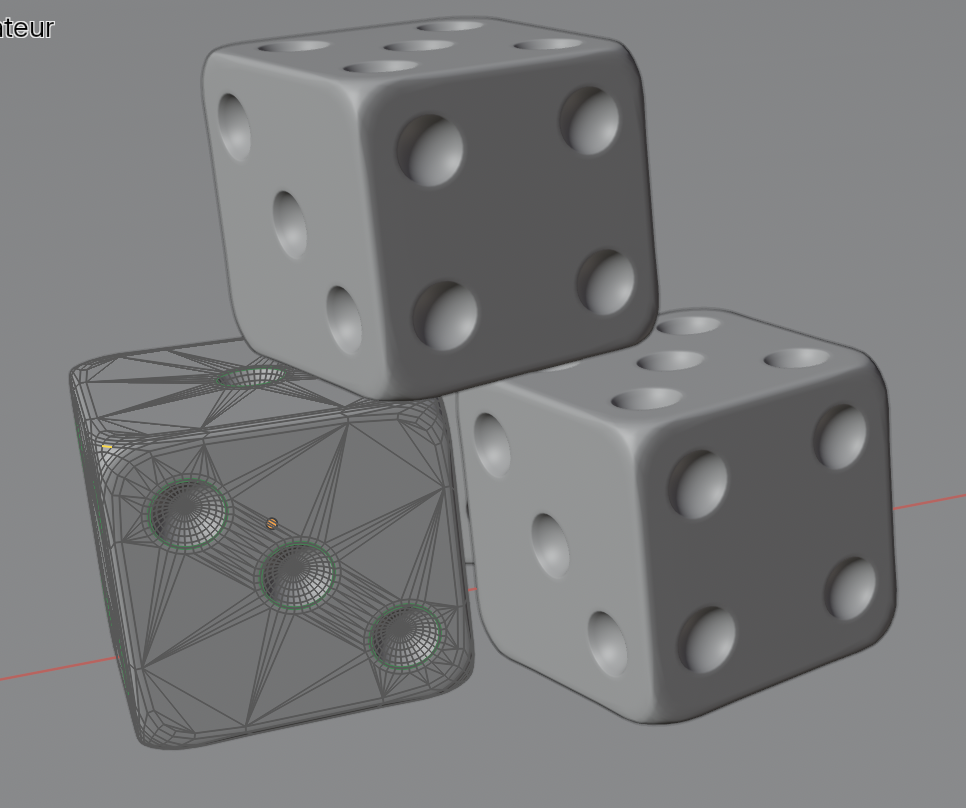
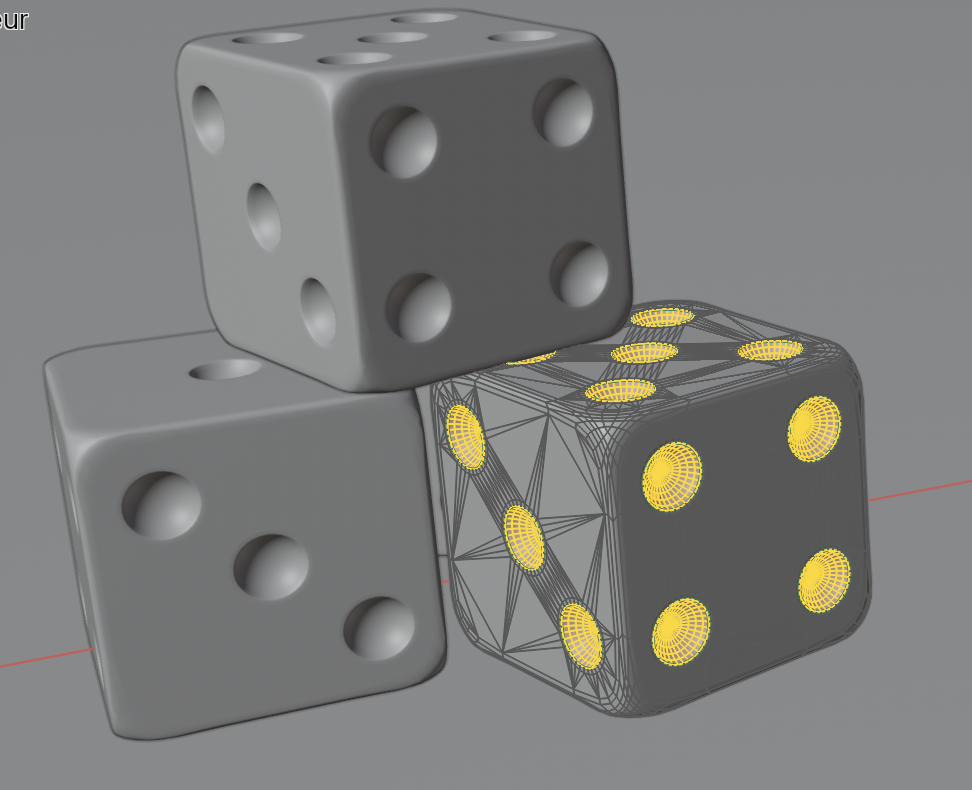
            Here’s what happens when I select the left dice in Object Mode and than Tab. I did the same procedure for the right one and obviously, it’s not the same…2-04 à 14.10.31.png

            2-04 à 14.10.45.png

            #92999
            Marie Delagrave
            Participant

              If you want to see the original exercise file, you can find it in the courses files (chapter 4) of the CORE Fundamentals and Shading.

              #93000
              Omar Domenech
              Participant

                But are you saying when you tab into edit mode the selection is already made in the other dice and in that one there is nothing selected? You can manually select those faces, you can select the little ones that are right in the middle and then grow your selection with Control Plus (meaning the + sing) in the numpad. Or you can just circle select them with the circle selection tool or just select them one by one even.

                #93001
                Marie Delagrave
                Participant

                  Well… I understand (I think!) what you mean. But it’s just that for the other dices I had no special selection to do. Thank you Omar. 

                  #93002
                  Martin Bergwerf
                  Participant

                    Hi Marie @delama ,

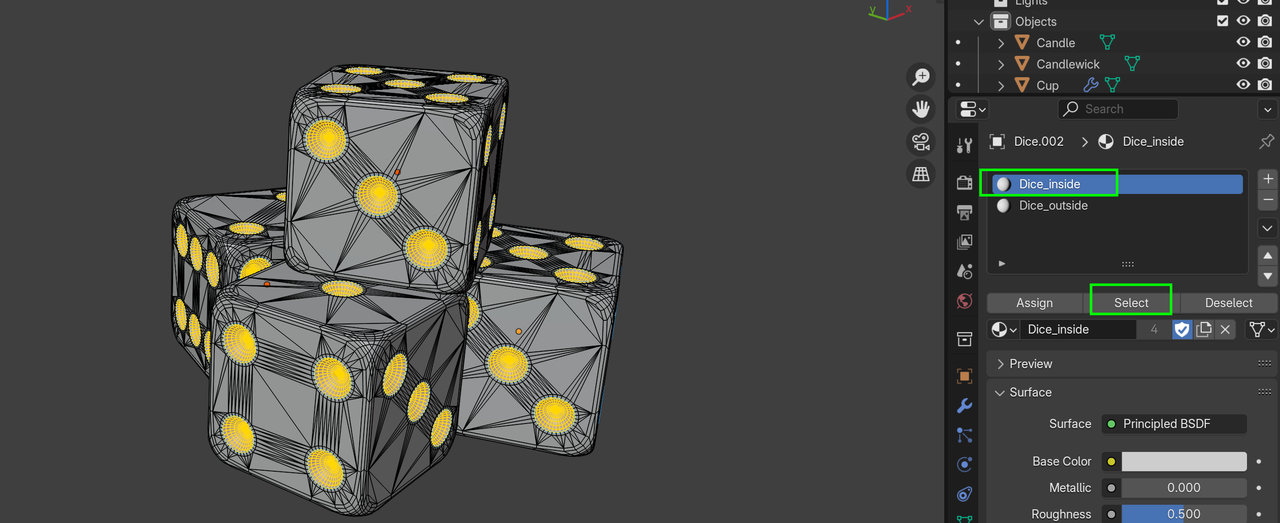
                    In that file, the ‘holes’ were already Selected on all the dice, but if not, you can go into Edit Mode and Select one of the two Materials and then click Select:

                    Dice_00.png

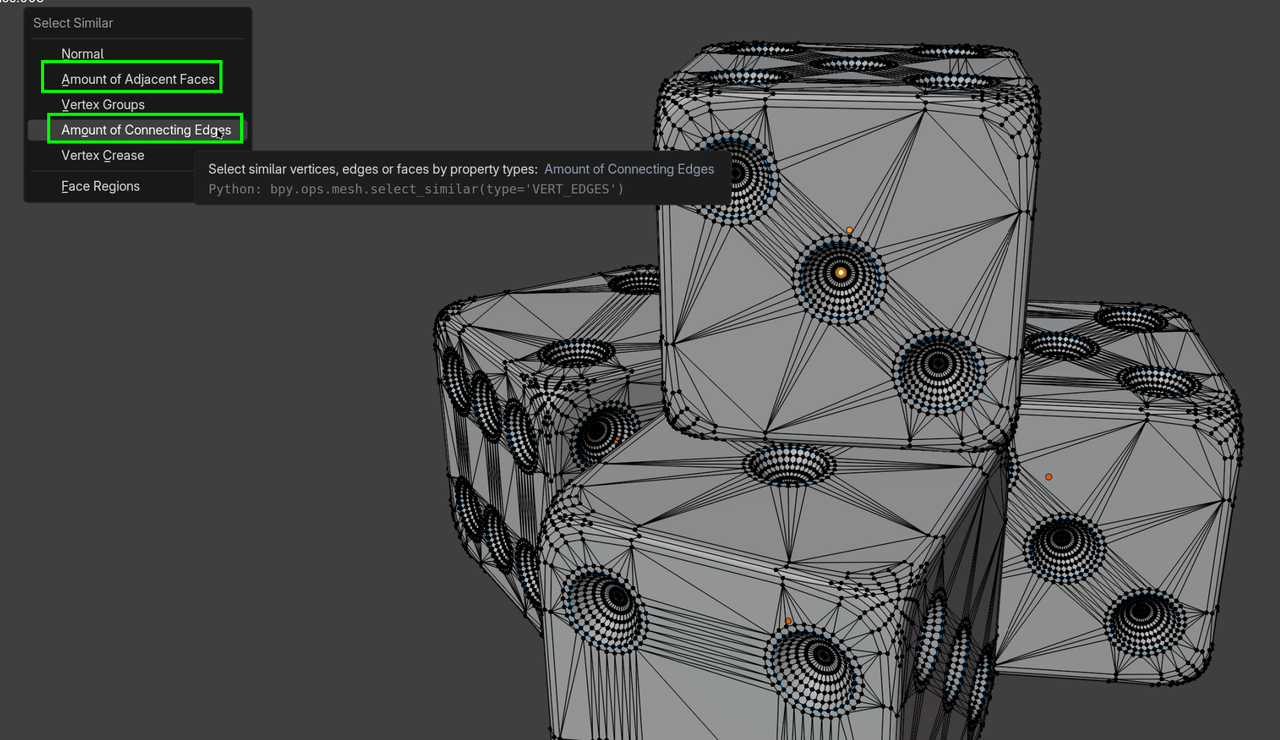
                    Or more general, you can Select the middle Vertex (in Vertex Select Mode) of one of the ‘holes’:

                    Dice_02.png

                    and then go to the Select Menu, or use SHIFT+G and Select Similar to get all the middles of all the holes and then CTRL NUMPAD+ a few times, like Omar said.

                    #93003
                    Marie Delagrave
                    Participant

                      It works! 🥳 (Because I don’t have a numpad, it’s boring to go to Select > More many times but the result is there.) Thank you Martin. ☺️

                      #93004
                      Martin Bergwerf
                      Participant

                        Hi Marie,

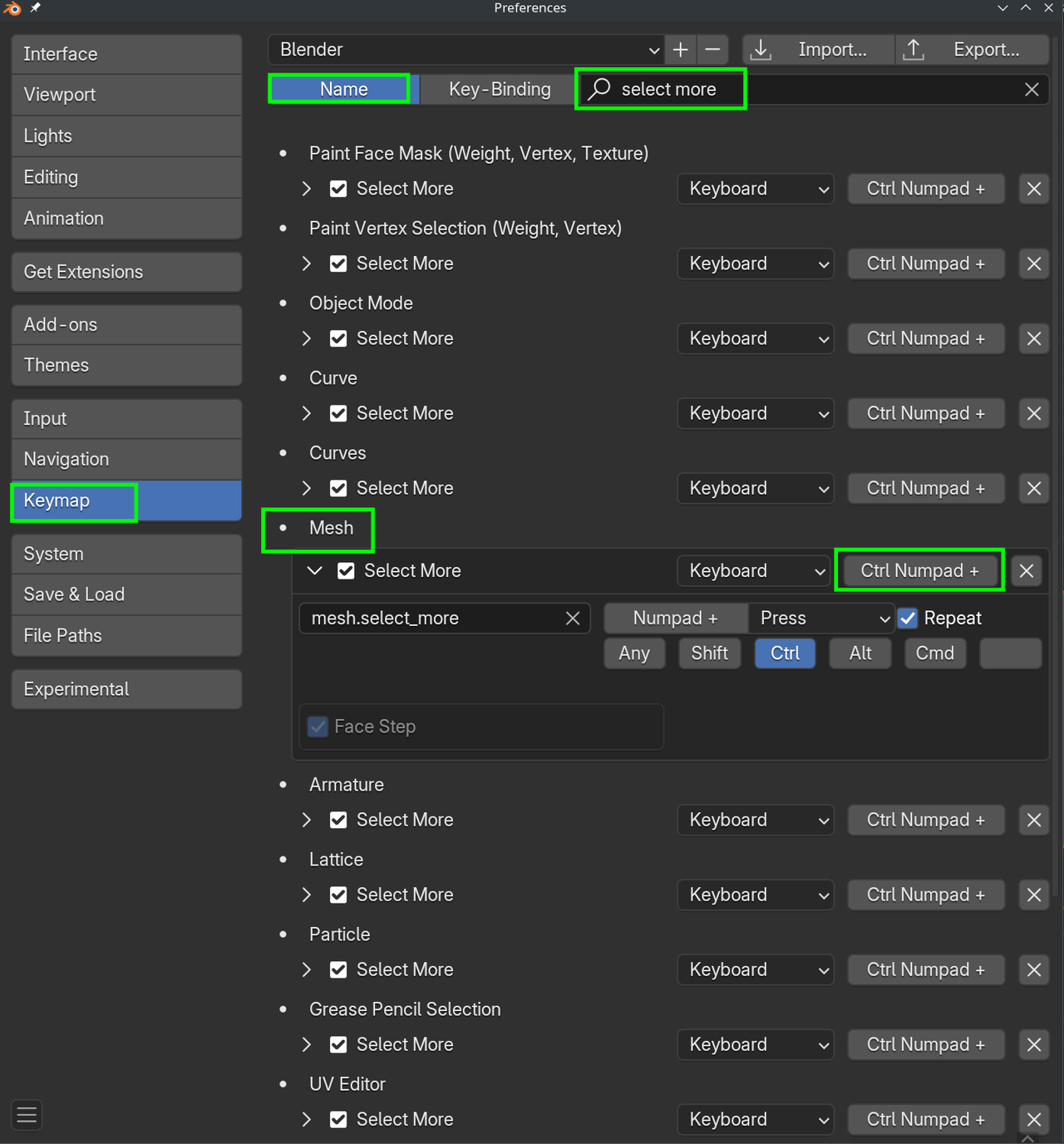
                        As this is such a handy operation, that you might use a lot, it can be helpful to change the shortcut to simply CTRL +, if you don’t have a NUMPAD (they are not being used anywhere else yet, so that’s safe to do) and (similar for CTRL -:

                        More.png

                        (Of course you can also change this for the other Select Mores).

                        #93005
                        Martin Bergwerf
                        Participant

                          …and if you don’t want to change the Keymap, you can also do a Select > More from the Menu and then SHIFT+R a few times to repeat that last action…

                          …or, right-click on the Select More and then Add to Quick Favorites.

                          #93006
                          Marie Delagrave
                          Participant

                            Very interesting alternatives Martin! Thanks!

                          Viewing 12 posts - 1 through 12 (of 12 total)
                          • The topic ‘Dices: how can I separate dots from the cube’ is closed to new replies.