Decimate & Multiresolution Modifier: Reshape – Why is it looking like this?

Forum Archive Decimate & Multiresolution Modifier: Reshape – Why is it looking like this?

Viewing 3 posts - 1 through 3 (of 3 total)
  • Author
    Posts
  • #16815
    Kimberly T.
    Participant

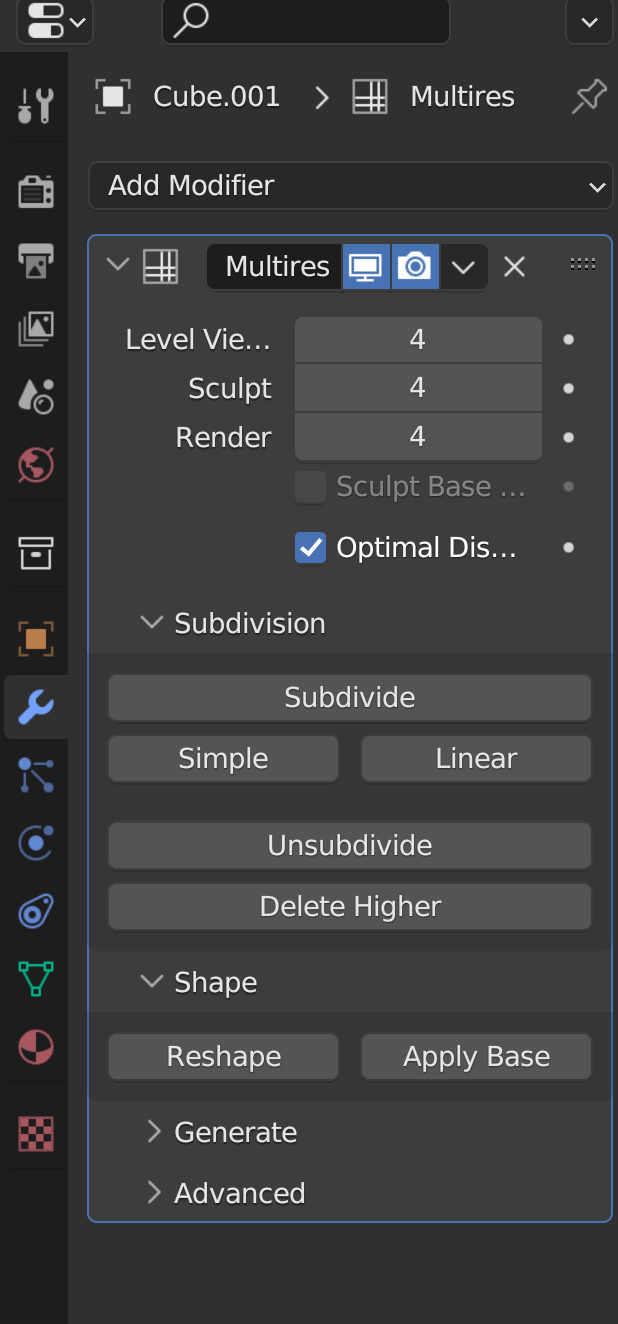
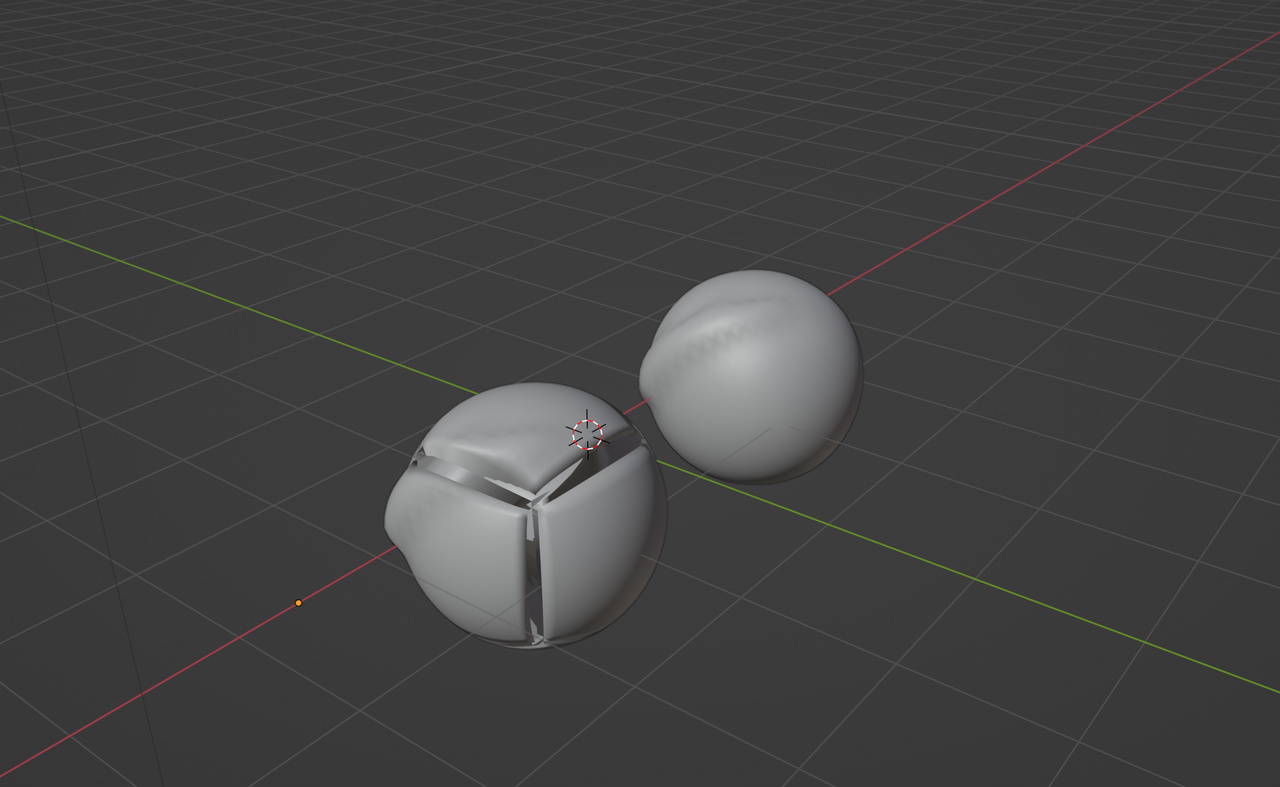
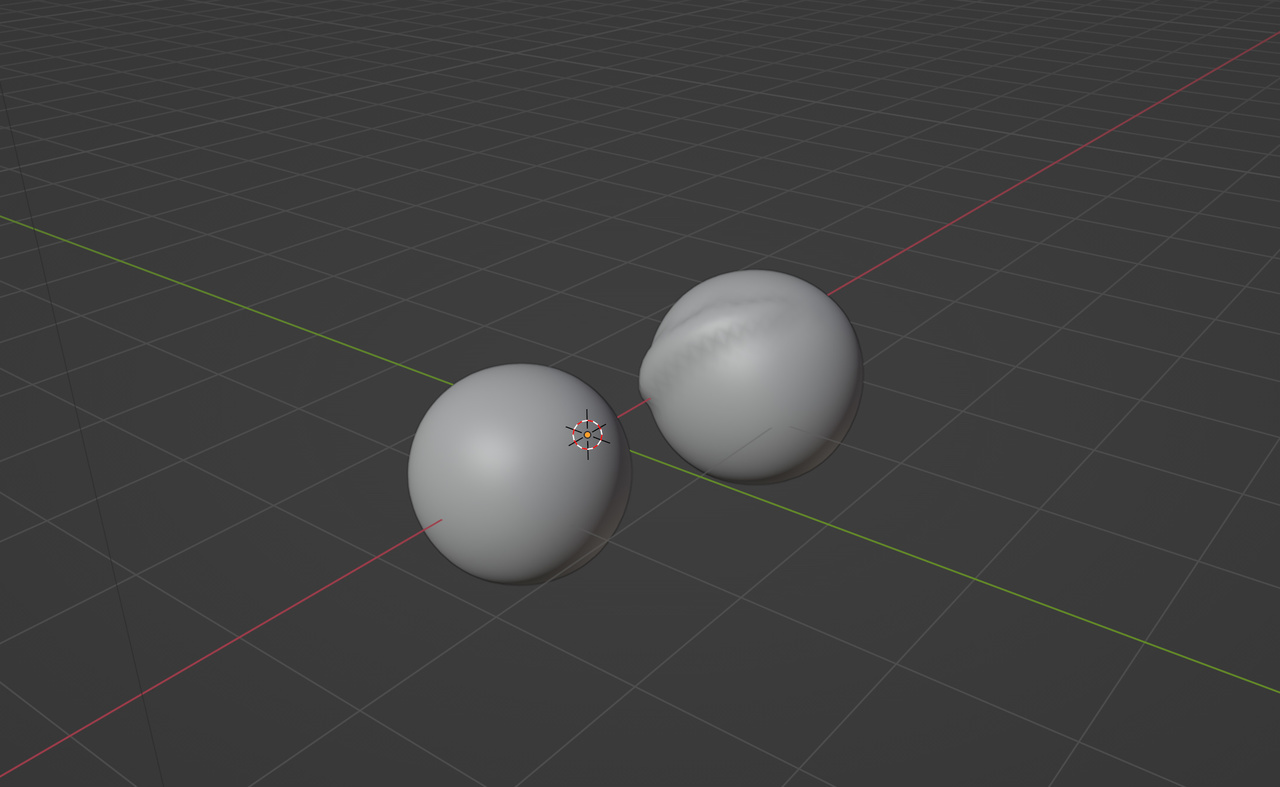
      The sphere on the left hand side is the one that is supposed to copy the form of the sphere on the right hand side (the original sphere) after using the decimate modifier. The original sphere does not have any modifiers. The new sphere (left one) has a multiresolution modifier consisting of 4 subdivisions. I noticed that it goes funky every time I use the decimate modifier and then use multiresolution again – that’s when it deforms. The vertices and faces on both spheres match completely, but I just cannot determine through various tests as to why it looks like that when I reshaped the new sphere from the original sphere AFTER using the decimate modifier or unsubdividing it.

      First picture shows using the reshape tool from multiresolution after using the decimate modifier.-31 16-03-04-365.jpg
      Second picture was before hitting the reshape tool from the multiresolution modifier.-31 16-02-36-781.jpg
      The modifier settings.-31 16-03-44-563.jpg

      I had no exact goal using the decimate modifier before the multiresolution modifier, but I did for another project. I just didn’t understand if this was a glitch in blender or if it is meant to be like this. Thank you for your help!

      #80988
      Adrian Bellworthy
      Participant

        Hey @AnimationStudent,
        Can you post an image of the issue, from your question I think you intended to.

        Also can you explain, a little more, for example, are you applying any modifiers at any stage?
        An image of the modifier stack would also be useful.

        #80989
        Omar Domenech
        Participant

          The description is a little confusing. As Adrian said, are you applying the modifiers? Are you checking to see if it leaves doubled vertices? Maybe you have flipped normals and the mesh goes haywire? What is the goal you are trying to achieve? Why are you decimating in the first place? Are you copying the form for what goal? It is just a sphere, perhaps you are just testing things out? What would really be super useful is if at all possible, you do a screen grab and record the process, see it all step by step.

        Viewing 3 posts - 1 through 3 (of 3 total)
        • The topic ‘Decimate & Multiresolution Modifier: Reshape – Why is it looking like this?’ is closed to new replies.