Cylinder unwrap help

Forum Archive Cylinder unwrap help

Viewing 15 posts - 1 through 15 (of 19 total)
  • Author
    Posts
  • #12239
    polyrom3d
    Participant

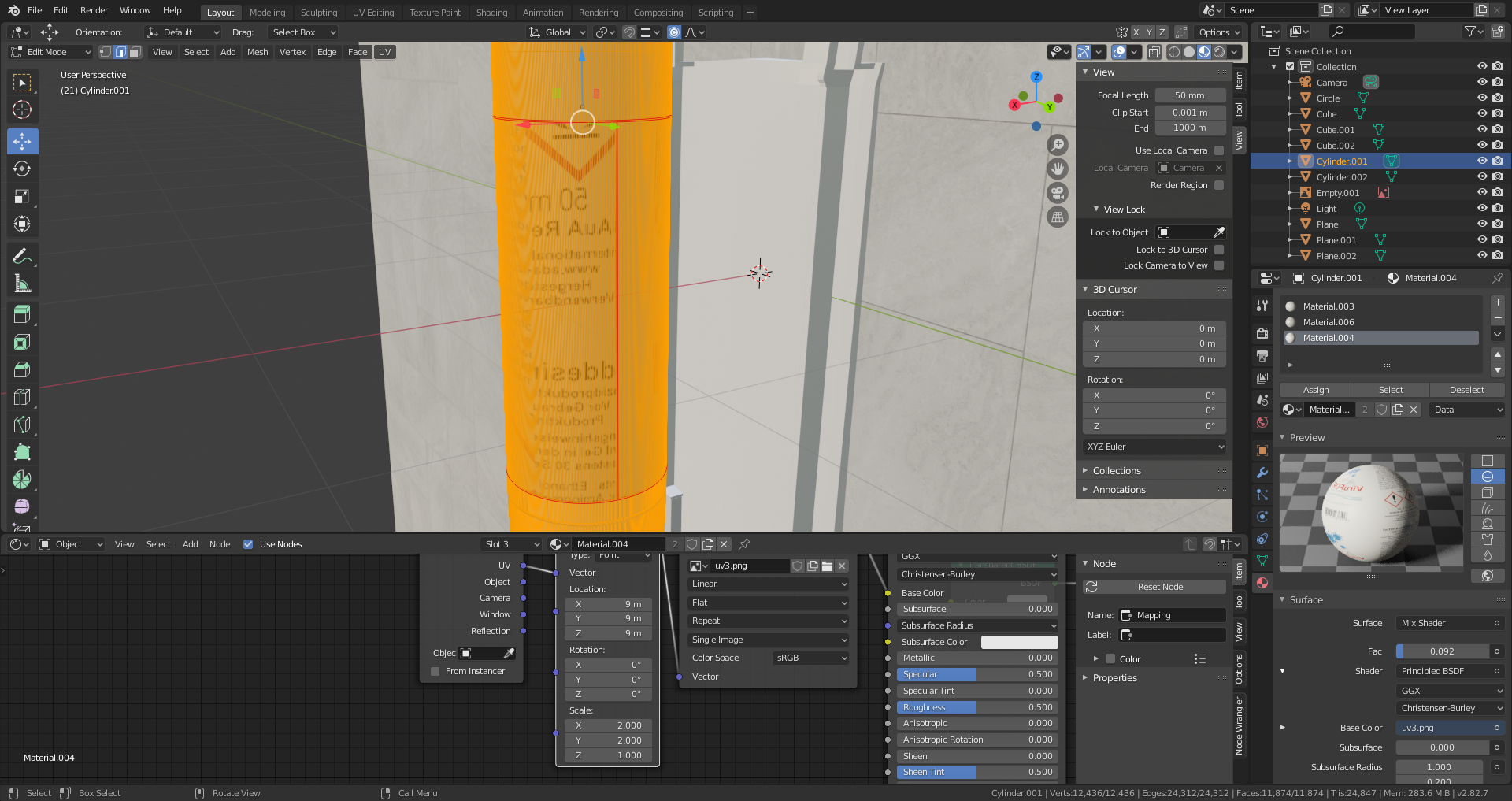
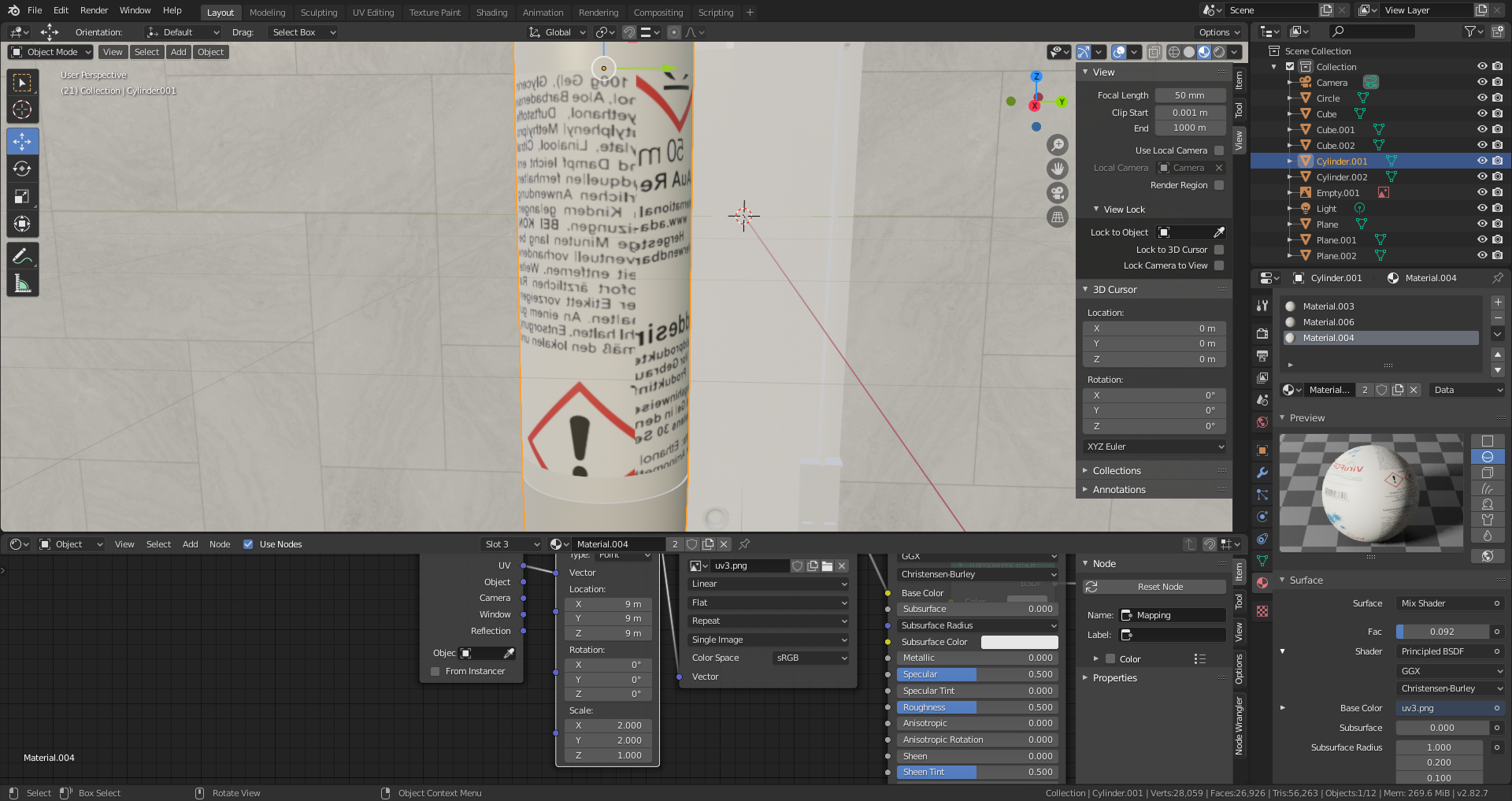
      Hi everybody. I want to map a teture on a cylinder, made the seams but the texture gets a cut on another edge, where I dont want any.. What am I doing wrong? thanks

      #58393
      polyrom3d
      Participant

        #58394
        polyrom3d
        Participant

          #58395
          spikeyxxx
          Participant

            Well, my guess is: as you’ve used a Cylinder Primitive, that already has  UV’s on it by default:

            when you put Seams on it, it will still use the ‘old’ UV’s, unless you Unwrap it again with the new Seams.

            But maybe I completely misunderstand your question…the screenshots don’t help me understand the problem…this is just going by the text..

            #58396
            polyrom3d
            Participant

              but i unwrapped with new seams…

              #58397
              spikeyxxx
              Participant

                You know that you have scaled the X and Y by 2, don’t you?

                That means the Texture will be repeated twice around the Cylinder, thus giving two seams…

                #58398
                polyrom3d
                Participant

                  it always creates multiple seams, even when scale is 1

                  #58399
                  spikeyxxx
                  Participant

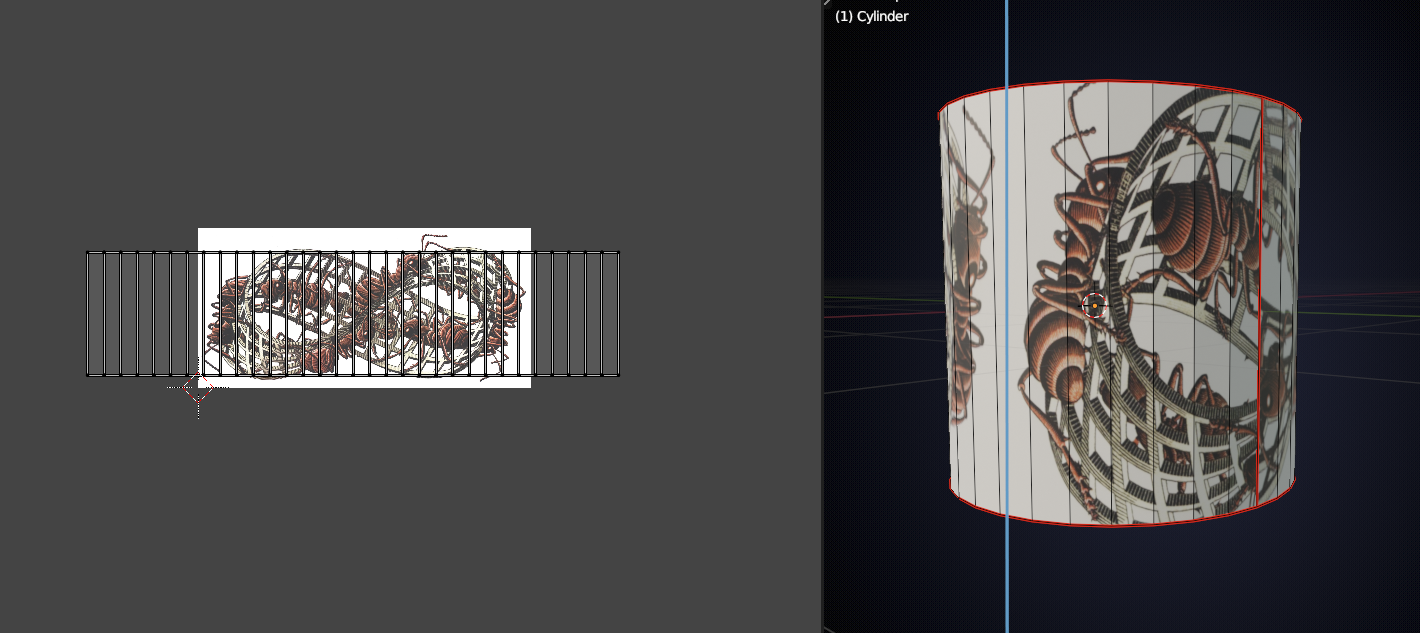
                    Maybe it’s something like this?

                    The blue line is where the left and right side of the image  meet and win a not seamless texture, that would be a visible seam..

                    #58400
                    polyrom3d
                    Participant

                      I have a material with an image texture on it. I tried smart uv project, or cylinder project. But with every projection, the seams are always at the same spot

                      #58401
                      spikeyxxx
                      Participant

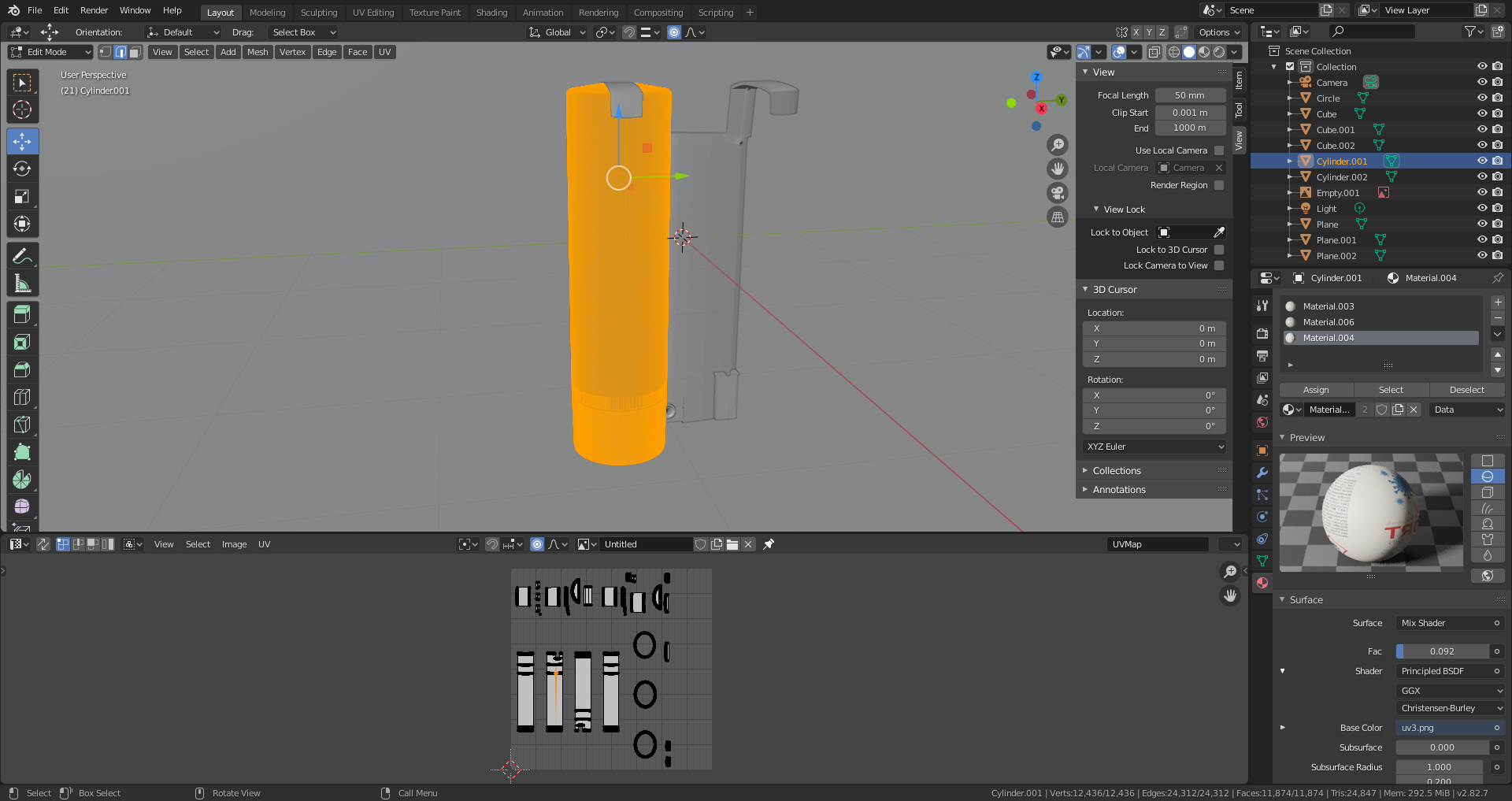
                        Could you make a Screenshot with the 3D View (Cylinder in Edit Mode)and the UV Editor(with the image) open?

                        #58402
                        polyrom3d
                        Participant

                          #58403
                          polyrom3d
                          Participant

                            I dont have the image in image editor, its just as a texture node in material

                            #58404
                            spikeyxxx
                            Participant

                              So, open it up in the UV Editor (or in the Image Editor, should work as well); where it says Untitled, change that to your uv3.png (it’s in the dropdown list: down arrow left of the name)

                              #58405
                              spikeyxxx
                              Participant

                                Oh, and put the 3D View in Rendered Mode, so I can see the texture on the cylinder

                                #58406
                                spikeyxxx
                                Participant

                                  And Unwrap it with your Seams, not with Smart UV Project.,..

                                Viewing 15 posts - 1 through 15 (of 19 total)
                                • The topic ‘Cylinder unwrap help’ is closed to new replies.