cycles render engine (opencl)

Forum Archive cycles render engine (opencl)

Viewing 9 posts - 1 through 9 (of 9 total)
  • Author
    Posts
  • #13058
    almo1
    Participant

      hello, i am trying to use my gpu to render, but blender seems to crash every time i enable it.

         what can i do ?

      i am using an amd rx 5700 xt & ryzen 5 6 core, drivers are up to date.

      #61446
      shan jay
      Participant

        That happened me too once just leave it for a dozen days and it is fixed!

        #61447
        Adrian Bellworthy
        Participant

          Hi @almo1 

          Is it when you enable GPU rendering or when you Render (F12) ?

          Unfortunately the drivers for your AMD GPU that are updated automatically (basic drivers) are not supported in any 3D software .

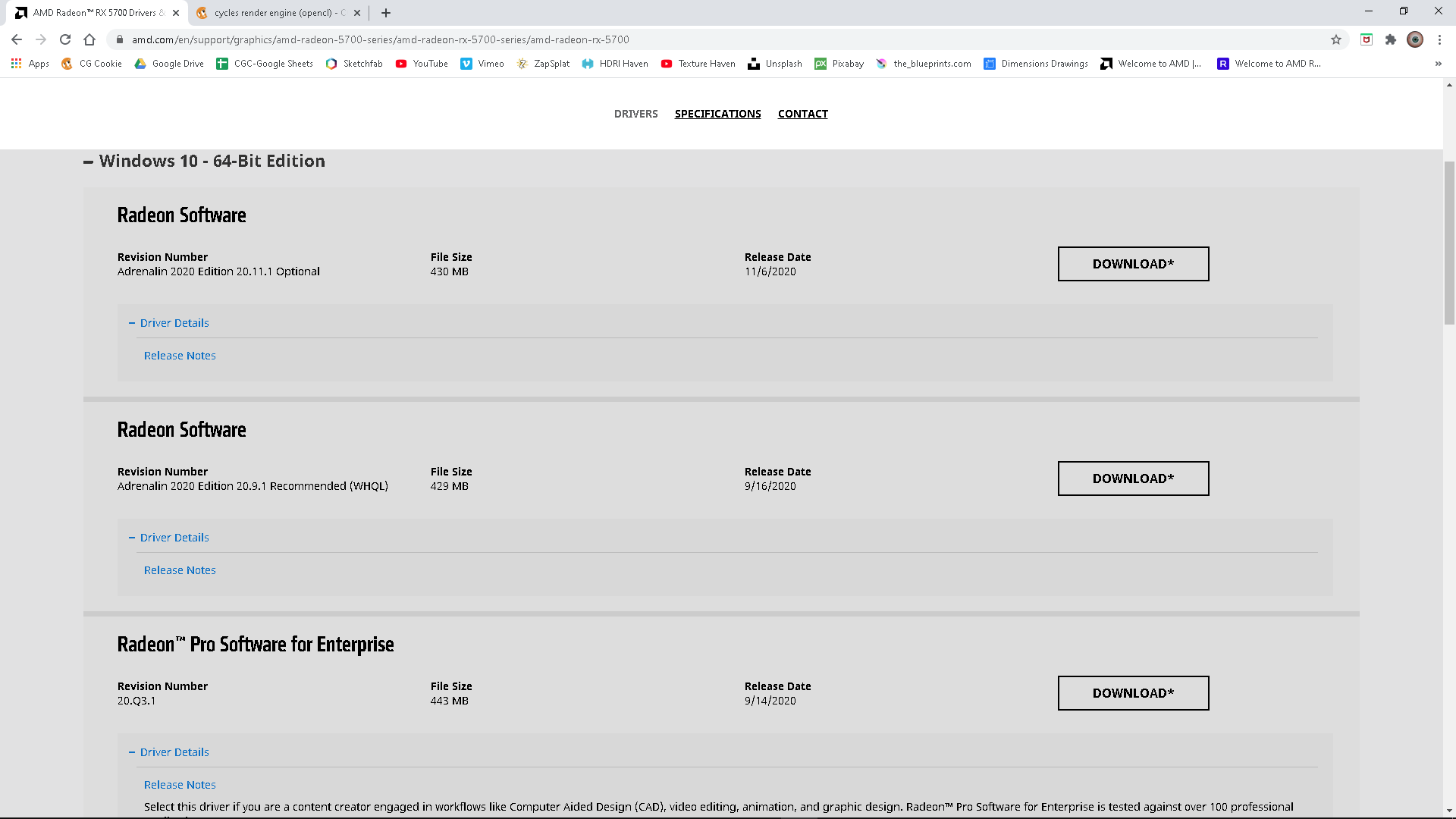
          However don’t despair all you need to do is manually download and run the AMD Radeon Pro Software for Enterprise.

          I assume you are using Windows 10, if you are you can DOWNLOAD HERE

          Click on the + next to Windows 10 to expand the selection of available drivers, scroll down a little and you will see 

          AMD Radeon Pro Software for Enterprise, 

          Click the Download button to the right and when done run the software. I don’t know what browser you are using, with Chrome you will probably see a download status at the bottom of the browser window you can click the up arrow and select open and the installation will start. If not you will find it in your downloads folder and double click it.
          Hope this solves your problem.

          #61448
          almo1
          Participant

            hey, it happens when i enable gpu compute,

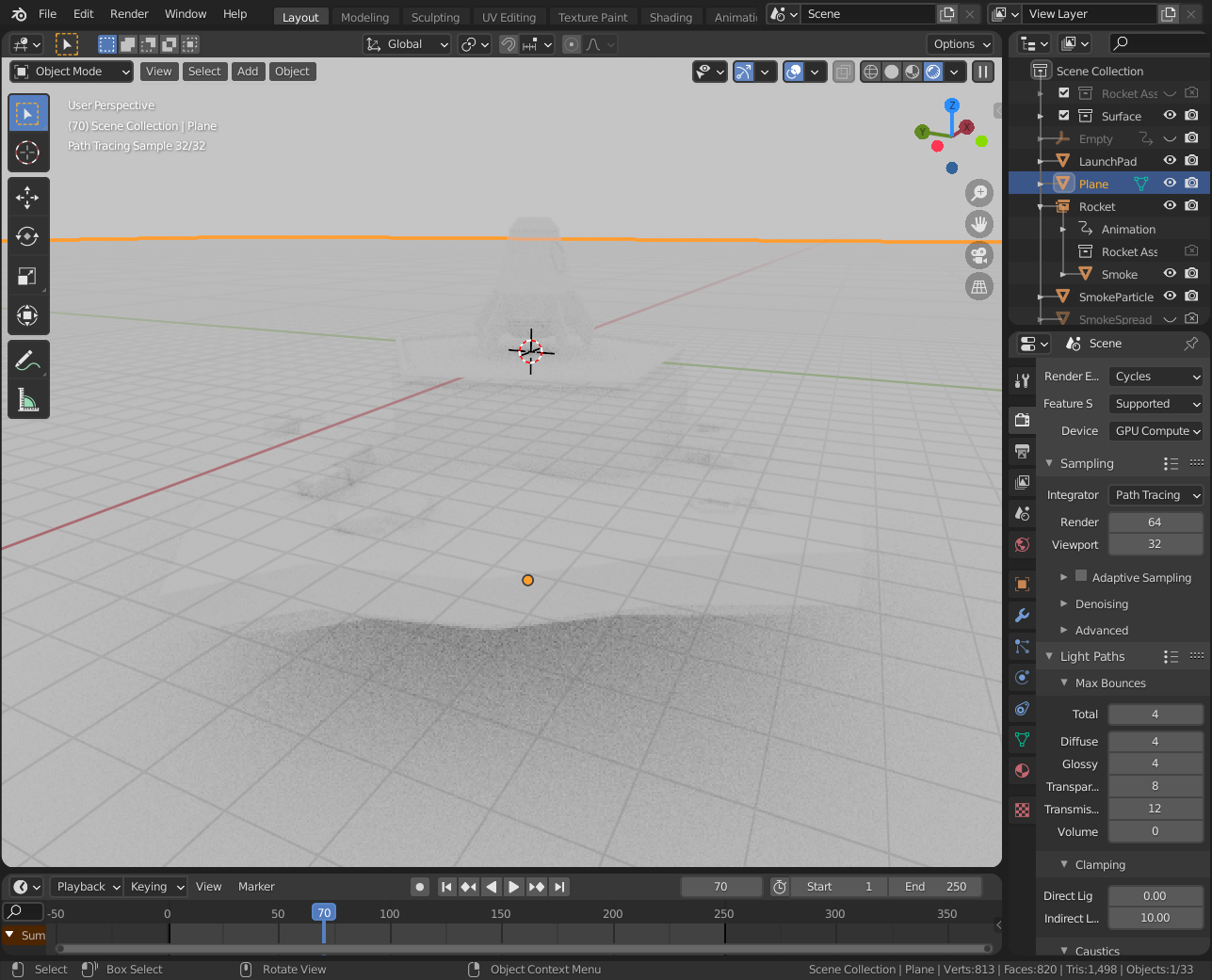
             i installed what you suggested & the crashing seems to have stopped,thank you. but now everything is just white.
            is there something i can do about that ? they are textured objects

            #61449
            Adrian Bellworthy
            Participant

              I have seen this before , you will need to go through your settings. start by checking the system preferences and make sure your GPU is still selected , then have a look at your world environment settings in the properties window. I cant remember how to solve this but I’m 99% sure it is just a setting some where.

              #61450
              Adrian Bellworthy
              Participant

                One more thing….

                when switching from CPU to GPU, switch from rendered mode in the viewport to solid mode then switch to GPU from CPU then back to rendered mode in the viewport.

                #61451
                Adrian Bellworthy
                Participant

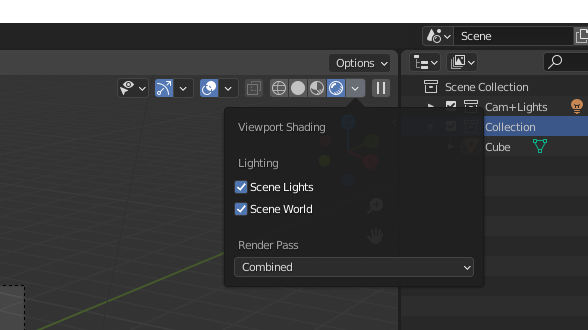
                  Also the rendered mode uses EEVEE in the first instance, if you want to see your viewport with cycles in the drop down menu check the options for scene lights and scene world. See if this helps. If it does you will need to switch to EEVEE change the settings and then switch back to CYCLES. Even though you have CYCLES selected the viewport will use EEVEE without the scene world and lights checked.

                  #61452
                  almo1
                  Participant

                     thank you!
                    it works fine now.
                    not sure what fixed it, but i closed & reopened blender & it looks ok.

                    #61453
                    Adrian Bellworthy
                    Participant

                      Excellent, I look forward to seeing this in the gallery

                    Viewing 9 posts - 1 through 9 (of 9 total)
                    • The topic ‘cycles render engine (opencl)’ is closed to new replies.