Curve modifier on an already curved model?

Forum Archive Curve modifier on an already curved model?

Viewing 4 posts - 1 through 4 (of 4 total)
  • Author
    Posts
  • #10222
    Ross Franks
    Participant

      Hey there I have a brain neuron model which is already modeled in a curved shape.
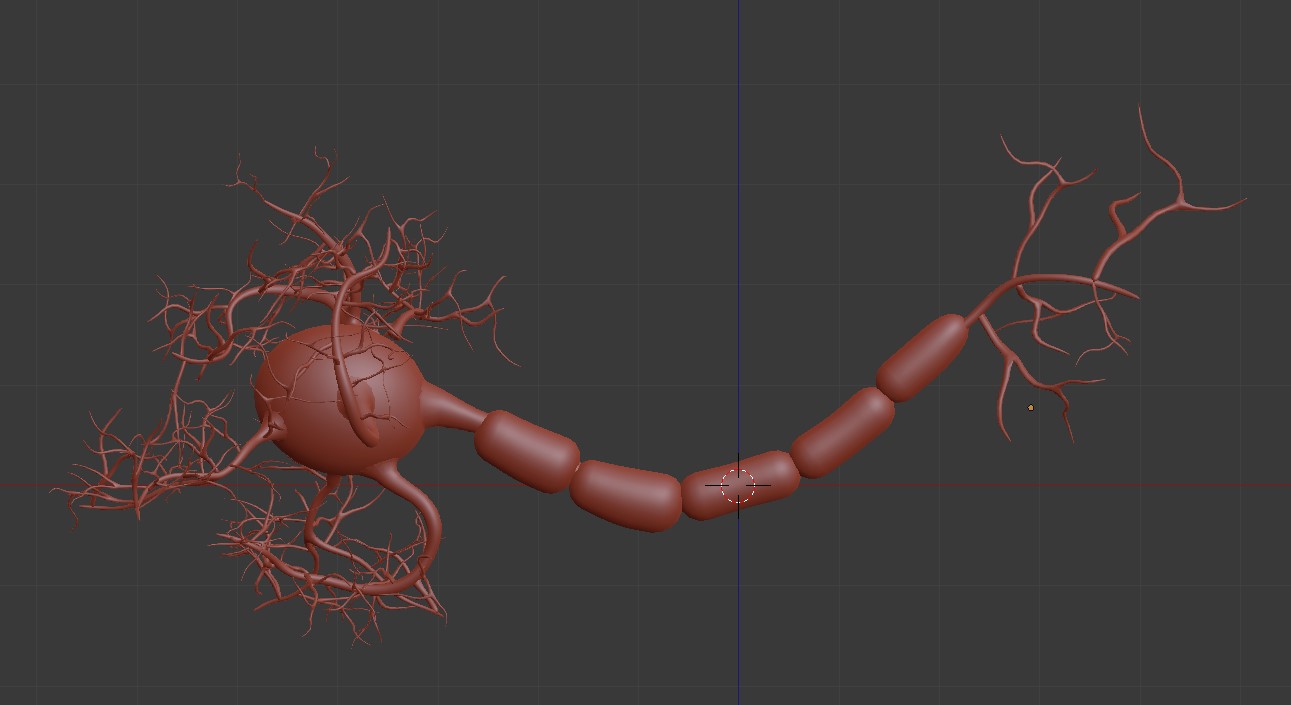
      then I create a Bezier Curve in the same shape and place the Origin to the start of the curve
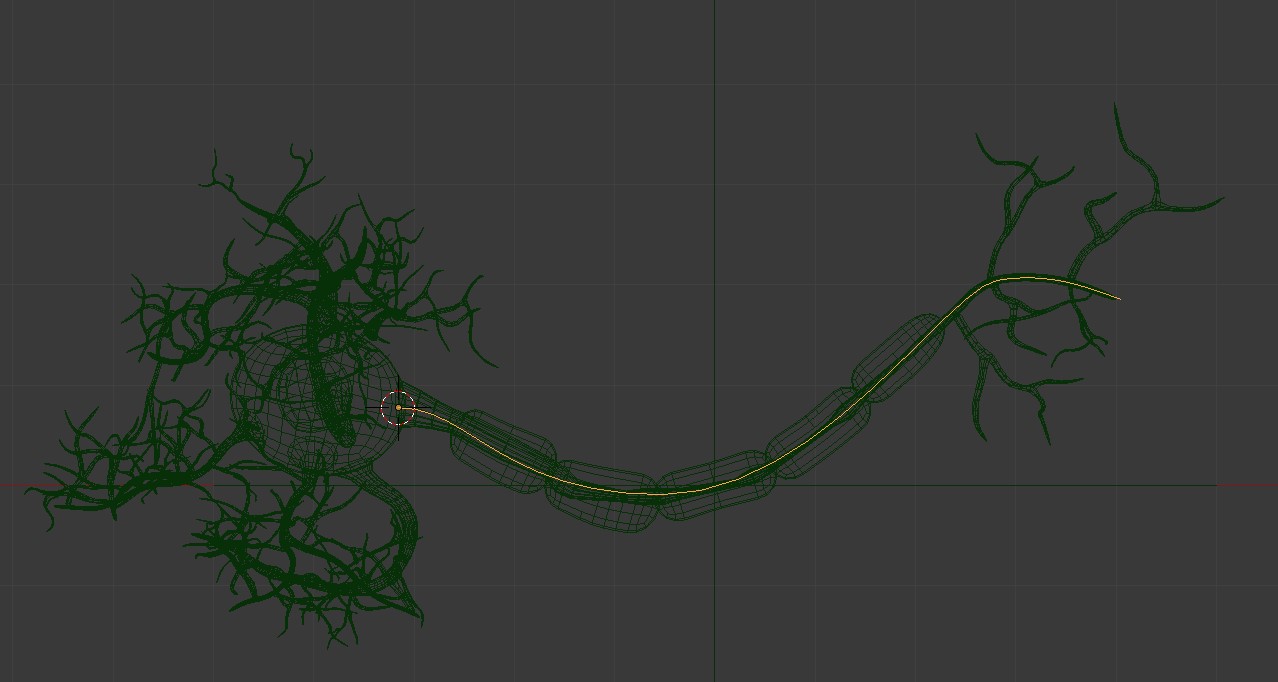
      and place the Origin at the same spot for the mesh I want to affect
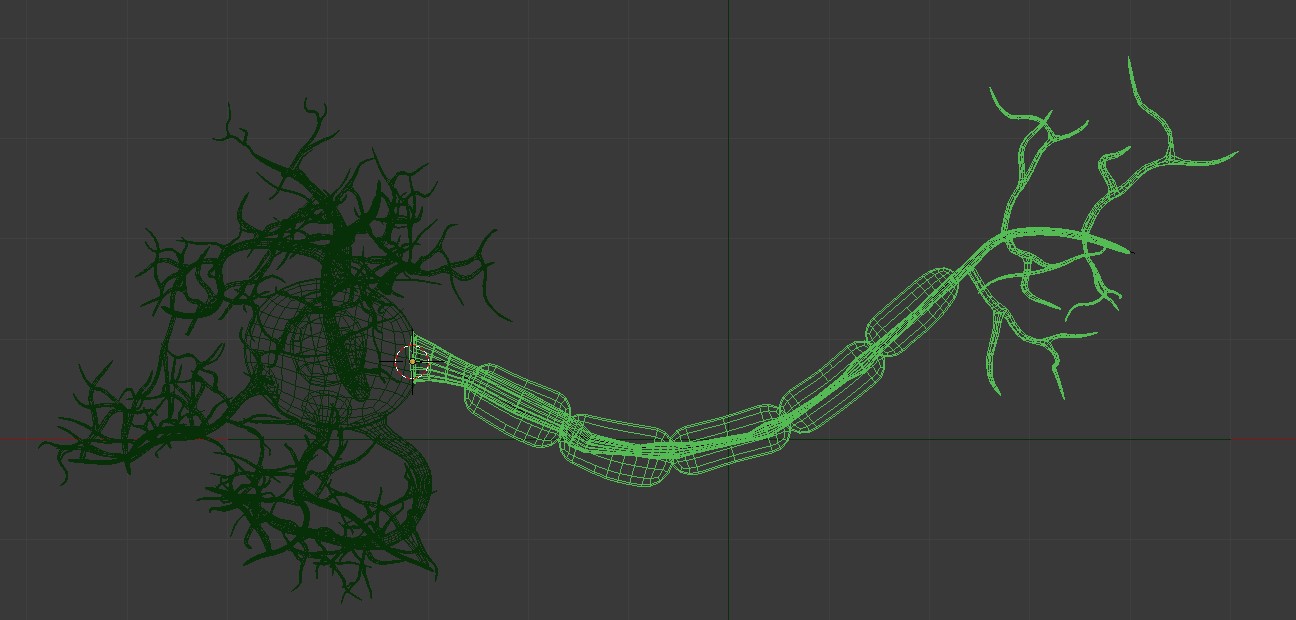
      but when I place a Curve Modifier on the mesh and choose the Bezier Curve it distorts the mesh like so…
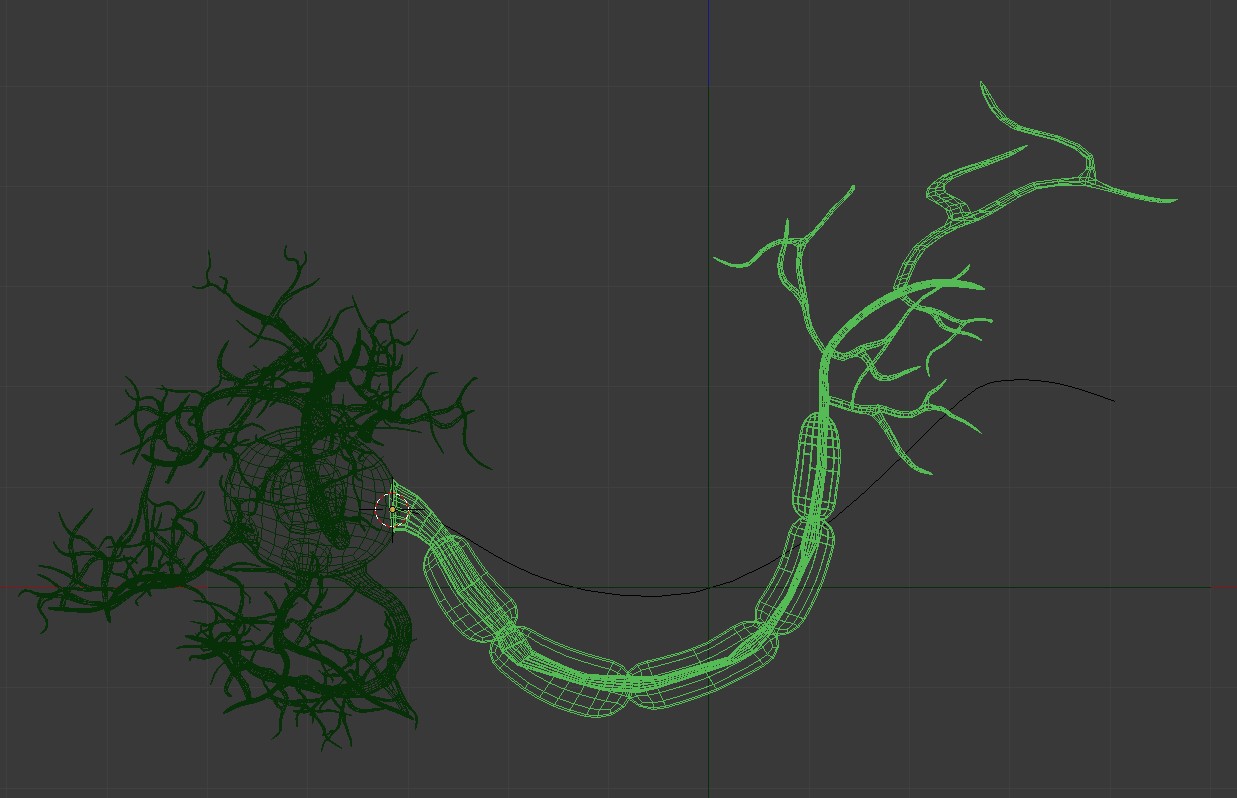
      but the weird thing is if I scale all the Bezier Curve points to 0 in the x-axis it fixes the mesh but then the curve isn’t in the desired pose I want.
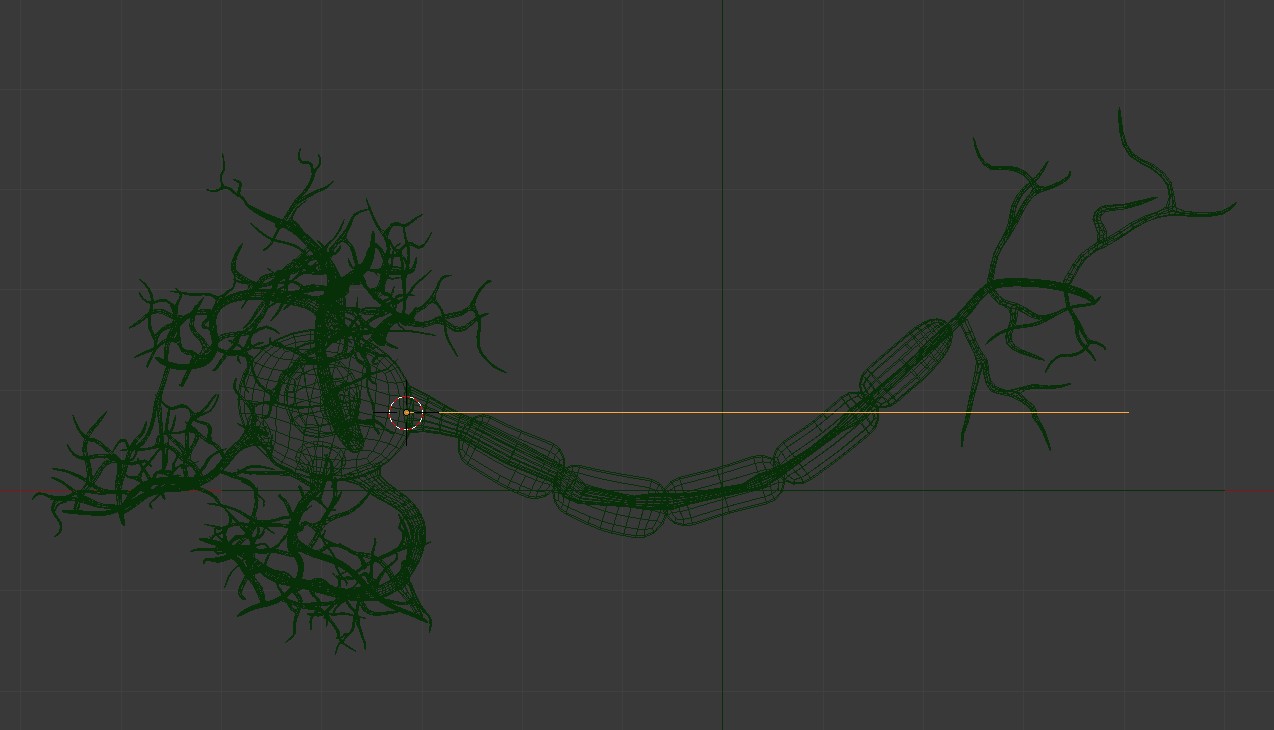
      Can anyone help me with how I have a curved Bezier Curve affect a curved mesh?

      Otherwise do I have to model the mesh in a straight line?

      #45081
      Ross Franks
      Participant

        I ended up following this tutorial

        https://youtu.be/JS8V4_Ncn0w?fbclid=IwAR1C7Nu6KBUih5b4_dXfOOma701EUGuFvDQl_QDiOwVRDIHZmHtYIjRqpQI

        just a shame there’s no easy way to just use a curve on a curved mesh

        #45082
        yukino hatake
        Participant

          @rfranks I wish I could help but I only used the curve modifier once and that model was straight. Hope someone can help with a good solution

          #45083
          spikeyxxx
          Participant

            Well rfranks, you are bending something that is already bent, so yes, it will bend further. As you have already figured, out Bendy Bones are the solution! If you really want to use Curves, then you’l have to use them on a straight model. That way they will behave as expected, but as you already have this nice model, I would definitely use BBones. They give you complete control and you can even animate them easily.

          Viewing 4 posts - 1 through 4 (of 4 total)
          • The topic ‘Curve modifier on an already curved model?’ is closed to new replies.