
Creating a Procedural Feather Texture only in Blender 2.9
Forum Archive › Creating a Procedural Feather Texture only in Blender 2.9
- This topic has 12 replies, 2 voices, and was last updated 5 years, 10 months ago by
spikeyxxx.
-
AuthorPosts
-
October 16, 2020 at 9:00 am #12919
I’m trying to create a procedural feather texture only with Blender 2.9 tools:
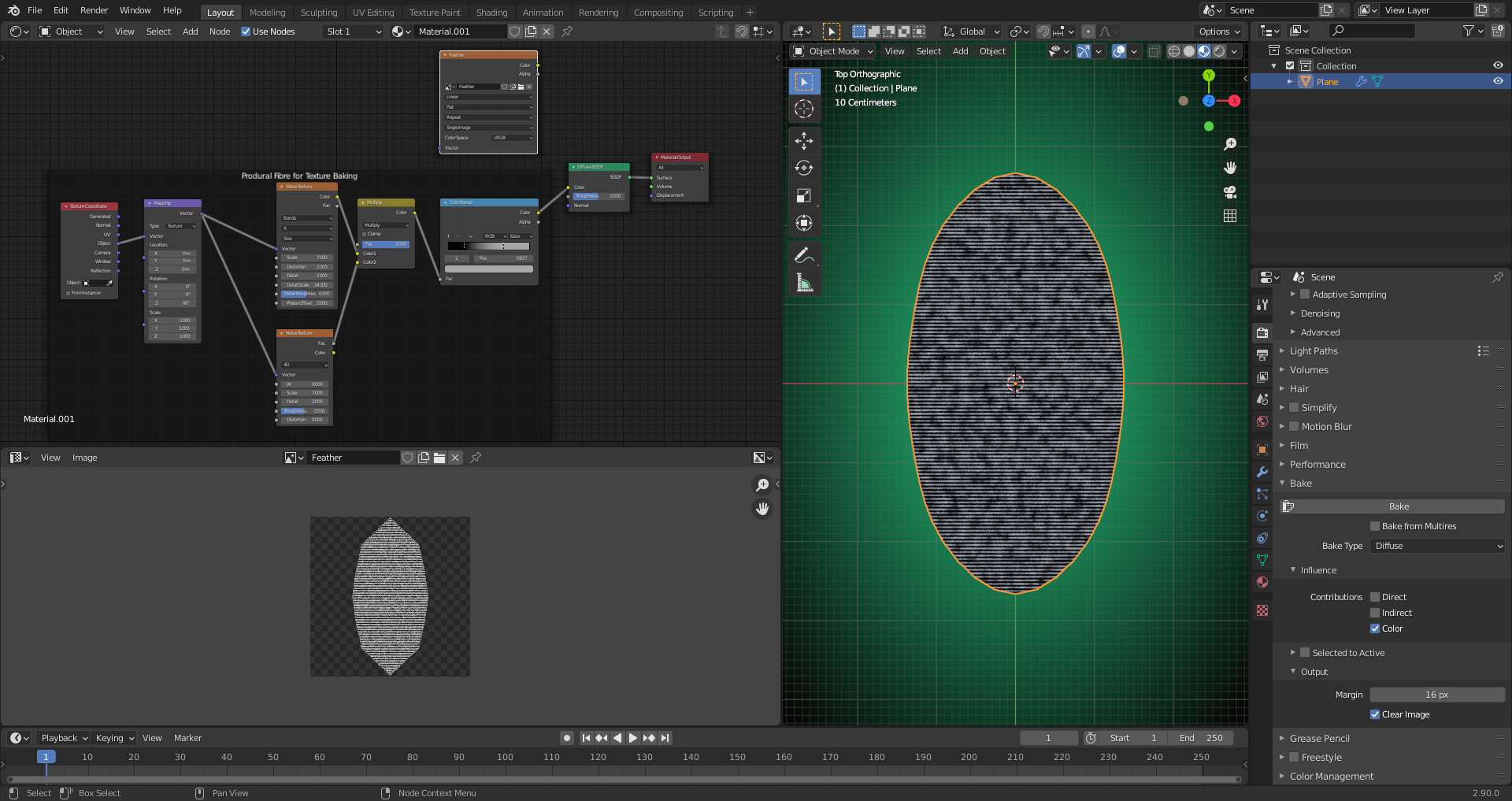
How do I bend the horizontal lines from the “Wave Texture” upwards as in a parabola?
File is here.
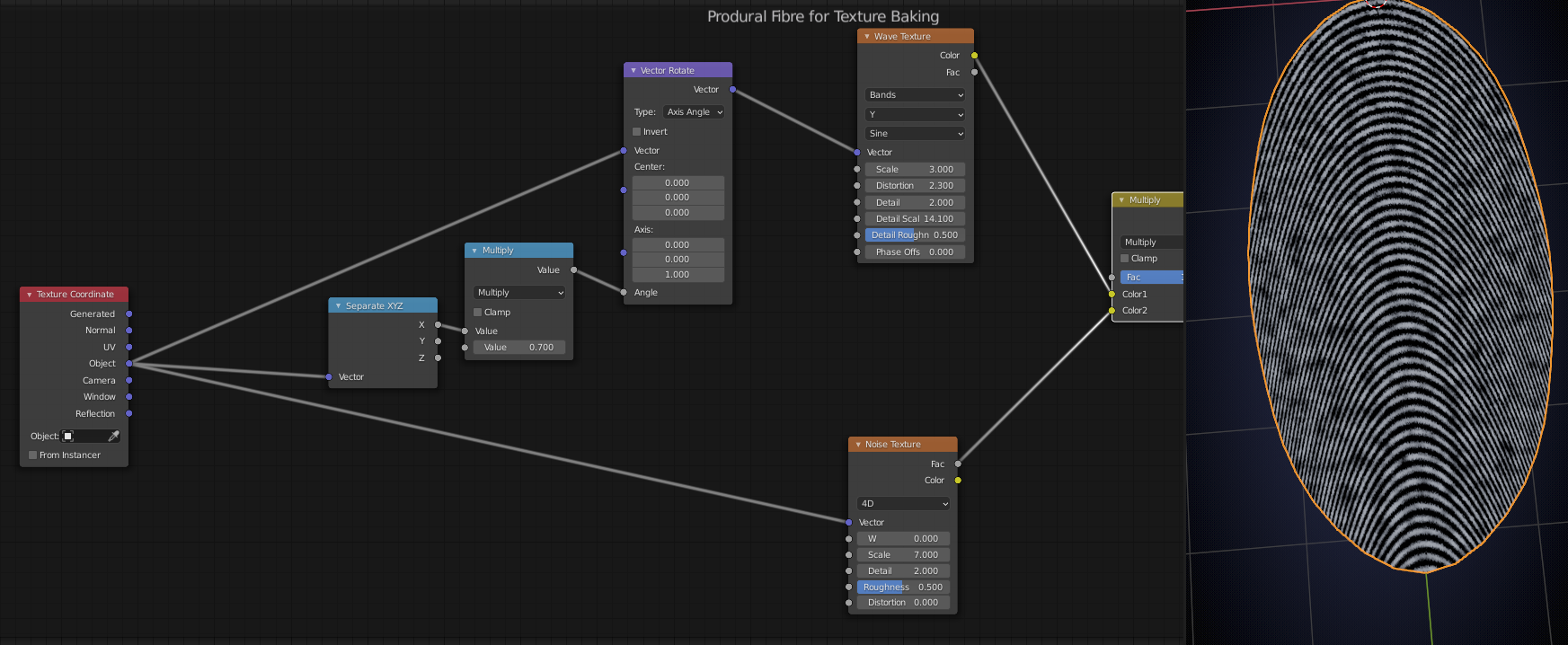
October 16, 2020 at 11:00 am #60920Probably not the best way (and not exactly a parabola…), but:
 October 16, 2020 at 11:07 am #60921
Thanks, @spikeyxxx, that’s great 👍! I’ve tried it with the “Mapping Node” but didn’t succeed although I know the function for creating a parabola. The “Vector Rotate Node” was not known to me until now. Your result furthermore shows a nice tapering of the fibres towards the outer ends. That’s really the cherry on the cake 🍒🍰!
October 16, 2020 at 12:02 pm #60922And this texture could also be a good starting point for “Procedural Fingerprints” 😉! Really cool 🕵️♂️!
PS: I definitively need to refresh and extend my knowledge about vector math 🧮👨🎓!
October 17, 2020 at 1:14 am #60923What is called vector math in Blender is, in most cases just math performed on three elements at the same time.
Multiplying two vectors is just multiplying the first elements of the two vectors which gives the first element of the result vector, etc…
This makes use of so-called SIMD instructions (Single Instruction Multiple Data) in (Assembly) programming; there are some extra large special Registers in you computer (think something like 256 bits, in stead of the usual 64 bit (or 32 bit if it’s really old)) that have been around since 1999 (I think…).), that can add (or multiply, or…) the elements of two lists simultaneously! This guy explains things really well: https://www.youtube.com/watch?v=QghC6G8TyQ0
Like I said, most of those Vector Math operations are just simultaneously performing that operation on the elements of the vector…
The rest is self explanatory (Length,….),look at the thumbnails,they usually say something like entry-wise…
The exceptions are Dot Product and Cross Product that are actual vector math and need tobe understood. And Reflect and Project, which are again self-explanatory (thumbnails!).
TLDR: learn about dot and cross product and you’re good to go 😉
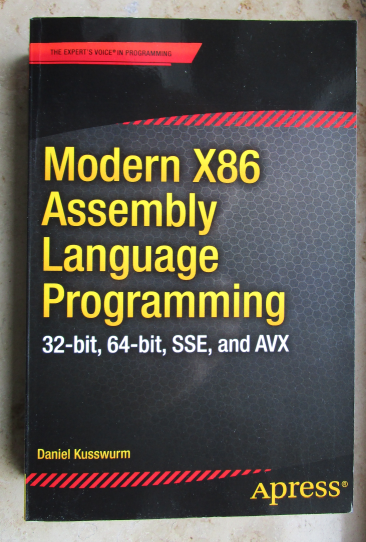
October 17, 2020 at 2:48 am #60924@spikeyxxx Thanks for your explanations, the link and the tip about “Vector Math”. Assembly Programming is another project on my To-Do-List 😉:
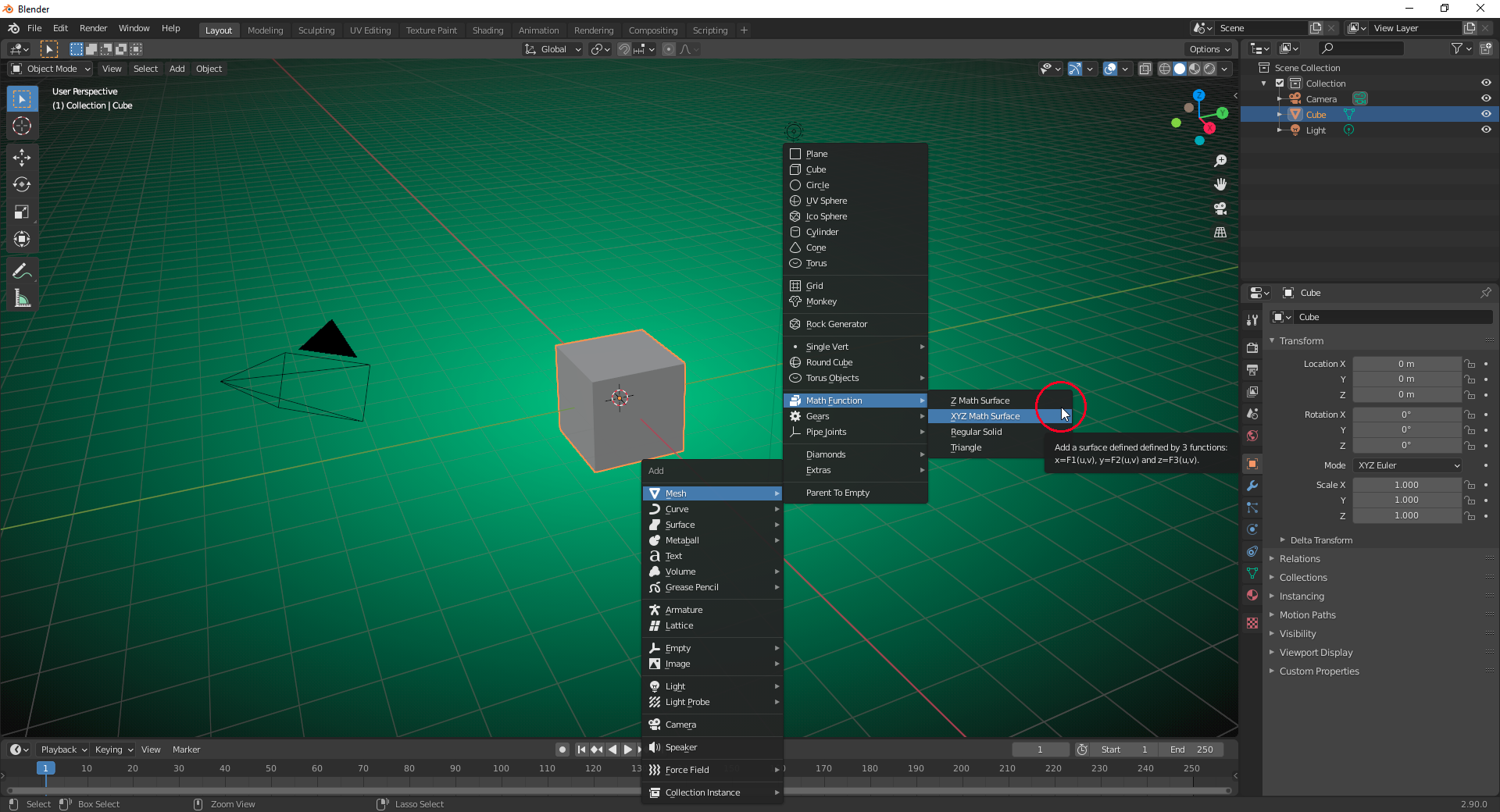
And in Blender it’s the “Math Function” in the “Extra Mesh Objects” and here again especially the “XYZ Surface” that interests me:
And my last project is to install Linux on my laptop in order to get rid of Windows. @spikeyxxx Do you maybe have a recommendation and a good program under Linux for working with Word documents? Are there good instructions for setting this up as well as for a proper data transfer?
October 17, 2020 at 3:12 am #60925When coming from Windows, I can recommend Linux Mint with the Cinnamon Desktop. But there are many more easy (beginner- and user- friendly) ones out there.. In Mint and many other Linux Distros LibreOffice is already installed. I haven’t got much experience with it, but it looks like a great substitute for Word.
As for installing and setting up Linux and Data transfer, check out Joe Collins’s channel: https://www.youtube.com/user/BadEditPro . There you can find video’s on just about anything Linux related.
October 17, 2020 at 3:35 am #60926P.S. I’ve never used the X,Y,Z Math Surface, but it looks like that is bending 2 dimensional surfaces in 3 dimensional space.
Sort of the opposite of UV Unwrapping.
This might sound complicated, but you are so used to this phenomena: a circle is a 1 dimensional object, bent in 2 dimensional space. And likewise: a sphere is a 2 dimensional surface, bent in 3 dimensional space, as is a torus, etc…
Each of the 3 coordinates are being written as a function of 2 variables (named u and v). If you’d use more than 2 variables, then it wouldn’t be a surface anymore.
Doesn’t have anything to do with vector math btw…
October 17, 2020 at 3:39 am #60927I just tried to visualize what the “Vector Rotate Node” does:
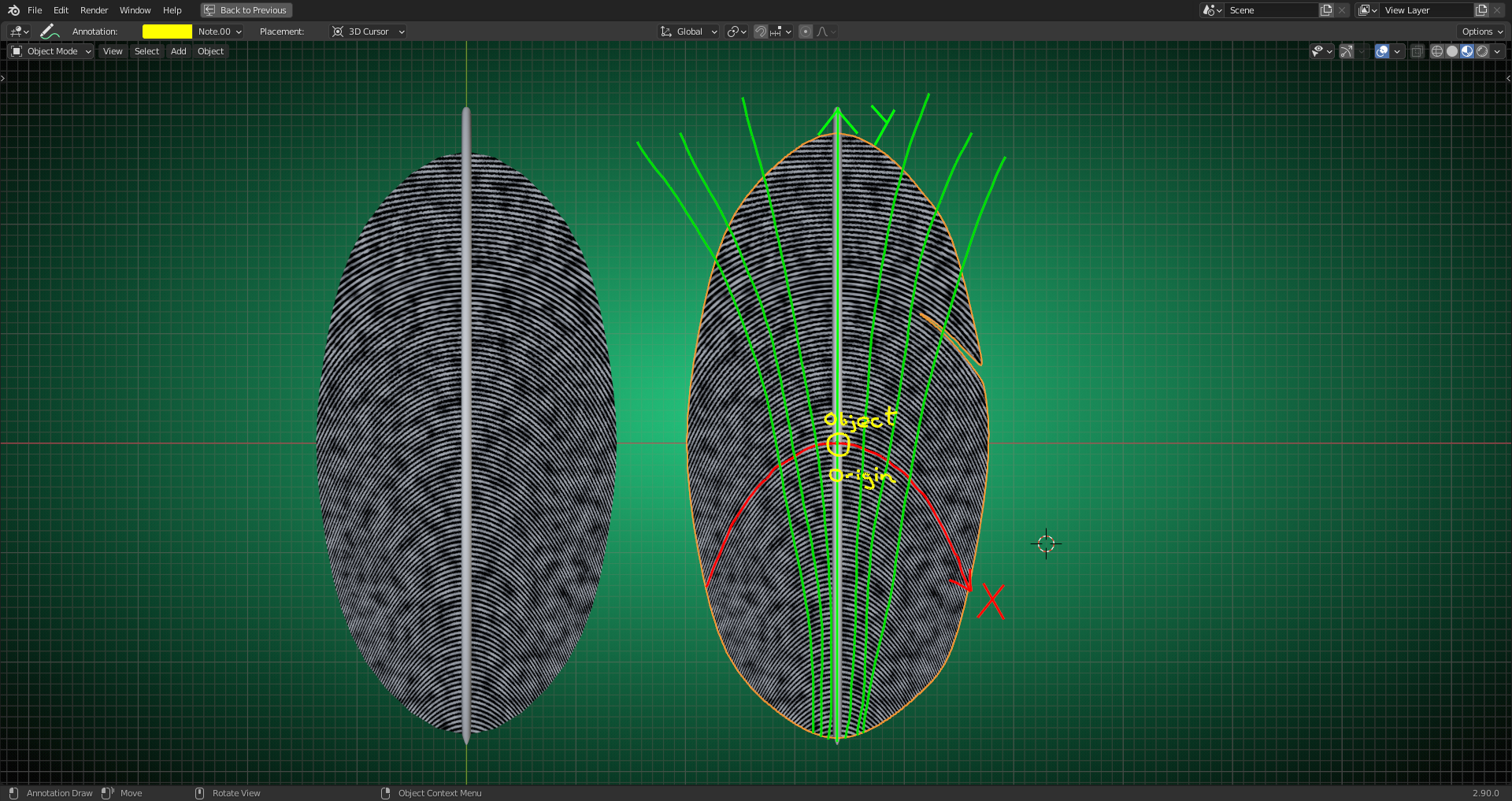
Is this correct that it bends the X and Y axis by rotating the vectors around the Z axis depending on the distance in X from the origin of the coordinate system (in this case the object’s origin)?
October 17, 2020 at 3:42 am #60928That is how I understand it 😉
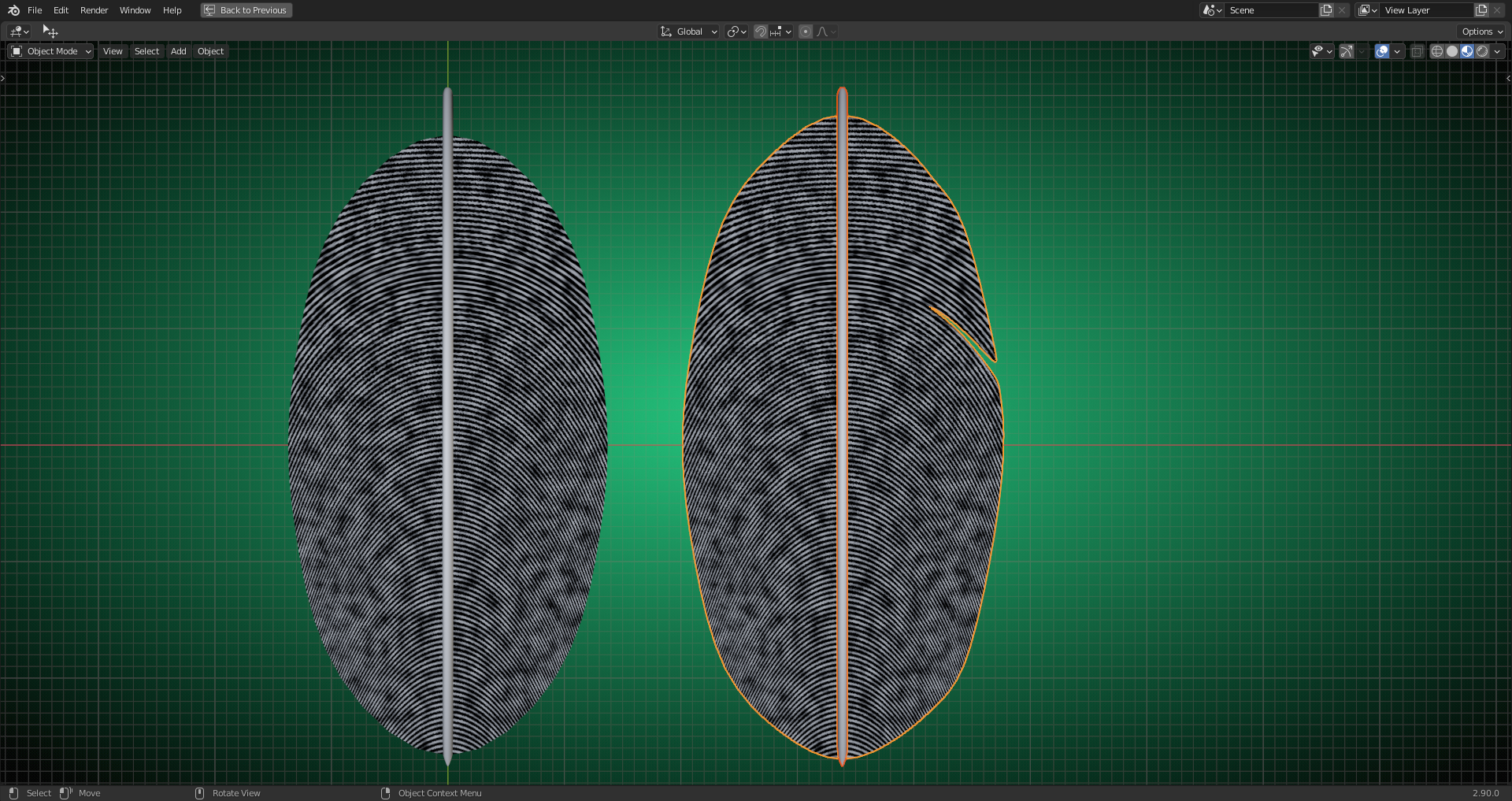
October 17, 2020 at 4:25 am #60929Creating a feather texture directly in Blender also offers the posibility to model cracks that really match the course of the feather fibres:
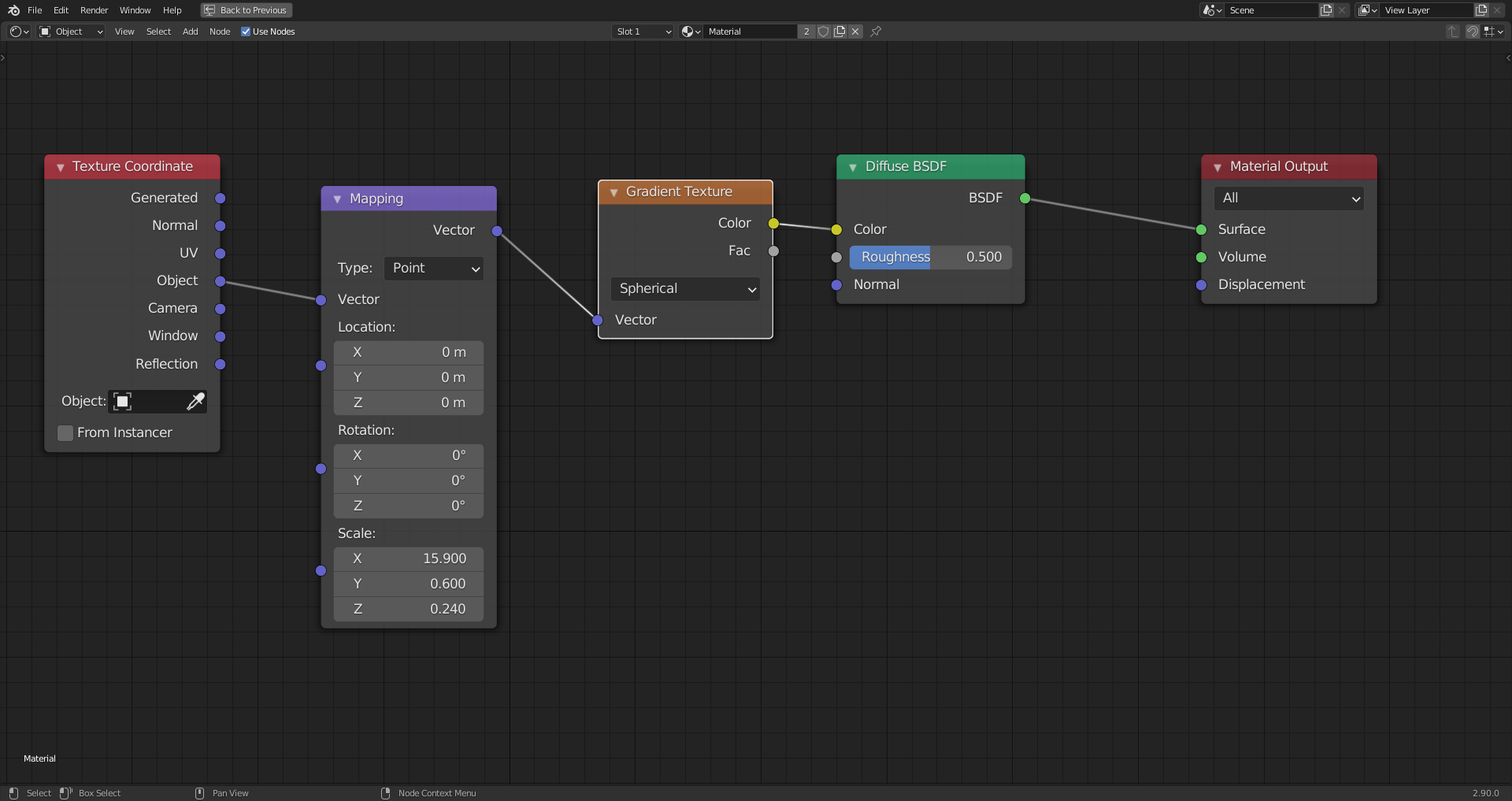
And the gradient for the quill is also easy to set up:
 October 17, 2020 at 5:48 am #60930
Just one last question concerning Mint: Can I install it on an external USB harddisk in order to test it before switching completely to Mint? Blender will be, off course, the first program installed under Mint 😉😀!
October 17, 2020 at 5:55 am #60931Any Linux Distribution comes as a Live Disk/USB, so you make a bootable USB or Disk with the iSO and then you can test it for as long as you want before actually installing it.
-
AuthorPosts


- The topic ‘Creating a Procedural Feather Texture only in Blender 2.9’ is closed to new replies.